# Crowdy Unreal SDK
Source: https://docs.crowdedkingdoms.com/unreal-sdk/intro
# Crowdy Unreal SDK
The Crowdy Unreal SDK is an Unreal Engine plugin that connects your game to the Crowded Kingdoms platform. It gives you a small surface you can drive from C++ or Blueprint: real-time networking for large numbers of players, voice chat, teams, channels, and avatars.
This guide describes **SDK 2.18**. Open `Plugins/CrowdySDK/CrowdySDK.uplugin` and check `VersionName` before you rely on a feature described here.
:::note[This guide is written for Unreal Engine 5.8 and a C++ project.]
Gameplay can be driven entirely from Blueprint, but the plugin itself compiles as C++, so your project needs a C++ target. See [Installation](./installation.md).
:::
## The two planes
Everything the SDK replicates lives on one of two planes, and the whole guide leans on the split.
1. **The view plane (CrowdyState).** Fast, client-owned state such as movement, animation, and transient effects. The client that owns an entity writes its state and everyone else sees it. Nothing here is checked by a server.
2. **The elected host is a convention.** One client is elected host to coordinate the view plane. It is a helper for shared logic, not a rule enforcer.
3. **The truth plane (your server code).** Server-owned gameplay state such as hit points, stats, and inventory, held by your app's code on [ck-exec](/exec/intro). Clients ask the server for it and ask the server to change it; the server decides. This is the only place a rule is enforced. The SDK reaches it from C++ through [Server Logic](./exec/overview.md).
4. **The planes touch in one way.** A client asks the server's code for a change and is told the result. No gameplay value ever flows from the view plane into the truth plane as trusted input.
Read [The Two Planes](./concepts/two-planes.md) before you decide where a new piece of state belongs.
:::caution[The host is a convention the SDK helps you follow, not a server that enforces rules.]
:::
## Entities
Almost everything on the view plane is an **entity**: an actor with a `UCrowdyEntityComponent` that has a shared identity (`NetID`) on every client, one owner, and a remote proxy everywhere else. Events (RPC calls) are aimed at entities, and replicated properties belong to them. [Entities, Identity, and Ownership](./concepts/entities-identity-ownership.md) covers the details.
## How to read this guide
Work through it in order the first time.
1. **Start**: [Installation](./installation.md) and the [Quickstart](./quickstart.md).
2. **Concepts**: [The Two Planes](./concepts/two-planes.md), [Entities, Identity, and Ownership](./concepts/entities-identity-ownership.md), [Sessions and Presence](./concepts/sessions-and-presence.md), [The Host Is a Convention](./concepts/host-is-a-convention.md).
3. **Crowdy Studio**: [sign in and connect your app](./studio/overview.md) from inside the editor.
4. **Runtime (view plane)**: [map profiles](./runtime/map-profile.md), entities, RPC events, Crowdy State.
5. **Server Logic (truth plane)**: [server-owned state on ck-exec and the code that changes it](./exec/overview.md), from Blueprint or C++.
6. **Services**: [voice chat](./services/voice-chat.md), [teams](./services/teams.md), [avatars](./services/avatars.md).
7. **Guides** and **Reference**: [best practices](./guides/best-practices.md), the [sample project](./guides/sample-project.md), [packaging](./guides/packaging.md), and lookup tables such as [console variables](./reference/console-cvars.md).
:::tip[Do Crowdy Studio first]
Nothing on the network works until your project knows which app it belongs to. Sign in and run [Config Sync](./studio/config-sync.md) before anything else.
:::
## What is next
Add the plugin with [Installation](./installation.md), connect your app in [Crowdy Studio](./studio/overview.md), then follow the [Quickstart](./quickstart.md) to put your player, one entity, one event, and one replicated property on screen.
# Installation
Source: https://docs.crowdedkingdoms.com/unreal-sdk/installation
# Installation
This page adds the CrowdySDK plugin to your project, enables it, adds the module dependencies your code needs, and points the project at your app.
## Prerequisites
- Unreal Engine 5.8.
- A C++ project (Visual Studio 2022 with the Desktop C++ workload). Gameplay can be driven entirely from Blueprint, but the plugin compiles as C++.
:::caution[The plugin compiles C++ modules, so a Blueprint only project cannot use it.]
Add a C++ class to a Blueprint project once (File, New C++ Class) and it becomes a C++ project.
:::
## Step 1: Get the release
Download the `v2.18.0` release of the plugin from the public repository, `CrowdedKingdoms/CrowdySDK-Unreal` on GitHub.
:::note[The release you install must match the version this guide describes (2.18).]
:::
## Step 2: Place the plugin at `Plugins/CrowdySDK`
Unpack the release into your project's `Plugins` folder so the plugin descriptor sits at:
```
YourProject/Plugins/CrowdySDK/CrowdySDK.uplugin
```
Create the `Plugins` folder if it does not exist. The first time you open the project afterwards, the editor offers to build the plugin's modules; accept.
:::warning[Keep it under Plugins. Do not reach it through an external plugin directory.]
A plugin mounted from anywhere else (for example through `AdditionalPluginDirectories` in the `.uproject`) is an External plugin, and Unreal silently drops the config it ships in `Plugins/CrowdySDK/Config/*.ini`. That config is load-bearing:
- `CoreRedirects` that repoint content saved against the SDK's older single-module layout to the current modules, so older assets still load.
- `AssetRegistry` cook-tag exclusions that keep editor-only Game Model schema tags out of a packaged build's asset registry.
- A packaging entry that cooks the plugin's shipped map profile (the per-map data asset that switches the SDK on; see [Map profiles](./runtime/map-profile.md)), without which a packaged build is inactive on any map that configured nothing.
Once the project opens in the editor (after Step 5), check the Output Log for `Mounting Project plugin CrowdySDK`. If the line says External, move the plugin.
:::
## Step 3: Enable the plugin
From the editor: open the project, go to **Edit, Plugins**, search for `CrowdySDK`, tick **Enabled**, and restart when asked.
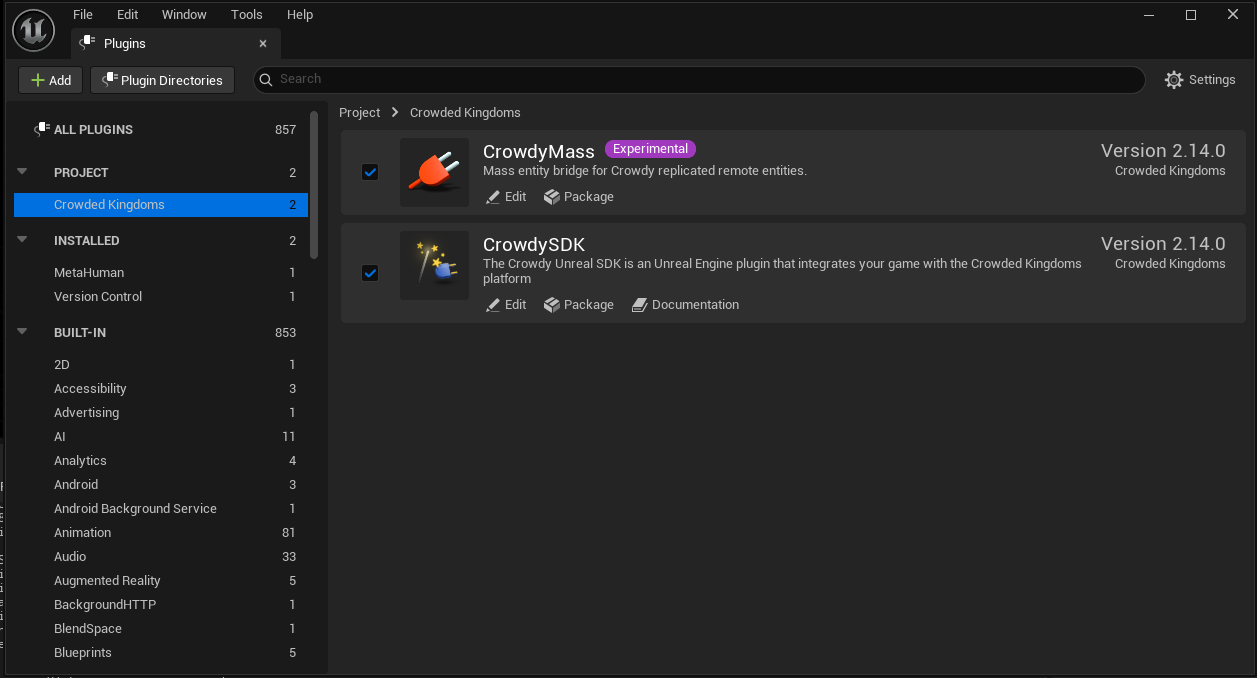
Or add it to your `.uproject` by hand:
```json
{
"Name": "CrowdySDK",
"Enabled": true
}
```
Enabling `CrowdySDK` brings in all ten of its modules. You never enable them one by one.
| Module | Type | What it holds |
|---|---|---|
| `CrowdySDK` | Runtime | The top-level subsystem: login, connection, voice toggle. |
| `CrowdyReplication` | Runtime | Entities, RPC events, Crowdy State, Game Models (deprecated), map profiles, project settings. |
| `CrowdyServices` | Runtime | Authentication, teams, channels, avatars, host election. |
| `CrowdyNet` | Runtime | The UDP transport, the API client, and the routing enums. |
| `CrowdyVoice` | Runtime | Microphone capture, encode and decode, playback. |
| `CKSharedTypes` | Runtime | Shared data types used across modules. |
| `CrowdyCppBridge` | Runtime | The vendored native client the transport is built on. You never include it directly. |
| `CrowdyNodes` | UncookedOnly | The Blueprint nodes for Game Model authoring (Apply Crowdy Effect, deprecated) and the compiler checks for Crowdy-replicated variables. |
| `CrowdySDKEditor` | Editor | Turns event and state markers into Blueprint authoring surfaces and bakes them for cooked builds. |
| `CrowdyStudio` | Editor | Crowdy Studio, the management console: sign-in, apps, Config Sync, authoring pages. |
The Game Model pieces are legacy: the game API no longer serves game models, so nothing built on
them reaches a server. Since v2.18.0 the SDK marks them deprecated and their calls fail at once, and a
later release removes them. Keep the state
your game must trust in your server code on [ck-exec](/exec/intro); see
[Move from Game Models](./exec/move-from-game-models.md) and [the two planes](./concepts/two-planes.md).
## Step 4: Add the module dependencies
In your game module's `Build.cs`, add the modules your code calls. Most projects need these four:
```csharp
PrivateDependencyModuleNames.AddRange(new string[]
{
"CrowdySDK",
"CrowdyReplication",
"CrowdyServices",
"CrowdyNet"
});
```
:::note[Add CrowdyVoice only if your code calls the voice capture module directly.]
The voice toggle on the SDK subsystem does not need it. `CKSharedTypes` arrives through the public dependencies of the four modules above, so it rarely needs listing.
:::
## Step 5: Recompile
Regenerate project files and build:
- **Rider or Visual Studio**: right-click the `.uproject`, choose *Generate project files*, then build.
- **Unreal Editor**: accept the prompt to recompile on the next launch.
Or from a command line, which is what a build machine runs:
```text
"C:\Program Files\Epic Games\UE_5.8\Engine\Build\BatchFiles\Build.bat" YourProjectEditor Win64 Development -Project="C:\Path\To\YourProject.uproject" -WaitMutex
```
The first build compiles the whole plugin and takes a few minutes. The log ends with `Link [x64] UnrealEditor-CrowdyStudio.dll` and `Result: Succeeded`. Expect a few warnings from a third-party header inside the plugin (a `C4324` padding warning from the vendored client's `spsc.hpp`); they are harmless and repeat on every build.
Once it compiles, the SDK subsystems are available in both C++ and Blueprint.
## Step 6: Connect your app
Open Crowdy Studio inside the editor, sign in, pick your app, and run Config Sync. It writes the connection settings into the project for you.
Until you run Config Sync for the first time, the project has no Backend of its own, so it dials the tier the plugin release you downloaded was built for: Production for a tagged GitHub release. See [Project settings](./reference/project-settings.md#the-default-backend).
:::warning[Do not type your app id and API URLs into Project Settings by hand.]
The network settings on `UCrowdySDKDeveloperSettings` (`AppID`, `OrgId`, `Environment`, `DiscoveryUrl`, `GameApiHttpUrl`, `GameApiWsUrl`, `UDPProtocol`, `UDPTimeoutSeconds`, `HostPollIntervalSeconds`) are read-only in Project Settings on purpose (they live under **Project Settings, Plugins, Crowdy SDK**). Crowdy Studio owns them; a value you type elsewhere is overwritten by the next sync. See [Config Sync](./studio/config-sync.md).
:::
## Related
- [Crowdy Studio overview](./studio/overview.md): open the console and sign in.
- [Quickstart](./quickstart.md): your first entity, event, replicated property, and server-owned value.
- [Map profiles](./runtime/map-profile.md): every playable map needs one before anything replicates.
# Quickstart
Source: https://docs.crowdedkingdoms.com/unreal-sdk/quickstart
# Quickstart
This page puts you on the wire, then builds one small thing, a lantern, with one of each SDK idea on it: an entity, an RPC event, and a Crowdy State property. Each step is a few lines of C++ or a few Blueprint nodes, and each ends with something you can see. A single Play in Editor client is enough for all of it.
Two words you will meet on every step. An **entity** is an actor other players can see: an actor with a Crowdy Entity Component, which gives it a shared identity and one **owner**, the client that simulates it; every other client holds a **proxy** that plays back what the owner sends. A **map profile** is a small data asset (`UCrowdyMapProfile`) that switches the SDK on for one map; it is assigned per map under **Project Settings, Plugins, Crowdy SDK, Map Profiles**.
One fact shapes the order of the steps. The server knows a client by the actor updates it sends: your player pawn, as an entity, is what makes you present, and a client with no fresh actor is at no position on the map and receives no spatial event. So the pawn comes first, the lantern after.
## Before you start
1. [Install the plugin](./installation.md) into a project whose player already moves, the Third Person template or your own game, and confirm it compiles. Step 1 adds a component to the character you have; a bare Character has no body and no input, so start from one that walks.
2. Open Crowdy Studio, [sign in](./studio/sign-in.md), pick your app on the Project page, and press **Sync to project** on its Configuration tab. See [Config Sync](./studio/config-sync.md).
3. Optional: give your test map a [map profile](./runtime/map-profile.md) of its own. Without one it runs on the SDK's shipped default, which is enough for this page.
4. Know that nothing on this page reaches another client until your own pawn is sending updates (step 1). An event sent before that goes to nobody.
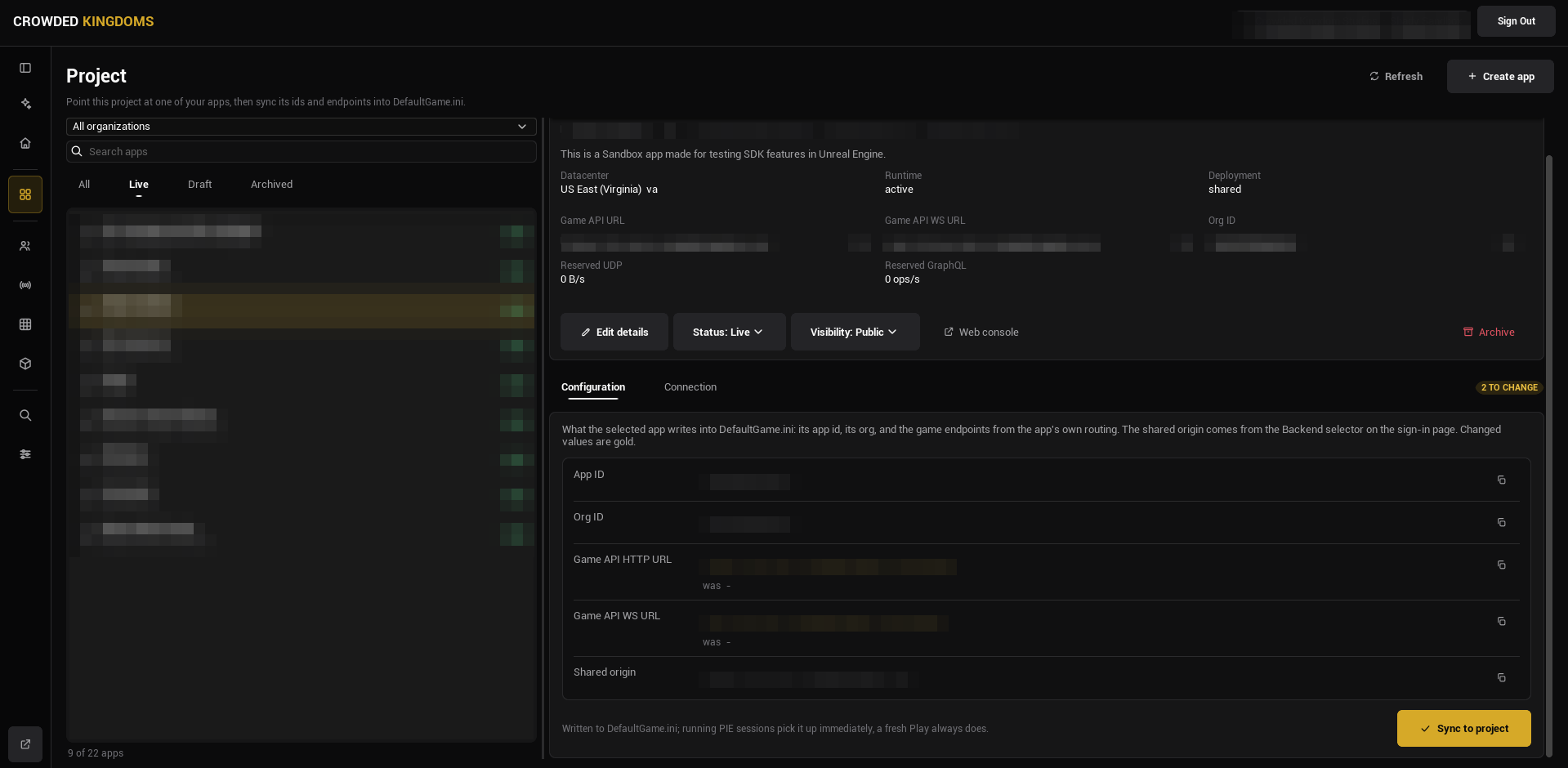
:::caution[If you skip the sync, the SDK has no app id or Game API URLs to connect with, and nothing replicates.]
:::
:::note[A map with no profile of its own runs on the SDK's shipped default.]
Config Sync points the project at an app; a map profile decides what the SDK does on a map. With none assigned, the shipped default applies (networking on, the actor pool drawing remote entities with the shipped transform policy), so every step below works without authoring one. Author a profile when you need per-map settings; see [Map profiles](./runtime/map-profile.md).
:::
## About the code on this page
The C++ steps build three small things. Step 0 is the Game Instance, `LanternGameInstance.h` and `LanternGameInstance.cpp`. Step 1 is your player, `LanternPlayer.h` and `LanternPlayer.cpp`, with a Game Mode, `LanternGameMode.h` and `LanternGameMode.cpp`, that spawns it at the right moment. Steps 3 to 5 build one actor, `ALantern`, in `Lantern.h` and `Lantern.cpp`: step 3 gives you both files, each later step is what you add to them, and the finished actor is at the end of the page. The first comment line of each block names the file it goes in. The usual boilerplate is left out so the SDK parts stand out: add `#pragma once`, `#include "CoreMinimal.h"`, and the base class include (`GameFramework/Actor.h`, `GameFramework/Character.h`, `GameFramework/GameModeBase.h`, `Components/ActorComponent.h`, or `Engine/GameInstance.h`) at the top of each header yourself. Everything else, including the `.generated.h` line, is in the block.
The Blueprint steps build the same three things: a Game Instance Blueprint, a Character Blueprint with a Game Mode Blueprint, and one Actor Blueprint for the lantern. The lantern needs two components before you start: a **Sphere Collision** (the trigger a player walks into) and a **Point Light** named `Light`, the thing every lantern graph drives. Every Blueprint figure can be panned with the right mouse button. Press **Copy nodes**, then Ctrl+V in your own event graph.
## 0. Sign the player in
Nothing connects by itself. The SDK requests its realtime connection only after a player signs in, so the game signs the player in once, at startup, from its Game Instance: call `Login` (or `Register` for a new account) on the Crowdy SDK subsystem and wait for two events: **On Login** (the account is signed in) and then **On UDP Connection Success** (the realtime connection is up). Every entity, event, and property below depends on that connection.
```cpp
// LanternGameInstance.h
#include "Subsystem/CrowdySDKSubsystem.h"
#include "LanternGameInstance.generated.h"
UCLASS(Config = Game)
class ULanternGameInstance : public UGameInstance
{
GENERATED_BODY()
public:
virtual void Init() override;
// A development account read from Config/DefaultGame.ini. Never ship credentials in a game.
UPROPERTY(Config)
FString Email;
UPROPERTY(Config)
FString Password;
private:
UFUNCTION()
void HandleLogin(bool bSuccess, FString Message);
UFUNCTION()
void HandleConnected();
};
// LanternGameInstance.cpp
#include "LanternGameInstance.h"
void ULanternGameInstance::Init()
{
Super::Init();
UCrowdySDKSubsystem* Sdk = GetSubsystem();
Sdk->OnLogin.AddDynamic(this, &ULanternGameInstance::HandleLogin);
Sdk->OnUDPConnectionSuccess.AddDynamic(this, &ULanternGameInstance::HandleConnected);
Sdk->Login(Email, Password);
}
void ULanternGameInstance::HandleLogin(bool bSuccess, FString Message)
{
UE_LOG(LogTemp, Log, TEXT("Login %s %s"), bSuccess ? TEXT("ok") : TEXT("failed:"), *Message);
}
void ULanternGameInstance::HandleConnected()
{
// From here on entities register on the wire and a host is elected.
UE_LOG(LogTemp, Log, TEXT("Connected to the app"));
}
```
Make it the project's Game Instance under **Project Settings, Maps & Modes, Game Instance Class**, then give it a test account in `Config/DefaultGame.ini` (`YourModule` is your game module's name):
```ini
[/Script/YourModule.LanternGameInstance]
Email=you@example.com
Password=your-test-password
```
Create a Blueprint with **Game Instance** as its parent class and make it the project's Game Instance under **Project Settings, Maps & Modes, Game Instance Class**. In its event graph the **Init** event runs once at startup; the **Login** node is latent, with **On Success** and **On Error** pins. Fill in a test account.
[Blueprint snippet: qs-login, see /bp/unreal-sdk/qs-login.txt]
**Success signal.** The log reports `Login ok`, then `Connected to the app` (the two handlers in the C++ block; in Blueprint, bind **On UDP Connection Success** on the Crowdy SDK Subsystem for the second moment). From then on `Get UDP Connection State` on the subsystem reads connected. See [Authentication](./services/authentication.md) for the sign-in link and provider flows, and for restoring a saved session so a returning player types nothing.
:::caution[A test account belongs in a config file or a pin default, never in shipped code.]
:::
## 1. Make your player a Crowdy entity
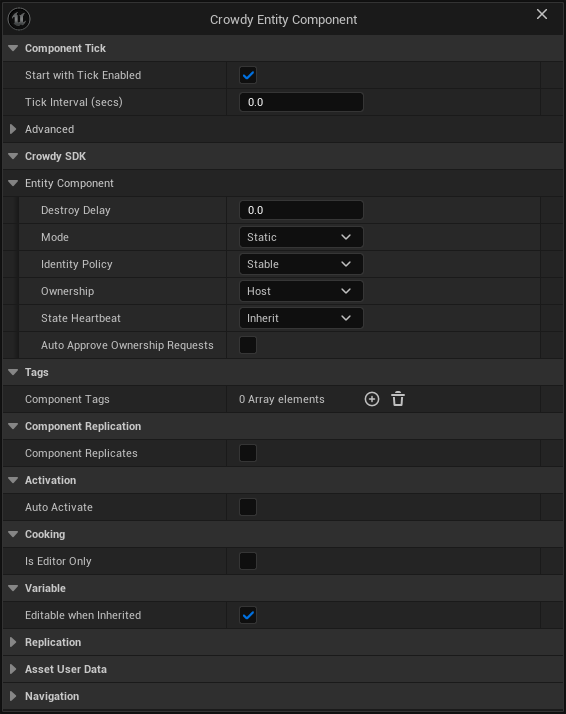
Your player pawn is the first entity, before any lantern, because it is what makes you exist to the server. A pawn with a `UCrowdyEntityComponent` in **Dynamic** mode sends an actor update every replication interval (ten a second on the shipped profile), and a heartbeat at least once a second while it stands still; the server registers your position from those updates, and from then on you are a recipient of everything sent near you. The component needs three settings changed from their defaults: **Mode** Dynamic (the continuous channel; the default, Static, is for things that do not move), **Identity Policy** Player Derived (the identity is derived from the signed-in account, so it is the same on every client and on every launch; only valid on the locally controlled pawn), and **Ownership** Local Client (this client simulates the pawn; a pawn the Game Mode spawns is owned by the client that spawned it whatever this reads, so Local Client is the honest value; the default, Host, is for a level-placed world entity, which sends nothing until the elected host is known). Leave **State Executor** empty: the SDK's default executor snapshots the pawn's location and rotation, which is all this page needs.
The identity is derived once and nothing re-derives it later: at `BeginPlay` when the pawn already has a controller, otherwise inside its first possession, which for a pawn the Game Mode spawns during play is the `RestartPlayer` call that spawned it. A pawn spawned by the Game Mode on the first frame begins play before the sign-in has answered, and its first updates leave before the server is ready for them, so the Game Mode starts players as spectators and the connected handler spawns the pawn instead. **On UDP Connection Success** fires once the server has assigned you and its readiness wait has elapsed (the SDK times that, you never do), and every update the pawn sends after it counts.
Where the account id becomes readable. The engine possesses a pawn spawned during play only after its `BeginPlay`, so the component waits and registers inside that first possession, after the pawn's own **Possessed** and **Controller Changed** events; the first controller of any kind completes it, and an AI-possessed pawn takes the random-id fallback with its warning. A respawn that leaves the old pawn standing hands the account id to the new one, and the old pawn's component stops replicating. Read the id from the component's **On Crowdy Ownership Assigned** (`OnCrowdyOwnershipAssigned`) or the entity subsystem's `OnEntityRegistered`, never from `BeginPlay` or **Possessed**; **Is Locally Owned** on the pawn reads false until that registration, so a pawn graph that gates on it at `BeginPlay` runs nothing.
`ALanternPlayer` is a Character with a `Torch` point light and the entity component. `ALanternGameMode` names it as the default pawn, starts players as spectators, binds **On UDP Connection Success** in its own `BeginPlay`, and spawns the pawn with `RestartPlayer` when the event fires. The event fires again after a re-assignment, and `RestartPlayer` keeps a pawn the player already has, so a reconnect does not respawn you.
```cpp
// LanternPlayer.h
#include "Components/PointLightComponent.h"
#include "Replication/Components/CrowdyEntityComponent.h"
#include "LanternPlayer.generated.h"
UCLASS()
class ALanternPlayer : public ACharacter
{
GENERATED_BODY()
public:
ALanternPlayer();
UPROPERTY(VisibleAnywhere, Category = "Lantern")
TObjectPtr Torch;
UPROPERTY(VisibleAnywhere, Category = "Crowdy")
TObjectPtr CrowdyEntity;
};
// LanternPlayer.cpp
#include "LanternPlayer.h"
ALanternPlayer::ALanternPlayer()
{
Torch = CreateDefaultSubobject(TEXT("Torch"));
Torch->SetupAttachment(RootComponent);
// Dynamic sends the transform every interval, Player Derived names the entity after the signed-in user, Local Client makes this client its sender.
CrowdyEntity = CreateDefaultSubobject(TEXT("CrowdyEntity"));
CrowdyEntity->Mode = ECrowdyEntityMode::Dynamic;
CrowdyEntity->IdentityPolicy = ECrowdyIdentityPolicy::PlayerDerived;
CrowdyEntity->Ownership = ECrowdyOwnership::LocalClient;
}
```
```cpp
// LanternGameMode.h
#include "LanternGameMode.generated.h"
// Spawns the Lantern Player only once the app connection is up, so its first update carries the signed-in identity.
UCLASS()
class ALanternGameMode : public AGameModeBase
{
GENERATED_BODY()
public:
ALanternGameMode();
virtual void BeginPlay() override;
private:
UFUNCTION()
void HandleConnected();
};
// LanternGameMode.cpp
#include "LanternGameMode.h"
#include "LanternPlayer.h"
#include "Subsystem/CrowdySDKSubsystem.h"
ALanternGameMode::ALanternGameMode()
{
DefaultPawnClass = ALanternPlayer::StaticClass();
bStartPlayersAsSpectators = true;
}
void ALanternGameMode::BeginPlay()
{
Super::BeginPlay();
GetGameInstance()->GetSubsystem()->OnUDPConnectionSuccess.AddDynamic(this, &ALanternGameMode::HandleConnected);
}
void ALanternGameMode::HandleConnected()
{
// The pawn's updates from here on are what make this client present to the server; on a reconnect the player keeps the pawn it has.
RestartPlayer(GetWorld()->GetFirstPlayerController());
}
```
`ALanternPlayer` has no mesh and no input of its own, so keep the body and the movement you already have: open the template's `BP_ThirdPersonCharacter` (or your own Character), set its **Parent Class** to `Lantern Player` under **Class Settings**, then create a Blueprint whose parent is `Lantern Game Mode` and set its **Default Pawn Class** to that character, overriding the C++ class the constructor names. Make that Game Mode Blueprint the project's default under **Project Settings, Maps & Modes, Default Modes, Default GameMode**, or set it as the test map's Game Mode Override in World Settings. The Game Instance from step 0 is unchanged.
Three Blueprints, two of them settings only.
1. **The Character.** Open the template's `BP_ThirdPersonCharacter`, or your own Character that already moves; a new Blueprint with **Character** as its parent has no body and no input, so do not start from one. In the Components panel click **Add** and choose **Crowdy Entity Component**. In its Details panel, under **Crowdy SDK, Entity Component**, set **Mode** to **Dynamic**, **Identity Policy** to **Player Derived**, and **Ownership** to **Local Client**. Two rows appear once Mode is Dynamic, **State Executor** and **Auto Register**: leave the executor at None and Auto Register ticked; a third, **Host Override**, appears once Ownership is Local Client: leave it at Allow. Add a **Point Light** named `Torch` while you are there; a later page drives it.
2. **The Game Mode.** Create a Blueprint with **Game Mode Base** as its parent class. Set **Default Pawn Class** to your Character and tick **Start Players as Spectators** under **Game Mode**. Make it the project's default under **Project Settings, Maps & Modes, Default Modes, Default GameMode**.
3. **The spawn.** In the Game Mode's event graph, from **Event BeginPlay**, get the **Crowdy SDK Subsystem** and **Bind Event to On UDP Connection Success** to a custom event `OnConnected` (the same **Bind Event** shape the [Authentication](./services/authentication.md#after-sign-in) page uses for On Login). `OnConnected` calls **Restart Player** with **Get Player Controller** (index 0) on its New Player pin. The Game Instance from step 0 is unchanged.
[Blueprint snippet: qs-player-spawn, see /bp/unreal-sdk/qs-player-spawn.txt]
**Success signal.** Press Play. The map sits still under a fixed camera until `Connected to the app`, then your character spawns at a Player Start and you can move it. With `crowdy.entity.trace 1` on, the log shows the pawn's entity registering on the wire right after the connection comes up.
:::caution[A pawn that begins play before the sign-in has answered derives its identity from user id 0.]
Nothing warns. Two such clients conflate into one player, and the host cannot be found by its avatar. Keep the pawn's spawn behind **On UDP Connection Success**, as the block does: the pawn then registers under your account's id inside the possession that `RestartPlayer` performs.
:::
## 2. See yourself
Walk forward. Within a second or two a second copy of your character appears where you were a moment ago and follows you around at a small delay (if you kept a bare Character with no mesh, the copy is the torch light alone). That is not a local mirror: your updates went to the server, the server fanned them back to every client in range, you included, and the actor pool on this client drew the result as a proxy of your own class, interpolated to about 100 milliseconds plus one round trip behind you. The shipped profile keeps that echo because **Enable Owner Tracking** on the map profile defaults to on; turning it off drops your own echo and nothing else.
What it means: the server received your updates, so you exist to it. The same updates are what make you a recipient of the lantern's event in step 4. In a shipped game you hide one side of the pair yourself (`SetActorHiddenInGame` on the local pawn when `IsLocallyOwned()`, or leave the echo off); for this page, keep it: it is the proof.
{/* Screenshot pending: qs-own-reflection (window shot, user-driven; steps in the shot manifest). */}
The other way to see the same thing is two real clients. Open two Play in Editor windows signed into two different accounts, as [Testing locally](./guides/testing-locally.md#two-pie-client-setup) describes; each window shows the other's pawn as a proxy, moving as its owner moves.
**Success signal.** A second character follows you. If none appears, check in this order: the log shows `Connected to the app`; the pawn spawned after it, not on the first frame; the map's profile (or the shipped default) has its actor tracker on; `crowdy.entity.trace 1` shows the registration.
## 3. Light a lantern
An entity is an actor with a `UCrowdyEntityComponent`. Two of the component's defaults are what most level-placed things want: **Static** mode (event-only; the other mode, **Dynamic**, streams a state snapshot every replication interval, as your pawn does) and a **Stable** identity every client derives the same way. This example changes the third: it sets **Ownership** to Local Client, so the client that placed the lantern owns it the moment it registers. With the default, Host, an entity is owned by the elected host, and `IsLocallyOwned()` stays false until the host is known, which happens after the sign-in above completes.
The lantern is a sphere trigger with a point light on it. On the client that owns it, the light turns blue; on every other client it keeps its default colour. That is the ownership question, asked once at `BeginPlay`.
```cpp
// Lantern.h
#include "Components/PointLightComponent.h"
#include "Components/SphereComponent.h"
#include "Replication/Components/CrowdyEntityComponent.h"
#include "Lantern.generated.h"
UCLASS()
class ALantern : public AActor
{
GENERATED_BODY()
public:
ALantern();
virtual void BeginPlay() override;
UPROPERTY(VisibleAnywhere, Category = "Lantern")
TObjectPtr Trigger;
UPROPERTY(VisibleAnywhere, Category = "Lantern")
TObjectPtr Light;
// Makes the actor an entity: every client in the session sees it, one of them owns it.
UPROPERTY(VisibleAnywhere, Category = "Crowdy")
TObjectPtr CrowdyEntity;
};
// Lantern.cpp
#include "Lantern.h"
ALantern::ALantern()
{
Trigger = CreateDefaultSubobject(TEXT("Trigger"));
Trigger->InitSphereRadius(100.f);
SetRootComponent(Trigger);
Light = CreateDefaultSubobject(TEXT("Light"));
Light->SetupAttachment(Trigger);
// The client that places the lantern owns it at once; a host-owned entity waits for the host election.
CrowdyEntity = CreateDefaultSubobject(TEXT("CrowdyEntity"));
CrowdyEntity->Ownership = ECrowdyOwnership::LocalClient;
}
void ALantern::BeginPlay()
{
Super::BeginPlay();
if (CrowdyEntity->IsLocallyOwned())
{
Light->SetLightColor(FLinearColor(0.4f, 0.7f, 1.f));
}
}
```
In the Actor Blueprint, click **Add** in the Components panel and choose **Crowdy Entity Component**, then set its **Ownership** to **Local Client** in the Details panel. In the event graph:
[Blueprint snippet: qs-entity, see /bp/unreal-sdk/qs-entity.txt]
**Success signal.** Place the lantern in the map and press Play. Its light is blue, because this client owns it. The component also broadcasts `OnCrowdyOwnershipAssigned` on every client on the tick after the entity registers, with `bIsLocallyOwned` true on the owner; bind to it when you need the answer from an event rather than a poll. Once the sign-in has connected, `crowdy.entity.trace 1` logs the entity's registration on the wire.
## 4. Send one RPC event
An RPC event is a function you mark with `CrowdyEvent`. You call it like any function; the SDK runs the matching receiver on the other clients. The recipient decides who: `SpatialMulticast` (everyone in range, the default), `Multicast` (everyone on the session channel), `OwningClient`, or `Host`. A spatial event is addressed by position, and a client's position is the one its pawn's updates registered: this works now because step 1 put you on the map, and it reaches only clients whose pawns did the same.
The lantern's event is `Flicker`: walking into the lantern blinks its light off and on for a moment, and every client in range sees the blink. Only the owning client reacts to the overlap; on a `SpatialMulticast` event the owner runs the body itself and sends it to everyone in range, so a proxy's copy of the overlap must not send a second one.
In C++ the pattern has two halves. The **receiver** is a normal `UFUNCTION` you declare yourself, named `_Implementation` and tagged with the `CrowdyEvent` meta; it is what runs on every recipient. The **call site** is `CROWDY_EVENT()`, a macro placed inside the class body (no trailing semicolon) that generates `(...)`: calling it marshals the arguments and sends them. The receiver has to be a real `UFUNCTION` because the header tool does not expand macros when it scans for reflected functions.
```cpp
// Lantern.h
#include "Replication/RPC/CrowdyEvent.h"
virtual void NotifyActorBeginOverlap(AActor* OtherActor) override;
// The receiver runs on every client in range, the caller included; Flicker() is the call that sends it.
UFUNCTION(meta = (CrowdyEvent, CrowdyRecipient = "SpatialMulticast"))
void Flicker_Implementation();
CROWDY_EVENT(Flicker)
// Lantern.cpp
#include "TimerManager.h"
void ALantern::NotifyActorBeginOverlap(AActor* OtherActor)
{
Super::NotifyActorBeginOverlap(OtherActor);
if (!CrowdyEntity->IsLocallyOwned())
{
return;
}
Flicker();
}
void ALantern::Flicker_Implementation()
{
Light->ToggleVisibility();
FTimerHandle Handle;
GetWorldTimerManager().SetTimer(Handle, FTimerDelegate::CreateWeakLambda(this, [this] { Light->ToggleVisibility(); }), 0.2f, false);
}
```
A replicated event is a Custom Event with **Crowdy Replicates** ticked in its Details panel and a **Recipient** chosen there. The figure is the receiver. Call it by name from any graph on the actor, exactly like a local custom event: from **Event ActorBeginOverlap**, behind the same **Is Locally Owned** branch as step 3; the call node is the ordinary one the editor offers for any custom event.
[Blueprint snippet: qs-event, see /bp/unreal-sdk/qs-event.txt]
**Success signal.** Walk your pawn into the lantern: the light blinks. With one client there is nobody else to receive the event (a sender never receives its own event from the network); to see the send and the receive on the wire, loop it back to yourself:
```text
crowdy.rpc.loopback 1
crowdy.rpc.trace 1
```
Now the blink comes from the looped-back receive instead of the local run, and the trace logs the send and the receive (function, entity, addressing, parameter bytes). Turn both off before you measure anything.
## 5. Replicate one property
A Crowdy State property is a `UPROPERTY` marked `CrowdyState`. On the lantern, which step 3 made Local Client owned, the owner assigns and stops: the SDK diffs the property every tick, ships the change to every proxy, then runs the `CrowdyOnRep` function there. That is the client-owned pattern, in either entity mode, Static or Dynamic. A host-owned entity is different: the lantern post on the [identity page](./concepts/entities-identity-ownership.md#example), or any placed actor left at **Ownership** = Host, never ships a plain assignment; mark the property `CrowdyManualDirty` and call `MarkStateDirty` on the entity component after each write (or give it `CrowdyHeartbeat`), as [the host push](./runtime/crowdy-state.md#on-an-entity-you-do-not-own-the-host-push) explains.
The flicker in step 4 is a moment: a client that joins afterwards never sees it. The lantern's lit state is different, it has to be the same on every client, late joiners included, so it is a replicated property, `bLit`. Walking out of the lantern flips it, and `OnRep_Lit` applies it to the light wherever the value lands. The SDK runs the owner's notify too, on the tick that ships the change; calling it here as well makes the light react on the same frame. That is safe because `OnRep_Lit` only applies the current value.
```cpp
// Lantern.h
virtual void NotifyActorEndOverlap(AActor* OtherActor) override;
// View state: a wrong value is a visual glitch, not a cheat, so it belongs on the Crowdy State plane.
UPROPERTY(meta = (CrowdyState, CrowdyOnRep = "OnRep_Lit"))
bool bLit = true;
UFUNCTION()
void OnRep_Lit();
// Lantern.cpp
void ALantern::NotifyActorEndOverlap(AActor* OtherActor)
{
Super::NotifyActorEndOverlap(OtherActor);
if (!CrowdyEntity->IsLocallyOwned())
{
return;
}
// On a client-owned entity, assign and stop: the SDK ships the change to every proxy; the owner runs the notify itself. A host-owned entity needs CrowdyManualDirty and MarkStateDirty.
bLit = !bLit;
OnRep_Lit();
}
void ALantern::OnRep_Lit()
{
Light->SetVisibility(bLit);
}
```
There is no node for this; it is a setting on the variable.
1. Add a Boolean variable named `Lit` to the Actor Blueprint, default true.
2. Select it in **My Blueprint** and find the **Crowdy Replication** dropdown in the Details panel.
3. Set it to **Replicated**. A **RepNotify** field appears; the editor creates an `OnRep_Lit` function for you. In it, call **Set Visibility** on `Light` with `Lit`.
4. Compile. The variable's Get and Set nodes now show the replication badge in their corner.
From **Event ActorEndOverlap**, behind the same **Is Locally Owned** check, set `Lit` to NOT `Lit` and call `OnRep_Lit`. That is the client-owned pattern, the lantern's. On a host-owned actor (Ownership left at Host) a plain Set ships nothing: tick **Update manually** in the same dropdown and call **Mark Crowdy State Dirty** with the variable on its Property Name pin after each Set; see [the host push](./runtime/crowdy-state.md#on-an-entity-you-do-not-own-the-host-push). See [Crowdy State](./runtime/crowdy-state.md) for the other toggles in that dropdown.
:::warning[Crowdy State and Unreal replication are mutually exclusive on one variable.]
A Blueprint variable that is both natively Replicated and Crowdy Replicated fails to compile with an error in the Message Log. In C++, keep `Replicated` off a `CrowdyState` property. Pick one.
:::
**Success signal.** Walk through the lantern: the light goes out, and stays out; walk through again and it comes back. A single client owns the property but has no proxy to receive it, so to see the delivery, spawn a local mirror:
```text
crowdy.state.loopback 1
crowdy.state.trace 1
```
The trace logs each delta and its size, and `OnRep_Lit` runs on the mirror. Turn both off afterwards.
## 6. The finished lantern
The two lantern files after steps 3 to 5, for comparison with your own:
```cpp
// Lantern.h
#include "Components/PointLightComponent.h"
#include "Components/SphereComponent.h"
#include "Replication/Components/CrowdyEntityComponent.h"
#include "Replication/RPC/CrowdyEvent.h"
#include "Lantern.generated.h"
UCLASS()
class ALantern : public AActor
{
GENERATED_BODY()
public:
ALantern();
virtual void BeginPlay() override;
UPROPERTY(VisibleAnywhere, Category = "Lantern")
TObjectPtr Trigger;
UPROPERTY(VisibleAnywhere, Category = "Lantern")
TObjectPtr Light;
// Makes the actor an entity: every client in the session sees it, one of them owns it.
UPROPERTY(VisibleAnywhere, Category = "Crowdy")
TObjectPtr CrowdyEntity;
virtual void NotifyActorBeginOverlap(AActor* OtherActor) override;
// The receiver runs on every client in range, the caller included; Flicker() is the call that sends it.
UFUNCTION(meta = (CrowdyEvent, CrowdyRecipient = "SpatialMulticast"))
void Flicker_Implementation();
CROWDY_EVENT(Flicker)
virtual void NotifyActorEndOverlap(AActor* OtherActor) override;
// View state: a wrong value is a visual glitch, not a cheat, so it belongs on the Crowdy State plane.
UPROPERTY(meta = (CrowdyState, CrowdyOnRep = "OnRep_Lit"))
bool bLit = true;
UFUNCTION()
void OnRep_Lit();
};
// Lantern.cpp
#include "Lantern.h"
#include "TimerManager.h"
ALantern::ALantern()
{
Trigger = CreateDefaultSubobject(TEXT("Trigger"));
Trigger->InitSphereRadius(100.f);
SetRootComponent(Trigger);
Light = CreateDefaultSubobject(TEXT("Light"));
Light->SetupAttachment(Trigger);
// The client that places the lantern owns it at once; a host-owned entity waits for the host election.
CrowdyEntity = CreateDefaultSubobject(TEXT("CrowdyEntity"));
CrowdyEntity->Ownership = ECrowdyOwnership::LocalClient;
}
void ALantern::BeginPlay()
{
Super::BeginPlay();
if (CrowdyEntity->IsLocallyOwned())
{
Light->SetLightColor(FLinearColor(0.4f, 0.7f, 1.f));
}
}
void ALantern::NotifyActorBeginOverlap(AActor* OtherActor)
{
Super::NotifyActorBeginOverlap(OtherActor);
if (!CrowdyEntity->IsLocallyOwned())
{
return;
}
Flicker();
}
void ALantern::Flicker_Implementation()
{
Light->ToggleVisibility();
FTimerHandle Handle;
GetWorldTimerManager().SetTimer(Handle, FTimerDelegate::CreateWeakLambda(this, [this] { Light->ToggleVisibility(); }), 0.2f, false);
}
void ALantern::NotifyActorEndOverlap(AActor* OtherActor)
{
Super::NotifyActorEndOverlap(OtherActor);
if (!CrowdyEntity->IsLocallyOwned())
{
return;
}
// On a client-owned entity, assign and stop: the SDK ships the change to every proxy; the owner runs the notify itself. A host-owned entity needs CrowdyManualDirty and MarkStateDirty.
bLit = !bLit;
OnRep_Lit();
}
void ALantern::OnRep_Lit()
{
Light->SetVisibility(bLit);
}
```
## Gotchas
- No login, no connection. Until `Get UDP Connection State` reads connected, every step looks dead.
- No pawn, no presence. The server knows you by your pawn's updates; a client whose pawn is not sending is at no position and receives no spatial event, and its own spatial sends reach nobody. A `Multicast` event is the exception: it goes by session channel membership, which connecting joins.
- Spawn the pawn after **On UDP Connection Success**. Before it, the identity derives from user id 0 and the first updates leave before the server is ready to take them; nothing is queued or replayed, the next interval's update is the recovery. A pawn spawned after it registers inside its first possession, so read its id from **On Crowdy Ownership Assigned**, not at `BeginPlay`.
- The Game Mode binds the event in its own `BeginPlay`. A map opened after the connection is already up never sees it; check **Get UDP Connection State** at `BeginPlay` first and restart the player at once when it reads connected, or bind in the Game Instance and spawn from there.
- A map whose `MapProfiles` row or `DefaultProfile` names an asset that did not load is inactive; the warning names the asset. Check that before any code. A map with no row at all runs on the shipped default.
- The loopback variables are test aids. Leave them off in a normal session; they change what a single client sees.
- An RPC receiver must be a real `UFUNCTION` you declare yourself; the `CROWDY_EVENT` macro only generates the call site.
## Next steps
- [The Two Planes](./concepts/two-planes.md): decide where each new piece of state goes.
- [Entities, Identity, and Ownership](./concepts/entities-identity-ownership.md): owner, proxy, host, and what Ownership chooses.
- [Sessions and presence](./concepts/sessions-and-presence.md): what the server counts as a present player, and when it stops.
- [Continuous state](./runtime/continuous-state.md): what your pawn sends every interval, and how to send more than the transform.
- [Entities and spawning](./runtime/entities-and-spawning.md): spawn entities at runtime and receive them on remote clients.
- [RPC events in C++](./runtime/rpc-events-cpp.md) and [in Blueprint](./runtime/rpc-events-blueprint.md).
- [Crowdy State](./runtime/crowdy-state.md): the five metadata keys and what each does.
# For AI Agents
Source: https://docs.crowdedkingdoms.com/unreal-sdk/for-ai-agents
# For AI Agents
This page is the routing layer for a coding agent working inside a studio's Unreal project. It does not re-explain the SDK; every row links the page that owns the fact, and the full text of every page is available as one file for your context window. Read this page, then pull only the pages a task needs.
Three machine-readable files sit beside the docs. This page is where they are described:
| File | What it is |
|---|---|
| [`/helpers/unreal-sdk/llms-full.txt`](pathname:///helpers/unreal-sdk/llms-full.txt) | Every page in this section as plain text, in sidebar order, with every C++ snippet inlined and a pointer line for every Blueprint graph. |
| [`/helpers/unreal-sdk/sdk-surface.json`](pathname:///helpers/unreal-sdk/sdk-surface.json) | The generated inventory of every reflected symbol the plugin ships. Check it before you go looking through headers; see [SDK surface manifest](./reference/sdk-surface.md). |
| [`/helpers/unreal-sdk/AGENTS.md`](pathname:///helpers/unreal-sdk/AGENTS.md) | The drop-in for a project root, `CLAUDE.md`, or `.cursorrules`: the locked rules and one example per marker, under 8 KB. |
## Where does this state go
Ask one question: can a malicious client benefit from lying about this value? If yes, it belongs on the truth plane, in your app's server code on [ck-exec](/exec/intro), which the SDK reaches from C++ or Blueprint through [Server Logic](./exec/overview.md). If no, it is view state. [The Two Planes](./concepts/two-planes.md#deciding-where-a-field-goes) owns the rule and every row but the door's; that one applies the same test.
| State | Plane | Mechanism | Owning page |
|---|---|---|---|
| Movement | View | Dynamic entity mode, continuous state channel | [Continuous state](./runtime/continuous-state.md) |
| Animation blend state | View | `meta=(CrowdyState)` property, diffed on change | [Crowdy State](./runtime/crowdy-state.md) |
| A one-shot trigger (muzzle flash, impact) | View | `meta=(CrowdyEvent)` RPC, not a state field | [RPC events](./runtime/rpc-events-cpp.md) |
| Hit points, inventory, currency | Truth | Your server code | [The Two Planes](./concepts/two-planes.md#deciding-where-a-field-goes) |
| Match score | Truth | A hub for the match in your server code | [The Two Planes](./concepts/two-planes.md#deciding-where-a-field-goes) |
| A chat line | View | `CrowdyEvent` with the `Multicast` recipient, session channel | [Channels](./runtime/channels.md) |
| A door's open flag | View | `CrowdyState` boolean: a lie is a visual glitch. A placed door is host-owned, so the flag is also `CrowdyManualDirty` and the host calls `MarkStateDirty` after each write. If the door gates progress (a lock), the lock state belongs in your server code | [The Two Planes](./concepts/two-planes.md#deciding-where-a-field-goes), [the host push](./runtime/crowdy-state.md#on-an-entity-you-do-not-own-the-host-push) |
| A player's display name | View | `CrowdyState` property; route it through the avatars service if it must persist | [The Two Planes](./concepts/two-planes.md#deciding-where-a-field-goes), [Avatars](./services/avatars.md) |
:::danger[Authoritative or cheat-sensitive state never belongs in Crowdy State.]
Crowdy State is written by the owning client and believed by everyone else. Low latency is not a reason to move a value to the view plane; predict locally and let the server's confirmed value overwrite the prediction. [The Two Planes](./concepts/two-planes.md#gotchas).
:::
## The marker vocabulary
Two of the three are `meta=(...)` keys; the entity is a component. One canonical example each, all from the same lantern the [Quickstart](./quickstart.md) builds; the snippet id names the file the docs render.
| Marker | Goes on | Canonical example | Owning page |
|---|---|---|---|
| `CrowdyEntity` | A `UCrowdyEntityComponent` on an `AActor` (the component is the marker; set `Ownership`) | `qs-entity` | [Entities, identity, ownership](./concepts/entities-identity-ownership.md) |
| `CrowdyState` (+ `CrowdyOnRep`) | A `UPROPERTY` on an entity actor. On a client-owned entity (`Ownership` = Local Client, the lantern) the owner assigns and calls the notify itself; on a host-owned entity (`Ownership` = Host, the default a placed actor keeps) a plain assignment never ships: add `CrowdyManualDirty` and call `MarkStateDirty` after each write, or add `CrowdyHeartbeat` | `qs-state` | [Crowdy State](./runtime/crowdy-state.md#mark-a-property), [the host push](./runtime/crowdy-state.md#on-an-entity-you-do-not-own-the-host-push) |
| `CrowdyEvent` + `CrowdyRecipient` | A `UFUNCTION` named `X_Implementation`, plus `CROWDY_EVENT(X)`; recipient is one of `SpatialMulticast`, `Multicast`, `OwningClient`, `Host` | `qs-event` | [RPC events](./runtime/rpc-events-cpp.md#routing-keys) |
Four rules the examples assume: the first thing a client needs is its own pawn as a `Dynamic`, `PlayerDerived`, `LocalClient` entity spawned after **On UDP Connection Success** (`qs-player`), because the server knows a client by its actor updates and a `SpatialMulticast` reaches only clients with a fresh actor; that pawn registers inside its first possession, since the engine possesses a runtime spawn after its `BeginPlay`, so read its id and `IsLocallyOwned()` from `OnCrowdyOwnershipAssigned`, not at `BeginPlay`; a `SpatialMulticast` body runs on the caller too, so guard the call with `IsLocallyOwned()` ([RPC events](./runtime/rpc-events-cpp.md#gotchas)); a `CrowdyOnRep` function takes no parameters, read the property for the new value ([Crowdy State](./runtime/crowdy-state.md)); and the lantern's assign-and-stop is the client-owned pattern, because the Quickstart sets its `Ownership` to Local Client: a host-owned entity (`Ownership` = Host, the default a placed actor keeps: Static, Stable, level-placed) never ships a plain `CrowdyState` write, so mark the property `CrowdyManualDirty` and call `MarkStateDirty` after each write, or give it `CrowdyHeartbeat` ([the host push](./runtime/crowdy-state.md#on-an-entity-you-do-not-own-the-host-push)).
## Three things that break silently in a cooked build
Editor and Play in Editor hide all three. Only a packaged build shows them.
| Break | Why it is silent | Fix | Owning page |
|---|---|---|---|
| Reading `HasMetaData` at runtime | Cooked and Shipping builds strip UObject metadata; the check answers `false` and marker-driven code goes dark with no error | Read `UCrowdyBakedRegistry`; the SDK already does this for RPC and Crowdy State metadata | [Packaging](./guides/packaging.md#1-rebuild-the-baked-registry) |
| A marker added after the last cook | The baked registry is a snapshot taken at cook time; a new marker is invisible until it is rebaked | Cook again: the cook rebakes the registry at its start, so the break is a package cooked before the marker existed. **Tools > Rebuild Crowdy Registry** or Studio's **Rebuild (Deep Scan)** only refresh the in-editor view of the bake | [Packaging](./guides/packaging.md#1-rebuild-the-baked-registry), [Inspector and Registry](./studio/inspector-and-registry.md) |
| A placement guid read at `BeginPlay` | The engine releases the per-placement guid before `BeginPlay` in a cooked build; the editor keeps it alive | Read placement data at `OnRegister`, never at `BeginPlay` | [Stable identity in a packaged build](./concepts/entities-identity-ownership.md#stable-identity-in-a-packaged-build) |
A fourth hazard is loud, not silent: Shipping sets `WITH_DEV_AUTOMATION_TESTS` to 0, and a target that forces dev tests back on can then fail to compile a test file through a `!UE_BUILD_SHIPPING` region it reaches via a header. [What Shipping strips](./guides/packaging.md#5-what-shipping-strips).
## Settings never to hand-edit
Config Sync in Crowdy Studio writes the Network category of `UCrowdySDKDeveloperSettings` into `Config/DefaultGame.ini` under `[/Script/CrowdyReplication.CrowdySDKDeveloperSettings]`. The fields are read-only in Project Settings on purpose; a hand-pasted value is overwritten by the next sync, and a drifted project fails to connect with no obvious error.
| Never hand-type | Owned by you (fine to edit) | Owning page |
|---|---|---|
| `Environment`, `DiscoveryUrl`, `AppID`, `OrgId`, `GameApiHttpUrl`, `GameApiWsUrl`, `UDPProtocol`, `UDPTimeoutSeconds`, `HostPollIntervalSeconds` | `MapProfiles`, `DefaultProfile`, `BakedRegistry`, `PreloadedEntityClasses`, `IDOverrides`, `ClassIDOverrides` | [Config Sync](./studio/config-sync.md#what-config-sync-writes-and-what-you-own), [Project settings](./reference/project-settings.md) |
Do not copy the plugin's `[CoreRedirects]` into the project's `DefaultEngine.ini` either; `Plugins/CrowdySDK/Config/DefaultCrowdySDK.ini` already carries them. [Packaging](./guides/packaging.md#6-coreredirects-ship-with-the-plugin).
## Testing without a second client
Both switches are off by default. Turn them back off before testing real two-client routing. [Testing locally](./guides/testing-locally.md).
| Console variable | What it does | Owning section |
|---|---|---|
| `crowdy.rpc.loopback 1` | A sent `CrowdyEvent` is also delivered to your own receive path, once; a call made from inside the replayed body does not loop again | [Single-client RPC loopback](./guides/testing-locally.md#single-client-rpc-loopback) |
| `crowdy.state.loopback 1` | A state delta for an owned entity is decoded onto a lazily spawned local mirror (`RemoteProxy` role, its own NetID), so `OnRep` fires with one client. The mirror's trace line always says `(targeted)`; that label is cosmetic | [Single-client Crowdy State loopback](./guides/testing-locally.md#single-client-crowdy-state-loopback) |
## Trace console variables
Every area exposes `crowdy..trace`, off by default; warnings and errors print regardless. The four to reach for first, and the two to leave alone:
| Console variable | Shows | Owning page |
|---|---|---|
| `crowdy.rpc.trace` | Every `CrowdyEvent` send and receive: function, entity, addressing, owned or delegated | [Testing locally](./guides/testing-locally.md#trace-console-variables) |
| `crowdy.state.trace` | Owned-entity diffing, delta emission, datagram sizes | [Testing locally](./guides/testing-locally.md#trace-console-variables) |
| `crowdy.entity.trace` | Registry add and remove, event routing and dispatch, actor tracking | [Testing locally](./guides/testing-locally.md#trace-console-variables) |
| `crowdy.net.trace` | UDP transport: socket open and close, sends and receives, pool churn | [Testing locally](./guides/testing-locally.md#trace-console-variables) |
| `crowdy.serialize.scopes`, `crowdy.state.scopes` | CPU trace scopes around every message decode, a real per-message cost; leave off unless reading that timing | [Console variables](./reference/console-cvars.md#trace-gates) |
The full table, including behavior switches and diagnostic commands, is on [Console variables](./reference/console-cvars.md); which log category pairs with which trace is on [Log categories](./reference/log-categories.md).
## Locked rules in one place
| Rule | Owning page |
|---|---|
| Every id is `int64`; the app id travels as a JSON string and the SDK encodes it, never you | [The Two Planes](./concepts/two-planes.md#what-the-split-means-for-your-code) |
| The host is a convention, not enforcement; never gate cheat-sensitive state on it | [Host is a convention](./concepts/host-is-a-convention.md), [Host authority](./runtime/host-authority.md) |
| Presence is the player's actor: a client with no fresh actor is at no position and receives no spatial event | [Sessions and presence](./concepts/sessions-and-presence.md#presence-is-the-players-actor) |
| A world subsystem null-checks `GetGameInstance()` in `Initialize()`; it is null in the transient world at engine start | [Host authority](./runtime/host-authority.md#the-host-subsystem), [Replicated subsystems](./runtime/replicated-subsystems.md) |
| An array parameter on a delegate handler is `const TArray&`; a by-value parameter does not match and `AddDynamic` will not compile | [Teams](./services/teams.md) |
| A `Multicast` call has a 1024-byte payload budget and is dropped loudly, never truncated; large payloads go on `SpatialMulticast` | [RPC events](./runtime/rpc-events-cpp.md#containers-and-their-bounds) |
## Related
- [Quickstart](./quickstart.md): the lantern every example above comes from.
- [Best Practices](./guides/best-practices.md): the four rules stated in the abstract.
- [Packaging](./guides/packaging.md): the checklist before a cooked build.
# The Two Planes
Source: https://docs.crowdedkingdoms.com/unreal-sdk/concepts/two-planes
# The Two Planes
Every piece of networked state in the SDK lives on one of two planes. The view plane is fast and client-owned; the truth plane is server-owned and enforced. Keeping them apart is the one rule the rest of the SDK is built on.
## The split
**Plane A, the view plane (Crowdy State).** Continuous, client-authoritative state that has to move fast: movement, animation, transient effects. The client that owns an entity writes its view state; the SDK ships it to every other client over UDP, through RPC events and property replication. Nothing on this plane is checked by a server. An elected host helps coordinate it, but as a convention, not as an authority.
**Plane B, the truth plane (your server code).** Gameplay state the game must be able to trust: hit points, stats, inventory, currency, anything a client could benefit from lying about. The server owns it: your app's code on [ck-exec](/exec/intro) holds it, and a client asks that code for a change, which it decides and confirms. This is the only place a rule is enforced.
:::caution[The SDK reaches ck-exec through Server Objects.]
The SDK's own truth-plane API (Game Model containers and attributes, `CrowdyModel` markers, Crowdy Effects, invoke policies and sessions) was built on the game API's legacy game-model engine, which ck-exec replaced. The game API no longer serves it, so do not build on it: since v2.18.0 the SDK marks it deprecated and every call to it fails at once, and a later release removes it. Its replacement is [Server Objects](../exec/overview.md), from Blueprint or C++. See [Move from Game Models](../exec/move-from-game-models.md).
:::
:::note[The elected host is a convention, not an enforcement point.]
Any client can, in principle, lie about its own view state. The host is a coordinator for shared view-plane logic, not a referee. See [The Host Is a Convention](./host-is-a-convention.md).
:::
## Where the planes are allowed to touch
A client can ask the server's code to change a truth value, and is told the result. No gameplay value ever flows from the view plane into the truth plane as trusted input: the server's code decides from what it holds, not from what a client says it sees.
## What the split means for your code
Each of these follows from the split above. The page that owns the detail is linked.
1. **If a cheater would want to change it, it belongs on the truth plane.** Hit points, currency, inventory, scores, cooldowns, anything a win depends on. Crowdy State is for what players see: position, animation, a light that is on or off. The low latency of Crowdy State is not a reason to put a trusted value there.
2. **Never decide gameplay from another client's Crowdy State.** Every client writes its own view state and nothing checks it, so a remote client's health bar, hit flag or score in Crowdy State is a claim, not a fact. Read the trusted value from the server instead. See [Crowdy State](../runtime/crowdy-state.md).
3. **Change a trusted value by asking, not by writing.** The server's code decides and confirms; there is no client-side write to a trusted value. See [Game API best practices](/game-api/best-practices).
4. **Expect the confirmed value to arrive a moment later.** Predict locally if you must, and let the confirmed value overwrite the prediction.
5. **Do not build authority on "I am the host".** The host is an elected client that coordinates view-plane work; it can leave, change, or lie. Anything that must be true for everyone goes through the server's code. See [The Host Is a Convention](./host-is-a-convention.md).
6. **Every server id is 64-bit.** Store app, user and team ids as `int64` (Blueprint `Integer64`), never as a 32-bit integer or a parsed number; the app id travels as a string.
7. **A packaged build only knows the markers it was cooked with.** `CrowdyEvent` and `CrowdyState` markers are baked into a registry at cook time; add a marker, cook again, and never read Unreal metadata at runtime in shipped code. See [Packaging](../guides/packaging.md).
## Deciding where a field goes
Ask one question: **can a malicious client benefit from lying about this value?** If yes, it belongs on the truth plane. If no, it is view state.
:::danger[Authoritative or cheat-sensitive state never belongs in Crowdy State.]
Crowdy State is written by the client that owns the entity and believed by everyone else. A hit-point value there is a hit-point value the owner can set to a million.
:::
The table below is a guide, not a rule book. Each row names the mechanism that fits.
| State | Plane | Mechanism |
|---|---|---|
| Movement | View | Dynamic entity mode: the continuous state channel sends a snapshot every replication interval. |
| Animation blend state | View | A Crowdy State property (`meta=(CrowdyState)`), diffed and sent on change. |
| A one-shot effect trigger (a muzzle flash, an impact) | View | An RPC event (`meta=(CrowdyEvent)`), because a trigger is not continuous state. |
| Hit points | Truth | Your server code, which applies damage and heals. |
| Inventory | Truth | Your server code. |
| Currency | Truth | Server code that outlives any one match. |
| Match score | Truth | A hub for the match, such as the `session` [starter pack](/exec/builds#starter-packs)'s. |
| Chat | View | An RPC event with the `Multicast` recipient over the session channel. Not gameplay truth. |
| A cosmetic display name | View | A Crowdy State property. Route it through the avatars service instead if it has to persist. |
## Gotchas
- Low latency is not a reason to move a value to the view plane. Predict locally if you must, but let the server's confirmed value overwrite the prediction.
- The Blueprint **Crowdy Replication** dropdown's **Server Owned** choice marks a legacy Game Model attribute, which no server reads any more. Use **Replicated** for view state, and keep trusted values in your server code.
## Related
- [Entities, Identity, and Ownership](./entities-identity-ownership.md): what an entity is and who may write its view state.
- [The Host Is a Convention](./host-is-a-convention.md): what host election does and does not decide.
- [Crowdy State](../runtime/crowdy-state.md): the view-plane property system.
- [ck-exec overview](/exec/intro): where the truth plane's code runs.
# Entities, Identity, and Ownership
Source: https://docs.crowdedkingdoms.com/unreal-sdk/concepts/entities-identity-ownership
# Entities, Identity, and Ownership
An entity is an actor that other players can see and react to. It carries one `UCrowdyEntityComponent`, which gives it a shared identity, a role on each client, and a place in the entity registry. RPC events and Crowdy State are both built on top of that.
## What an entity is
Add a `UCrowdyEntityComponent` to an actor and it becomes an entity. On every client the entity has:
- a **NetID**, the name every client uses for this one thing;
- a **role**: `Owner` on the client that simulates it, `RemoteProxy` everywhere else, or `HostOwned` for a world entity the elected host drives;
- an entry in the entity registry, which is how an event aimed at "this rock" finds the right rock on each machine.
## The NetID
The SDK hands you the NetID as an `FGuid` (`GetNetID()`), which is convenient to compare and store. On the wire it is 32 opaque bytes; the `FGuid` is a derived form. Treat it as an opaque handle: compare it, pass it along, never build one by hand.
:::warning[Never construct a NetID yourself.]
The wire identity is not an RFC 4122 UUID, and a hand-made `FGuid` does not name anything. Let the identity policy below, or a spawn call, mint it.
:::
### `FCrowdyActorId`, the wire type
`FGuid` is the convenient face; `FCrowdyActorId` is what actually travels the wire, 32 raw octets rather
than an RFC 4122 UUID. Build one only through its named constructors: `FromGuid` converts an `FGuid`,
`FromOctets` and the fallible `TryFromOctets` build from an existing 32-byte view (the fallible one returns
`bool` instead of asserting), `FromStringOrUnset` and `TryFromString` parse a hex string, and
`FromAnsiLiteral` builds a compile-time one from a string literal for tests and defaults.
Once you have one, `IsSet()` says whether it names anything, `AsOctets()` gives a read-only view of the 32
bytes, `AppendTo` and `WriteTo` copy them into a buffer you already own, `ToString()` renders the hex form
back, and `Reset()` clears it to unset.
## Identity policies
`IdentityPolicy` on the component decides how the NetID is chosen.
- **Stable** (the default). Derived from the actor's placement in the level, so every client computes the same NetID for the same level-placed actor with no spawn message and no hand-typed seed. Use it for anything that already exists when the map loads: props, spawners, doors.
- **PlayerDerived**. Derived from the signed-in user id. Valid only on the locally controlled player pawn.
- **Random**. A fresh id each time, with no cross-client agreement. Use it for a purely local actor nobody else needs to address.
An actor you spawn during play through the SDK's spawn call is told its identity by the spawner, so its policy does not matter; the spawn travels to every client carrying the NetID.
:::note[PlayerDerived on anything but the local player's pawn falls back to Random.]
The SDK logs one warning and the actor gets an id no other client shares. Keep PlayerDerived for the pawn. The identity is read once: at the component's `BeginPlay` when the pawn already has a controller, otherwise inside its first possession, after the pawn's own **Possessed** and **Controller Changed** events, since a pawn spawned during play (`RestartPlayer`, a respawn) is possessed only after `BeginPlay`. The first controller of any kind completes it; an AI controller gets the fallback. A respawn that leaves the earlier pawn alive moves the account id to the new pawn and clears the old one, which stops replicating. Read the id from the component's **On Crowdy Ownership Assigned** or the entity subsystem's `OnEntityRegistered`, never from `BeginPlay` or **Possessed**; **Is Locally Owned** on the pawn is false until the registration.
:::

### Stable identity in a packaged build
Stable identity prefers the engine's per-placement instance guid, which is saved in the level and is identical on every client. In a cooked build the engine releases that guid before `BeginPlay`, so the SDK snapshots it when the component registers and uses the snapshot. You do not have to do anything, but if you write your own identity code, read placement data at `OnRegister`, never at `BeginPlay`.
:::danger[In a cooked build, read the placement guid at OnRegister, never at BeginPlay.]
Editor and Play in Editor keep the guid alive and hide the bug; only a packaged build shows it.
:::
## Owner and proxy
For each entity exactly one client is the authority, and only the authority writes the entity's view state.
`Ownership` on the component chooses the authority for a level-placed actor:
- **Host** (the default): whichever client is currently the elected host owns it (`Role = HostOwned`). Every client shares one authority, which is what a world or AI entity wants.
- **LocalClient**: this client owns and simulates it (`Role = Owner`).
An entity spawned at runtime is always owned by the client that spawned it, whatever the component says. `Ownership` only applies to level-placed actors that resolve their own identity.
Ask `IsLocallyOwned()` before doing owner work. It is true when this client is the entity's owner, or when the entity is host-owned and this client is the host. A remote proxy never sends state; it receives and plays back.
A player's own avatar has `NetID == OwnerID == the local player id`, and every entity that player spawns carries that id as its `OwnerID`. This is Crowdy ownership and has nothing to do with `AActor::GetOwner()`.
## Example
A lantern post is a lantern that belongs to the level rather than to a player: the [Quickstart](../quickstart.md) lantern with the three settings a level-placed world entity wants. It is event-only, every client derives the same NetID for it, and the elected host is its one authority.
All three settings are `EditAnywhere`, so a constructor (or the Details panel, or Class Defaults) is where they are set. `ALanternPost` inherits everything else from `ALantern`, so a post flickers and lights like any lantern, and its `IsLocallyOwned()` checks are true on the host alone:
```cpp
// LanternPost.h
#include "Lantern.h"
#include "LanternPost.generated.h"
UCLASS()
class ALanternPost : public ALantern
{
GENERATED_BODY()
public:
ALanternPost();
};
// LanternPost.cpp
#include "LanternPost.h"
ALanternPost::ALanternPost()
{
// A level-placed post: event-only, the same NetID on every client, and one shared authority, the elected host.
CrowdyEntity->Mode = ECrowdyEntityMode::Static;
CrowdyEntity->IdentityPolicy = ECrowdyIdentityPolicy::Stable;
CrowdyEntity->Ownership = ECrowdyOwnership::Host;
}
```
Set Mode, Identity Policy, and Ownership on the component in the Details panel (see the screenshot above). At runtime, `Is Locally Owned` is the question to ask before owner work; on a host-owned post it is true on the elected host and false everywhere else. This graph, in an Actor Blueprint with a **Point Light** named `Light` whose **Visible** box is unticked, lights the post on exactly one client, the host:
[Blueprint snippet: identity-policies, see /bp/unreal-sdk/identity-policies.txt]
Pan the graph with the right mouse button. Press **Copy nodes**, then Ctrl+V in your own event graph.
`Get Mode`, `Get Ownership`, `Get Role`, and `Get Net ID` are the component's pure getters for the resolved identity. There is no getter for Identity Policy; it is a design-time setting only.
## Gotchas
- `IsLocallyOwned()` is the question to ask. Do not compare ids by hand to decide who is in charge.
- A proxy of a Static entity never exists on its owner; the owner has the real thing, and an event it sends never comes back to it. A Dynamic entity's owner may see its own echoed proxy as well; see [Rendering backends](../runtime/rendering-backends.md).
- Stable identity depends on level placement. An actor you create in code with Stable set does not agree across clients; spawn it through the SDK instead.
- Identity Policy has no Blueprint getter. If a graph needs it, it is probably asking the wrong question; ask `Get Role` instead.
## Related
- [The Two Planes](./two-planes.md): which state an owner is allowed to write.
- [The Host Is a Convention](./host-is-a-convention.md): what host-owned means.
- [Entities and spawning](../runtime/entities-and-spawning.md): spawning at runtime and receiving spawns.
# Sessions and Presence
Source: https://docs.crowdedkingdoms.com/unreal-sdk/concepts/sessions-and-presence
# Sessions and Presence
"Session" names several things in this SDK, and none of them is a match. A match, a lobby waiting to become one, a room or a table is kept by your app's server code, and every client reads that record rather than keeping its own.
:::note[One word, three things.]
The **login session** is your signed-in identity. The **session channel** is a transport every client of the app joins (`__crowdy_session_`). A **Crowdy Team** is a persistent group with membership and roles. None of them is a match, and being in one does not make a player part of one.
:::
## Presence is the player's actor
There is no heartbeat call. While a client's UDP connection is up and it is replicating an actor in the app, that client is present. The server knows a client by the actor updates it sends: a client with no fresh actor is at no position on the map and receives no spatial event. A headless or API-only client, a test bot with no UDP connection, or a menu-only flow has no actor to be present with.
Server code hears presence too: on [ck-exec](/exec/intro), the app's root hub is told who entered or left the app's world. See [presence](/exec/timers-and-presence#presence).
## The session channel
The session channel is a shared transport, named `__crowdy_session_`, that every client of the app joins as soon as it connects. Reliable RPC events ride it. You never have to create it; the runtime creates it on demand, and the Channels page in Crowdy Studio can pre-create it so it is visible right away.
## Matches, lobbies and rooms
A match is state the game must be able to trust (its roster, its host, whose turn it is, the score), so it lives on the [truth plane](./two-planes.md), in your server code. On ck-exec that is a hub for the match: the `session` [starter pack](/exec/builds#starter-packs) keeps one game from lobby to result, with a host, ready checks, turns with a time limit, and a winner.
:::caution[The SDK's Game Model sessions are gone.]
The SDK's own session API (Create, Join, Leave and End on the Game Model subsystem, and the active session) was built on the game API's legacy game-model engine, which ck-exec replaced; the game API no longer serves it. Since v2.18.0 the SDK marks it deprecated and every call fails at once, and a later release removes it. A match is a [Server Object](../exec/overview.md) (from Blueprint or C++); see [Move from Game Models](../exec/move-from-game-models.md).
:::
## Gotchas
- A client that never spawns an actor is never present. Spawn the player's pawn once the connection is up.
- The session channel is not a match and carries no roster. Keep who is playing in your server code.
## Related
- [The Two Planes](./two-planes.md): why the server, not your client, keeps the record of a match.
- [The Host Is a Convention](./host-is-a-convention.md): what the elected view-plane host does and does not decide.
- [Channels](../runtime/channels.md): the session channel and named channels.
# The Host Is a Convention
Source: https://docs.crowdedkingdoms.com/unreal-sdk/concepts/host-is-a-convention
# The Host Is a Convention
One client of your app is elected host. The host is the natural place to run shared, world-level logic on the view plane: driving world entities, spawning things that belong to nobody. It is a convention the SDK helps you follow, not a rule the server enforces.
## Election is a convention, not enforcement
Host election happens server-side, per user, and the SDK tracks the result locally in `UCrowdyHostSubsystem` (`IsHost()`, `GetHostUserID()`, and the `OnHostElected` event). The identity itself lives with your login session, so it survives level travel.
What election does not do is protect anything. Nothing on the view plane is server-checked, so any client can lie about its own view state, host or not. A host check answers "who is this app's coordinator right now", never "is this write allowed".
:::danger[Never gate anything cheat-sensitive on a host check.]
Neither the client-derived check nor the server-validated one below is an enforcement point. Real enforcement is your server code checking who is asking, on the truth plane. Use host checks to decide who runs shared view-plane logic, and nothing else.
:::
## Two checks, two costs
**Client-derived, instant.** `Is Crowdy Entity Host` (`UCrowdyUtilities::IsCrowdyEntityHost`) compares the entity's id with the locally known host id. No round trip. Use it for cosmetic and convenience decisions: showing a button, choosing who plays the ambient logic.
**Server-validated, one round trip.** `Is Crowdy Entity Host (Server)`, a latent Blueprint node (`UCrowdyIsEntityHostServer`) with `OnIsHost`, `OnIsNotHost`, and `OnFailed` pins, backed in C++ by `UCrowdyHostSubsystem::CheckEntityIsHost`. For the local player's own entity it asks the server directly; for any other actor it resolves that actor's owner on the server and compares with the elected host. Use it when the answer has to be current before you do something a non-host should not trigger, remembering that the trigger itself is still not enforced.
:::note[OnFailed means "unknown", not "no".]
`bSuccess == false` from `CheckEntityIsHost`, or the `OnFailed` pin, means the answer could not be determined: no host elected yet, a network error, an unresolved entity. It is not the same as "not the host". Do not treat it as a confident no.
:::
## Host-owned world entities
A level-placed entity with `Ownership = Host` is `HostOwned`: whichever client is host at the moment owns it, so every client shares one authority for world and AI objects. The host's writes to such an entity are explicit pushes (`MarkStateDirty`, `MarkAllStateDirty`), never a background diff, so an implicit and an explicit write can never race.
A client-owned entity (`Ownership = LocalClient`) has a `HostOverride` policy: `Allow` (the default) lets the host correct that entity's view state as a super-user, `OwnerOnly` refuses even a host correction. This is precedence by convention. It orders who wins on the view plane; it does not make either value trustworthy.
## Gotchas
- Host changes. Bind `OnHostElected` rather than caching the answer at BeginPlay.
- A host-owned entity is written by explicit pushes. Changing a property and waiting does nothing on it.
- `HostOverride` is a view-plane tie-breaker. If the value matters, it belongs in your server code and the question does not arise.
## Related
- [Host authority](../runtime/host-authority.md): the calls and nodes, with examples.
- [Entities, Identity, and Ownership](./entities-identity-ownership.md): owner, proxy, and host-owned roles.
- [Sessions and Presence](./sessions-and-presence.md): a match's host, a different thing your server code keeps.
- [The Two Planes](./two-planes.md): where enforcement actually lives.
# Crowdy Studio Overview
Source: https://docs.crowdedkingdoms.com/unreal-sdk/studio/overview
# Crowdy Studio Overview
Crowdy Studio is the management console for your app, and it runs inside the Unreal Editor as a dockable tab. You use it to point your project at an app, and to author the server-side pieces your runtime reads: teams, channels, and grids.
Use it when you:
- Start a project: sign in, pick the app, and write its ids and endpoints into the project with Config Sync.
- Author server-side data ahead of play: teams, channels, grids.
- Debug: watch a running Play in Editor session in the Inspector, or check the baked registry.
:::tip[Start here before you write any runtime code.]
Most setup mistakes come from a project pointed at the wrong app, or one that never ran Config Sync. Both are fixed on the Project page.
:::
## Open Crowdy Studio
Two ways:
- The Tools menu: **Tools, Crowdy SDK, Crowdy Studio**.
- The **Crowded Kingdoms** wordmark button on the level editor toolbar, next to Play.
The tab is called **Crowdy Studio**. Dock it anywhere, or float it on a second monitor, and it reopens from your saved layout.
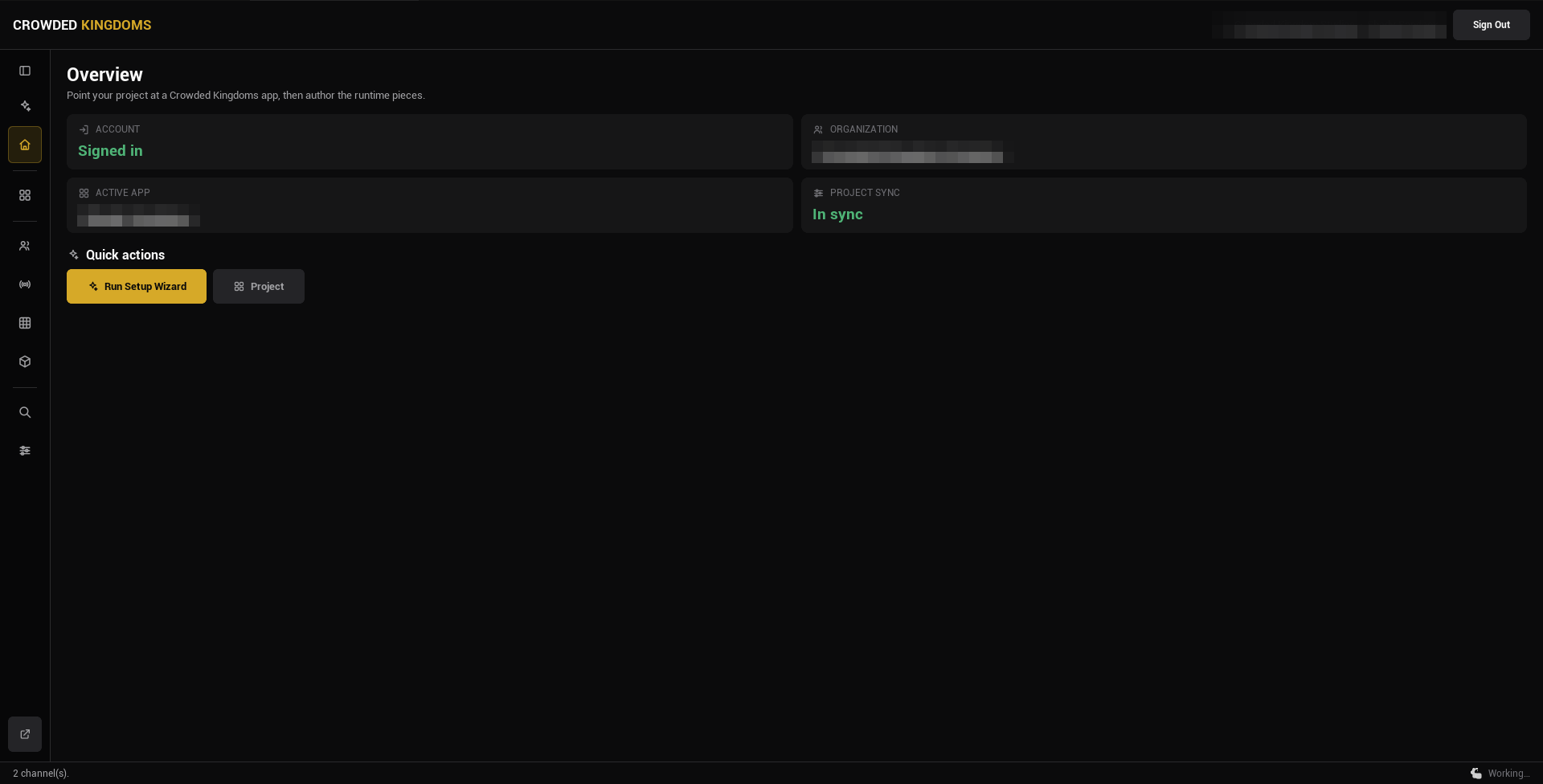
## Editor-only, one-way
Crowdy Studio is an editor module and never ships in a packaged build. It writes settings and server data; the runtime reads those on its own and never talks to Studio.
:::info[Studio is editor-only and has no runtime API.]
Studio writes three things into your project: the connection settings in `DefaultGame.ini` (Config Sync and the Connection tab), the baked registry asset under `Content/CrowdySDK` (the Registry page), and a per-user session file under `Saved/`. Your game reads the settings and the registry at startup. Everything else Studio authors lives on the server.
:::
## Native pages and the Web Console
Studio has two surfaces.
**Native pages** are Slate UI built into the editor. They cover the work you do while building: choosing an app, syncing config, authoring teams, channels, grids and models, and reading live state.
**The Web Console** is an embedded browser for account and organization administration: members, billing, tokens, secrets. It signs you in with the session you already have in Studio. The sidebar's bottom button opens it on your organization's overview.
## The sidebar
The sidebar on the left lists the pages. A toggle at the top folds it to icons (hover an icon for its label) and remembers your choice.
| Page | Group | Needs sign-in | What it is for |
|---|---|---|---|
| **Setup Wizard** | | No | The guided first run: sign in, pick an app, sync. Studio lands here after you sign in. |
| **Home** | | Yes | Status cards: account, organization, active app, project sync. |
| **Project** | CONFIGURE | Yes | Pick the app, create one, and run [Config Sync](./config-sync.md). See [Projects and Apps](./projects-and-apps.md). |
| **Teams** | AUTHORING | Yes | Author teams, members, roles, and the team policy. See [Teams and Channels](./teams-and-channels.md). |
| **Channels** | AUTHORING | Yes | Author named channels and the session channel. |
| **Grid** | AUTHORING | Yes | Author spatial permission regions. See [Grids](./grids.md). |
| **Game Model** | AUTHORING | Yes | The legacy Game Model schema. The game API no longer serves it, and since v2.18.0 the SDK deprecates it: the page shows a banner, does not load its lists, and refuses schema sync, pre-seeding, purge and Game Kit deploy. Its tier-features panel still works. See [Move from Game Models](../exec/move-from-game-models.md). |
| **Inspector** | DEBUG | No | A read-only view of a running Play in Editor session. See [Inspector and Registry](./inspector-and-registry.md). |
| **Registry** | DEBUG | No | The baked metadata that ships in packaged builds, and the button that rebuilds it. |
| **Web Console** | | Yes | Pinned at the bottom: opens the browser console for admin surfaces. |
## Signing in
Sign in with your account: email and password, a sign-in link sent by email, or a social provider. That gives you full authoring. An organization token gives management-only access: it can browse apps and run Config Sync, but not author teams, channels or grids. See [Signing In](./sign-in.md).
:::caution[If an authoring page looks read-only, check which credential you signed in with.]
Token sign-in is the usual cause.
:::
## Where to go next
- New project: [sign in](./sign-in.md), then [pick your app](./projects-and-apps.md) and run [Config Sync](./config-sync.md).
- Building gameplay: [Entities and Spawning](../runtime/entities-and-spawning.md).
- Shipping a build: [Packaging](../guides/packaging.md), and rebuild the [registry](./inspector-and-registry.md) first.
# Signing In
Source: https://docs.crowdedkingdoms.com/unreal-sdk/studio/sign-in
# Signing In
Crowdy Studio opens on its Sign In page. You sign in once; Studio remembers the session across editor launches until you sign out.
## The sign-in page, top to bottom
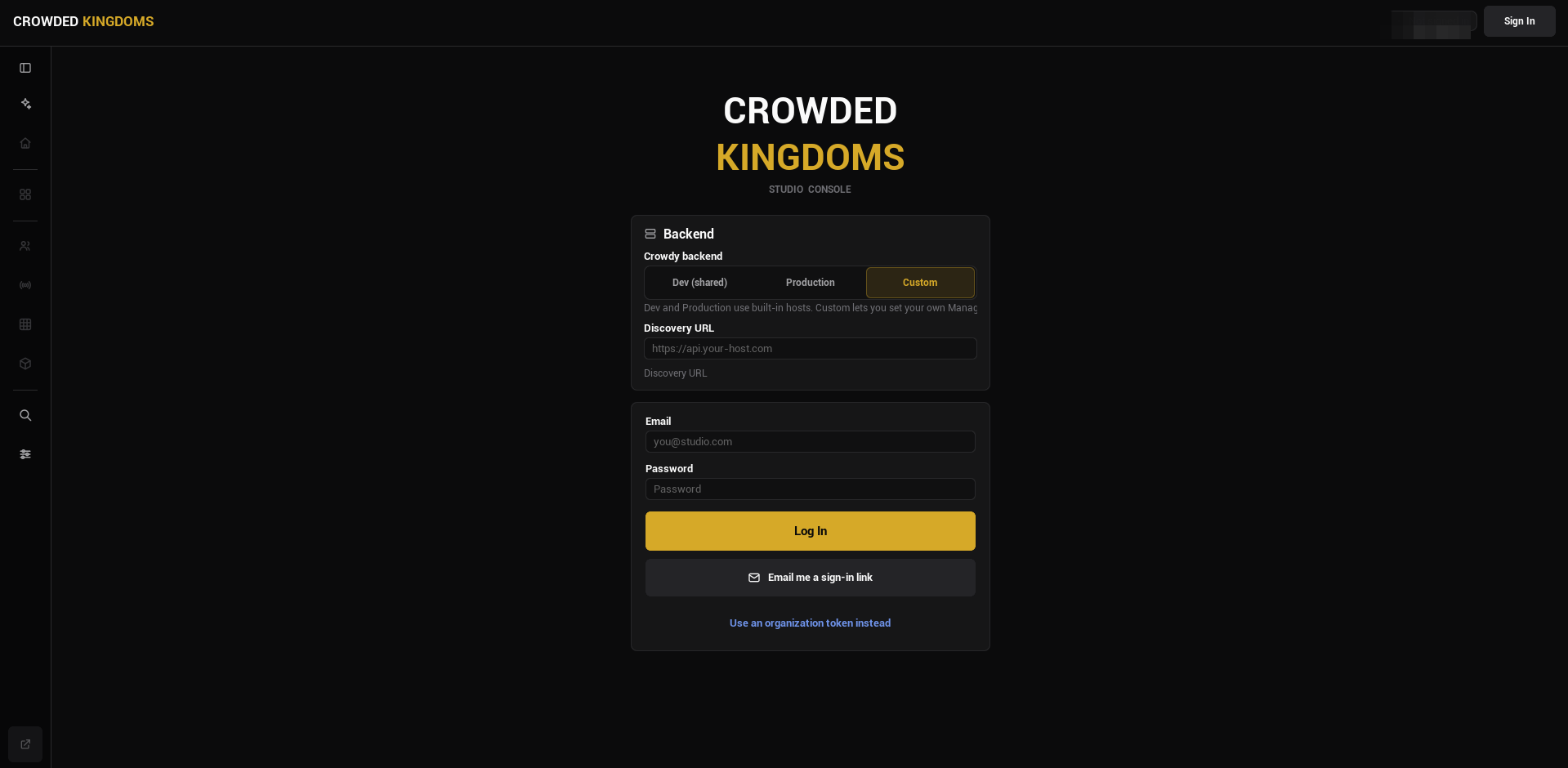
1. **Backend.** A selector above the form. Leave it at its default unless Crowded Kingdoms told you otherwise.
2. **Continue with ...** buttons, one per social provider your backend offers: Google, GitHub, Discord, Apple, or Microsoft. The section is hidden when none is offered. A provider sign-in opens your system browser, never an embedded web view, and returns to Studio when it completes.
3. **Email** and **Password**, with **Log In**.
4. **Email me a sign-in link.** Uses the email you typed above and sends a one-time link. Click the link in your mail client and this Studio window signs you in, no password needed.
5. **Use an organization token instead.** A toggle at the bottom that reveals a token field and **Sign In with Token**.
Options 2, 3, and 4 are all account sign-ins and end in the same place: a session that can author everything.
## What each credential grants
**An account sign-in** (email and password, a sign-in link, or a provider) gives you full authoring: Config Sync, teams, channels, grids, and the Web Console.
**An organization token** gives management-only access. It can browse apps, run Config Sync, and reach the Web Console, but it cannot author game-plane data.
:::caution[An organization token cannot author teams, channels, grids, or models.]
Those pages need an account sign-in. If you signed in with a token and an authoring page looks read-only, sign out and sign in with your account. The token is the right choice for a build machine that syncs config and must not hold authoring credentials.
:::
After a successful sign-in Studio lands on the Setup Wizard, so the guided path is the first thing you see.
## Where the session is kept
Studio stores the signed-in session in a per-user file under your project's `Saved/CrowdyStudio/` folder, never under `Config/` and never in anything you would commit. The stored record remembers whether it was an account or a token sign-in, so a remembered account session comes back with its full authoring rights.
:::info[On Windows the stored session is encrypted for your user account with the operating system's data protection (DPAPI). On other platforms it is written in the clear, and Studio warns about it.]
Treat the `Saved` folder on a shared macOS or Linux machine as you would a credential file.
:::
## Signing out
Press **Sign Out** in the Studio header. It clears the stored session, clears the Web Console's browser session too, and returns you to the Sign In page.
## Gotchas
- The provider buttons come from the backend. A provider you expect but do not see is not enabled for that backend.
- A sign-in link arrives by email. Check the address you typed if nothing comes.
- Token sign-in is silent about what it cannot do until you open an authoring page. The page subtitle tells you it needs an account sign-in.
- The backend selector is remembered with the project. Changing it changes which servers Config Sync writes into the project.
## Related
- [Projects and Apps](./projects-and-apps.md): pick or create the app after signing in.
- [Config Sync](./config-sync.md): write the app's ids and endpoints into the project.
- [Crowdy Studio overview](./overview.md): the sidebar and what needs a sign-in.
# Projects and Apps
Source: https://docs.crowdedkingdoms.com/unreal-sdk/studio/projects-and-apps
# Projects and Apps
An **app** is one Crowded Kingdoms backend application: it has an id, an organization, a datacenter, a status, a visibility, and Game API endpoints. Your **project** is this Unreal project. The Project page points the project at exactly one app, then [Config Sync](./config-sync.md) writes that app's ids and endpoints into it.
:::note[Since 2.14]
The Project page is a single split view: the app list on the left, the selected app's details and its Configuration and Connection tabs on the right.
:::
## The Project page
Open Crowdy Studio, sign in, and pick **Project** in the sidebar (the CONFIGURE group).
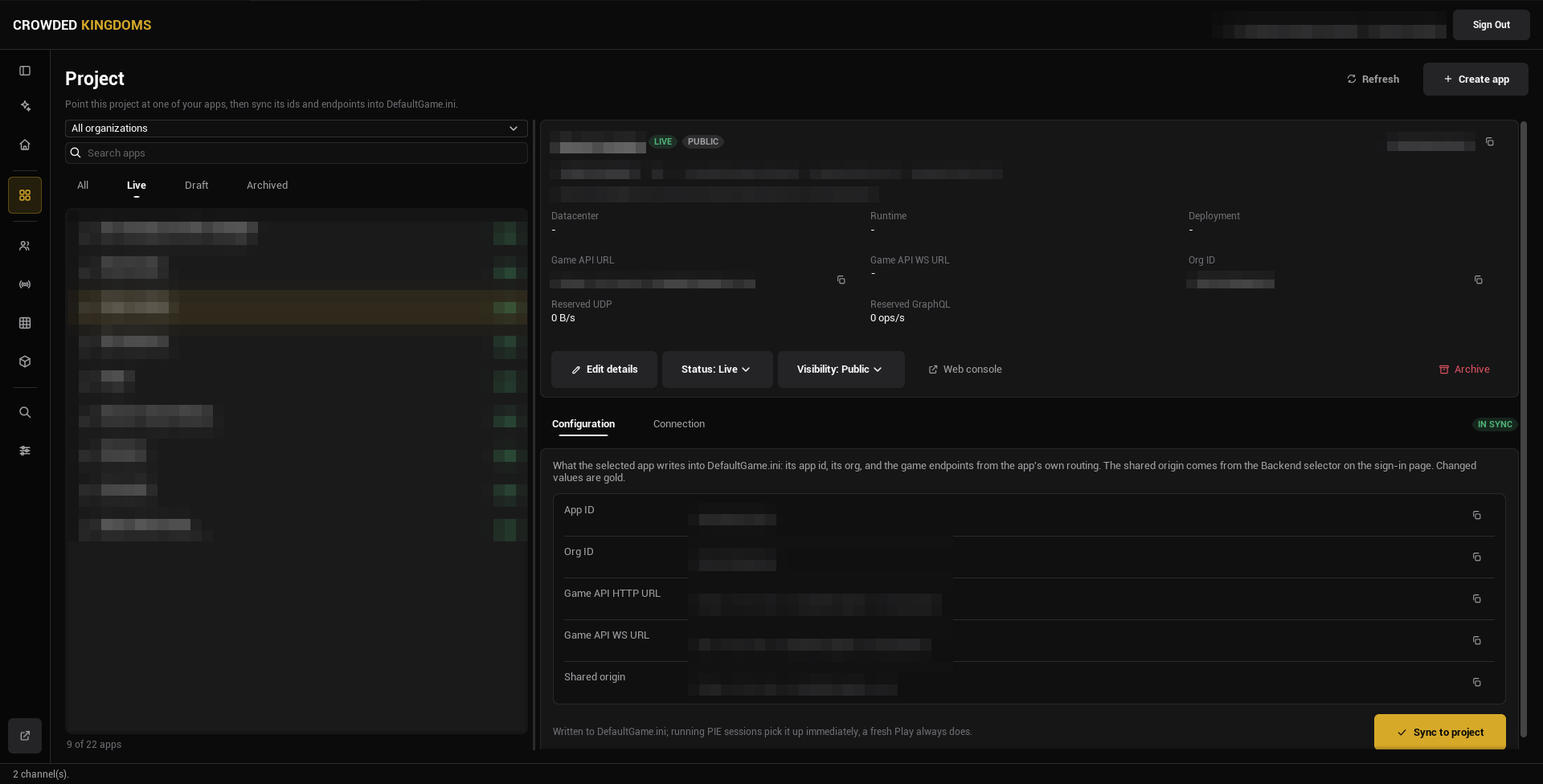
The left rail:
- An **organization** combo box, with **All organizations** at the top. This is a filter for the list; it does not by itself change which organization new resources are created in.
- A **Search apps** box.
- A status strip: **All**, **Live**, **Draft**, **Archived**. It opens on All.
- The app list, each row showing the app's name, its URL identifier, and its status. The count under the list says how many apps match, and how many free app slots the organization has used when one organization is selected.
:::tip[Picking an organization in the filter narrows the list.]
It does not move where a new app is created until you also pick or create an app there.
:::
Select an app and the right pane shows its details.
## The app details
The header card shows the app's name, a status pill (Draft or Live), a visibility pill (Private, Unlisted, or Public), a copyable app id, a copyable URL identifier, the organization, and creation and update dates.
Below it, a fact grid: **Datacenter**, **Runtime** (the app's current runtime status), **Deployment**, **Game API URL**, **Game API WS URL**, **Org ID**, **Reserved UDP** (bytes per second), and **Reserved GraphQL** (operations per second).
The action row:
- **Edit details**: rename the app or change its description inline.
- **Status**: Draft or Live.
- **Visibility**: Private, Unlisted, or Public.
- **Web console**: opens the organization's Apps tab in the browser console.
- **Archive**: reversible.
:::caution[Create, Edit details, Status, Visibility, and Archive need the manage_apps permission on the organization.]
Without it the controls are disabled. That is a permission on your account or token, not a Studio setting.
:::
Under the details are two tabs, **Configuration** and **Connection**, which are the subject of [Config Sync](./config-sync.md).
## Create an app
Press **Create app** in the page header. It needs an organization to create in: pick one in the filter, or have an app of that organization selected. The dialog opens inside the page in two steps.
**Step 1, Name your app.** Type a name; the URL identifier (lowercase letters, digits, hyphens) is derived from it, and **Advanced options** lets you override it and add a description. Pick a datacenter card. The first available datacenter is preselected.
**Step 2, Review.** The name, identifier, and organization, the datacenter with its permanence notice, and the organization's free app slots. Press **Create app**. The Game API connection is available immediately; there is no provisioning wait.
:::note[The datacenter is chosen once, at creation, and cannot be changed later.]
Everything the app stores lives in that one datacenter. Pick the one closest to your players. Status and visibility are not asked at creation; the server defaults them and the details pane changes them afterwards.
:::
## Gotchas
- The organization filter and the selected app are separate things. Picking an app never changes the filter; picking an organization is remembered.
- The strip opens on All. Pick Draft to see only unpublished apps.
- The URL identifier must be lowercase letters, digits, and hyphens; the dialog refuses anything else.
- Archive is reversible, but an archived app disappears from Live and Draft. Look under Archived.
## Related
- [Config Sync](./config-sync.md): write the selected app into the project.
- [Signing In](./sign-in.md): the account or token you need.
- [Crowdy Studio overview](./overview.md).
# Config Sync
Source: https://docs.crowdedkingdoms.com/unreal-sdk/studio/config-sync
# Config Sync
Config Sync writes the selected app's ids and endpoints into your project's settings, so connecting a game to an app is one button instead of copying ids and URLs by hand. It lives on the Project page's **Configuration** tab.
:::caution[If you never run it, the SDK has no app id or Game API URLs to connect with, and nothing replicates.]
:::
## Run a sync
1. Open Crowdy Studio, [sign in](./sign-in.md), and pick **Project** in the sidebar.
2. Select the app the project should talk to.
3. Open the **Configuration** tab under the app's details. It shows every value the sync would write. A value that differs from what the project holds is drawn in gold with the current value on a "was" line beneath it, and a badge beside the tab strip reads **IN SYNC** or **N TO CHANGE**.
4. Read the diff, then press **Sync to project**.
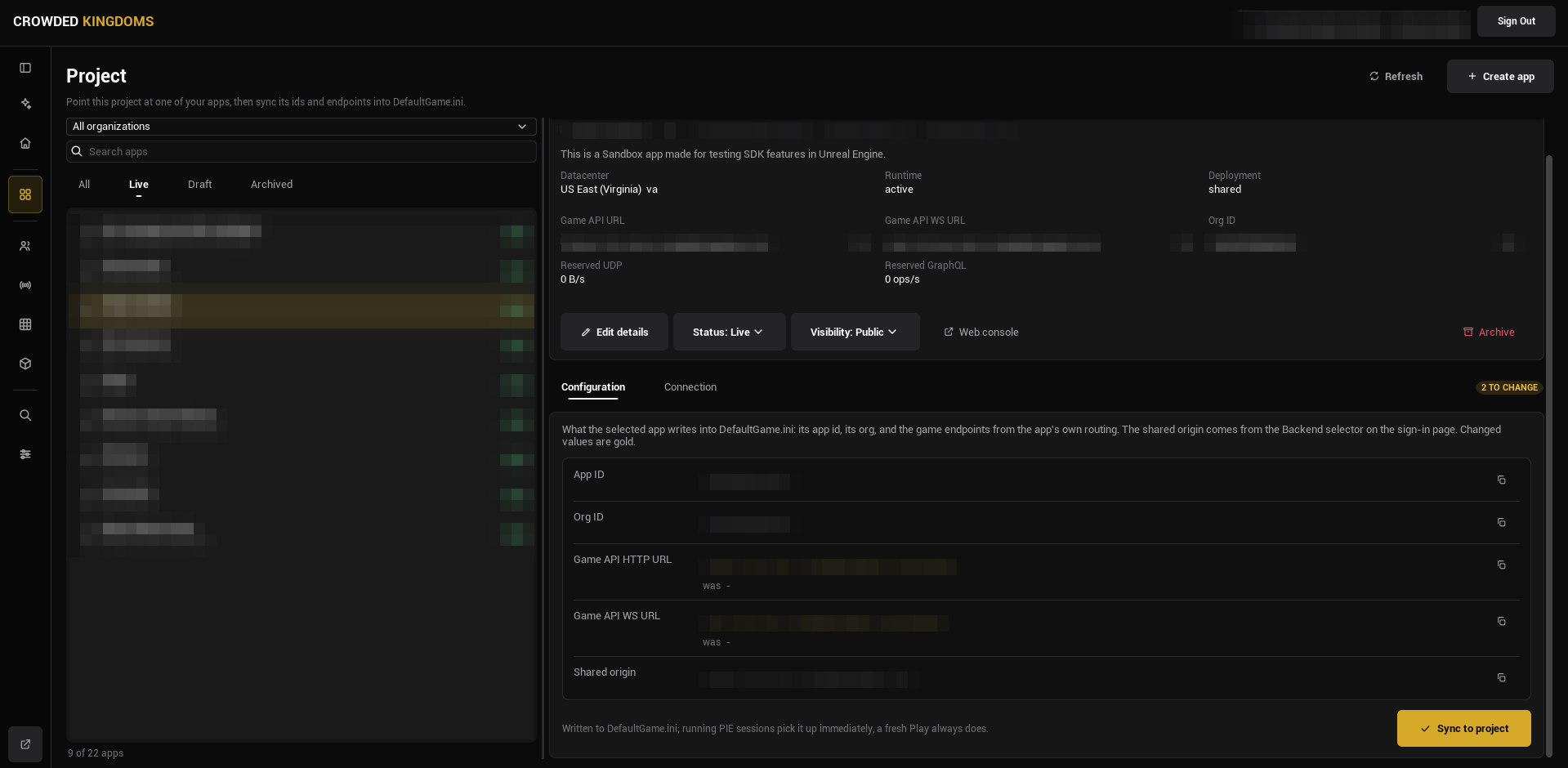
The rows are **App ID**, **Org ID**, **Game API HTTP URL**, **Game API WS URL**, and a read-only **Shared origin**, which comes from the backend selector on the Sign In page rather than from the app.
:::tip[A running Play in Editor session picks the change up without a restart.]
Sync pushes the new values into any running PIE or standalone session; a fresh Play always reads them. The **Connection** tab works differently: its three UDP knobs are written the moment you change them, with no Sync button.
:::
## What Config Sync writes, and what you own
All of it lands on one settings class, `UCrowdySDKDeveloperSettings`, which you can see under **Project Settings, Plugins, Crowdy SDK**. The network fields are shown there read-only.
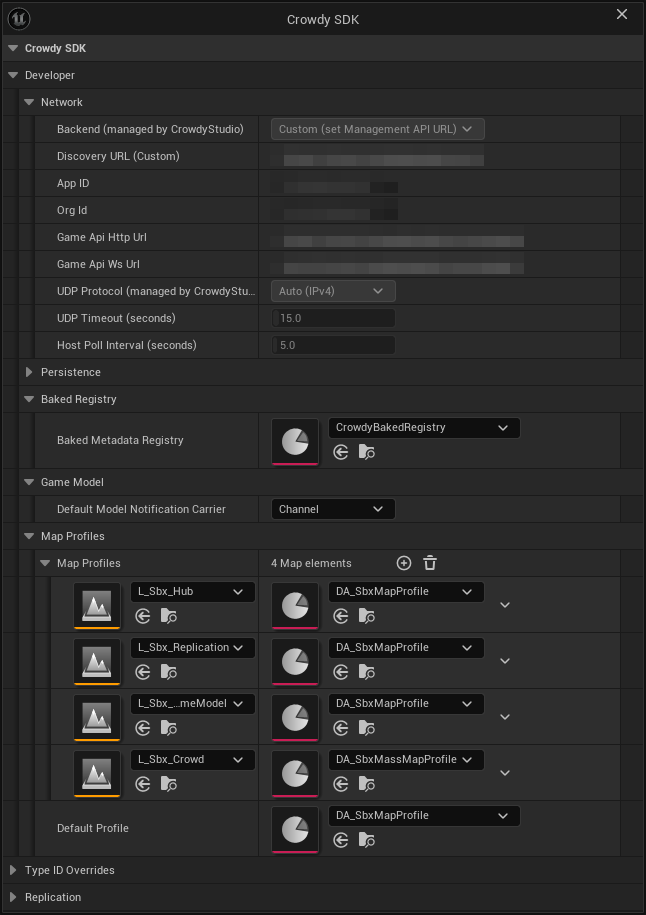
**Written by Crowdy Studio** (category Network; read-only in Project Settings):
| Property | Written from |
|---|---|
| `Environment` | The backend selector on the Sign In page. |
| `DiscoveryUrl` | The shared origin, used when the backend is Custom. |
| `AppID` | The selected app. |
| `OrgId` | The selected app's organization. |
| `GameApiHttpUrl` | The app's own routing. |
| `GameApiWsUrl` | The same endpoint with a WebSocket scheme. |
| `UDPProtocol` | The Connection tab. |
| `UDPTimeoutSeconds` | The Connection tab (6 to 120 seconds). |
| `HostPollIntervalSeconds` | The Connection tab (1 to 60 seconds). |
**Owned by you** (editable in Project Settings):
| Property | What it does |
|---|---|
| `MapProfiles`, `DefaultProfile` | Per-map SDK configuration and the fallback when a map has no entry. See [Map profiles](../runtime/map-profile.md). |
| `BakedRegistry` | The cooked snapshot of Crowdy metadata. See [Inspector and Registry](./inspector-and-registry.md). |
| `DefaultModelNotificationCarrier` | The realtime carrier an Effect's change notification uses by default. |
| `PreloadedEntityClasses` | Entity classes to preload so a class nobody has spawned yet can still resolve off the wire. |
| `IDOverrides`, `ClassIDOverrides` | Populate only when the log reports a type id hash collision. |
:::warning[Never hand-type the network settings.]
They are read-only in Project Settings on purpose, so that Crowdy Studio is the one source of truth. A value pasted into `DefaultGame.ini` by hand is overwritten by the next sync, and a project whose settings drift from its app fails to connect with no obvious error.
:::
### The runtime setters
The same goes for the two runtime setters on `UCrowdySDKSubsystem`: `SetDiscoveryUrl` stores a shared origin for this session and is read only when `Environment` is Custom (it warns otherwise), and `SetGameApiUrl` stores one Game API HTTP endpoint for this session, an address that is normally resolved from the origin rather than typed. `ReloadEndpointsFromSettings` is kept for existing call sites and does nothing: the API client re-reads both endpoints from the settings on every call, so a sync already reaches a running session.
`RequestVersionInfo` asks the server for its version before or after sign-in and answers on `OnVersionInfo` (`FOnVersionInfo`, two `FGameVersion` parameters: the server's version and, in `ClientVersion`, the minimum client version it still accepts). Both arrive as zeroes when the query fails.
## Where the settings land
The class is `Config=Game`, so the values are written to `Config/DefaultGame.ini` under:
```ini
[/Script/CrowdyReplication.CrowdySDKDeveloperSettings]
```
Commit that file as usual; it holds ids and URLs, not secrets.
## When to sync again
The **N TO CHANGE** badge tells you. It goes non-zero whenever the values the selected app would write differ from what the project holds: you selected a different app, changed the backend selector, or the app's endpoints moved. Press **Sync to project** again. Updating the plugin does not require a sync: the values live in `DefaultGame.ini` and the badge stays **IN SYNC**. Sync again only when the badge says so.
:::warning[Config Sync does not decide what a map does; the map profile does.]
Config Sync points the project at an app. A map with no [map profile](../runtime/map-profile.md) of its own runs on the SDK's shipped default; a `MapProfiles` row or `DefaultProfile` naming an asset that fails to load resolves to no profile, and on that map the entity subsystem, the auto replicator, and the actor manager do nothing, so replication looks dead even though the connection is fine. The warning in the log names the asset.
:::
## The Setup Wizard
If you prefer a guided path, the **Setup Wizard** page walks through the same steps in order: sign in, pick an organization and app, run the sync. Studio lands on it after you sign in. Once you know the flow, the Project page does each step directly.
## Gotchas
- The Configuration tab writes on **Sync to project**. The Connection tab writes on every edit.
- The shared origin is not per app. Change it on the Sign In page's backend selector, then sync.
- A PIE session that was already running picks up a sync; a packaged build needs the new `DefaultGame.ini` cooked in.
- An organization token is enough to run Config Sync. It is not enough to author teams, channels, grids, or models.
## Related
- [Projects and Apps](./projects-and-apps.md): picking and creating the app.
- [Map profiles](../runtime/map-profile.md): the second half of "make replication work".
- [Project settings reference](../reference/project-settings.md): every property on the settings class.
# Teams and Channels
Source: https://docs.crowdedkingdoms.com/unreal-sdk/studio/teams-and-channels
# Teams and Channels
Teams group players together: guilds, parties, factions. Channels are named groups your runtime sends reliable events and messages over. Both live on the game server, and the Teams and Channels pages in Crowdy Studio author them ahead of play.
The same create, update, delete, role, and policy operations exist at runtime through `UCrowdyTeams` and `UCrowdyChannels`. Use Studio to set things up ahead of time or to do admin work in the editor; use the runtime APIs when your game creates teams or channels on the fly. The runtime side is on the [Teams](../services/teams.md) and [Channels](../runtime/channels.md) pages.
:::note[Authoring teams and channels needs an account sign-in.]
Sign in with your account (email and password, a sign-in link, or a provider). An organization token gives management-only access and these pages stay empty. The page subtitle says so when that is the case.
:::
## Open the pages
Open Crowdy Studio (**Tools, Crowdy SDK, Crowdy Studio**), sign in, and select your app on the Project page. Then pick **Teams** or **Channels** in the AUTHORING group of the sidebar. Press **Refresh** if the list is empty.
## Teams
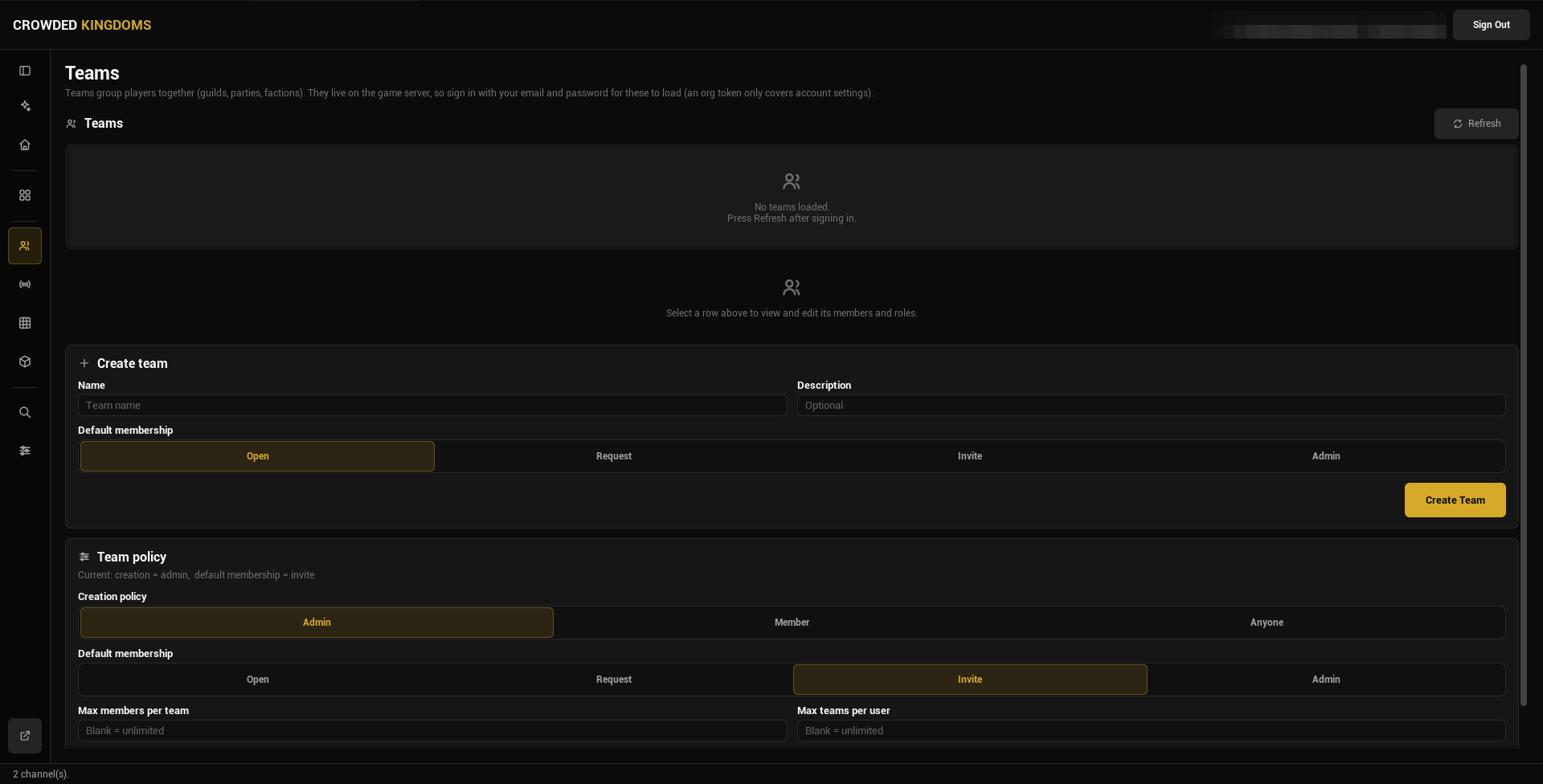
The page has three cards plus the detail view, top to bottom: the list, the detail view for the selected row, Create team, Team policy.
**Teams.** Every team in the app, one row each: the name, an id chip, the team's membership policy, and a status badge. Select a row to open its detail view.
**Create team.** A name, an optional description, and a **Default membership** choice (Open, Request, Invite, or Admin) that decides how players enter this team at runtime. Press **Create Team** and the row appears in the list.
**Team policy.** The app-wide rules for teams:
- **Creation policy**: who may create a team. Admin, Member, or Anyone.
- **Default membership**: the membership policy a new team starts with. Open, Request, Invite, or Admin.
- **Max members per team** and **Max teams per user**. Blank means unlimited.
Press **Set Policy** to write it. The current policy is echoed above the controls once loaded; before a Refresh it reads "Current policy not loaded".
## Channels
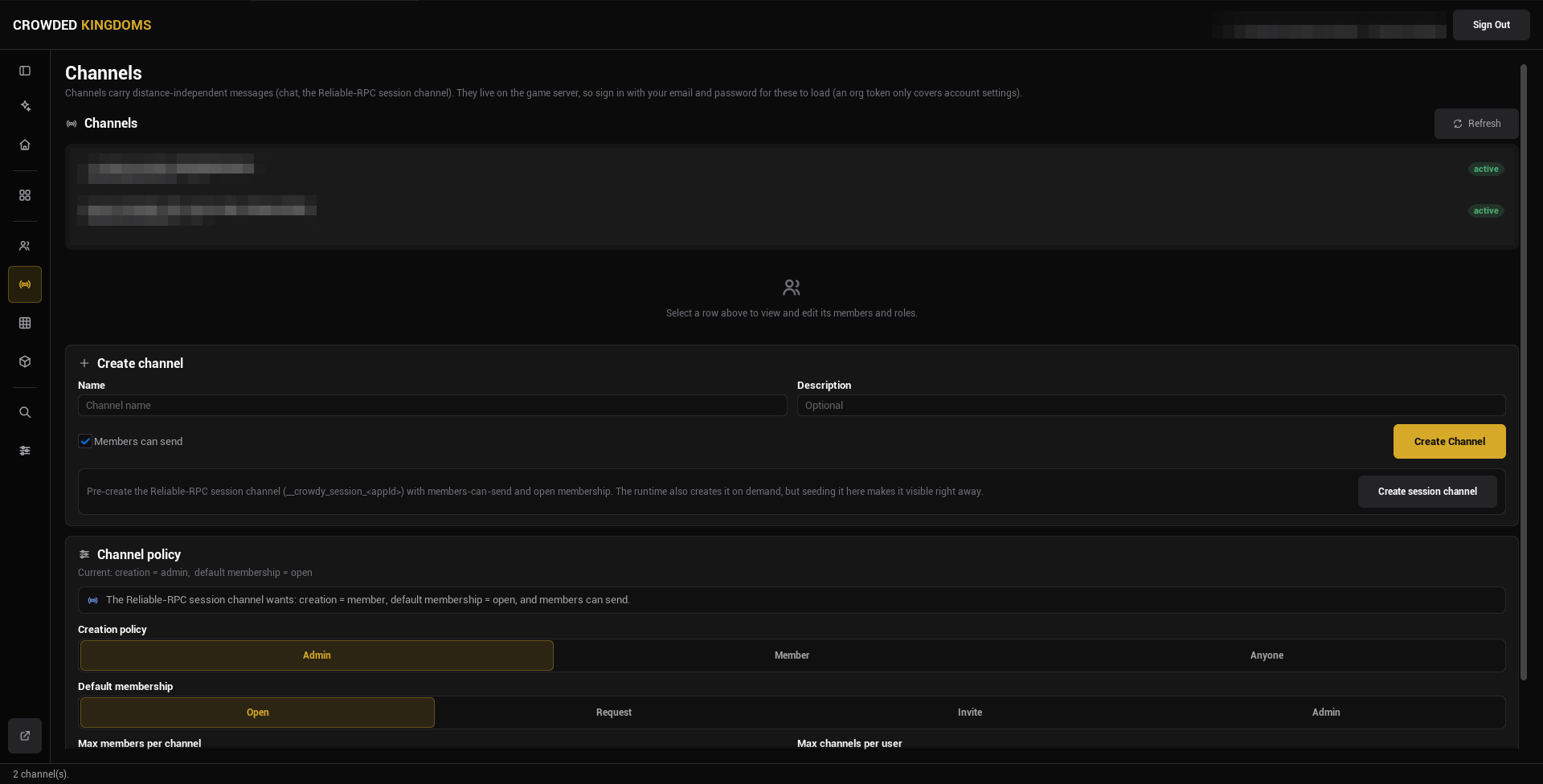
The Channels page mirrors Teams: a **Channels** list, a **Create channel** card with a name, a description, and a **Members can send** checkbox (on by default), and a **Channel policy** card with the same four settings as the team policy.
:::caution[A channel name authored here is the exact string gameplay code references.]
It is the value of the `CrowdyChannel` meta on a Multicast `CrowdyEvent`, and the target of a raw channel publish. Keep the name stable once code uses it.
:::
### The session channel
Every client of the app joins one reliable channel on connect, named `__crowdy_session_`. Multicast events with no channel named ride it. The runtime creates it on demand, so you never have to.
The Channels page has a **Create session channel** button that creates it ahead of time with the settings it wants: creation by members, open membership, members can send. The policy card repeats those three settings as a hint.
:::tip[Create the session channel once per app if you want to see it in the list right away.]
If you do not, the runtime still creates it the first time a client connects. Either way it behaves like any other channel you author here.
:::
## The detail view
Select a team or channel row and the detail view opens beneath the list. It is the same widget for both.
**Edit team** (or **Edit channel**): name, description (blank keeps the current one), a membership choice with **Keep** as the default, and **Save Changes**.
**Members.** Add a member by user id, remove one, and see who is in. A pending join request shows **Approve** and **Reject**; an active member shows **Remove**. Select a member to edit their roles.
**Roles.** A role is a named, ranked permission set you assign to members. Create one with a name, a rank (higher is more senior), and a fixed checklist of four permissions: **Manage members**, **Manage roles**, **Manage group**, **Send messages**. A role badged `system` (the leader role, for example) is read-only; a `custom` role can be edited and deleted.
:::note[Group roles are membership permissions, not gameplay permissions.]
The four keys above decide who may manage the team or channel and who may send on it. The spatial permission keys a grid checks (see [Grids](./grids.md)) are a separate catalog. A team can be granted grid permissions, but the two lists never mix.
:::
**Danger zone.** Delete the whole team or channel. Deleting a team removes all its members and roles and revokes any grid grants it conferred, and it cannot be undone.
## What a policy is
A **policy** is four settings that apply to every team (or channel) in the app: who may create one, the membership policy a new one starts with, and two optional caps. A **membership policy** on an individual team or channel decides how a player gets in: Open (anyone joins), Request (a member approves), Invite (a member invites), or Admin. Runtime joins go through `UCrowdyTeams::JoinTeam`, and the server applies the policy you set here.
## Gotchas
- Nothing loads until an app is selected on the Project page. The list stays empty otherwise.
- Refresh is manual. After another client changes a team at runtime, press it to see the change.
- Deleting a team also deletes its grid grants. Check the Grid page first if the team carried any.
- A `system` role cannot be edited or deleted. Create a `custom` role for anything you want to change later.
## Related
- [Teams](../services/teams.md): join, query, and read membership at runtime.
- [Channels](../runtime/channels.md): send channel messages and receive them at game time.
- [Grids](./grids.md): grant a team permissions inside a region.
# Grids
Source: https://docs.crowdedkingdoms.com/unreal-sdk/studio/grids
# Grids
A grid is a region of your world, in chunk coordinates, that carries a permission whitelist and per-user or per-team grants. When a client acts inside the region, the server checks the grid and allows or refuses the action. You author grids on the **Grid** page in Crowdy Studio.
## Grids are server-side only
- Every grid operation requires the `manage_apps` permission on the organization.
- There is no player-scoped grid query. Game code cannot list or read grids at runtime, and there is no runtime grid API in the SDK. The one runtime call that touches grids is `Request Teleport Permission` on the Crowdy SDK subsystem, which asks the server whether the player may enter a chunk and answers on `On Teleport Permission` (`OnTeleportPermission`, an `FOnTeleportPermission` with one `bAllowed` parameter).
- Enforcement is server-side. When a client tries to act inside a region, the server checks the whitelist and the grants, then allows or rejects. The client never receives the grid definition.
:::warning[Do not try to drive grid operations from gameplay code.]
The only surface is this Studio page. Sign in with your account; the page's subtitle tells you if the credential you used is not enough.
:::
## Open the Grid page
Open Crowdy Studio, sign in, select your app on the Project page, then pick **Grid** in the AUTHORING group of the sidebar.
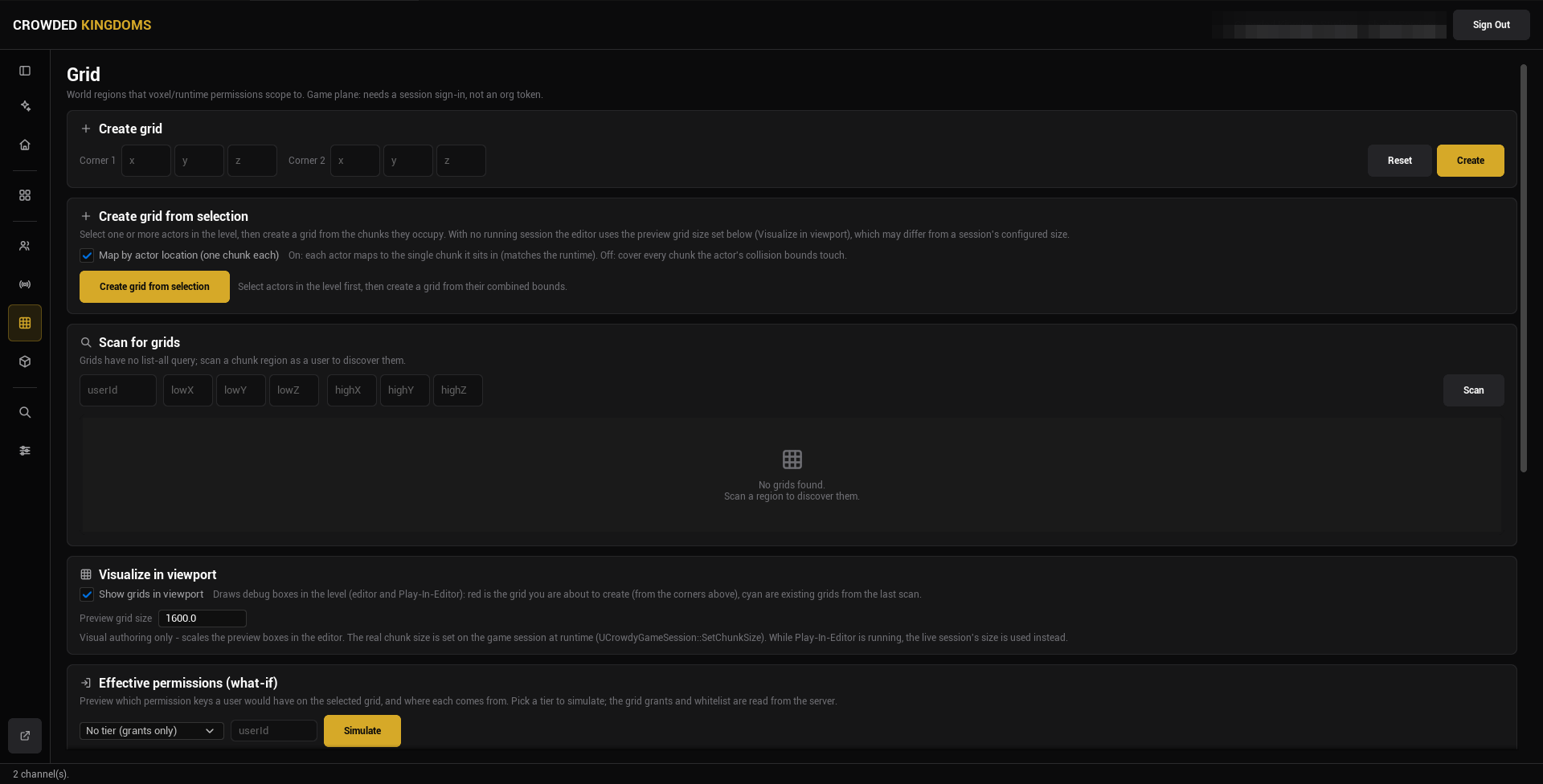
The page is a column of cards. Top to bottom:
## Create grid
Type the two corners of the region (**Corner 1** and **Corner 2**, each X, Y, Z in chunk coordinates) and press **Create**. **Reset** clears the boxes. Use this when you know the bounds you want, for example a region that lines up with a named area of your level.
## Create grid from selection
Select one or more actors in the level, then press **Create grid from selection**. Studio derives the region from the chunks the actors occupy. The **Map by actor location (one chunk each)** checkbox chooses between mapping each actor to the single chunk it stands in (on, which matches the runtime) and covering every chunk the actor's collision bounds touch (off).
With no session running, the editor uses the preview grid size from the Visualize card below, which may differ from a session's configured chunk size.
## Scan for grids
Grids have no list-all query. To discover the ones that exist, type a user id and a region (**lowX** to **highZ**) and press **Scan**. The results list shows every grid that region touches; select one to populate the **Selected grid** card.
Scanning also loads the app's runtime permission catalog, which the whitelist and grants below pick from.
## Visualize in viewport
Tick **Show grids in viewport** to draw debug boxes in the level, in the editor and in Play in Editor: red for the grid you are about to create (from the corners above), cyan for the existing grids from the last scan.
**Preview grid size** scales those boxes at edit time only. The real chunk size is set on the game session at runtime, and while Play in Editor runs the live session's size is used instead.
## Effective permissions (what-if)
Pick a user id and an access tier to simulate (the dropdown reads **No tier (grants only)** by default), then press **Simulate**. The card lists every permission key the user would have on the selected grid and where each comes from: the tier, or a grid grant. The grid's whitelist is applied last: effective permissions are the tier's keys plus the user's grants, restricted to the whitelist. Admins bypass all of this on the server.
## Selected grid
Once a scan result is selected:
- **Permission whitelist**: a checklist of runtime permission keys. Nothing checked means no restriction.
- **User grants**: grant, revoke, or read a user's keys on this grid.
- **Group grants**: assign a team (optionally with a role) to a set of keys, with an expiry shown per grant. **List Grants** reads the current ones.
:::note[Teams themselves are authored on the Teams page.]
A group grant references a team by id. Create the team first; see [Teams and Channels](./teams-and-channels.md). Deleting a team revokes every grid grant it conferred.
:::
## Gotchas
- There is no list of all grids. Scan a region to find them, and scan again after you create one.
- Chunk coordinates, not world units. The preview grid size only affects the debug boxes.
- An empty whitelist means no limit, not no access.
- The what-if simulation reads the grants and whitelist from the server; it is a preview of what the server would decide, not a change.
## Related
- [Crowdy Studio overview](./overview.md)
- [Teams and Channels](./teams-and-channels.md)
# Inspector and Registry
Source: https://docs.crowdedkingdoms.com/unreal-sdk/studio/inspector-and-registry
# Inspector and Registry
The two pages in the sidebar's DEBUG group. Neither needs a sign-in.
- The **Inspector** is a read-only view of the running Play in Editor session.
- The **Registry** shows the baked metadata a packaged build reads, and rebuilds it.
Open Crowdy Studio (**Tools, Crowdy SDK, Crowdy Studio**) and pick either page in the sidebar.
## Inspector
The Inspector reads the live state of the current Play in Editor session and shows it as text. Nothing here changes the game. Press **Refresh** after the session connects or fetches data, or tick **Auto-refresh** and pick an interval (1, 2, or 5 seconds).
:::note[Start a Play in Editor session first.]
With none running the page reads "No running session".
:::
What it lists:
- **Session**: the app id, your user id, the game token id, your UUID, the host id, and whether a game token is held (never its value).
- **Teams (N)**: the teams the local player is in, from the runtime cache. Until the game has fetched teams it says so.
- **Channels (N)**: the channels the client has joined, whether the reliable RPC channels are ready, and the session channel's id.
- **Avatars (N)**: the local player's avatars, from the cache.
- **Entities**: the local player id, the host id, and the entities this client owns, by actor name. There is no every-entity list; the owned slice is the one that confirms spawns and ownership while you debug.
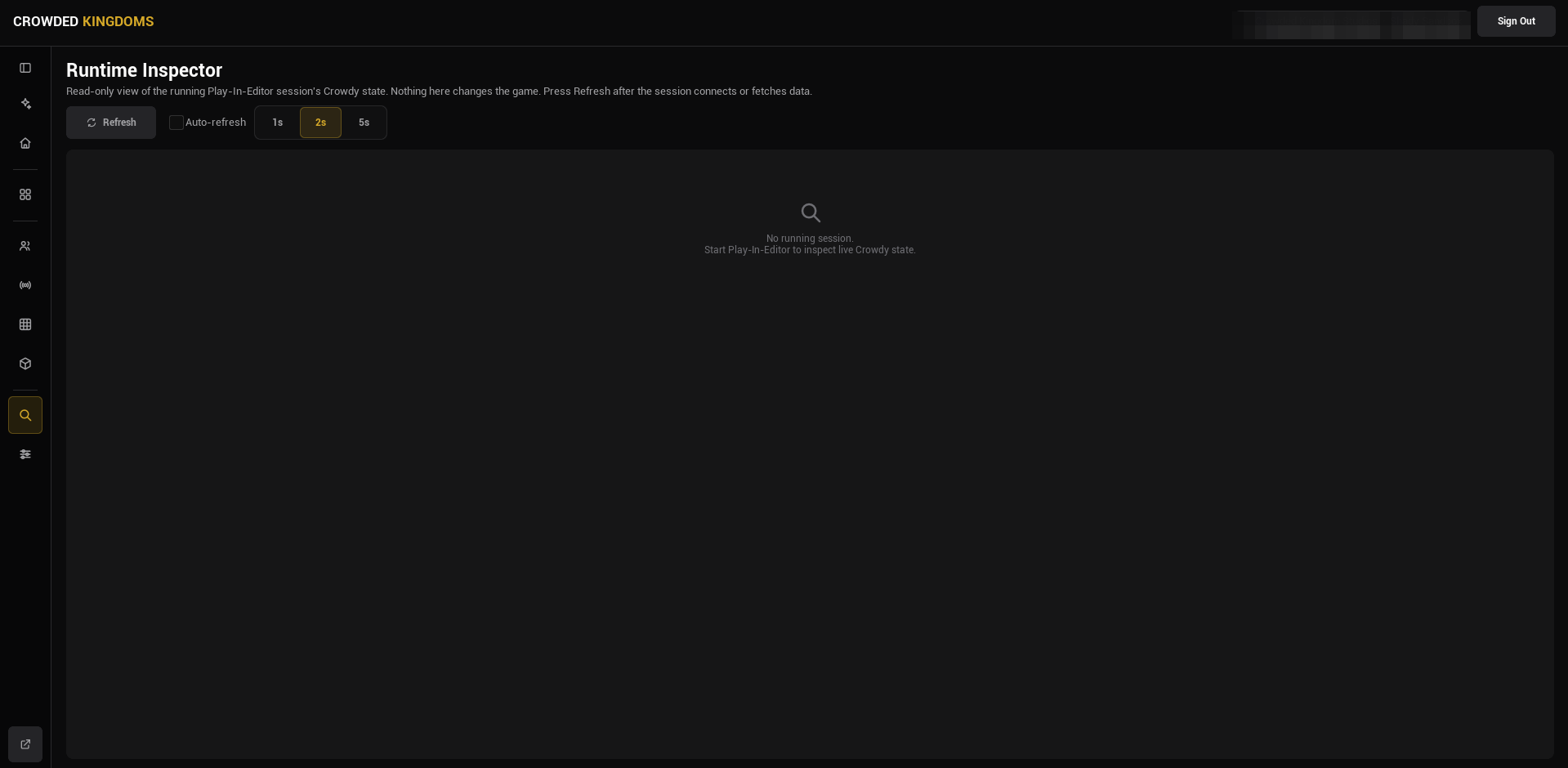
:::tip[If the Inspector is empty while you are playing, check the map profile.]
A [map profile](../runtime/map-profile.md) row that names an asset that failed to load resolves to no profile; the entity subsystem then does nothing on that map and the session looks dead. The log warning names the asset. A map with no row runs on the shipped default.
:::
To change teams, channels, or entity state, use the runtime APIs in your game: [Teams](../services/teams.md), [Channels](../runtime/channels.md), [Entities and Spawning](../runtime/entities-and-spawning.md).
## Registry
Every marker you write (`CrowdyEvent` and its routing keys, `CrowdyState` and its keys) is Unreal metadata, and a cooked build strips metadata. The SDK therefore bakes what it needs into an asset, `UCrowdyBakedRegistry` at `/Game/CrowdySDK/CrowdyBakedRegistry`, and a packaged build reads that instead. The editor and Play in Editor read live metadata, so the page can look stale until you rebuild.
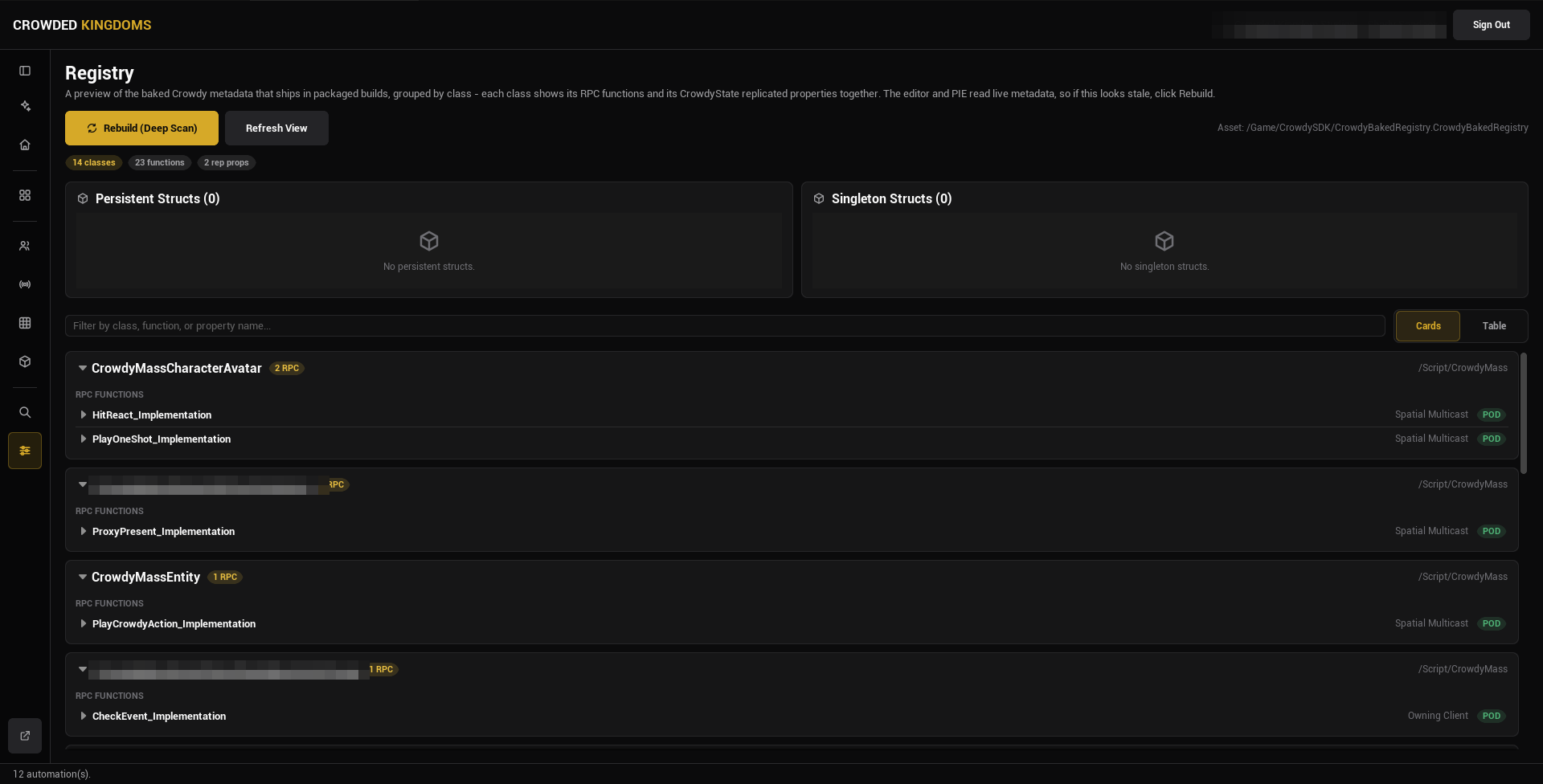
:::warning[Shipped code never reads metadata. It reads the baked registry.]
If your own game code reads a Crowdy marker at runtime, read it through the registry, never through `HasMetaData`; in a packaged build the metadata is gone and the call returns nothing.
:::
### The two buttons
**Rebuild (Deep Scan)** regenerates the registry from every C++ class and Blueprint in the project, then refreshes the view. It is the authoritative bake, and packaging runs the same thing automatically at cook time. It runs asynchronously (assets stream in; the editor does not freeze) and shows "Rebuilding registry..." while it works. If the button is disabled, the CrowdySDK editor module is not loaded.
**Refresh View** re-reads the already-baked asset and redraws the page without re-baking anything. Use it after something else changed the asset on disk, such as a cook.
:::note[Rebuild is optional for a correct package.]
The cook rebakes on its own, so a packaged build is right even if you forget. Press Rebuild to verify the bake before a long cook, or to bring the in-editor view up to date.
:::
### What the page shows
Three summary pills: classes, functions, and replicated properties. A search box filters by class, function, or property name, and a **Cards** / **Table** toggle picks the layout.
In Cards view, each class is an expandable card with an **RPC FUNCTIONS** section and a **REPLICATED PROPERTIES** section. Expand an RPC function for its function id, recipient, decay rate, distance, whether its parameters are plain data, and whether it is replicated. Expand a replicated property for its property id, layout order, owner-only flag, manual update flag, and rep-notify function. The class header shows a layout hash and, where the class has an entity component, its Ownership and Host Override, read live from the class defaults rather than baked.
In Table view the same data is one flat table: type, name, routing or notify, flags, id.
### When to press Rebuild
- After you add or change a `CrowdyEvent` receiver, or its recipient, channel, or other routing key.
- After you change a container or any Crowdy-tagged struct.
- Before you cook, if you want to check the bake first.
:::note[The baked asset is generated.]
It is rewritten by every Rebuild and every cook. Ignore it in your version control rather than committing it.
:::
For the full packaging flow, see the [Packaging guide](../guides/packaging.md).
## Gotchas
- The Inspector's team, channel, and avatar lists come from the runtime caches. An empty list with a "not populated yet" note means the game has not fetched, not that there is nothing.
- Refresh View does not rebake. If a marker you just added is missing, press Rebuild.
- Ownership and Host Override on a class card are live values, not part of the bake.
## Related
- [Packaging](../guides/packaging.md)
- [Crowdy Studio overview](./overview.md)
# Player Sign-in
Source: https://docs.crowdedkingdoms.com/unreal-sdk/runtime/player-sign-in
# Player Sign-in
Nothing replicates until a player is signed in. Once sign-in succeeds the SDK opens the realtime connection itself, so this is the one step every page in this section assumes has already happened. This page shows the most basic way to do it and nothing more.
## When you touch this
Once per project, at startup, before any entity, event, or property.
## Sign in with a password
The Game Instance signs in from `Init`: bind **On Login** and **On UDP Connection Success** on the Crowdy SDK Subsystem, then call `Login` with an email and password read from `Config/DefaultGame.ini`. The first handler reports the sign-in; the second fires when the connection is up.
```cpp
// LanternGameInstance.h
#include "Subsystem/CrowdySDKSubsystem.h"
#include "LanternGameInstance.generated.h"
UCLASS(Config = Game)
class ULanternGameInstance : public UGameInstance
{
GENERATED_BODY()
public:
virtual void Init() override;
// A development account read from Config/DefaultGame.ini. Never ship credentials in a game.
UPROPERTY(Config)
FString Email;
UPROPERTY(Config)
FString Password;
private:
UFUNCTION()
void HandleLogin(bool bSuccess, FString Message);
UFUNCTION()
void HandleConnected();
};
// LanternGameInstance.cpp
#include "LanternGameInstance.h"
void ULanternGameInstance::Init()
{
Super::Init();
UCrowdySDKSubsystem* Sdk = GetSubsystem();
Sdk->OnLogin.AddDynamic(this, &ULanternGameInstance::HandleLogin);
Sdk->OnUDPConnectionSuccess.AddDynamic(this, &ULanternGameInstance::HandleConnected);
Sdk->Login(Email, Password);
}
void ULanternGameInstance::HandleLogin(bool bSuccess, FString Message)
{
UE_LOG(LogTemp, Log, TEXT("Login %s %s"), bSuccess ? TEXT("ok") : TEXT("failed:"), *Message);
}
void ULanternGameInstance::HandleConnected()
{
// From here on entities register on the wire and a host is elected.
UE_LOG(LogTemp, Log, TEXT("Connected to the app"));
}
```
Make it the project's Game Instance under **Project Settings, Maps & Modes, Game Instance Class**, and give it a test account in `Config/DefaultGame.ini` (`YourModule` is your game module's name):
```ini
[/Script/YourModule.LanternGameInstance]
Email=you@example.com
Password=your-test-password
```
:::caution[A test account belongs in a config file or a pin default, never in shipped code.]
:::
Create a Widget Blueprint with two **Editable Text Box** widgets and a **Button**, and two String variables, `Email` and `Password`, each set from its box's **On Text Committed**. The button's **On Clicked** calls a custom event `SignIn`, whose graph reads the two variables into the latent **Login** node and removes the widget from its parent on `On Success`. Add the widget to the viewport from your Game Instance or level Blueprint at startup.
[Blueprint snippet: signin-widget, see /bp/unreal-sdk/signin-widget.txt]
:::warning[Never print, log, or store the token in the result.]
The `Result` a success carries holds the player's `UserID` and a token the SDK already keeps for you. The SDK's own **On Login** event on the Crowdy SDK Subsystem carries a message and no credential, on purpose; keep anything you put on screen the same way.
:::
If this machine signed in before, restore instead of asking: call `RestoreSession` first and show the widget only on its error path, as [Authentication](../services/authentication.md#restore-a-saved-session) shows; the connection then comes up exactly as after a `Login`.
**Success signal.** The log reads `Login ok`, then `Connected to the app`. From then on `Get UDP Connection State` on the subsystem reads connected, and the rest of the Runtime section applies. Start replicating your pawn only from that moment: **On UDP Connection Success** fires once the server has assigned this client and its readiness wait has elapsed, an update sent earlier is not held for it, and the [Quickstart](../quickstart.md#1-make-your-player-a-crowdy-entity) spawns the pawn from the connected handler for that reason.
## Related
- [Authentication](../services/authentication.md): register, magic link, social sign-in, restoring a saved session, sign-out, and the events.
- [Quickstart](../quickstart.md): this step in the context of one complete lantern, and the pawn that makes the signed-in player present.
- [Connection and reconnect](./connection-and-reconnect.md): what the SDK does once the sign-in succeeds.
# Map Profiles
Source: https://docs.crowdedkingdoms.com/unreal-sdk/runtime/map-profile
# Map Profiles
A map profile is a `UCrowdyMapProfile` data asset: one asset configures one map end to end. A map you configure nothing for runs on the profile the plugin ships; a profile of your own is how you change a map's settings, or switch the SDK off there. A configured row whose asset fails to load resolves to no profile, and that map has no networking however correct the code is.
## When you need one
When a map needs settings the shipped default does not have: a Backend Config of your own, a different send cadence, a tighter relevance distance. The [Quickstart](../quickstart.md) authors none and runs on the shipped default. A map that should run without the SDK gets a profile with **Enable Networking** unticked; that records the intent, and it is the only way to switch the SDK off on one map.
## Create the asset
In the Content Browser, **Add**, **Miscellaneous**, **Data Asset**, pick **Crowdy Map Profile**. The Details panel shows every field of the asset:
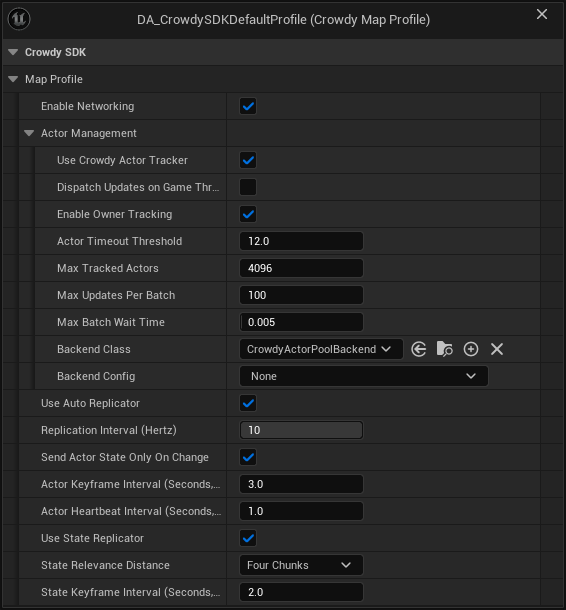
The screenshot is the SDK's own shipped default profile. **Backend Config** is empty on it, which is fine: the actor pool runs on a built-in config when none is set.
| Field | Default | What it controls |
|---|---|---|
| `bEnableNetworking` | on | Gates the host subsystem, the event router, and the entity subsystem on this map. Off means the map runs with the SDK loaded but idle. |
| `ActorManagement` | see [Rendering backends](./rendering-backends.md) | Which backend draws remote entities (`BackendClass`, `BackendConfig`) and the actor tracker settings. |
| `bUseAutoReplicator` | on | The continuous state channel for Dynamic entities. See [Continuous state](./continuous-state.md). |
| `ReplicationIntervalHz` | 10 (1 to 10) | Shown as **Replication Interval (Hertz)**. The send cadence shared by the continuous channel and the Crowdy State replicator. Greyed out in the Details panel when Use Auto Replicator is off, but still read by the Crowdy State replicator. |
| `bSendActorStateOnlyOnChange` | on | Shown as **Send Actor State Only On Change**. An unchanged Dynamic entity sends a keyframe or a heartbeat instead of restating its state every interval. |
| `ActorKeyframeIntervalSeconds` | 3.0 | Full re-send period for an unchanged Dynamic entity, so a late observer converges. 0 turns keyframes off. |
| `ActorHeartbeatIntervalSeconds` | 1.0 | Heartbeat period for an unchanged Dynamic entity: the spatial header and no state, which is what keeps an idle entity from being reaped. 0 turns heartbeats off. |
| `bUseStateReplicator` | on | Master switch for Crowdy State property replication. See [Crowdy State](./crowdy-state.md). |
| `StateRelevanceDistance` | Four Chunks | Shown as **State Relevance Distance**. How far a Crowdy State delta travels, as a chunk count (`ECrowdyReplicationDistance`), tighter than the continuous channel. |
| `StateKeyframeIntervalSeconds` | 2.0 | Period of the Crowdy State keyframe, the full re-send of every property marked `CrowdyHeartbeat`. 0 turns the keyframe off map-wide; on-change replication is unaffected. |
:::note[An empty Backend Config means the built-in default, not a disabled backend.]
`ActorManagement.BackendClass` defaults to `UCrowdyActorPoolBackend`. With `ActorManagement.BackendConfig` left empty, the backend creates a transient **Actor Pool Backend Config** and applies remote movement with `UCrowdyTransformRepPolicy`, the shipped policy that reads the default executor's `FCrowdyActorState` (location and rotation) and interpolates across a ring of recent samples, extrapolating briefly when an update is late. Set a config of your own when your executor sends a state struct of its own, when you want pool sizes per class, or when you want a different pool policy. A config of another backend's class is still refused with a warning naming the field. See [Rendering backends](./rendering-backends.md).
:::
## Assign the profile
Open **Project Settings, Plugins, Crowdy SDK** and find the **Map Profiles** category of `UCrowdySDKDeveloperSettings`:
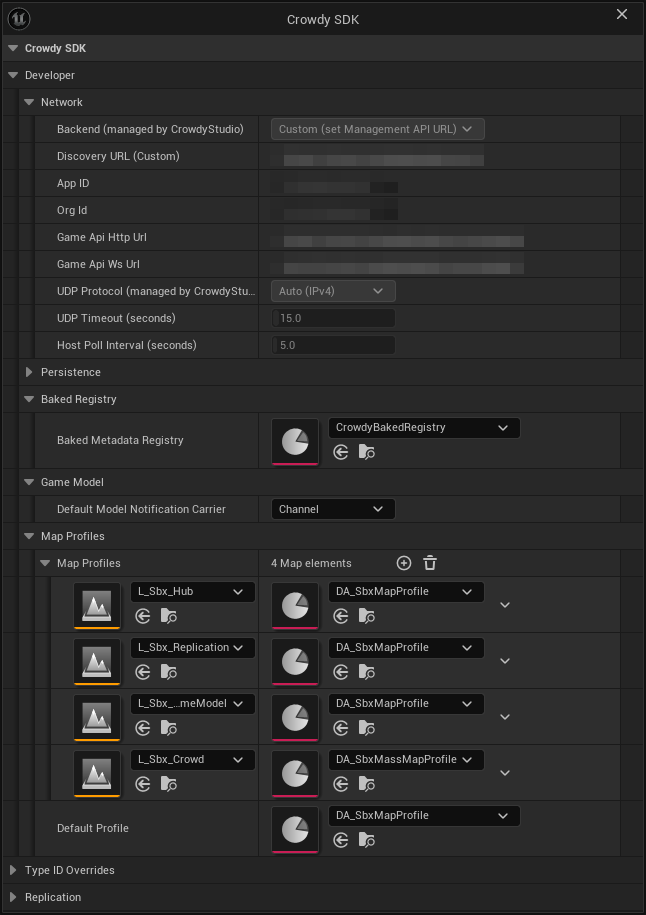
- `MapProfiles` maps a level asset to a profile. The lookup is by the map's short name, with the Play in Editor prefix stripped, so a PIE session resolves the same entry as a packaged build.
- `DefaultProfile` covers every map without an entry.
The SDK resolves the profile for a world through `UCrowdySDKDeveloperSettings::ResolveProfileForWorld`, in this order:
1. A `MapProfiles` entry whose map matches the current one.
2. `DefaultProfile`, if set.
3. The profile a plugin ships. The Crowdy SDK plugin registers its own `DA_CrowdySDKDefaultProfile` at module startup through `RegisterShippedDefaultProfile`, so a project that sets nothing at all runs on that asset rather than going inactive. The log says so once per world.
4. Nothing: the SDK stays inactive on the map and logs a warning, once per world, naming the map and the fix.
:::caution[An entry that names an asset that fails to load is a broken setting, not an absent one. Resolution stops there.]
A `MapProfiles` row or a `DefaultProfile` that points at an asset the build cannot load returns no profile and does not fall through to the next step. The warning names the asset path; check that it still exists and is packaged.
:::
Every SDK subsystem resolves through the same function, and both warnings are reported once per world rather than once per subsystem, so you will see one line, not a dozen.
## Check it from code
A lantern that never lights for other players is nearly always a map whose profile did not resolve. The example, `CheckMapProfile`, called from the lantern's `BeginPlay`, asks the same question the SDK asks, once, so the answer is in the log before anything else is suspected.
```cpp
// Lantern.cpp
#include "Data/CrowdyMapProfile.h"
#include "Utils/CrowdySDKDeveloperSettings.h"
void ALantern::CheckMapProfile()
{
// A lantern that never lights for other players usually has no active profile; rule that out first.
const UCrowdyMapProfile* Profile = UCrowdySDKDeveloperSettings::ResolveProfileForWorld(GetWorld());
if (!Profile || !Profile->bEnableNetworking)
{
UE_LOG(LogTemp, Warning, TEXT("ALantern: no active map profile; this lantern will not replicate."));
}
}
```
`ResolveProfileForWorld` is a plain C++ static. There is no Blueprint node for it.
There is no Blueprint node for profile resolution: assigning a profile is Project Settings and Data Asset editing only, which the two screenshots above cover. What a Blueprint can read is the connection, `Get UDP Connection State` on the Crowdy SDK Subsystem; a connected state with dead entities is the profile symptom.
**Success signal.** With a resolved profile the entity subsystem logs registrations once `crowdy.entity.trace 1` is on. Without one, the log carries a single `resolved no map profile` warning for the map and no entity ever registers.
## The shipped default, in one paragraph
The plugin registers a shipped profile under the provider name `CrowdySDK`, and only one registration is in effect at a time: a second plugin offering a different profile is refused and logged, so which one a map runs on never depends on module load order. `UnregisterShippedDefaultProfile` withdraws an offer at module shutdown; `GetShippedDefaultProfilePath` and `GetShippedDefaultProfileProvider` report what is currently offered; `ResolveShippedDefaultProfile` returns the asset, or null with a reason when an offer exists but its asset failed to load. None of these is something a game calls; they exist so a plugin can carry a profile.
## Gotchas
- A `MapProfiles` row or `DefaultProfile` naming an asset that did not load means no networking on that map. Check this first when a map looks dead; the warning names the asset.
- The shipped default profile has no `BackendConfig`, which means the built-in transform policy draws remote entities. On 2.14.0 and earlier nothing was drawn from the continuous channel in that state; see [What's Changed](../guides/whats-changed.md#2026-09-22-sdk-v2150).
- A non-networked map wants a profile with **Enable Networking** off, not no profile. The warning text asks for exactly that.
- `StateKeyframeIntervalSeconds` is a safety net, not the mechanism. Changed properties ship on change whatever the interval; 0 only stops the periodic baseline for `CrowdyHeartbeat` properties.
- `ReplicationIntervalHz` is one clock for two channels: continuous state and Crowdy State share it but send independently.
## Related
- [Rendering backends](./rendering-backends.md): `BackendClass`, `BackendConfig`, and the policy classes.
- [Continuous state](./continuous-state.md): what `bUseAutoReplicator` and the keyframe and heartbeat intervals drive.
- [Crowdy State](./crowdy-state.md): what `bUseStateReplicator`, `StateRelevanceDistance`, and `StateKeyframeIntervalSeconds` drive.
- [Config Sync](../studio/config-sync.md): the network half of the same settings class, written by Crowdy Studio.
# Entities and Spawning
Source: https://docs.crowdedkingdoms.com/unreal-sdk/runtime/entities-and-spawning
# Entities and Spawning
An entity is an actor with a `UCrowdyEntityComponent`. A level-placed one needs no spawn call: every client loads it and derives the same NetID. This page is about the other kind, an actor created during play, which one client spawns and every other client rebuilds from a spawn event. For identity policies, NetIDs, and the owner and proxy roles, read [Entities, Identity, and Ownership](../concepts/entities-identity-ownership.md) first.
## When to spawn through the SDK
Whenever an actor created at runtime must exist on other clients: a dropped item, a thrown object, a summoned creature. The plain engine `SpawnActor` creates a local actor and tells nobody; the SDK's spawn call creates the same actor and announces it.
## Spawning
`UCrowdyEntitySubsystem::SpawnEntity(EntityClass, SpawnTransform, InitialState)` spawns the class locally with a deferred spawn, injects the entity's identity into its component before `BeginPlay`, and broadcasts a spawn event so every client in range spawns the same class as a proxy. The client that called it is the owner; `Role` is `Owner` there and `RemoteProxy` everywhere else. `UCrowdyUtilities::SpawnCrowdyEntity(WorldContextObject, EntityActorClass, SpawnTransform, InitialState)` is the same operation as a static call with a world context pin, which is the form a Blueprint uses.
`InitialState` is an `FInstancedStruct` of your own type. It travels with the spawn and lands in the component's `OnCrowdySpawned` event on every client; pass an empty struct when there is nothing to send.
The lantern world's runtime spawn is the player arriving with a lantern. `ALanternPlayer` is the player character: a pawn carrying a `UCrowdyEntityComponent` in Dynamic mode with PlayerDerived identity and LocalClient ownership, declared in full on [Continuous state](./continuous-state.md). Once the character knows it is locally owned, `ALanternPlayer::DropLantern` spawns an `ALantern` a short way in front of it, and the new lantern appears there on every client in range. The moment is `OnCrowdyOwnershipAssigned`, not `BeginPlay`: a player pawn spawned during play (`RestartPlayer`) is possessed after its `BeginPlay`, and its Player Derived identity resolves inside that first possession, so `IsLocallyOwned()` is still false at `BeginPlay`. The `AddDynamic` in the block sits in `ALanternPlayer::BeginPlay`, after `Super::BeginPlay()`; the handler fires on the tick after the entity registers, on the first-frame pawn and the runtime-spawned one alike.
```cpp
// LanternPlayer.h
virtual void BeginPlay() override;
UFUNCTION()
void HandleOwnershipAssigned(const FGuid& NewOwnerID, ECrowdyRole NewRole, bool bIsLocallyOwned);
void DropLantern();
// LanternPlayer.cpp
#include "Lantern.h"
#include "Utils/CrowdyUtilities.h"
void ALanternPlayer::BeginPlay()
{
Super::BeginPlay();
// A pawn spawned during play registers inside its first possession, after BeginPlay, so the owner answer arrives here.
CrowdyEntity->OnCrowdyOwnershipAssigned.AddDynamic(this, &ALanternPlayer::HandleOwnershipAssigned);
}
void ALanternPlayer::HandleOwnershipAssigned(const FGuid& NewOwnerID, ECrowdyRole NewRole, bool bIsLocallyOwned)
{
// Each player arrives carrying a lantern; only the owner spawns it, every client then sees it.
if (bIsLocallyOwned)
{
DropLantern();
}
}
void ALanternPlayer::DropLantern()
{
const FTransform SpawnAt(GetActorRotation(), GetActorLocation() + GetActorForwardVector() * 150.f);
UCrowdyUtilities::SpawnCrowdyEntity(this, ALantern::StaticClass(), SpawnAt, FInstancedStruct());
}
```
Any Actor Blueprint can spawn; nothing on the spawner needs a component. In the player pawn's Blueprint, at **Event BeginPlay**, **Get Crowdy Entity Component** feeds **Bind Event to On Crowdy Ownership Assigned**, whose `Event` pin is wired to a custom event, `OnOwnershipAssigned`, that receives the owner id, the role, and the `Is Locally Owned` flag; the pawn registers inside its first possession, after `BeginPlay`, so this is where the answer arrives. The event's `Is Locally Owned` pin feeds a **Branch** (the owner gate: only the owner spawns), and on the true side **Get Actor Transform** feeds the `Spawn Transform` pin of **Spawn Crowdy Entity**, which takes the entity class and an optional Initial State struct and returns the spawned actor. The class pin in the figure names the sample lantern; pick your own entity class there. A spawner that is not a Player Derived pawn can run the same Branch straight from **Event BeginPlay** with the pure **Is Crowdy Entity Locally Controlled** as the condition; only a Player Derived pawn learns its identity after `BeginPlay`.
[Blueprint snippet: spawn-entity, see /bp/unreal-sdk/spawn-entity.txt]
:::warning[A runtime-spawned entity never consults its Identity Policy or its Ownership.]
`SpawnEntity` injects a fresh NetID, `Role = Owner`, and the spawning client's player id before `BeginPlay`, so the component's `IdentityPolicy` and `Ownership` settings are not read. Setting Stable on a class you spawn does not give it a stable id, and setting Host does not make it host-owned; a level-placed `ALanternPost` is how you get both, and [Ownership transfer](./ownership-transfer.md) is how a spawned entity changes hands afterwards.
:::
:::danger[Do not spawn an entity with the engine's SpawnActor.]
A plain `SpawnActor` never broadcasts the spawn event. The component still registers locally, so the actor looks like an entity on the spawning client and exists nowhere else.
:::
:::caution[The spawn event is a one-shot spatial send. A late joiner or a distant client never sees a runtime-spawned Static entity.]
It reaches the clients within eight chunks of the spawn point at that moment and is never replayed. A client that joins afterwards, or stands further away, has no copy unless you re-announce the spawn yourself; a Dynamic entity is rebuilt from its position updates instead (below), and anything that must exist for everyone from the start is level-placed.
:::
**Success signal.** On a second client the proxy appears and its `OnCrowdySpawned` fires with `bIsLocallyOwned` false. A single client can only confirm the send: `crowdy.entity.trace 1` logs the registration and the spawn event; `crowdy.rpc.loopback` replays RPC calls, not spawn events, so no proxy appears.
## Destroying
Three calls converge on the same path: broadcast a destroy event, then destroy the actor after the component's `DestroyDelay` (0 by default, so immediately).
| Call | Where |
|---|---|
| `UCrowdyEntitySubsystem::DestroyEntity(TargetEntity)` | The subsystem, given the actor. |
| `UCrowdyUtilities::DestroyCrowdyEntity(WorldContextObject, TargetEntity)` | The static form with a world context pin; the Blueprint node. `TargetEntity` defaults to self. |
| `UCrowdyEntityComponent::DestroyEntity()` | The component, on itself. See [Entity component](./entity-component.md). |
On every client `OnCrowdyDestroyed` fires first, with `bIsLocallyOwned` true on the client that called the destroy and false everywhere else; nothing stops a non-owner from destroying an entity. The actor goes after the delay. A `DestroyDelay` above zero is for a dissolve or a fade the actor plays out before it disappears.
```cpp
// LanternPlayer.h
virtual void NotifyActorBeginOverlap(AActor* OtherActor) override;
void PickUpLantern(AActor* Target);
// LanternPlayer.cpp
#include "Lantern.h"
#include "Utils/CrowdyUtilities.h"
void ALanternPlayer::NotifyActorBeginOverlap(AActor* OtherActor)
{
Super::NotifyActorBeginOverlap(OtherActor);
// Walking over one of your own lanterns that has gone out picks it up; every client sees it go.
const ALantern* Lantern = Cast(OtherActor);
if (Lantern && !Lantern->bLit && Lantern->CrowdyEntity->IsLocallyOwned())
{
PickUpLantern(OtherActor);
}
}
void ALanternPlayer::PickUpLantern(AActor* Target)
{
UCrowdyUtilities::DestroyCrowdyEntity(this, Target);
}
```
The player picks up a lantern of their own that has gone out: in C++ the character's overlap checks the lantern is unlit and locally owned, then `PickUpLantern` destroys it. The graph is the call alone: from **Event ActorBeginOverlap**, **Destroy Crowdy Entity** takes `Other Actor` on its `Target Entity` pin; the "unlit and yours" check is yours to add in front of it. The removal is visible on every client without any further node.
[Blueprint snippet: despawn, see /bp/unreal-sdk/despawn.txt]
## Receiving a spawn on a remote client
A remote client that receives the spawn event spawns the named class, injects the identity as `RemoteProxy`, finishes spawning, and broadcasts `OnCrowdySpawned` with the `InitialState` from the event. The event carries the class path, so a class that is not loaded yet is streamed in and spawned when it arrives; a destroy event that lands during the load cancels the spawn. If the class ships without a `UCrowdyEntityComponent`, the SDK adds one so the lifecycle callbacks have a home.
:::note[The spawn and destroy payloads are wire format, not something you build.]
`FCrowdyEntitySpawnEvent`, `FCrowdyEntityDestroyEvent`, and the registry's `FCrowdyEntityRecord` are Blueprint-visible types because they cross a delegate, but you never construct one. `InitialState` is the only payload you author.
:::
### A Dynamic entity can appear with no spawn event at all
A Dynamic-mode entity (see [Continuous state](./continuous-state.md)) streams position updates, and each update carries the class id and the state struct type. The `UCrowdyActorManager` resolves the class from that (`RegisterStateClass` is filled in for you by each entity component's `BeginPlay`) and asks the rendering backend to draw a proxy, so a moving entity shows up on a client that joined late without any spawn round trip. A Static entity has no updates to be found by, so it always needs the spawn event.
:::warning[Preloaded Entity Classes is empty by default, and an observer on this path needs it.]
This path resolves the class by id against loaded classes; a spawn event carries the class path and loads it for you, this does not. The startup scan walks loaded classes, and a Blueprint entity class that nobody on this client has spawned yet is not loaded, so an observer that meets it first over the network cannot name it. The actor manager warns `cannot resolve to a loaded class ... Preload the entity class or give it a ClassIDOverride` and the entity stays undrawn. List every Blueprint entity class a client can be shown before it spawns one itself under **Project Settings, Plugins, Crowdy SDK, Replication, Preloaded Entity Classes** (`PreloadedEntityClasses` on `UCrowdySDKDeveloperSettings`). Classes already loaded for another reason need no entry, and a duplicate costs nothing.
:::
## The actor tracker
Inbound actor updates arrive at `UCrowdyActorTracker`, a world subsystem the actor manager listens to. Its settings live on the `ActorManagement` struct of the [map profile](./map-profile.md) (`FCrowdyActorManagementConfigStruct`, the same struct a `UCrowdyActorManagementConfig` asset holds):
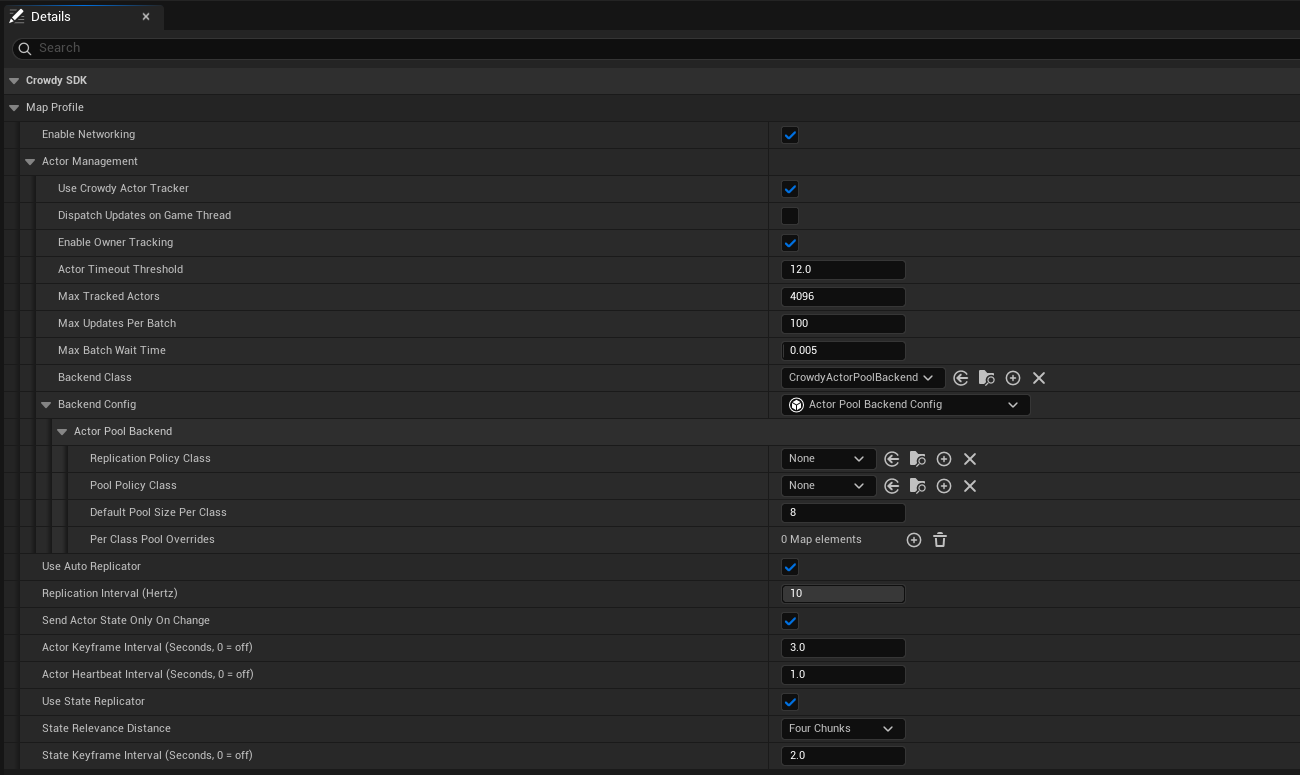
The shipped default profile leaves **Backend Config** at None and runs on the built-in one; the [map profile page](./map-profile.md#create-the-asset) shows that state and when to assign your own.
| Field | Default | Effect |
|---|---|---|
| `bUseCrowdyActorTracker` | on | Off means no tracker, no actor manager, and no backend on this map. |
| `bDispatchUpdatesOnGameThread` | off | Also broadcast each update batch to `OnUpdatesGameThread` for a Blueprint listener. |
| `bEnableOwnerTracking` | on | Track the local player's own actor echo as well: the reflection the [Quickstart](../quickstart.md#2-see-yourself) uses as proof that the server is receiving you. |
| `ActorTimeoutThreshold` | 12 s | Seconds of silence before an entity is dropped on a guess. The server announces a real departure about five seconds after the last update, so this is the fallback. |
| `MaxTrackedActors` | 4096 | How many network-received actors may be tracked at once. A bound on forged ids, not a performance setting; set it above the largest crowd you intend to show. |
| `MaxUpdatesPerBatch`, `MaxBatchWaitTime` | 100, 5 ms | How updates for not-yet-seen entities are batched off the game thread. |
The tracker's events, all on the game thread: `OnRemoteEntityAppeared` (an id seen for the first time, with its `InitialState`), `OnRemoteEntityTimedOut` (this client heard nothing for `ActorTimeoutThreshold`), `OnRemoteEntityLeft` (the server said it is gone, with an `FCrowdyActorLeft` carrying the `ECrowdyActorLeftReason`: `Stale`, or `SessionReleased` when the server ended that actor's session), and `OnRemoteEntityLeftAnnounced` (every departure, including one for an actor this client never held, for code keeping its own per-sender state). Whichever of timed-out and left reaches an actor first is the only one that reports it. The delegate types are `FOnActorSpawnRequested`, `FOnActorTimeoutRequested`, `FOnActorLeftReported` (used by both departure events), and `FOnActorUpdateGameThreadBatch`. `Configure`, `ToggleOwnerTracking`, and `ToggleBroadcastUpdatesToGameThread` change the same settings at runtime; `FCrowdyActorUpdate` is the batch element, carrying `PayloadTypeID`, the payload type id the sender's state blob led with, kept even when no struct is registered for it on this client. `crowdy.replication.tracker.maxgatheredupdates` caps the backlog of gathered updates for actors already on screen. You do not normally touch any of this: the actor manager and the [rendering backend](./rendering-backends.md) consume it for you.
## Looking entities up
`UCrowdyEntitySubsystem` is the registry. `FindEntity(NetID)` returns the actor or null; `FindEntityID(Actor)` is the reverse lookup; `IsLocallyOwned(NetID)` is true when the record names the local player as the owner and the role says this client simulates it (a record that contradicts itself reads as not mine); `GetLocalPlayerID` and `GetHostID` read the two ids everything else is compared against; `SetLocalPlayerID` exists for a game that manages the player id itself, which the session normally seeds for you. `OnEntityRegistered` and `OnEntityUnregistered` (`FOnCrowdyEntityRegistered`, `FOnCrowdyEntityUnregistered`) fire with the NetID as records come and go. The Blueprint-friendly statics on `UCrowdyUtilities` wrap the same registry: `GetCrowdyEntityID`, `GetCrowdyEntity`, `GetCrowdyEntityOwnerID`, `GetCrowdyEntityRole` (an `ECrowdyRole`), `GetAllCrowdyEntitiesByOwner`, `CrowdyIsEntityRegistered`, and `GetLocalPlayerEntityID`.
## Gotchas
- `IsLocallyOwned` means two different things: on the subsystem it takes a NetID and asks the record; on the component it takes nothing and asks whether this client is the entity's authority, host-owned included. See [Entity component](./entity-component.md).
- A spawned entity is owned by its spawner, full stop. To hand it over, use [Ownership transfer](./ownership-transfer.md).
- `InitialState` reaches `OnCrowdySpawned` on the actor the spawn event creates. On the actor-pool backend a Dynamic entity's pooled proxy replaces that actor and never sees the payload; see [Rendering backends](./rendering-backends.md).
- Two unrelated participants can derive the same NetID (a NetID has 32 bits of real entropy). The incumbent keeps it and the newcomer is refused with a log line; a system that binds state to an id should register through `TryRegisterEntity` and give up its claim when the `ECrowdyEntityRegistration` it returns is `RefusedIdHeldByLiveParticipant` (or `RefusedInvalidNetID` for a record with no usable id) rather than `Registered`.
- `UHelperFunctions` has the id helpers a custom identity scheme would reach for: `GetDeterministicID(Seed)` turns a seed into the same `FGuid` on every client, with those same 32 bits of entropy, and `GetNewID` and `GetNewUUID` mint random ones. Prefer the component's identity policies; these exist for code that already has a seed.
## Related
- [Entities, Identity, and Ownership](../concepts/entities-identity-ownership.md): NetIDs, policies, owner and proxy.
- [Entity component](./entity-component.md): every callable and event on the component.
- [Ownership transfer](./ownership-transfer.md): moving an entity to another player.
- [Rendering backends](./rendering-backends.md): how a proxy is drawn, and the pooled-proxy gotchas.
- [Continuous state](./continuous-state.md): Dynamic mode and the executor.
# Entity Component
Source: https://docs.crowdedkingdoms.com/unreal-sdk/runtime/entity-component
# Entity Component
`UCrowdyEntityComponent` is the one component the SDK tracks an actor by. It registers the actor in the entity registry, hands out its identity, optionally feeds the continuous state channel, and raises the lifecycle events. This page is the reference; the concepts are on [Entities, Identity, and Ownership](../concepts/entities-identity-ownership.md).
## Getting the component
In C++ the actor usually holds the pointer it created in its constructor. From anywhere else, `UCrowdyUtilities::GetCrowdyEntityComponent(Actor)` (Blueprint: **Get Crowdy Entity Component**, `Actor` defaults to self) resolves it GAS-style: if the actor implements `ICrowdyEntityComponentProvider` its answer is used, otherwise `FindComponentByClass`. Implement the interface when the component lives on a child actor or is chosen at runtime; it is deliberately not a node you call directly.
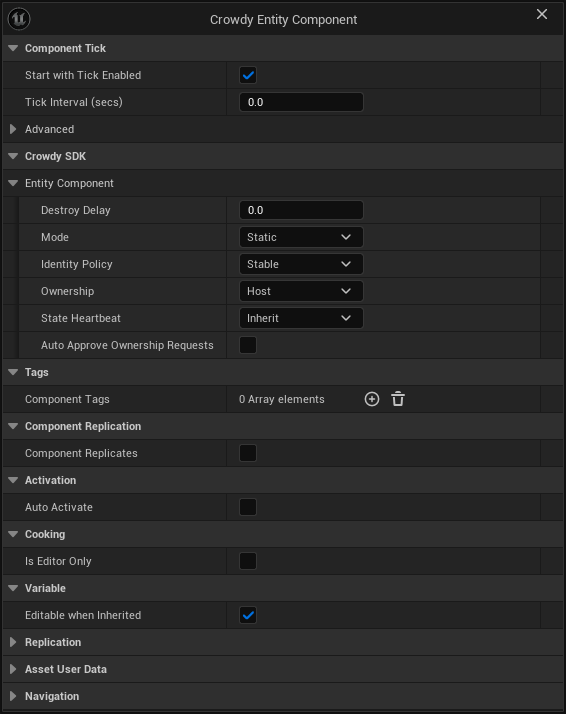
## Settings
All `EditAnywhere`, so a constructor, a Blueprint's Class Defaults, or a placed instance can set them.
| Setting | Default | One line |
|---|---|---|
| `Mode` (`ECrowdyEntityMode`) | Static | Static is event-only. Dynamic also streams the `StateExecutor` snapshot every replication interval. Unrelated to ownership and to Crowdy State, which work in either mode. |
| `IdentityPolicy` (`ECrowdyIdentityPolicy`) | Stable | Stable, PlayerDerived, or Random. Read only when the actor resolves its own identity; a runtime spawn ignores it. |
| `Ownership` (`ECrowdyOwnership`) | Host | Host: the elected host owns it (`Role = HostOwned`). LocalClient: this client owns it (`Role = Owner`). Level-placed actors only. |
| `HostOverride` (`ECrowdyHostOverride`) | Allow | For a LocalClient entity: may the host correct its Crowdy State as a super-user (Allow), or never (OwnerOnly). Hidden when Ownership is Host. |
| `StateHeartbeat` (`ECrowdyStateHeartbeat`) | Inherit | Inherit follows the map profile's keyframe; Off never emits a keyframe for this entity. On-change replication is unaffected. |
| `bAutoApproveOwnershipRequests` | off | The current authority grants any transfer request at once instead of raising `OnOwnershipRequested`. |
| `StateExecutor` (`UActorUpdateExecutor`) | none | Dynamic only. Builds the snapshot; unset means the SDK's transform-only default. |
| `bAutoRegister` | on | Dynamic only. Join the continuous channel at `BeginPlay`; off means you call `StartReplication` yourself. |
| `DestroyDelay` (float) | 0 | Seconds between `OnCrowdyDestroyed` and the actor being destroyed. |
## Callables
Category **Crowdy SDK, Entity Component** in the Blueprint palette.
| Function | One line |
|---|---|
| `GetNetID()` | The entity's shared id, as an `FGuid`. |
| `GetOwnerID()` | The owning player's id; invalid for a host-owned entity. |
| `GetRole()` | `ECrowdyRole`: `Owner`, `RemoteProxy`, `HostOwned`, or `None` before registration. |
| `IsLocallyOwned()` | True when this client is the authority: it owns the entity, or the entity is host-owned and this client is the host. The question to ask before owner work. |
| `GetMode()`, `GetOwnership()`, `GetHostOverridePolicy()`, `GetStateHeartbeat()` | The settings above, read back. There is no getter for `IdentityPolicy`. |
| `StartReplication()`, `StopReplication()` | Join or leave the continuous channel. Meaningful for a Dynamic entity this client owns; `bAutoRegister` calls the first one for you. |
| `SendEvent(Payload, Scope)` | Sends a struct payload addressed at this entity. `ECrowdyEventScope::Everyone` runs the entity's handlers on every client, `OwnerOnly` only on the owner. The lower-level sibling of a `CrowdyEvent`; see [Recipients and routing](./recipients-and-routing.md). |
| `MarkStateDirty(PropertyName)`, `MarkAllStateDirty()` | Schedule one, or every, `CrowdyManualDirty` property to ship on the next replication tick. See [Crowdy State: marking state from outside the actor](./crowdy-state.md#marking-state-from-outside-the-actor). |
| `DestroyEntity()` | Broadcast the destroy event and destroy the owner after `DestroyDelay`. The same path as the subsystem's `DestroyEntity(Actor)` and `UCrowdyUtilities::DestroyCrowdyEntity`. |
`IsLocallyOwned()` here takes no argument and answers for the authority; `UCrowdyEntitySubsystem::IsLocallyOwned(NetID)` answers a narrower question about the record's owner id and does not count the host of a host-owned entity. Do not treat them as interchangeable.
## Events
| Event | Signature | When |
|---|---|---|
| `OnCrowdySpawned` (`FOnCrowdyEntitySpawned`) | `InitialState`, `bIsLocallyOwned` | Runtime-spawned entities only: fired by `SpawnEntity` on the spawner and by the spawn event on every proxy, with the spawn payload. A level-placed entity never receives it; bind `OnCrowdyOwnershipAssigned` there instead. |
| `OnCrowdyDestroyed` (`FOnCrowdyEntityDestroyed`) | `bIsLocallyOwned` | On every client when the entity is torn down, before the delay. |
| `OnCrowdyOwnershipAssigned` (`FOnCrowdyOwnershipAssigned`) | `NewOwnerID`, `NewRole`, `bIsLocallyOwned` | Once the entity knows its owner, on the tick after registration (so a bind in `BeginPlay` still gets it), and again on every reassignment. `NewOwnerID` is invalid for a host-owned entity. |
The example binds all three in `ALantern::BeginPlay`, after `Super::BeginPlay()`; the three `AddDynamic` lines in the block go there. A lantern the player drops at runtime is the kind of entity that receives all three: the spawn path announces `OnCrowdySpawned` right after `BeginPlay`, on the owner and on every proxy, so a bind made there is in place in time. A level-placed post never gets the spawn event; on it only the destroy and ownership handlers ever run. The light shows on spawn, hides on destroy, and brightens or dims as the answer to "do I own this" arrives.
```cpp
// Lantern.h
UFUNCTION()
void HandleSpawned(const FInstancedStruct& InitialState, bool bIsLocallyOwned);
UFUNCTION()
void HandleDestroyed(bool bIsLocallyOwned);
UFUNCTION()
void HandleOwnershipAssigned(const FGuid& NewOwnerID, ECrowdyRole NewRole, bool bIsLocallyOwned);
// Lantern.cpp
CrowdyEntity->OnCrowdySpawned.AddDynamic(this, &ALantern::HandleSpawned);
CrowdyEntity->OnCrowdyDestroyed.AddDynamic(this, &ALantern::HandleDestroyed);
CrowdyEntity->OnCrowdyOwnershipAssigned.AddDynamic(this, &ALantern::HandleOwnershipAssigned);
void ALantern::HandleSpawned(const FInstancedStruct& InitialState, bool bIsLocallyOwned)
{
// Spawned entities only: the spawn path announces it right after BeginPlay, on the owner and on every proxy.
Light->SetVisibility(true);
}
void ALantern::HandleDestroyed(bool bIsLocallyOwned)
{
Light->SetVisibility(false);
}
void ALantern::HandleOwnershipAssigned(const FGuid& NewOwnerID, ECrowdyRole NewRole, bool bIsLocallyOwned)
{
Light->SetIntensity(bIsLocallyOwned ? 8000.f : 2000.f);
}
```
In the spawned lantern's Blueprint, at **Event BeginPlay**, **Get Crowdy Entity Component** feeds **Bind Event to On Crowdy Spawned**, whose `Event` pin is wired to a custom event, `OnLanternSpawned`, that receives the spawn payload and the ownership flag; its body calls **Set Visibility** on `Light`. The other two events bind the same way from the same getter.
[Blueprint snippet: ec-on-spawned, see /bp/unreal-sdk/ec-on-spawned.txt]
## Asking a different question than IsLocallyOwned
The [Quickstart](../quickstart.md) and the identity page both branch on `IsLocallyOwned()`. The accessor family answers finer questions: `GetRole()` distinguishes the owner from the host of a host-owned entity from a proxy, which the boolean cannot. The example grades the post's light by role.
Four more `UCrowdyUtilities` nodes ask role questions without fetching the component: `CrowdyIsRemoteProxy(Entity)` (**Crowdy Is Remote Proxy**) is true when the entity's role is `RemoteProxy`, and `IsCrowdyEntityPlayerControlled(TargetActor)` (**Is Crowdy Entity Player Controlled**) is true for an actor with a Dynamic entity component or a registered remote-proxy record; `SwitchCrowdyIsRemoteProxy` and `SwitchIsCrowdyEntityPlayerControlled` are the same two answers as exec pins.
```cpp
// LanternPost.h
void ShowRole();
// LanternPost.cpp
void ALanternPost::ShowRole()
{
// The same client can own, host, or only mirror this post; each reads a different brightness.
switch (CrowdyEntity->GetRole())
{
case ECrowdyRole::Owner: Light->SetIntensity(8000.f); break;
case ECrowdyRole::HostOwned: Light->SetIntensity(4000.f); break;
default: Light->SetIntensity(1000.f); break;
}
}
```
The generated graphs branch on booleans, so the three-way role grading of the C++ half is shown as its two-way half: **Get Crowdy Entity Component**, **Is Locally Owned**, a **Branch**, and **Set Intensity** to 8000 on `Light` for the owner. For the full grading in Blueprint, replace the Branch with a **Switch on ECrowdyRole** fed by **Get Role**.
[Blueprint snippet: ec-is-owned, see /bp/unreal-sdk/ec-is-owned.txt]
## The two RPC receivers on the component
`RequestOwnership_Implementation(RequesterID)` and `GrantOwnership_Implementation(NewOwnerID, PreviousOwnerID)` are `CrowdyEvent` functions with `CrowdyRecipient = "Multicast"` that carry [ownership transfer](./ownership-transfer.md) over the session channel. Call the static `UCrowdyOwnershipTransfer` nodes instead of these; `GrantOwnershipTo(NewOwnerID)` is the C++ entry the static nodes funnel through.
:::caution[These two events are Multicast with no CrowdyChannel on purpose. Do not re-declare them with a channel.]
They ride the app's session channel, which the SDK always joins, so a request or a grant reaches every client. Re-declared on a channel of their own they would reach that channel's members instead of the entity's audience. Ownership on this plane is a convention in any case; the enforced kind lives in your server code, on the [truth plane](../concepts/two-planes.md).
:::
## Advanced: the static identity helpers
C++ only, pure, and the same functions the SDK's own identity resolution calls. Useful when writing custom identity code; not needed otherwise.
| Static | What it answers |
|---|---|
| `DeriveAuthority(Ownership, LocalPlayerID, OutRole, OutOwnerID)` | The role and owner id an `Ownership` value produces. |
| `ResolveEffectiveOwnership(AuthoredOwnership, bIsLevelPlaced)` | Why a runtime spawn is always owned by its spawner. |
| `ResolveActorInstanceGuid(Actor)` | The engine's per-placement guid, the Stable identity seed. |
| `ShouldUsePlacementGuid(bIsLevelPlaced, bHasInstanceGuid)`, `SelectPlacementGuid(AtRegister, Live)` | When that guid may be used, and why the snapshot taken at `OnRegister` wins over a live read in a cooked build. |
| `ComputeStableNetID(bOutUsedPathFallback)` | The Stable NetID for this actor, and whether it fell back to hashing the path. |
| `DoesOwnershipMatch(OwnerRole, OwnerNetID, TargetRole, TargetOwnerID, HostID)` | The ownership test behind `UCrowdyUtilities::DoesCrowdyEntityOwn`; fails closed when a host-owned side has no host id. |
| `ClassifyPlayerDerivedIdentity(Facts)`, `DescribePlayerDerivedIdentity(Verdict)` | Which condition made PlayerDerived fall back to Random, and the sentence the warning uses. |
| `ShouldReportHostOwnedAutoRegister(Mode, bAutoRegister, Role)`, `DescribeHostElectionState(bHostKnown, bLocalClientIsHost)` | The two authoring diagnostics: a Dynamic host-owned entity ends `BeginPlay` sending nothing, and what this client currently knows about the host. |
| `GetClassID()` | The class hash carried on spawn events. |
`InitIdentity`, `AssignPooledIdentity`, `ClearIdentity`, `MarkPooledDormant`, and `IsPooledDormant` are the injection points the entity subsystem and the actor pool use; game code has no reason to call them.
## Gotchas
- `OnCrowdyOwnershipAssigned` is announced on the tick after registration, deliberately, so a bind in the actor's own `BeginPlay` is not too late.
- A Dynamic entity with `Ownership = Host` and `bAutoRegister` on leaves `BeginPlay` sending nothing: auto-register only starts the channel for an entity this client owns outright. The log says so once per component.
- `DestroyEntity()` exists in three places with three signatures and one behaviour. Use whichever you already hold a reference for.
- The enum getters return the setting, not a live derivation. `GetRole()` is the live answer.
## Related
- [Entities, Identity, and Ownership](../concepts/entities-identity-ownership.md): what the settings mean.
- [Entities and spawning](./entities-and-spawning.md): the subsystem's spawn, destroy, and lookup calls.
- [Ownership transfer](./ownership-transfer.md): the static nodes that replace calling the two receivers.
- [Crowdy State](./crowdy-state.md): the properties `MarkStateDirty` serves.
- [Continuous state](./continuous-state.md): `Mode`, `StateExecutor`, and `bAutoRegister`.
# RPC Events in C++
Source: https://docs.crowdedkingdoms.com/unreal-sdk/runtime/rpc-events-cpp
# RPC Events in C++
A CrowdyEvent is a `UFUNCTION` you call like a normal method. The SDK marshals the arguments by reflection, routes them over the transport, and runs the matching `_Implementation` on the receivers the recipient names. No payload struct, no base class, no manual send call.
## When to use one
For a moment, not a value: a flicker, a swing, a chat line, a one-shot trigger. Anything a late joiner must still see is a [Crowdy State](./crowdy-state.md) property; anything a client could gain by lying about belongs on the [truth plane](../concepts/two-planes.md), in your server code.
## The two halves
**The receiver** is a reflected `UFUNCTION` named `_Implementation`, declared by you, tagged `meta=(CrowdyEvent)` plus the routing keys. It is what runs on every recipient, the caller included when the recipient says so.
**The call site** is `CROWDY_EVENT()`, a macro placed in the class body with no trailing semicolon. It generates a template `(Args...)` that forwards to `FCrowdyRPC::SendChecked`, which checks the argument count and each argument's convertibility against the receiver's declared parameters at compile time, marshals them, and routes the call.
Both halves work on any actor or component that carries a `UCrowdyEntityComponent`, and on a [replicated subsystem](./replicated-subsystems.md).
:::warning[The receiver must be a literal UFUNCTION you write by hand, never one emitted from inside another macro.]
UnrealHeaderTool does not expand macros when it scans for reflected declarations. A `UFUNCTION` produced by a macro is invisible to reflection, so `CROWDY_EVENT` generates only the non-reflected thunk and the routing lives on the receiver's metadata.
:::
The lantern's second event is `Sparkle`: the owner announces a one-time ignition sparkle at `BeginPlay`, everyone in range tints the light and reads a set of spark offsets. The four blocks below are facets of that one member. `FLanternSparkleStyle`, the struct the receiver takes, is declared under [Parameters](#parameters) below.
```cpp
// Lantern.h
// The receiver runs on every client in range; Sparkle() is the call that sends it.
UFUNCTION(meta = (CrowdyEvent, CrowdyRecipient = "SpatialMulticast"))
void Sparkle_Implementation(const FLanternSparkleStyle& Style, const TArray& SparkOffsets);
CROWDY_EVENT(Sparkle)
```
The call, inside `ALantern::BeginPlay` after `Super::BeginPlay()`, behind the owner check that every `SpatialMulticast` send needs:
```cpp
// Lantern.cpp
// The owner announces its ignition sparkle to everyone nearby.
if (CrowdyEntity->IsLocallyOwned())
{
FLanternSparkleStyle Style;
Style.Color = FLinearColor::Yellow;
Style.Intensity = 8000.f;
TArray Offsets = { FVector(0.f, 0.f, 40.f), FVector(0.f, 0.f, 80.f) };
Sparkle(Style, Offsets);
}
```
## Routing keys
The meta keys are read from the receiver at scan time and baked into a registry, so a packaged build never reads metadata at runtime.
| Meta key | Value | Default when omitted |
|---|---|---|
| `CrowdyEvent` | none | Required. Marks the function as a receiver. |
| `CrowdyRecipient` | An `ECrowdyEventRecipient` enumerator name: `SpatialMulticast`, `Multicast`, `OwningClient`, `Host` | `SpatialMulticast` |
| `CrowdyDecay` | An `ECrowdyDecayRate` name | `No_Decay`. Spatial only. |
| `CrowdyDistance` | An `ECrowdyReplicationDistance` name | `Eight_Chunks`. Spatial only. |
| `CrowdyChannel` | A channel name | Empty, the app's session channel. Multicast only. |
Who each recipient reaches, and over which transport, is on [Recipients and routing](./recipients-and-routing.md). One more key, `CrowdyAction`, declares that the parameters describe a one-shot action; it changes nothing for an actor that runs the body itself and matters only to a backend that holds the entity as data.
## Parameters
`FCrowdyRPC::IsSupportedParamType` decides what may ride the wire. A parameter may be:
- a primitive (`bool`, any integer width, `float`, `double`, a byte), an enum, an `FName`, an `FString`, or an `FText`;
- a `USTRUCT`;
- an object or class reference (`UObject*`, `TSubclassOf`, and their soft forms), resolved by identity on the receiver;
- a `TArray` of any of the above, object references included;
- a `TSet` or `TMap` whose element, key, and value are not object references.
Not supported: a return value, a non-const output reference, a delegate, an interface, a `TSet` or `TMap` of object references, and a container buried inside a struct parameter at any depth a real struct reaches (`FCrowdyRPC::StructTransitivelyContainsContainer` is the check; it stops at eight levels). A `const TArray&` is an input and is fine.
:::warning[An unsupported signature is not a compile error. The event is dropped at scan time and every call to it goes nowhere.]
The startup scan runs `FCrowdyRPC::DescribeSignatureProblem` on each receiver and logs an error of the shape `[CrowdyAutoRegistry] CrowdyEvent 'ALantern::Sparkle_Implementation' parameter 'X' has unsupported type 'Y' ... not registered; calls to it will be dropped.` Grep the log for `not registered` when an event compiles but never arrives.
:::
A struct parameter travels as a value, so a small cosmetic struct is the natural way to pass several fields at once:
```cpp
// Lantern.h
// Cosmetic view data for the ignition sparkle; server-owned state never goes here.
USTRUCT()
struct FLanternSparkleStyle
{
GENERATED_BODY()
UPROPERTY() FLinearColor Color = FLinearColor::White;
UPROPERTY() float Intensity = 1.f;
};
```
### Containers and their bounds
A container parameter is decoded with a bound of 65536 elements; a count past that is treated as forged and the whole call is dropped on receipt. The struct-buried form is refused at scan time because that decode cannot be bounded.
```cpp
// Lantern.cpp
void ALantern::Sparkle_Implementation(const FLanternSparkleStyle& Style, const TArray& SparkOffsets)
{
Light->SetLightColor(Style.Color);
// One spark per offset in a real project; here each offset brightens the ignition flash.
Light->SetIntensity(Style.Intensity * SparkOffsets.Num());
}
```
:::warning[A Multicast call has a 1024-byte budget. A call that would exceed it is dropped loudly, never truncated.]
`CrowdyChannelPayloadMaxBytes` caps the encoded payload of a reliable (`Multicast`) call. A receiver whose fixed-width parameters alone can never fit is refused at registration with an error naming the byte count; a call whose actual encoded size exceeds the cap is dropped at send with `[CrowdyRPC] Reliable '' dropped ... over the 1024-byte channel limit`. A payload that might be large, such as a list of offsets, belongs on `SpatialMulticast`, which fragments across datagrams.
:::
### Object references
An object parameter is encoded by stable identity, tagged as one of three kinds: null, a tracked entity (addressed by its NetID), or an asset or class (addressed by its object path). On the receiver an entity resolves against the local registry and a path resolves against loaded objects. A runtime object that is neither a tracked entity nor an asset has no portable identity and is sent as null with a warning.
:::caution[A class or asset reference resolves by path on the receiver, and the receiver only finds what is already resident.]
By default an asset that is not loaded on the receiving client decodes to null with a warning naming it. `crowdy.rpc.allowObjectLoad 1` opts into loading it on demand; leave that off in a shipping build and make sure the asset is loaded on every client that can receive the call.
:::
## What happens on the wire
The call is packed into an `FCrowdyRpcCall`: the declaring class id, a function id hashed from the full signature (class path, name, and the ordered canonical parameter types), and the parameter bytes prefixed with a format version (`CrowdyRpcParamBlobVersion`). The receiving `UCrowdyEventRouter` looks the pair up in the registry `UCrowdyAutoRegistry` built at startup and invokes the `_Implementation` on the local instance of that entity. A signature that drifted between two builds, or a class that is not loaded, drops with `[CrowdyEventRouter] RPC dropped - no function for ClassID=... FunctionID=...`. A receiver that holds the entity as data rather than as an object reads the same parameters by name through `FCrowdyEventParams` instead of running a body; that is a rendering-backend concern, not something an actor sees.
Tracing:
```text
crowdy.rpc.trace 1 every send and receive: function, entity, addressing, parameter bytes
crowdy.rpc.reliable.trace 1 the channel transport only
crowdy.rpc.loopback 1 deliver your own sends to your own receiver, for a single-client test
crowdy.rpc.dumpfn BP_Hero_C MyEvent print one function's routing info
```
## Gotchas
- `SpatialMulticast` runs the body on the caller too, so guard the call with `IsLocallyOwned()`; a proxy's copy of the trigger must not send a second one.
- A receiver declared with no `CrowdyRecipient` is `SpatialMulticast`. On a subsystem that default is rejected at send; see [Replicated subsystems](./replicated-subsystems.md).
- A `SpatialMulticast` reaches only clients with a fresh actor of their own on the map. A client whose pawn is not sending updates is at no position, so it receives none and its own sends reach nobody; see the [Quickstart](../quickstart.md#1-make-your-player-a-crowdy-entity).
- A late joiner receives nothing from a past call. If it matters after the moment, it is state.
- Delivery is on the game thread, always. A handler may touch actors freely.
## Related
- [RPC events in Blueprint](./rpc-events-blueprint.md): the same system with a checkbox instead of a macro.
- [Recipients and routing](./recipients-and-routing.md): the four recipients, chunks, decay, and targeted sends.
- [Channels](./channels.md): where a `Multicast` call travels.
- [RPC types](../reference/rpc-types.md) and [RPC meta keys](../reference/rpc-meta-keys.md).
# RPC Events in Blueprint
Source: https://docs.crowdedkingdoms.com/unreal-sdk/runtime/rpc-events-blueprint
# RPC Events in Blueprint
A Blueprint sends and receives CrowdyEvents with no C++: tick one checkbox on a Custom Event, choose a recipient, and call the event by name. The body of the event is the receiver.
## When to use one
The same cases as [RPC events in C++](./rpc-events-cpp.md): a moment other clients should see, not a value a late joiner needs. The Blueprint needs a **Crowdy Entity Component** on the actor (or to be a [replicated subsystem](./replicated-subsystems.md)); a Custom Event on an actor without one has no entity to route by.
## Mark the event
Select the Custom Event node. Its Details panel gains a **Crowdy SDK** category with a **Crowdy Replicates** checkbox; this is the node's own Details panel, not the actor's.
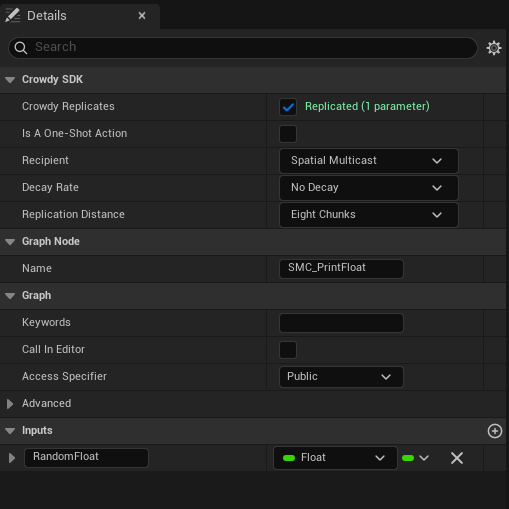
Ticking it writes the `CrowdyReplicates` marker onto the event and clears any Unreal replication flag on the node, since the two cannot combine. A status line under the checkbox tells you at once whether the signature is accepted: green `Replicated (N parameters)`, or a red problem naming the parameter, using the same validator the C++ scan runs. Old assets marked with the earlier spelling `CrowdyReplicate` are still recognised.
:::warning[Crowdy Replicates cannot combine with Unreal's own replication, and the event must be Public.]
The status line reads `Disable Unreal replication - it cannot combine with Crowdy replication`, or `Set Access Specifier to Public - Crowdy Replicates cannot be private`, until you fix the node. A private or protected event is refused because the SDK invokes it from outside the class.
:::
:::caution[Toggling the checkbox needs a recompile before it takes effect.]
The compiler splices a dispatch gate into the head of a marked event at compile time. Until you press Compile the log says `Custom event 'X' Crowdy Replicates ... Recompile to activate.` and the event still runs locally only.
:::
The lantern's `Sparkle` event is the Blueprint twin of the C++ page's `Sparkle_Implementation`, with the style struct flattened into two inputs, `Color` and `Intensity`. Its body is the receiver: **Set Light Color** and **Set Intensity** on `Light`, each fed by a **Get Light** node. The graph below is the whole example; the Details panel of its event node is where Crowdy Replicates is ticked and Spatial Multicast is chosen.
[Blueprint snippet: rpc-mark-event, see /bp/unreal-sdk/rpc-mark-event.txt]
## Pick the recipient
Once Crowdy Replicates is ticked, three more rows appear. **Recipient** is the `ECrowdyEventRecipient` the C++ page uses, with the same default:
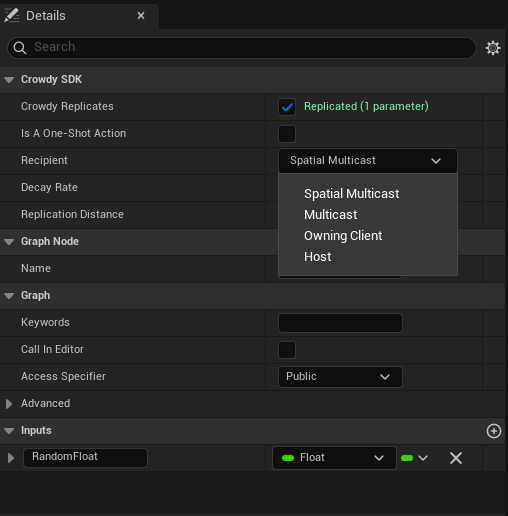
- **Spatial Multicast** (the default): everyone in range, over the chunk-based path, thinned by decay.
- **Multicast**: every member of the app's session channel, whatever the distance, over the channel transport.
- **Owning Client**: only the target entity's owner; another client's call becomes a request to that owner.
- **Host**: only the elected host; another client's call becomes a request to the host.
**Decay Rate** and **Replication Distance** sit below the recipient and are greyed out unless the recipient is Spatial Multicast, because only the spatial path reads them. **Channel** appears only for Multicast: type a channel name, or press **Pick** to choose from the app's channels, which the picker fetches live from Crowdy Studio when you are signed in there; free text always works. **Is A One-Shot Action** belongs to the opt-in crowd rendering backend, which this guide does not cover; leave it unticked.
:::warning[A channel you type here must already exist. Only the session channel is created for you.]
A typo, or a channel nobody created, logs a warning at connect time and every call to the event silently reaches nobody. See [Channels](./channels.md).
:::
:::caution[Host runs the call on whatever instance it holds, regardless of who owns that entity, and tells nobody else.]
There is no ownership gate on the host. If the rest of the session must see the outcome of a Host event, the host sends a second, Multicast or Spatial Multicast event with the result.
:::
## Call it
Call the event by name from any graph on the actor, exactly like a local Custom Event: drag off an exec pin, type `Sparkle`, and fill the `Color` and `Intensity` pins. There is no separate node kind for the call and none in the figure above; the call node is the ordinary one the editor offers for any custom event. The gate at the head of the event routes the call over the transport and skips the local body when this client is not a recipient; when it is, the body runs here as well.
For a Spatial Multicast event the owner runs the body itself and sends it, so the call sits behind an **Is Locally Owned** check the way the [Quickstart](../quickstart.md) does; a proxy's copy of the trigger must not send a second one.
## Receive it
There is no second node and no second graph. The same `Sparkle` body shown above is the receiver: on every recipient the SDK replays the call through the event, the gate recognises the replay and lets the body run, and `Color` and `Intensity` arrive on the event's own pins with the values the caller passed.
What the checkbox generates is a call to `UCrowdyReplicatedEventLibrary::CrowdyDispatchReplicatedEvent` at the top of the event. It is marked internal-use and never placed by hand; if a marked event ever loses its gate (a manual edit, a bad merge), calling it runs the body locally and announces nothing, which looks exactly like a transport drop. Recompile.
**Success signal.** With one client, `crowdy.rpc.loopback 1` and `crowdy.rpc.trace 1` show the send and the looped-back receive; the sparkle then comes from the receive rather than the local run.
## Gotchas
- The checkbox lives on the Custom Event node's Details, not the actor's.
- A red status line is the fastest signal that a pin type is rejected. Read it before compiling.
- The Channel field is join-only. Create the channel in Crowdy Studio or at runtime first.
- The Blueprint event body runs on the caller for Spatial Multicast and Multicast, and only where the recipient says for Owning Client and Host. Do not add a second local call.
- Cheat-sensitive data never rides a CrowdyEvent; it belongs on the [truth plane](../concepts/two-planes.md), in your server code.
## Related
- [RPC events in C++](./rpc-events-cpp.md): the parameter rules and the routing keys in full.
- [Recipients and routing](./recipients-and-routing.md): what a chunk is, decay, and targeted sends.
- [Channels](./channels.md): creating the channel a Multicast event names.
# Recipients and Routing
Source: https://docs.crowdedkingdoms.com/unreal-sdk/runtime/recipients-and-routing
# Recipients and Routing
Every CrowdyEvent names a recipient, and the recipient decides two things: who runs the body, and which transport carries it. This page is the delivery model behind both the [C++](./rpc-events-cpp.md) and the [Blueprint](./rpc-events-blueprint.md) authoring pages.
## The four recipients
`ECrowdyEventRecipient`, set with `CrowdyRecipient` in C++ or the Recipient dropdown in Blueprint. `SpatialMulticast` is the default when the key is omitted.
| Recipient | Travels over | Distance and decay | Who runs the body |
|---|---|---|---|
| `SpatialMulticast` (default) | The spatial path, addressed by the sender's chunk | Yes: `CrowdyDistance` and `CrowdyDecay` | Every client in range, the caller included |
| `Multicast` | A channel: the session channel, or the one `CrowdyChannel` names | No: every member, any distance, never thinned | Every channel member, the caller included |
| `OwningClient` | A targeted delivery to one client | No | Only the target entity's owner. A non-owner's call becomes a request to the owner; the owner's own call runs locally and sends nothing. |
| `Host` | A targeted delivery to one client | No | Only the elected host. A non-host's call becomes a request; the host's own call runs locally. The host runs it on whatever instance it holds, whoever owns that entity. |
The decision is a pure function of the recipient, the participant kind, and the local authority facts, so it is the same on every client and in every build.
"In range" is measured from the position each client's own actor updates registered, so a `SpatialMulticast` reaches only clients with a fresh actor on the map; a client whose pawn is not sending is nowhere and receives nothing. The [Quickstart](../quickstart.md#1-make-your-player-a-crowdy-entity) makes the player's pawn that actor before it sends anything.
:::warning[On a replicated subsystem the default recipient is rejected. Set Multicast or Host explicitly.]
A subsystem has no world position, so a `SpatialMulticast` event declared on one has nowhere to be sent from. The send logs `uses SpatialMulticast, which has no location; set CrowdyRecipient=Multicast or Host. Dropping.` and consumes the call so a Blueprint caller does not run the body as a fallback. Since `SpatialMulticast` is what an unannotated event gets, every event on a subsystem needs the key written out. See [Replicated subsystems](./replicated-subsystems.md).
:::
## Spatial: chunks, distance, and decay
The world is divided into chunks of `ChunkSize` units on a side; a spatial event is sent from the sender's chunk and reaches every client whose actor stands within `CrowdyDistance` chunks of it. `ChunkSize` lives on the game session (`UCrowdyGameSession::GetChunkSize`, `SetChunkSize`) and defaults to 1600 units, so `ECrowdyReplicationDistance::Four_Chunks` is 6400 units at the default. A distance is a chunk count, not a world distance: changing the chunk size changes what every distance value means.
To see which chunk a point falls in, `UHelperFunctions::GetChunkCoordinateAtLocation(WorldContextObject, WorldLocation, ChunkX, ChunkY, ChunkZ)` (Blueprint: **Get Chunk Coordinate At Location**) reads the session's chunk size and returns the three `int64` coordinates; the older `GetChunkCoordinatesAtWorldLocation` without a world context is deprecated.
`ECrowdyReplicationDistance` runs from `None` through `One_Chunk` to `Eight_Chunks` (the default). `ECrowdyDecayRate` thins delivery with distance:
| Value | Effect |
|---|---|
| `No_Decay` (default) | Every client inside the distance receives the event. |
| `Exponential_Decay` | Delivery probability falls off exponentially with distance. |
| `Linear_50`, `Linear_25`, `Linear_10`, `Linear_5` | Linear falloff, from the mildest to the most aggressive. |
Decay is a server-side filter applied before the event reaches remote clients. Use it for high-rate cosmetic events where a distant client missing some of them is fine.
## Multicast: what reliable means
A `Multicast` event rides a [channel](./channels.md). "Reliable" here means coverage: every member of the channel is a recipient, at any distance, with no decay. It does not mean guaranteed delivery. The transport is still UDP with no acknowledgement, no retransmit, and no duplicate suppression.
:::warning[Reliable is coverage, not delivery. A late joiner gets nothing from a past Multicast call.]
Treat a Multicast event like any other fire-and-forget call for anything that must not be silently missed. If a value has to be right on a client that missed the event or joined afterwards, put it in a [Crowdy State](./crowdy-state.md) property, or in your server code if it is [truth](../concepts/two-planes.md); an event has no history to replay.
:::
The payload of a Multicast call is capped at 1024 bytes (see the [C++ page](./rpc-events-cpp.md#containers-and-their-bounds)); a large container belongs on `SpatialMulticast`.
## Targeted: OwningClient and Host
Both are delivered by the server as a single-actor message to exactly one client, never as a broadcast. On receipt an actor participant drops a broadcast that claims to carry an owner-only or host-only function, since a real one never arrives that way. On a subsystem there is no single-actor transport, so the same events legitimately arrive as channel broadcasts and are gated by identity on receipt.
:::caution[A Host send needs the host's own entity within the sender's known range.]
The targeted message is addressed to the host's avatar entity and the chunk it stands in. If this client holds no record of that entity, the send logs `Run-On-Host '' dropped ... the host's avatar is not in range` and the call is gone; it is not queued until the host comes into range.
:::
An `OwningClient` event aimed at a world entity nobody owns has no destination and drops; use `Host` for a world entity.
The lantern world uses `Host` for a relight: a client whose lantern has gone dark asks the elected host to relight it, and the host acts on whichever `ALantern` instance it holds. The lantern the host holds is a proxy of another client's entity, so setting `bLit` on it would stay on the host; the receiver marks the property dirty as well, which on an entity the host does not own is the [host push](./crowdy-state.md#on-an-entity-you-do-not-own-the-host-push) that makes the owner adopt the value. `Flicker` from the [Quickstart](../quickstart.md) is the `SpatialMulticast` row; the other two recipients are described in the table above and need no new member.
```cpp
// Lantern.h
UFUNCTION(meta = (CrowdyEvent, CrowdyRecipient = "Host"))
void RequestRelight_Implementation();
CROWDY_EVENT(RequestRelight)
// Lantern.cpp
void ALantern::RequestRelight_Implementation()
{
Light->SetVisibility(true);
bLit = true;
// The host does not own this lantern; the mark is the host push that makes the owner adopt it.
CrowdyEntity->MarkStateDirty(TEXT("bLit"));
}
```
A `RequestRelight` custom event with Crowdy Replicates ticked and **Recipient** set to **Host**; its body is **Set Visibility** on `Light`, fed by **Get Light**. Call it from any client whose lantern is dark and it runs on the host alone. The figure is the visible half only. To make the owner adopt the value as the C++ does, add two nodes after it: **Set Lit** to true, then **Mark Crowdy State Dirty** with `Lit` as the property name; without them the relight stays on the host's proxy.
[Blueprint snippet: recipient-each, see /bp/unreal-sdk/recipient-each.txt]
## Receiving raw notifications in Blueprint
`UCrowdyBlueprintReceptionLayer` (**Crowdy Blueprint Reception Layer**) is a Blueprintable object that receives the wire-level notifications behind the systems on this page, for a game that wants to see them before the SDK's own routing does: subclass it in Blueprint, list the payload structs it claims in `SupportedEvents` (empty means unclaimed events only) and the actor update types in `SupportedActorUpdateTypes`, create it with **Create and Register Layer** (`CreateAndRegisterLayer(WorldContextObject, Class)`), and bind its two events. `OnEventNotificationReceived` (`FOnGameEventNotificationReceived`) delivers an `FGameEventNotificationBP` (the sender `UUID`, the chunk, the `Timestamp`, and the `Event` as an instanced struct); `OnActorUpdateReceived` (`FOnActorUpdateReceived`) delivers an `FActorUpdateNotificationBP` with the same envelope around an `ActorUpdate` struct. A game that uses CrowdyEvents and Crowdy State never needs one; it exists for custom payloads sent with `SendCrowdyEvent` and for diagnostics.
## Delivery is on the game thread
Every routing and dispatch entry point in `FCrowdyRPC` and `UCrowdyEventRouter` is game-thread only, and every handler runs there. A handler may spawn, destroy, and touch components without marshalling.
## Sending without an actor
Two lower-level entry points exist for callers the ordinary path cannot serve.
**A CrowdyEvent for an entity you hold only by identity.** `FCrowdyRPC::SendToTarget(World, Target, Fn, Frame)` sends a receiver function to an entity described by an `FCrowdyRpcTarget`: its `NetID`, an optional `Location`, its `OwnerID`, and this client's `Role` toward it. It routes by the function's own recipient, all four of them, and where this client already holds a registration for the entity the record's owner, role, and position win over the target's fields. It returns false only when there was no transport at all; every drop returns true, so a caller must not run a local body as a fallback for a refused send. Read the location from the entity's own live state, never from a caller's argument, because the location decides which region the message is addressed to. A plain `UObject` that stands for an entity with no actor can also implement `ICrowdyEventSource` and use the ordinary `CROWDY_EVENT` call; the send path asks the interface for the identity and the position it would otherwise read from an actor. The five overrides are `GetEventEntityID` (the entity's NetID), `GetEventLocation` (where it stands right now, or false when unknown), `GetEventOwnerID` (the owning player, invalid for a world entity), `GetEventRole`, and `IsEventLocallyOwned` (only an owner, or the host for a world entity, may originate). Answer for the entity you stand for, read live; never hand back a location a caller passed in, because the location decides which region the event is addressed to.
**A struct payload with no declared receiver.** `UCrowdyUtilities::SendCrowdyEvent(WorldContextObject, TargetEntity, Payload, Recipient, DecayRate, ReplicationDistance)` in C++, **Send Crowdy Event** (`K2_SendCrowdyEvent`, a wildcard struct pin) in Blueprint, broadcasts any `USTRUCT` at a target actor with an explicit recipient. It goes through `UCrowdyEntitySubsystem::DispatchGameEvent`, whose `ECrowdyTarget` (`Everyone`, `Entity`, `Owner`, `Host`, `AllExceptSender`) is the wire-level addressing the recipient enum maps onto; `DispatchGameEventAt` is the same send from an explicit location, `DispatchGameEventView` and `DispatchGameEventViewAt` borrow the payload instead of copying it, and `DispatchSingleActorMessage` and `DispatchSingleActorMessageTo` are the targeted delivery behind OwningClient and Host. A handler receives the struct, and may declare an `FCrowdyEventContext` as an optional second parameter to read the `SenderID`, the `TargetID`, the `Target`, and `bSentByLocalPlayer`. `UCrowdyEntityComponent::SendEvent(Payload, Scope)` is the same send addressed at the component's own entity, with `ECrowdyEventScope::Everyone` or `OwnerOnly`.
:::caution[The struct send has none of the compile-time checking a CrowdyEvent receiver gets.]
Any struct is accepted, there is no `_Implementation` naming convention to tie a sender to a receiver, and a mismatch is found at runtime or not at all. Prefer a `CrowdyEvent` unless you are building a system on top of the SDK.
:::
## Gotchas
- Omitting `CrowdyRecipient` means `SpatialMulticast`. Write the key out on anything that is not an actor.
- Decay and distance are read only for `SpatialMulticast`. Setting them on a `Multicast` event does nothing.
- `OwningClient` on a host-owned world entity drops. Use `Host`.
- The Host recipient has no ownership gate. The host may act on any entity it holds.
- Changing `ChunkSize` changes the meaning of every distance in the project.
## Related
- [RPC events in C++](./rpc-events-cpp.md) and [in Blueprint](./rpc-events-blueprint.md).
- [Channels](./channels.md): what the Multicast path rides, and the session channel.
- [Host authority](./host-authority.md): who the Host recipient reaches.
- [Replicated subsystems](./replicated-subsystems.md): the non-spatial participant.
- [Enums](../reference/enums.md).
# Crowdy State
Source: https://docs.crowdedkingdoms.com/unreal-sdk/runtime/crowdy-state
# Crowdy State
Mark a `UPROPERTY` with `meta=(CrowdyState)` and the client that owns the entity diffs it at the map's replication cadence and ships only the changed values to every proxy, which write them back onto their own copy of the actor. No wire struct, no executor, no manual send unless you ask for one. It replicates single values: POD leaves and `USTRUCT`s made of them, never containers or object references, and it says so once at startup for each property it drops.
## When to use it
For view state that has to be the same on every client, late joiners included: a lantern's lit flag, an animation stance, a cosmetic colour. It works in either entity mode, Static or Dynamic, and on a [replicated subsystem](./replicated-subsystems.md).
:::danger[Authoritative or cheat-sensitive state never belongs in Crowdy State.]
This is the view plane. The owner writes a value and every other client believes it; the host's precedence below is a convention the receiver honours, not a check. Hit points, currency, inventory: your server code, always. See [The Two Planes](../concepts/two-planes.md).
:::
## Prerequisites
The actor carries a `UCrowdyEntityComponent`, and the map profile's `bUseStateReplicator` is on (the default). A property the class declares is discovered at startup by the auto registry, which builds the class's replication layout once; the layout is baked into the [registry](../studio/inspector-and-registry.md) for packaged builds, so no metadata is read at runtime.
## The metadata keys
All on the `UPROPERTY`, all spelled exactly as shown.
| Key | Value | Effect |
|---|---|---|
| `CrowdyState` | none | The marker. The property replicates on the view plane. |
| `CrowdyOnRep` | a function name | A parameterless `UFUNCTION` run after the value is written, on the receiver and on the sender. Read the property for the new value; there is no previous-value argument. |
| `CrowdyOwnerOnly` | none | Delivered only to the owning client, over the targeted path, never on the spatial broadcast. Scope, not secrecy. |
| `CrowdyHeartbeat` | none | Opt in to the periodic keyframe: the property is re-sent every `StateKeyframeIntervalSeconds` even when unchanged, so a late or desynced observer converges. Off by default in C++; the Blueprint dropdown turns it on. |
| `CrowdyManualDirty` | none | Never auto-diffed. The value ships only when you mark it, with `MarkStateDirty`. For a property that is expensive to compare every tick. See [Marking state from outside the actor](#marking-state-from-outside-the-actor). |
:::warning[An enum without CrowdyHeartbeat can show a stale value to a late joiner.]
An enum is held state: sent on change, never re-sent. A client that starts observing after the last change, or that loses the one datagram carrying it, shows the wrong value until it changes again. The startup scan warns once per such property; `crowdy.state.heartbeat.advisories` lists every one it found. Add `CrowdyHeartbeat`, or tick Keyframe heartbeat in the variable's Crowdy Replication settings, unless the value is meant to be transient.
:::
## Mark a property
The Quickstart's `bLit` is the plain form: assign, and the change ships. This page adds a second property to `ALantern`, `TimesLit`, marked `CrowdyManualDirty`, so the count is pushed once per lighting instead of compared every tick. `RecordLighting` (a plain `void RecordLighting();` member you declare in the header) is called from the owner-gated overlap of the Quickstart's step 3; it increments the count and marks it, and every proxy's `OnRep_TimesLit` scales the light by the count.
```cpp
// Lantern.h
// A manual-dirty property ships only when you schedule it, not every tick.
UPROPERTY(meta = (CrowdyState, CrowdyManualDirty, CrowdyOnRep = "OnRep_TimesLit"))
int32 TimesLit = 0;
UFUNCTION()
void OnRep_TimesLit();
// Lantern.cpp
void ALantern::RecordLighting()
{
++TimesLit;
CrowdyEntity->MarkStateDirty(TEXT("TimesLit"));
}
void ALantern::OnRep_TimesLit()
{
Light->SetIntensity(2000.f * TimesLit);
}
```
Add an Integer variable `TimesLit`, set its **Replication** dropdown under **Crowdy Replication** to **Replicated**, and tick **Update manually** there (the other two toggles are **Keyframe heartbeat** and **Only send to owner**). From **Event ActorBeginOverlap**, the pure **Is Crowdy Entity Locally Controlled** feeds a **Branch**; on the true side **Get TimesLit** feeds a **+**, **Set TimesLit** stores the result, and the static **Mark Crowdy State Dirty** schedules it with `TimesLit` on the Property Name pin and `Target` left as self (the member form on the component would need a component getter as well). Seven nodes, one of them the owner gate the lantern's C++ overlap handler has: on a proxy the mark is not ignored, it becomes the [host push](#on-an-entity-you-do-not-own-the-host-push) described below.
[Blueprint snippet: state-mark, see /bp/unreal-sdk/state-mark.txt]
## The notify
`CrowdyOnRep` names a parameterless function, GAS-style. It fires wherever the value genuinely moved since the last send: on every receiver after the write, and on the sender itself, because a sent delta never comes back to its sender and the owner would otherwise never run it. A keyframe re-sending an unchanged value fires nothing, and a manual dirty mark on a value that did not move fires nothing either. Each slot fires at most once per tick, and a change the notify makes to its own property is folded into the sent baseline rather than re-sent.
The [Quickstart](../quickstart.md) lantern is the `state-onrep` example: `bLit` with `CrowdyOnRep = "OnRep_Lit"`, and a notify that sets the light's visibility.
```cpp
// Lantern.h
// View state: a wrong value is a visual glitch, not a cheat, so it belongs on the Crowdy State plane.
UPROPERTY(meta = (CrowdyState, CrowdyOnRep = "OnRep_Lit"))
bool bLit = true;
UFUNCTION()
void OnRep_Lit();
// Lantern.cpp
void ALantern::OnRep_Lit()
{
Light->SetVisibility(bLit);
}
```
Select the variable, set **Crowdy Replication** to **Replicated**, and a **RepNotify** field appears; the editor creates the `OnRep_` function. The variable's Get and Set nodes then carry the replication badge:
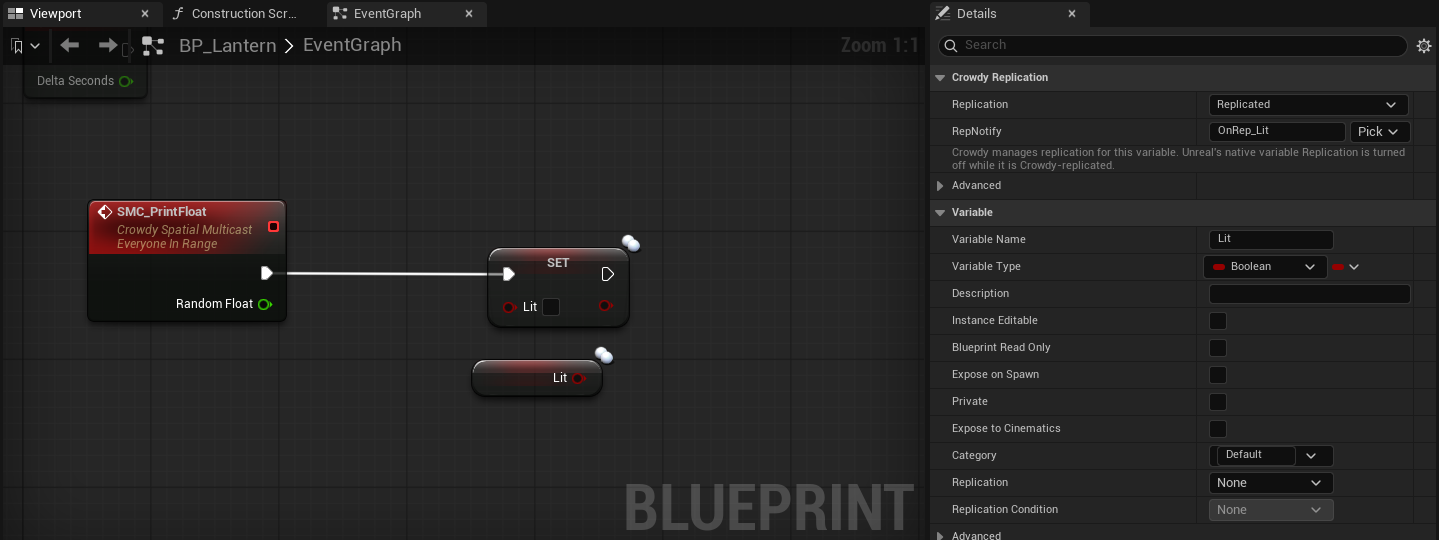
The body of the notify, drawn here as a custom event named `OnRep_Lit` because a generated graph cannot draw the editor-made function itself: **Get bLit** feeds **Set Visibility** on `Light`.
[Blueprint snippet: state-onrep, see /bp/unreal-sdk/state-onrep.txt]
:::caution[The notify runs on the sender too, at the next replication tick, and only on a real change.]
Write the notify as the one place the value is applied to the world, the way `OnRep_Lit` drives the light, and keep it idempotent. The Quickstart calls `OnRep_Lit` itself right after the assignment for an immediate local response; the replicator runs it once more on the tick that ships the change, which is harmless for a notify that only applies the current value and wrong for one that counts its own calls.
:::
## What ships, and when
Only the owning client diffs. A remote proxy never diffs; it applies. The cadence is the map profile's `ReplicationIntervalHz` (1 to 10, default 10), the same clock the continuous channel uses, though the two send independently. Each tick the replicator compares every auto-diffed property of every entity this client drives against a shadow copy of the last sent value and encodes the changed ones into one `FCrowdyStateDelta`; owner-only properties go out as a second, targeted delta. Every `StateKeyframeIntervalSeconds` (default 2, on the map profile; 0 turns it off) each entity also emits a keyframe carrying its `CrowdyHeartbeat` properties, unless the entity's `StateHeartbeat` is Off. A delta travels as far as the profile's `StateRelevanceDistance` (Four Chunks by default), which is tighter than the continuous channel.
A struct with a native net serializer (`FVector_NetQuantize`, `FRotator`) rides the engine's own quantized serializer automatically; a plain `FVector` stays exact. Quantization is chosen by type, not by a key. See [What a state property may be](#what-a-state-property-may-be).
Every delta carries a layout hash that folds each property's name and canonical type in declaration order. A receiver whose own hash for the class differs drops the delta cleanly rather than reading bytes by position, so adding, removing, reordering, or retyping a replicated property on one build and not another costs you deltas, not corruption. An enum property is carried as its underlying integer (blob version 2, `CrowdyStateBlobVersion`); a peer on the older format drops these deltas rather than misparsing them, so every client of an app runs one build.
## What a state property may be
You marked a property `CrowdyState` and nothing arrives, or you are about to mark one and want to know if it will. The classifier every surface shares, `FCrowdyStateLayoutBuilder::ClassifyStateProperty` (with `IsStateReplicatable` as the yes-or-no form and `DescribeStateSupport` for the sentence), decides at discovery; the Blueprint compiler's variable check and the variable-details dropdown reuse it, so every surface reports the same reason.
### Accepted
| Kind | Examples | Notes |
|---|---|---|
| Numeric | `int32`, `int64`, `uint8`, `float`, `double` | Diffed and sent as their bytes. |
| Boolean | `bool` | |
| Enum | `enum class E : uint8`, `TEnumAsByte` | Carried as the underlying integer. Consider `CrowdyHeartbeat`; see [The metadata keys](#the-metadata-keys). |
| Name and string | `FName`, `FString` | |
| Plain struct | any `USTRUCT` whose fields, at every depth, hold no container | One slot in the layout; diffed and sent as one unit. |
| Net-serialized struct | `FVector`, `FRotator`, `FVector_NetQuantize`, any struct with a native net serializer | Rides its own `NetSerializeItem`, quantized as the engine defines it, and exempt from the nested-container check because its serializer bounds the decode. |
### Rejected
:::warning[Containers and object references are rejected at discovery, in any position, including inside a struct. Use a CrowdyEvent, or your server code.]
The error names the escape hatch: `CrowdyState: property 'Players' on '/Script/MyGame.Lantern' is a container; CrowdyState does not replicate containers; use a CrowdyEvent RPC or a Game Model container. Omitting it.` The Game Model container it names is legacy, and no server serves it. A list of who lit the lantern is a `TArray` parameter on a [CrowdyEvent](./rpc-events-cpp.md) if it is a moment, or state your server code on ck-exec holds if it is [truth](../concepts/two-planes.md). Never re-attempt it here.
:::
| Rejected | The reason discovery logs |
|---|---|
| `TArray`, `TSet`, `TMap` | `is a container; CrowdyState does not replicate containers; use a CrowdyEvent RPC or a Game Model container` |
| A plain struct that holds a container at any depth | `is a USTRUCT that transitively contains a container (TArray/TSet/TMap); such nested containers are rejected because a forged element count would drive an unbounded allocation on decode` |
| A fixed-size C array (`float Values[4]`) | `is a fixed-size array; CrowdyState replicates only single-value POD and USTRUCT properties (its positional diff would miss changes past element 0)` |
| `UObject*`, `TSubclassOf`, soft object and class references, interfaces, delegates | `is an object/interface/delegate reference; CrowdyState replicates only POD and USTRUCT values` |
| Anything else, `FText` for one | `has an unsupported type 'X'; CrowdyState replicates only POD and USTRUCT values` |
A rejected property is omitted from the class's layout, so it never corrupts the positional wire order of the ones that were accepted; the rest of the class replicates normally. The line is an error and is not gated by `crowdy.state.trace`, so it is in the log whether or not tracing is on.
### Structs
A plain `USTRUCT` is a single slot. The whole struct is compared with the engine's `Identical` and, when any field differs, the whole struct is sent; on the receiver every field lands together, before the notify runs. That is the reason to use one: two fields that must always be seen together, a colour and an intensity, cannot arrive half-applied the way two separate properties can.
The lantern's glow is such a pair. `FLanternGlow` holds a colour and an intensity; `WarmGlow` on the owner changes both, and `OnRep_Glow` applies both to the light in one step.
```cpp
// Lantern.h
// A plain struct rides CrowdyState as one value; its fields always arrive together.
USTRUCT()
struct FLanternGlow
{
GENERATED_BODY()
UPROPERTY() FLinearColor Color = FLinearColor::White;
UPROPERTY() float Intensity = 1.f;
};
UPROPERTY(meta = (CrowdyState, CrowdyOnRep = "OnRep_Glow"))
FLanternGlow Glow;
UFUNCTION()
void OnRep_Glow();
// Lantern.cpp
void ALantern::WarmGlow()
{
Glow.Color = FLinearColor(1.f, 0.6f, 0.2f);
Glow.Intensity += 500.f;
}
void ALantern::OnRep_Glow()
{
Light->SetLightColor(Glow.Color);
Light->SetIntensity(Glow.Intensity);
}
```
A Blueprint variable of a C++ struct type replicates the same way: set its **Crowdy Replication** dropdown to **Replicated** and give it a RepNotify, exactly as for a scalar. Authoring a new struct type in Blueprint for this is unusual, so this section has no Blueprint graph of its own; the mechanics of marking and notifying are under [Mark a property](#mark-a-property) and [The notify](#the-notify).
:::caution[A struct diffs and ships as one unit.]
Changing one field of a five-field struct re-sends all five. Five scalar properties diff independently and each ships alone. Group fields into a struct when they must land together; keep them separate when they change at different times.
:::
### Where the list you wanted belongs
| You wanted | Put it on |
|---|---|
| The names of the players who lit the lantern this match | Your server code, if it is truth the server should hold; otherwise a `TArray` parameter on a `Multicast` CrowdyEvent when it changes. |
| A ring buffer of recent positions | The [continuous state](./continuous-state.md) snapshot, as fixed fields, or nothing: the proxy interpolates for you. |
| A reference to another actor | Its NetID as an `FGuid`, resolved with `FindEntity` on the receiver. |
| A list of active effects | Your server code. |
## Marking state from outside the actor
`UCrowdyStateBlueprintLibrary` has two static nodes that schedule a `CrowdyManualDirty` property to ship without first fetching the actor's Crowdy Entity Component: **Mark Crowdy State Dirty** and **Mark All Crowdy States Dirty**. Each resolves the target actor's component and forwards to its `MarkStateDirty` or `MarkAllStateDirty`. Use them whenever the caller does not already hold the component: a graph on another actor, a function library, a UI widget. From the actor's own graph either form works; the static one needs no component reference wired in.
### The two nodes
| Node | C++ | What it does |
|---|---|---|
| **Mark Crowdy State Dirty** | `UCrowdyStateBlueprintLibrary::MarkCrowdyStateDirty(Target, PropertyName)` | Schedules one manual-dirty property on the target's entity for the next replication tick. |
| **Mark All Crowdy States Dirty** | `UCrowdyStateBlueprintLibrary::MarkAllCrowdyStatesDirty(Target)` | Schedules every manual-dirty property on that entity. |
Both are `DefaultToSelf` on `Target`: from an actor's own graph you wire nothing and pick the property. From a component graph or a plain object graph, self is not an actor, so wire the actor in; the node shows a "Wire an Actor into Target" hint until you do.
Both are safe no-ops, never a crash, when the target is null, has no entity component, or the map runs no state replicator. On an entity this client does not drive the two differ: **Mark All Crowdy States Dirty** is ignored, while **Mark Crowdy State Dirty** is not a no-op at all; it becomes the host push described below. On an entity this client does drive, marking a property that is auto-diffed anyway is a no-op logged at verbose level as `ignored: not a manual-dirty property`, never an error.
The example is the same `TimesLit` member [Mark a property](#mark-a-property) added; this is the alternate call site, not a second gameplay moment.
```cpp
// Lantern.cpp
#include "Replication/State/CrowdyStateBlueprintLibrary.h"
void ALantern::PushTimesLit()
{
// Schedule the same property from anywhere, without fetching the component first.
UCrowdyStateBlueprintLibrary::MarkCrowdyStateDirty(this, TEXT("TimesLit"));
}
```
From **Event ActorBeginOverlap**, the pure **Is Crowdy Entity Locally Controlled** feeds a **Branch**, and the true side calls **Mark Crowdy State Dirty** with `Target` left unwired (self) and `TimesLit` picked from the Property Name dropdown. No component reference is needed. The branch is the owner gate the C++ caller has: on a proxy the same mark becomes the push described below, which is not what an overlap on a proxy means.
[Blueprint snippet: state-static-dirty, see /bp/unreal-sdk/state-static-dirty.txt]
### The property picker
The Property Name pin carries a dropdown, supplied in the editor by `FCrowdyStatePropertyPinFactory`, listing the resolved target class's properties that are marked `CrowdyManualDirty` and pass the type check. The dropdown is editor-only metadata scanning; the name you pick bakes into the compiled Blueprint as a literal `FName`, so a packaged build never reads metadata for this node.
:::note[If your property is not in the dropdown, it is either auto-diffed already or it failed the type check.]
An auto-diffed property does not need marking; assign it and it ships. A property that failed the check was omitted from the layout at startup with an error; see [What a state property may be](#what-a-state-property-may-be).
:::
### On an entity you do not own: the host push
**Mark Crowdy State Dirty** on an entity another client owns is not a no-op. It becomes a one-shot super-user push: the live value of the named property is read on the next replication tick and broadcast once, with no shadow and no ongoing tracking, stamped host-sourced when the caller is the elected host. It works for any Crowdy State property on that entity, not only the manual-dirty ones, because a host override may need to correct anything. An `OwnerOnly` entity refuses it at the source: the push is dropped before it is sent, and a receiver drops one that arrives anyway.
A host-owned world entity is the other case. On the host it is tracked with auto-diff off, so a plain `CrowdyState` property on it never ships on change; the host's mark works only for a `CrowdyManualDirty` property (the `CrowdyHeartbeat` keyframe still restates the rest). Mark a host-owned entity's changing properties manual-dirty, or give them `CrowdyHeartbeat`.
The receiver honours a push by the entity's `HostOverride` policy: `Allow` (the default) adopts a host-sourced value into the owner's baseline. A push from a client that is not the host is not stamped, so the real owner drops it, and every other proxy applies it, so the proxies disagree with the owner until the owner's next change. That is the hazard behind the owner gate above: a mark issued on a proxy by mistake is a push.
:::warning[A push on an entity you do not own is a live correction with no undo.]
The value on the calling client is broadcast as it stands. There is no shadow to revert to and no acknowledgement. Read the current value first, set what you mean, then mark.
:::
:::caution[Anyone can call this on any entity. Precedence is a convention, not enforcement.]
A modified client can stamp its own pushes host-sourced. This orders who wins on the view plane and nothing more; see [Host authority](./host-authority.md) and [The Two Planes](../concepts/two-planes.md).
:::
## A field that silently does nothing
The first thing to check. Discovery logs an unconditional error for every marked property it cannot carry, of the shape `CrowdyState: property 'X' on '/Script/MyGame.Lantern' is a container; CrowdyState does not replicate containers; use a CrowdyEvent RPC or a Game Model container. Omitting it.` (The Game Model container is legacy; keep that state in your server code on ck-exec.) The reasons are a container, a struct that buries a container, a fixed-size array, an object or interface or delegate reference, or an otherwise unsupported type such as `FText`; [Rejected](#rejected) lists them. Two more lines to know: a property marked both `CrowdyState` and `CrowdyModel` is dropped with `is marked both CrowdyState and CrowdyModel; a field lives in exactly one plane`, and a property whose name and type also appear in the actor's continuous-state executor struct is dropped with `also lives in its executor state struct ... Dropping it from the CrowdyState layout`, so a field lives on exactly one channel.
These fire at class registration and are not gated by the trace variable. Grep the log for `CrowdyState: property`, which all three lines share, before turning anything on. When the property is in the layout but the change is not arriving, that is the other question:
```text
crowdy.state.trace 1 per delta: entity, changed-property count, byte size, spatial or owner-only or keyframe
crowdy.state.loopback 1 decode your own deltas onto a local mirror entity, for a single-client test
```
Two read-only diagnostics on `UCrowdyStateReplicator` answer the same questions from code or Blueprint: `IsStateReplicated(Actor)` is true when the actor's class carries at least one accepted property, whichever client drives it, and `GetLastSentStateBytes(Actor)` is the blob size this client last sent for the actor, or -1 when this client does not drive it. `crowdy.state.scopes` adds a CPU trace scope around each delta decode for profiling.
## Host precedence
When the local client is the elected host, every delta it sends is stamped host-sourced. A receiver that owns the entity adopts a host-sourced value into its own baseline instead of reverting it on the next diff, provided the entity's `HostOverride` is `Allow` (the default); `OwnerOnly` drops even a host correction. A host-owned world entity is driven by the host alone, and only by explicit pushes: its manual-dirty marks and its keyframe, never a background diff. See [Host authority](./host-authority.md).
:::warning[Host precedence is a convention with no server-side check. A forged host-sourced flag is honoured as real.]
It orders who wins on the view plane; it does not make either value trustworthy. If the value matters, it belongs in your server code and the question does not arise.
:::
## Gotchas
- Grep for `CrowdyState: property` first. A property that is not in the layout replicates nothing and says so once, at startup, as an error.
- The notify has no parameters and no old value. Keep the previous value yourself if you need it.
- A Blueprint variable that is both natively Replicated and Crowdy Replicated fails to compile. In C++, keep `Replicated` off a `CrowdyState` property.
- `CrowdyOwnerOnly` is delivery scope, not secrecy. The value still travels in the clear to the owner.
- `StateKeyframeIntervalSeconds` at 0 stops the baseline re-send only; on-change replication is unaffected.
- The loopback and trace variables are test aids. Leave them off in a normal session.
- `FText` is not accepted on this plane, though it is on a CrowdyEvent. Use an `FString` or an `FName`.
- A struct that is net-serialized is exempt from the nested-container check only because its serializer bounds the decode. A plain struct with a `TArray` inside is rejected however small the array.
- Quantization is decided by the struct's type. To ship a quantized position, declare `FVector_NetQuantize`, not `FVector`.
- `Target` on the static nodes defaults to self only where self is an actor. In a component or widget graph, wire the actor.
- The push is scheduled, not sent. It goes out on the next replication tick with the value the property holds then.
- Marking twice in one tick sends once.
- A host-owned world entity is written only through the host's manual-dirty marks and the keyframe; assigning a plain property on it and waiting does nothing. See [Host authority](./host-authority.md).
## Related
- [Continuous state](./continuous-state.md): the sibling channel for many fields that move together.
- [Map profiles](./map-profile.md): the cadence, the relevance distance, and the keyframe interval.
- [State meta keys](../reference/state-meta-keys.md).
- [RPC events in C++](./rpc-events-cpp.md): containers and object references as event parameters.
- [The Two Planes](../concepts/two-planes.md): what belongs on the truth plane instead.
- [Host authority](./host-authority.md): host-owned entities and the host override.
- [Ownership transfer](./ownership-transfer.md): making another client the owner instead of pushing over it.
# Continuous State
Source: https://docs.crowdedkingdoms.com/unreal-sdk/runtime/continuous-state
# Continuous State
Continuous state is how a moving entity moves on every other client. Set the entity component to Dynamic mode and, every replication interval, the owner sends a snapshot of the actor's location and rotation; each other client in range applies it to a proxy through the [rendering backend](./rendering-backends.md). There is nothing to write for that: the SDK's default executor takes the snapshot for you.
:::note[What is coming]
A later SDK release simplifies this further: continuous state will happen by itself, with location and rotation, and need no executor at all, and it adds an extension point for sending your own data alongside them. The aim is to take this setup out of your hands. Everything this page teaches keeps working.
:::
## When to use it
Almost always the default is enough: a pawn, a player, an AI that moves. Write a custom snapshot only when more fields must travel with the transform at the movement cadence, a pose, say. For many small independent values that change at different times, prefer [Crowdy State](./crowdy-state.md) properties: they diff per property and ship only what changed. The two are independent channels, not alternatives; an entity can use both.
:::warning[Dynamic mode is unrelated to ownership and to Crowdy State property replication.]
`Mode` on the entity component chooses whether the continuous channel runs. It does not decide where your replicated properties go, and Static mode does not disable them; both work in either mode. Set Dynamic for a moving entity and nothing else changes.
:::
## The default: no executor at all
Set `Mode` to `ECrowdyEntityMode::Dynamic` and leave `StateExecutor` unset. The SDK's `UCrowdyDefaultActorUpdateExecutor` snapshots the actor's transform into `FCrowdyActorState`, a `Location` and a `Rotation` and deliberately nothing else. With `bAutoRegister` on (the default) the component joins the channel at `BeginPlay`; off, you call `StartReplication` yourself, and `StopReplication` leaves the channel.
The lantern world's mover is `ALanternPlayer`, the player character from the [Quickstart](../quickstart.md): a `UCrowdyEntityComponent` in Dynamic mode with PlayerDerived identity and LocalClient ownership, and a `Torch` point light, so a moving light is what every other client sees.
```cpp
// LanternPlayer.h
#include "Components/PointLightComponent.h"
#include "Replication/Components/CrowdyEntityComponent.h"
#include "LanternPlayer.generated.h"
UCLASS()
class ALanternPlayer : public ACharacter
{
GENERATED_BODY()
public:
ALanternPlayer();
virtual void BeginPlay() override;
UPROPERTY(VisibleAnywhere, Category = "Lantern")
TObjectPtr Torch;
UPROPERTY(VisibleAnywhere, Category = "Crowdy")
TObjectPtr CrowdyEntity;
};
// LanternPlayer.cpp
#include "LanternPlayer.h"
ALanternPlayer::ALanternPlayer()
{
Torch = CreateDefaultSubobject(TEXT("Torch"));
Torch->SetupAttachment(RootComponent);
// Dynamic sends the transform every interval, Player Derived names the entity after the signed-in user, Local Client makes this client its sender.
CrowdyEntity = CreateDefaultSubobject(TEXT("CrowdyEntity"));
CrowdyEntity->Mode = ECrowdyEntityMode::Dynamic;
CrowdyEntity->IdentityPolicy = ECrowdyIdentityPolicy::PlayerDerived;
CrowdyEntity->Ownership = ECrowdyOwnership::LocalClient;
}
```
On the Crowdy Entity Component set **Mode** to **Dynamic** in the Details panel and leave **State Executor** empty. There is no graph to build: **Auto Register** joins the channel at BeginPlay.
Start the pawn only once the SDK reports the connection up (`OnUDPConnectionSuccess`, or `GetUDPConnectionState()` at `Connected`); the Quickstart spawns it from that event, and the Gotchas say why.
**Success signal.** On a second client the player's torch moves with the owner. `crowdy.entity.trace 1` logs the registration; if nothing moves, check [the backend config](./map-profile.md) before the executor.
:::caution[A host-owned Dynamic entity leaves BeginPlay sending nothing.]
`bAutoRegister` starts the channel only for an entity this client owns outright. A level-placed Dynamic entity with `Ownership = Host` has no owner at `BeginPlay`, so nothing is sent until the host is known; the component logs this once. A moving world entity is driven by the host through `StartReplication` once it knows it is the host, or by an owner after an [ownership transfer](./ownership-transfer.md).
:::
## A custom executor
Subclass `UActorUpdateExecutor` when the snapshot needs more than a transform. Two functions: `GetActorState(UpdateComponent)` returns the `FInstancedStruct` snapshot (`UpdateComponent` is the entity component; `GetOwner()` on it is the actor), and `GetStateStruct()` returns the `UScriptStruct` it is made of, which registers the type for the wire; the struct needs no annotation.
:::danger[Override the `_Implementation` functions, with `const`, never the bare event names.]
Both are `BlueprintNativeEvent`s, so the bare names are not virtual in the generated C++. A native subclass declares `GetActorState_Implementation(const UActorComponent*) const override` and `GetStateStruct_Implementation() const override`; `UCrowdyDefaultActorUpdateExecutor` is the shipped example of the correct shape. Marking `GetActorState` itself `override` does not compile, because there is nothing virtual to override.
:::
`ULanternPlayerExecutor` snapshots `FLanternPlayerState`: the transform the default carries plus one field of the player's own, `bTorchLit`, so a proxy's torch can follow its owner's. The struct is declared next to the executor, and the executor is assigned to `StateExecutor` in the character's constructor. On the other clients the snapshot is applied by the backend's [replication application policy](./rendering-backends.md#the-replication-application-policy), which is what moves a remote player's proxy: the shipped one applies `Location` and `Rotation`, and a policy of your own replaces it, so write one only when your executor sends more than the transform, and then apply the transform yourself first.
```cpp
// LanternPlayer.h
#include "Replication/Executor/ActorUpdateExecutor.h"
// The custom snapshot: the transform the default carries, plus one field of your own.
USTRUCT()
struct FLanternPlayerState
{
GENERATED_BODY()
UPROPERTY() FVector Location = FVector::ZeroVector;
UPROPERTY() FRotator Rotation = FRotator::ZeroRotator;
UPROPERTY() bool bTorchLit = true;
};
UCLASS()
class ULanternPlayerExecutor : public UActorUpdateExecutor
{
GENERATED_BODY()
public:
virtual FInstancedStruct GetActorState_Implementation(const UActorComponent* UpdateComponent) const override;
virtual UScriptStruct* GetStateStruct_Implementation() const override;
};
// LanternPlayer.cpp
CrowdyEntity->StateExecutor = CreateDefaultSubobject(TEXT("Executor"));
FInstancedStruct ULanternPlayerExecutor::GetActorState_Implementation(const UActorComponent* UpdateComponent) const
{
FLanternPlayerState State;
if (const ALanternPlayer* Player = UpdateComponent ? Cast(UpdateComponent->GetOwner()) : nullptr)
{
State.Location = Player->GetActorLocation();
State.Rotation = Player->GetActorRotation();
State.bTorchLit = Player->Torch->IsVisible();
}
return FInstancedStruct::Make(State);
}
UScriptStruct* ULanternPlayerExecutor::GetStateStruct_Implementation() const
{
return FLanternPlayerState::StaticStruct();
}
```
Create a Blueprint with **Actor Update Executor** as its parent class. In **My Blueprint**, under Functions, press **Override** and pick the two functions:
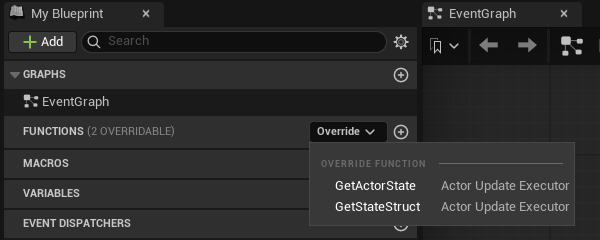
**Get State Struct** returns the struct type; **Get Actor State** builds the snapshot with **Make InstancedStruct** from the owning actor's transform. Then set the character's **State Executor** to the new class in the Details panel. An override on an executor subclass is not an actor event graph, so the screenshot above is the reference.
:::caution[Only the owner runs GetActorState. Keep it a read-only snapshot.]
A remote proxy is fed from the network and never calls it, so a side effect inside the override happens on one client only; a value the proxy needs comes from the backend's policy. Read the actor, fill the struct, return it.
:::
The owner evaluates `GetActorState` every interval (`ReplicationIntervalHz`, 10 by default, 1 to 10 Hz, one clock shared with Crowdy State; `bUseAutoReplicator` off means no polling at all). With `bSendActorStateOnlyOnChange` on, the default, an unchanged snapshot does not repeat: a full keyframe goes out every `ActorKeyframeIntervalSeconds` (3 s) so a late or lossy observer converges, and a heartbeat every `ActorHeartbeatIntervalSeconds` (1 s) so an idle entity is not reaped; off, the snapshot goes out every interval whether it changed or not. The [map profile](./map-profile.md) page lists each field. A field lives on exactly one channel: a `CrowdyState` property whose name and canonical type also match a field of the executor struct is dropped from the Crowdy State layout at discovery, with an error mentioning `also lives in its executor state struct`.
## Gotchas
- `Mode` is orthogonal to `Ownership` and to Crowdy State. Do not set Dynamic hoping to make properties replicate; they already do.
- `_Implementation`, `const`, `override`. The shipped default is the template.
- Nothing is held until the connection is up. `OnUDPConnectionSuccess` already includes the server's readiness wait after assignment, so you never time anything; but an actor update sent before it is neither held nor replayed, so it is lost, mostly silently, until the next interval's update or keyframe repairs it. A Dynamic entity you own that begins play early heals that way; spawn a player pawn from the event instead, as the Quickstart does.
- An unchanged actor is not silent. Set both intervals to 0 and an idle entity sends nothing after its first snapshot, and its observers time it out after the tracker's `ActorTimeoutThreshold`.
- The policy is what moves the proxy. With no Backend Config the shipped `UCrowdyTransformRepPolicy` applies `FCrowdyActorState`, interpolating across a ring of recent samples with bounded extrapolation; a custom struct like `FLanternPlayerState` is skipped until the profile names a policy that reads it, and that policy must apply the transform itself, or the proxy stands still while the owner moves.
- Class identity travels on every update, so several entity classes may share one state struct; the receiver never derives the class from the struct. This is what lets the default executor serve every entity in a project.
- `RegisterStateClass` on `UCrowdyActorManager` is filled for you at `BeginPlay`; you never call it.
## Related
- [Quickstart](../quickstart.md): the player pawn as a Dynamic entity, spawned once connected, and your own reflection as the first thing you see.
- [Entity component](./entity-component.md): `Mode`, `StateExecutor`, `bAutoRegister`, `StartReplication`.
- [Rendering backends](./rendering-backends.md): the policy that moves a proxy from the snapshot.
- [Map profiles](./map-profile.md): the cadence and the keyframe and heartbeat intervals.
- [Connection and reconnect](./connection-and-reconnect.md): what `OnUDPConnectionSuccess` and `Connected` mean.
- [Crowdy State](./crowdy-state.md): the per-property alternative.
# Host Authority
Source: https://docs.crowdedkingdoms.com/unreal-sdk/runtime/host-authority
# Host Authority
One client of your app is the elected host, and the SDK tells every client who it is. Use it to decide who runs shared view-plane logic: who drives the world entities, who spawns the things that belong to nobody. Why election is a convention and not a security boundary is on [The Host Is a Convention](../concepts/host-is-a-convention.md); this page is the calls.
## Checking authority
`UCrowdyUtilities::GetCrowdyHasAuthority(WorldContextObject)` returns true when the local client is the host. It is a pure node, **Crowdy Has Authority**, in Blueprint; **Switch Crowdy Has Authority** (`CrowdyHasAuthority`) is the same answer as two exec pins. `CrowdyGetHostID` returns the host's id and whether one is set, and `CrowdyIsConnectedToServer` says whether there is a connection to ask through at all.
The lantern world gates a one-time action on it: at `BeginPlay` an `ALanternPost` turns its light up on the host alone, and a client that is not the host returns early and leaves host work to the host.
```cpp
// LanternPost.h
void RelightIfHost();
// LanternPost.cpp
#include "Utils/CrowdyUtilities.h"
void ALanternPost::RelightIfHost()
{
if (!UCrowdyUtilities::GetCrowdyHasAuthority(this))
{
return; // Not the host; the host's work replicates to us instead.
}
Light->SetIntensity(5000.f);
}
```
In the post's Blueprint, at **Event BeginPlay** the pure **Crowdy Has Authority** feeds a **Branch**; the true side calls **Set Intensity** on `Light` from a **Get Light**.
[Blueprint snippet: host-gate, see /bp/unreal-sdk/host-gate.txt]
:::danger[Host is a convention, not enforcement. Never gate cheat-sensitive state on it.]
Nothing on the wire is rejected for not coming from the host, and a modified client can claim to be it. Use the check to pick who runs shared logic; anything a player could gain by winning that check is decided by your server code, on the [truth plane](../concepts/two-planes.md).
:::
**Success signal.** With two clients, the post is bright on exactly one of them, the host. The effect is local by design: a post the whole village must see bright makes the intensity a [Crowdy State](./crowdy-state.md) property the host pushes. `crowdy.entity.trace 1` shows the election result on both clients.
## The host subsystem
`UCrowdyHostSubsystem` is a world subsystem that tracks the election result and broadcasts it. `IsHost()` is the same answer as `GetCrowdyHasAuthority`; `IsHostSet()` says whether an election result has arrived at all, so an early `IsHost()` false does not mean "someone else is host"; `GetHostID()` is the host's entity id, the id the host's own entities are owned under, and `GetHostUserID()` its raw user id, a different number. The member table, the thread-safety notes, and the server-validated check it carries are on [Host election](../services/host-election.md).
Bind `OnHostElected` (`FOnCrowdyHostElected`, `HostID`, `PreviousHostID`, on the game thread) rather than caching the answer at `BeginPlay`: the host changes when the current one leaves, and a host-owned entity's authority moves with it. A world subsystem of your own that lives next to it must null-check `GetGameInstance()` in `Initialize`; [Replicated subsystems](./replicated-subsystems.md#inherit-a-base) says why.
## World entities and the host override
A level-placed entity with `Ownership = ECrowdyOwnership::Host` is `HostOwned`: whichever client is host at the moment is its one authority, and its `IsLocallyOwned()` is true there alone. Its Crowdy State is written by the host through explicit pushes (`MarkStateDirty`, `MarkAllStateDirty`, or the [static nodes](./crowdy-state.md#the-two-nodes)) and the keyframe, never by a background diff, so an implicit and an explicit write cannot race. On a host change the entity is re-tracked by the new host without any code of yours.
A client-owned entity (`Ownership = LocalClient`) has a `HostOverride` (`ECrowdyHostOverride`): `Allow`, the default, lets the host correct its Crowdy State as a super-user and the owner adopts the value; `OwnerOnly` refuses even a host correction. This is precedence by convention. It orders who wins on the view plane; it does not make either value trustworthy.
Two more client-side helpers on `UCrowdyUtilities` answer ownership questions without a round trip: `IsCrowdyEntityHost(Entity)` is true when the entity is the host player's own entity (its NetID equals the host id), and `DoesCrowdyEntityOwn(OwnerActor, TargetActor)` is true when the first actor's player owns the second, resolving a host-owned side to the concrete host id on both ends. `IsCrowdyEntityLocallyControlled(Entity)` is the same question as the component's `IsLocallyOwned`, as a static.
## The server-validated check
For the moment a local answer is not enough, ask the server. `UCrowdyHostSubsystem::CheckEntityIsHost(Entity, Callback)` in C++, or the latent **Is Crowdy Entity Host (Server)** node in Blueprint, asks the server whether an entity's owner is the elected host and answers Is Host, Is Not Host, or Failed, where Failed means unknown, never a confirmed no. The lantern world uses it where a wrong answer costs something: a claim on a lantern post is granted only after a definite server yes. The check, its pins, its failure cases, and that example in both languages are on [Host election](../services/host-election.md#the-server-validated-check).
The server-validated check is still not enforcement. It tells you the current truth about who the host is; what you do with the answer runs on an unenforced plane.
## Gotchas
- `IsHostSet()` before `IsHost()`. Until an election result arrives, every client reads false.
- `GetHostID()` and `GetHostUserID()` are different ids. Compare `GetOwnerID()` with the first only for an entity a player spawned; a host-owned entity carries no owner id at all, so ask `GetRole() == ECrowdyRole::HostOwned`, `IsLocallyOwned()`, or `DoesCrowdyEntityOwn` instead.
- A host-owned entity is written by explicit pushes. Assigning a property on it and waiting does nothing. A [replicated subsystem](./replicated-subsystems.md) the host owns is the exception: it is auto-diffed.
- `HostOverride` is a view-plane tie-breaker. If the value matters, it belongs in your server code.
- The server check needs the target to exist on the server. A freshly spawned, never-updated entity answers Failed.
## Related
- [The Host Is a Convention](../concepts/host-is-a-convention.md): election as a convention, and the two checks compared.
- [Host election](../services/host-election.md): the host subsystem and the server-validated check in full, from the service side.
- [Ownership transfer](./ownership-transfer.md): the grant flow the server check feeds.
- [Entity component](./entity-component.md): `Ownership`, `HostOverride`, and `IsLocallyOwned`.
- [Crowdy State](./crowdy-state.md#host-precedence): what a host-sourced delta does on the receiver.
# Ownership Transfer
Source: https://docs.crowdedkingdoms.com/unreal-sdk/runtime/ownership-transfer
# Ownership Transfer
An entity spawned at runtime belongs to its spawner and a level-placed one to whoever its `Ownership` says. Ownership transfer moves it: a client asks, the entity's current authority grants or ignores, and the grant lands on every client. `UCrowdyOwnershipTransfer` is a static Blueprint library with the four verbs.
## When to use it
A player picks up a lantern post that belonged to the level, a vehicle changes driver, a world creature becomes a player's pet. Anything where "who simulates this" should change hands without destroying and respawning.
:::warning[Ownership is a coordination convention on the view plane, not enforcement, and a transfer is transient.]
No server checks who may request or grant. And a client that first observes the entity after a grant sees the spawn-time owner, or re-baselines from proxy defaults, not necessarily the transferred one. Cheat-sensitive ownership belongs on the [truth plane](../concepts/two-planes.md), in your server code.
:::
## The flow
1. A client that does not own the entity calls **Request Ownership Transfer**. The request travels as a Multicast `CrowdyEvent` on the session channel (`UCrowdyEntityComponent::RequestOwnership_Implementation`), so every client sees it, and only the entity's current authority reacts: the owning client, or the host for a host-owned world entity.
2. On the authority, either `bAutoApproveOwnershipRequests` on the component is on and the grant happens at once, or `UCrowdyEntitySubsystem::OnOwnershipRequested` fires for game code to decide.
3. Game code approves by calling one of the three grant nodes, or ignores the request. There is no deny node; silence is the rejection.
4. The grant travels the same way (`GrantOwnership_Implementation`), every client re-points the entity's record through `UCrowdyEntitySubsystem::ReassignOwnership`, and `OnEntityOwnershipChanged` fires everywhere once ownership has actually moved.
## The four nodes
| Node | C++ | Who calls it |
|---|---|---|
| **Request Ownership Transfer** | `RequestOwnershipTransfer(WorldContextObject, TargetEntity)` | Any client that does not own the entity. A no-op when the target is not a registered entity or this client is already its authority. |
| **Grant Ownership Transfer** | `GrantOwnershipTransfer(WorldContextObject, TargetEntity, NewOwner)` | The current authority. `NewOwner` is any entity the new owner's player owns, typically their avatar. |
| **Grant Ownership Transfer To Player** | `GrantOwnershipTransferToPlayer(WorldContextObject, TargetEntity, NewOwnerPlayerID)` | The current authority, with the requester's id straight from `OnOwnershipRequested`; no local actor of theirs is needed. |
| **Grant Ownership To Host** | `GrantOwnershipToHost(WorldContextObject, TargetEntity)` | The current authority, to make the entity host-owned again. The one verb an actor reference cannot express, because the host is not an actor. |
Every node resolves the target's entity component and subsystem and is a safe no-op, never a crash, on a null or unregistered target. All three grants funnel through the component's C++ `GrantOwnershipTo(NewOwnerID)`, which is also a no-op with a warning unless this client is the current authority.
:::caution[Grant Ownership Transfer refuses a NewOwner that is not client-owned. It does not fall back to the host.]
Passing a host-owned or unregistered actor logs a warning and does nothing, and the log tells you to use **Grant Ownership To Host** instead. The choice between a player and the host is explicit.
:::
The lantern world's transfer is a player claiming a lantern post. The post is level-placed and host-owned; the player asks for it, and the host approves.
The request: the post's overlap, when this client does not own the post, calls `TryClaim`:
```cpp
// LanternPost.h
// A player who walks into a post they do not own asks to carry it.
virtual void NotifyActorBeginOverlap(AActor* OtherActor) override;
void TryClaim();
// LanternPost.cpp
#include "Replication/Ownership/CrowdyOwnershipTransfer.h"
void ALanternPost::NotifyActorBeginOverlap(AActor* OtherActor)
{
Super::NotifyActorBeginOverlap(OtherActor);
if (!CrowdyEntity->IsLocallyOwned())
{
TryClaim();
}
}
void ALanternPost::TryClaim()
{
UCrowdyOwnershipTransfer::RequestOwnershipTransfer(this, this);
}
```
The grant, on whichever client is the authority: `HandleOwnershipRequested`, bound to `OnOwnershipRequested` in `BeginPlay`, ignores requests for other entities and hands the requester's id to `VerifyThenGrant`, which grants behind the server-validated host check on [Host authority](./host-authority.md#the-server-validated-check):
```cpp
// LanternPost.h
UFUNCTION()
void HandleOwnershipRequested(AActor* TargetEntity, AActor* RequesterActor, const FGuid& RequesterID);
// LanternPost.cpp
#include "Replication/Subsystems/CrowdyEntitySubsystem.h"
GetWorld()->GetSubsystem()->OnOwnershipRequested.AddDynamic(this, &ALanternPost::HandleOwnershipRequested);
void ALanternPost::HandleOwnershipRequested(AActor* TargetEntity, AActor* RequesterActor, const FGuid& RequesterID)
{
if (TargetEntity != this)
{
return;
}
VerifyThenGrant(RequesterID);
}
```
From **Event ActorBeginOverlap**, **Request Ownership Transfer** with `Target Entity` wired to a Self reference; the "not already mine" check the C++ makes is a no-op inside the node anyway, since a request for an entity you already own does nothing:
[Blueprint snippet: own-request, see /bp/unreal-sdk/own-request.txt]
The grant: at **Event BeginPlay**, a **Crowdy Entity Subsystem** getter feeds **Bind Event to On Ownership Requested**, whose custom event `OnClaimRequested` compares its `Target Entity` with a Self reference (**==** into a **Branch**, because the event fires for every entity this client is the authority of) and, when they match, passes its `Requester ID` to **Grant Ownership Transfer To Player** with `Target Entity` wired to self. Eight nodes; the compare is the guard the C++ has. The [server-checked version](./host-authority.md#the-server-validated-check) puts the host check between the event and the grant:
[Blueprint snippet: own-grant, see /bp/unreal-sdk/own-grant.txt]
**Success signal.** `OnEntityOwnershipChanged` fires on both clients with the new owner's id, the post's `IsLocallyOwned()` turns true on the requester and false on the host, and `OnCrowdyOwnershipAssigned` on the post's component fires with `bIsLocallyOwned` matching.
## The two events
On `UCrowdyEntitySubsystem`, both Blueprint-assignable, both on the game thread:
| Event | Parameters | Fires |
|---|---|---|
| `OnOwnershipRequested` (`FOnCrowdyOwnershipRequested`) | `TargetEntity`, `RequesterActor`, `RequesterID` | On the entity's current authority only, when another client requests it. `RequesterActor` is the requester's avatar when this client holds it, else null; `RequesterID` is always valid. |
| `OnEntityOwnershipChanged` (`FOnCrowdyEntityOwnershipChanged`) | `TargetEntity`, `NetID`, `NewOwnerID`, `PreviousOwnerID` | On every client once ownership has actually changed. `NewOwnerID` is invalid when the result is host-owned. |
`bAutoApproveOwnershipRequests` is authored config on the component, read on whichever client is the authority when a request arrives. Changing it at runtime on one client affects only the requests that client receives while it holds authority.
## What happens to in-flight state
The entity record is the single source of truth for both planes, so re-pointing its owner is the whole transfer: RPC routing and Crowdy State tracking follow. The old owner stops sending the moment it relinquishes; the new owner builds a fresh shadow of the entity's properties and starts diffing; bystanders are untouched. The actor's NetID never changes, so every address stays valid.
:::caution[There is a brief window with no writer.]
Between the old owner relinquishing and the reliable grant landing on the new owner, nobody diffs the entity. There is never a double writer, but for that short window there is no writer at all, by design. A Dynamic entity's continuous channel moves with the authority the same way: the new owner joins it and the old one leaves.
:::
A grant carries the previous owner's id, and `ReassignOwnership` compares and swaps on it, so a stale or duplicate grant is dropped rather than applied twice.
## Gotchas
- Silence is the rejection. If you want the requester to know, send them an `OwningClient` event yourself.
- The request short-circuits on the component's `IsLocallyOwned()`, so the host of a host-owned entity cannot accidentally request its own world entity into personal ownership.
- Granting to a player id with no local presence orphans the entity until it is granted again. Check the requester is still in the session before you grant.
- A new owner that never observed the entity re-baselines from proxy defaults. The durable truth lives in your server code, not on the view plane.
- Two Multicast events on the component carry all of this. Never give them a `CrowdyChannel`; see [Entity component](./entity-component.md).
## Related
- [Host authority](./host-authority.md): the host as the authority for a world entity, and the server-validated check before a grant.
- [Entity component](./entity-component.md): `bAutoApproveOwnershipRequests`, `OnCrowdyOwnershipAssigned`, and the two receivers.
- [Crowdy State](./crowdy-state.md): the shadow and the diff the transfer restarts.
- [Entities, Identity, and Ownership](../concepts/entities-identity-ownership.md).
# Replicated Subsystems
Source: https://docs.crowdedkingdoms.com/unreal-sdk/runtime/replicated-subsystems
# Replicated Subsystems
A UE subsystem is not an actor, but it can take part in both view-plane mechanisms: `meta=(CrowdyState)` properties diff and replicate on it exactly as on an actor, and `meta=(CrowdyEvent)` functions ride the reliable channel. Two abstract bases do the enrollment; a function library exists for the cases they do not cover.
One difference from a host-owned world actor, whose Crowdy State moves only on explicit marks and the keyframe: a subsystem is auto-diffed on the host, so assign the property and the change ships. Its deltas ride the reliable channel with no spatial filter.
## When to use one
For a world-level value that belongs to nobody in particular and every client should agree on: a village clock, a weather phase, a match state on the view plane. A subsystem is host-owned, a singleton every client resolves by class path with no handshake, so it is the natural home for "the one of these".
:::danger[Host-owned only, on the view plane. A replicated subsystem is not where a score lives.]
Host precedence is a convention here as everywhere on this plane. A match score, a winner, anything a client could gain by lying about, belongs on the [truth plane](../concepts/two-planes.md); a subsystem is for the shared cosmetic state around it.
:::
## Inherit a base
| Base | Extends | Enrolls |
|---|---|---|
| `UCrowdyReplicatedWorldSubsystem` | `UWorldSubsystem` | Once, in its own `Initialize`; unenrolls in `Deinitialize`. Created only in Play in Editor and game worlds. |
| `UCrowdyReplicatedGameInstanceSubsystem` | `UGameInstanceSubsystem` | Per world: into each new world's registry when that world's actors are initialized, out again as the world is cleaned up. It outlives worlds, and the entity registry it enrolls into is per world. |
Both have one protected hook, `GetReplicatedOwnership()`, which returns `ECrowdyOwnership::Host` and is the only supported answer for a singleton: a per-owner proxy makes no sense for a class every client holds exactly once.
The lantern village's night clock is a world subsystem: `ULanternNightSubsystem` holds one Crowdy State property, `NightPhase`, marked `CrowdyHeartbeat` so a late joiner converges, with a notify, `OnRep_NightPhase`, that sets every lantern's intensity from the phase, one CrowdyEvent, `AnnounceDawn`, a Multicast that resets the phase on every client, and a `BlueprintCallable`, `AdvanceNight`, the host calls to step it.
```cpp
// LanternNight.h
#include "Replication/RPC/CrowdyEvent.h"
#include "Replication/Subsystems/CrowdyReplicatedSubsystem.h"
#include "LanternNight.generated.h"
// A world subsystem replicates both planes at once: a CrowdyState property and a CrowdyEvent.
UCLASS()
class ULanternNightSubsystem : public UCrowdyReplicatedWorldSubsystem
{
GENERATED_BODY()
public:
UPROPERTY(meta = (CrowdyState, CrowdyHeartbeat, CrowdyOnRep = "OnRep_NightPhase"))
uint8 NightPhase = 0;
UFUNCTION()
void OnRep_NightPhase();
UFUNCTION(meta = (CrowdyEvent, CrowdyRecipient = "Multicast"))
void AnnounceDawn_Implementation();
CROWDY_EVENT(AnnounceDawn)
UFUNCTION(BlueprintCallable, Category = "Lantern")
void AdvanceNight();
};
// LanternNight.cpp
#include "LanternNight.h"
#include "EngineUtils.h"
#include "Lantern.h"
void ULanternNightSubsystem::OnRep_NightPhase()
{
for (TActorIterator It(GetWorld()); It; ++It)
{
It->Light->SetIntensity(NightPhase * 1000.f);
}
}
void ULanternNightSubsystem::AnnounceDawn_Implementation()
{
NightPhase = 0;
OnRep_NightPhase();
}
void ULanternNightSubsystem::AdvanceNight()
{
++NightPhase;
OnRep_NightPhase();
}
```
The game-instance twin is `ULanternCalendarSubsystem` on the other base: a `DayCount` declared the same way, which survives travel between village levels and needs no override of `Initialize` at all. The block is the declaration only; a notify and a caller are yours to add:
```cpp
// LanternNight.h
// A game instance subsystem outlives worlds, so a day count survives travel between village levels.
UCLASS()
class ULanternCalendarSubsystem : public UCrowdyReplicatedGameInstanceSubsystem
{
GENERATED_BODY()
public:
UPROPERTY(meta = (CrowdyState, CrowdyHeartbeat))
int32 DayCount = 0;
};
```
A replicated subsystem is defined in C++; a Blueprint may not subclass one. Once the class exists, its Blueprint surface appears by itself: a **Get Lantern Night Subsystem** getter node (the editor offers one for every `BlueprintType` world or game-instance subsystem), and off it every `BlueprintCallable` and `BlueprintPure` the class declares, `Advance Night` here. A `CrowdyState` property with `BlueprintReadWrite` is readable the same way. There is no pasted graph on this page because a graph would name your class, not one the site can ship; the shape is Event BeginPlay, the getter, the call, behind a **Crowdy Has Authority** branch (the [host-gate figure](./host-authority.md#checking-authority)), since only the host's write to a host-owned subsystem ships.
:::warning[If you override Initialize or Deinitialize, call Super. Enrollment lives inside the base's override.]
There is no separate hook and no runtime check. A subclass that overrides `Initialize` without calling `Super::Initialize` is never enrolled, and nothing it replicates ever leaves the machine.
:::
:::danger[A world subsystem must null-check GetGameInstance() in Initialize.]
Any further work you add to `Initialize` after `Super::Initialize` runs on a transient game world the engine creates at startup, whose game instance is set only after the world exists. `GetGameInstance()` returns null there, and reaching through it crashes with an access violation on launch that Play in Editor never reproduces. The SDK's own world subsystems guard for it; so must yours.
:::
**Success signal.** On the host, call `AdvanceNight` and every client's `OnRep_NightPhase` runs at the next tick; `crowdy.state.trace 1` logs the delta. `AnnounceDawn` shows up in `crowdy.rpc.trace 1` as a reliable send over the session channel.
## What a subsystem cannot do
Two consequences of having no actor.
:::warning[Every CrowdyEvent on a subsystem needs an explicit CrowdyRecipient of Multicast or Host.]
The default recipient, `SpatialMulticast`, needs a world position to send from. A subsystem has none, so the send is rejected with `uses SpatialMulticast, which has no location; set CrowdyRecipient=Multicast or Host. Dropping.` `OwningClient` also works, delivered over the channel and gated on receipt, but on a host-owned singleton the owner is the host, so `Host` says what you mean.
:::
- A `CrowdyOwnerOnly` property never transmits on a subsystem: the targeted path addresses an actor's owner, and a host-owned singleton has none. The replicator logs `is non-spatial; owner-only propert(ies) not emitted` once and moves on.
- There is no spawn event and no `InitialState`. A subsystem's first values on a late joiner come from its class defaults and then the keyframe, which is why `CrowdyHeartbeat` belongs on every property a newcomer must see.
## The library, for cases the bases do not cover
`UCrowdyReplicatedSubsystemLibrary` is what the bases call. **Register Replicated Subsystem** (`RegisterReplicatedSubsystem(Subsystem, Ownership)`, `Subsystem` defaults to self) resolves the entity subsystem from the caller's world and enrolls it, returning the participant's NetID or an invalid `FGuid` on failure; **Unregister Replicated Subsystem** reverses it. In a world with no entity subsystem, which is any editor world, unregister is silent and register logs a warning and enrolls nothing.
:::caution[Do not call Register Replicated Subsystem from a game-instance subsystem.]
Its world is the ambiguous "current" world. Inherit `UCrowdyReplicatedGameInstanceSubsystem`, which enrolls per world, instead.
:::
Underneath both is the two-call pattern on `UCrowdyEntitySubsystem`, `RegisterParticipant(Participant, Ownership)` and `UnregisterParticipant(Participant)`, which any `UObject` may use. If you write it by hand in a world subsystem's `Initialize`, the order below is not optional.
:::warning[Initialize both dependencies before enrolling: the entity subsystem, then the state replicator.]
`Collection.InitializeDependency(UCrowdyEntitySubsystem::StaticClass())` and then `Collection.InitializeDependency(UCrowdyStateReplicator::StaticClass())`, before the register call. The replicator binds the registration event in its own `Initialize`; enroll first and the broadcast fires before anyone is listening, the subsystem is never tracked, and no later rescan recovers it. Depending on the entity subsystem alone does not pull the replicator in.
:::
## Gotchas
- Both bases are `Abstract`. Your concrete subclass is what the engine instantiates.
- A subsystem's NetID is the hash of its class path. Rename the class and every client agrees on the new id at the same time, because they all run one build.
- The world base is created only in PIE and game worlds. In an editor world it does not exist, and that is correct.
- The game-instance base ignores worlds owned by another game instance, so two PIE clients in one process each enroll their own.
- A subsystem's traffic shares the session channel with the two ownership-transfer events. Its reliable sends have the same 1024-byte payload cap as any [Multicast call](./rpc-events-cpp.md#containers-and-their-bounds).
## Related
- [Crowdy State](./crowdy-state.md): the properties a subsystem replicates.
- [RPC events in C++](./rpc-events-cpp.md): the events it declares.
- [Recipients and routing](./recipients-and-routing.md): why the default recipient is rejected here.
- [Channels](./channels.md): the transport a subsystem's deltas and events ride.
- [Host authority](./host-authority.md): who drives a host-owned subsystem.
# Rendering Backends
Source: https://docs.crowdedkingdoms.com/unreal-sdk/runtime/rendering-backends
# Rendering Backends
A rendering backend turns the [continuous state](./continuous-state.md) a remote entity's owner sends into something on screen for everyone else. The SDK ships one, the actor pool; a project customises it through two policy classes, or replaces it by implementing four methods.
## When you touch this
When a Dynamic entity moves on its owner and not on anyone else, when you want your own state struct applied to a proxy, or when pooled actors of the entity's class are the wrong way to draw a crowd. A Static entity never comes through here: its proxy is spawned by the spawn event and driven by Crowdy State and events.
## The default: the actor pool
`FCrowdyActorManagementConfigStruct::BackendClass` on the map profile defaults to `UCrowdyActorPoolBackend`, so a profile that never chose a backend gets this one. It uses `UCrowdyActorPoolSubsystem` to keep a pool of pre-spawned actors per entity class, checks one out when a remote entity appears, registers it in the entity registry so entity-targeted events reach it like any actor, and hands every update to a `UCrowdyRepApplicationPolicy`: the shipped `UCrowdyTransformRepPolicy` unless you provide one.
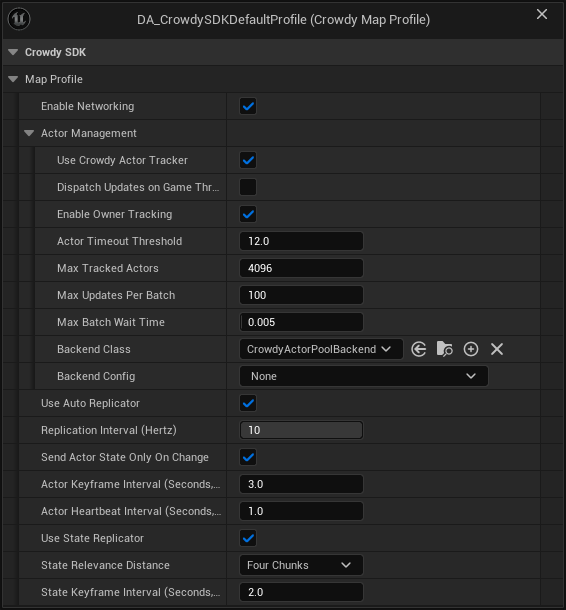
The screenshot is the SDK's shipped default profile, and its **Backend Config** reads None: the backend runs on a built-in config in that case.
:::note[No Backend Config means the built-in one: the actor pool with the transform policy.]
When `BackendConfig` is empty, `UCrowdyActorPoolBackend::InitializeBackend` creates a transient **Actor Pool Backend Config** and, since it names no policy, instantiates `UCrowdyTransformRepPolicy`: it reads the default executor's `FCrowdyActorState` and sets the pooled actor's location and rotation, interpolated across a ring of recent samples with bounded extrapolation. A `BackendConfig` of another backend's class is refused: the backend logs `Backend Config is a , but this backend needs a CrowdyActorPoolBackendConfig` and returns false, the actor manager logs `could not initialize, so no remote entity will be drawn on this map`, and remote entities arriving as continuous-state updates are tracked with nothing on screen. Spawn-event proxies and Crowdy State are unaffected either way. See [Map profiles](./map-profile.md).
The fallback arrived in 2.15.0. On 2.14.0 and earlier an empty Backend Config, or one with no Replication Policy Class, tracks remote entities and draws nothing, and the fix there is an **Actor Pool Backend Config** naming `UCrowdyTransformRepPolicy`. See [What's Changed](../guides/whats-changed.md#2026-09-22-sdk-v2150).
:::
### Configure it
`UCrowdyActorPoolBackendConfig`, set as the profile's `BackendConfig`:
| Field | Default | Effect |
|---|---|---|
| `ReplicationPolicyClass` | none | Your `UCrowdyRepApplicationPolicy` subclass. Unset means `UCrowdyTransformRepPolicy`, which moves the proxy from `FCrowdyActorState`; set it when your executor sends more than the transform, and move the proxy yourself in it. |
| `PoolPolicyClass` | none, optional | A `UCrowdyActorPoolPolicy` subclass. Unset means the concrete base, which already hides pooled actors, shows them on activation, and strips proxy movement. |
| `DefaultPoolSizePerClass` | 8 | Pools are created lazily per entity class with this many actors made up front. |
| `PerClassPoolOverrides` | empty | A per-class up-front size; a class listed here is also pre-warmed at map load. |
| `MaxPoolSizePerClass` | 256 | How far a class's pool may grow. When every actor is in use, the pool spawns one more, up to this cap (never below the up-front size). |
A pool that is full grows by one actor at a time, spawned during play with collision off until it is activated. At the cap, a new entity of that class waits: it is activated as soon as another entity of the class leaves, or, if its spawn event already made an actor for it, that actor is kept and drawn instead of being replaced. Nothing is dropped. The cap is there so a flood of made-up entity ids from a misbehaving peer cannot make your client spawn without limit; raise it if you legitimately expect more than 256 live remote entities of one class.
:::caution[A custom executor needs a matching policy. The default policy reads FCrowdyActorState and refuses anything else.]
`UCrowdyTransformRepPolicy` skips an update whose struct is not `FCrowdyActorState`, so a Dynamic entity whose executor sends its own struct stands still until its profile names a policy that reads it. `UCrowdyRepApplicationPolicy` has two pure virtuals and requires a subclass; `UCrowdyActorPoolPolicy` ships full bodies and is meant to be instantiated as is.
:::
### The replication application policy
The policy is what moves a remote player's proxy. Continuous state is how pawns, players, and AI move, so a policy's first job is to take the location and rotation out of each update and put the proxy where the owner was at `RenderTimeMs`. The shipped `UCrowdyTransformRepPolicy` does exactly that for `FCrowdyActorState`, and for a pawn that only moves it is all you need. You write your own only when your executor sends more than the transform, and then you apply the transform yourself first and your extra fields after, because a custom policy replaces the shipped one rather than adding to it: `UCrowdyActorPoolBackend::ResolvePolicyClass` instantiates the config's class instead of `UCrowdyTransformRepPolicy`, so a policy that never sets location and rotation leaves every proxy under it standing still.
`UCrowdyRepApplicationPolicy` reads a state struct out of each update and applies it to the pooled actor each frame:
| Override | Called | What you do |
|---|---|---|
| `ExtractFields(State, ServerTimestampMs, SlotId)` | Per update, per slot | Read your struct out of `State` into your own per-slot buffers. Return false when the struct type is wrong and the update is skipped. |
| `ApplyToActor(Actor, SlotId, RenderTimeMs)` | Per frame, per active slot | Apply the buffered state, interpolated to `RenderTimeMs`, to the actor. |
| `OnInstanceActivated(Actor, InitialState)` | Once, when a slot activates | A `BlueprintNativeEvent`: set initial state on the actor. |
| `OnInstanceDeactivated(SlotId)` | When the entity leaves | Clean up per-slot state. |
| `GetExpectedSlotCount()` | At startup | How many slots to pre-allocate; 64 by default. Match your expected player count. |
#### The sample ring
Both the shipped policy and the example below keep their per-slot history in `TInterpolatedField`, a small ring buffer the SDK ships in `Data/TInterpolatedField.h`, 32 samples deep by default. `TInterpolatedField::Push(Value, TimestampMs)` stores one sample with the server timestamp the update carried. `TInterpolatedField::Sample(RenderTimeMs, LerpFn)` finds the two samples that bracket the render time by binary search and blends between them with the function you pass (`FMath::Lerp` for a location; a quaternion slerp for a rotation). When the render time runs past the newest sample, `Sample` extrapolates from the last two by calling the same function with an alpha above 1, for at most 0.2 seconds beyond the newest; after that it holds the value extrapolated to 0.2 seconds. A render time older than the oldest sample takes the same path backwards from the newest pair, with no cap; a slot is in that state only briefly after activation, until the render time, which runs one interpolation delay behind, catches up with the samples already held. A location follows that extrapolation in full; the rotation slerp clamps its alpha to 1.2, so a rotation extrapolates by at most a fifth of a step. With one sample it returns that sample; with none, the default you pass. `PhysicalIndex` is the ring's own index arithmetic, nothing you call.
The reason a proxy built on it does not jitter is the render time itself: the actor manager renders at the estimated server time minus the interpolation delay (100 ms), so the proxy is always drawn a little behind the newest sample, between two samples it already holds, and never snaps to the latest one as it lands. Extrapolation only runs when an update is late, and its cap keeps a lost stream from sliding a proxy across the map.
#### The example: the same shape, with your own field added
`ULanternRepPolicy` is what the shipped policy does, plus one field. `FLanternPlayerState`, the struct the [continuous state](./continuous-state.md) page's executor sends for `ALanternPlayer`, carries `Location`, `Rotation`, and `bTorchLit`. The policy keeps one `TInterpolatedField` and one `TInterpolatedField` per slot: `ExtractFields` refuses any other struct type and pushes the location and rotation with the update's server timestamp; `ApplyToActor` samples both at `RenderTimeMs`, calls `SetActorLocationAndRotation` on the proxy, and only then applies the torch flag to the proxy's `Torch` light. The flag is applied as the latest value: a boolean is not something to blend. `OnInstanceDeactivated` resets the slot so a reused slot never starts from a departed player's history. The policy header includes `LanternPlayer.h` for the struct, so this snippet depends on the [`executor-override` block](./continuous-state.md#a-custom-executor) being in your project first.
```cpp
// LanternRepPolicy.h
#include "Data/CrowdyRepApplicationPolicy.h"
#include "Data/TInterpolatedField.h"
#include "LanternPlayer.h"
#include "LanternRepPolicy.generated.h"
// Replaces the shipped transform policy, so it moves the proxy itself and then applies the one field of its own.
UCLASS()
class ULanternRepPolicy : public UCrowdyRepApplicationPolicy
{
GENERATED_BODY()
public:
virtual bool ExtractFields(const FInstancedStruct& State, int64 ServerTimestampMs, int32 SlotId) override;
virtual void ApplyToActor(AActor* Actor, int32 SlotId, int64 RenderTimeMs) override;
virtual void OnInstanceDeactivated(int32 SlotId) override;
private:
TArray> Positions;
TArray> Rotations;
TArray bTorchLitBySlot;
void EnsureSlot(int32 SlotId);
};
// LanternRepPolicy.cpp
#include "LanternRepPolicy.h"
#include "Components/PointLightComponent.h"
bool ULanternRepPolicy::ExtractFields(const FInstancedStruct& State, int64 ServerTimestampMs, int32 SlotId)
{
const FLanternPlayerState* Player = State.GetPtr();
if (!Player)
{
return false;
}
// Each slot keeps a ring of timestamped samples; Sample reads them back at whatever render time the pool asks for.
EnsureSlot(SlotId);
Positions[SlotId].Push(Player->Location, ServerTimestampMs);
Rotations[SlotId].Push(Player->Rotation, ServerTimestampMs);
bTorchLitBySlot[SlotId] = Player->bTorchLit;
return true;
}
void ULanternRepPolicy::EnsureSlot(int32 SlotId)
{
if (SlotId >= Positions.Num())
{
Positions.SetNum(SlotId + 1);
Rotations.SetNum(SlotId + 1);
bTorchLitBySlot.SetNumZeroed(SlotId + 1);
}
}
```
```cpp
// LanternRepPolicy.cpp
void ULanternRepPolicy::ApplyToActor(AActor* Actor, int32 SlotId, int64 RenderTimeMs)
{
if (!Positions.IsValidIndex(SlotId))
{
return;
}
const FVector Location = Positions[SlotId].Sample(RenderTimeMs, [](const FVector& A, const FVector& B, float T) { return FMath::Lerp(A, B, T); });
const FRotator Rotation = Rotations[SlotId].Sample(RenderTimeMs, [](const FRotator& A, const FRotator& B, float T)
{
return FQuat::Slerp(A.Quaternion(), B.Quaternion(), FMath::Clamp(T, 0.f, 1.2f)).GetNormalized().Rotator();
});
// The transform first, then the field of your own: the proxy's torch follows the owner's.
Actor->SetActorLocationAndRotation(Location, Rotation);
if (const ALanternPlayer* Player = Cast(Actor))
{
Player->Torch->SetVisibility(bTorchLitBySlot[SlotId]);
}
}
void ULanternRepPolicy::OnInstanceDeactivated(int32 SlotId)
{
if (!Positions.IsValidIndex(SlotId))
{
return;
}
Positions[SlotId] = {};
Rotations[SlotId] = {};
bTorchLitBySlot[SlotId] = false;
}
```
`ExtractFields` and `ApplyToActor` are C++ only, so the policy class is C++. Set it as **Replication Policy Class** on the Actor Pool Backend Config in the map profile's Details panel. `OnInstanceActivated` is the one hook a Blueprint subclass of the policy may implement.
### The pool policy
`UCrowdyActorPoolPolicy` decides what a pooled actor does at three moments, each a `BlueprintNativeEvent` a Blueprint subclass can implement without C++: `OnActorPooled(Actor)` once per actor right after it is spawned into the pool, `OnActorActivated(Actor, InitialState)` when it is checked out (its `InitialState` is empty in the shipped pool, and the identity lands on the component right after it returns), and `OnActorDeactivated(Actor)` when it goes back. The base hides and shows the actor and disables proxy movement; subclass only to add per-actor behaviour at those moments.
Pooled actors are genuinely spawned (`SpawnActorDeferred` and `FinishSpawning`), so their constructors and Blueprint-added components run. Before `BeginPlay` the pool marks any entity component on them dormant, so a pre-warmed actor registers no entity and no listener while it stands for nothing. `UCrowdyActorPoolSubsystem::RegisterPool(FCrowdyPoolConfig)` (`ActorClass`, `PoolPolicyClass`, `PoolSize`, `MaxPoolSize`) is what the backend calls to create a pool, a no-op for a class that already has one, and `HasPool(Class)` says whether one exists; `AcquireActor` checks an actor out, growing the pool up to `MaxPoolSize` when every actor is in use, and `ReleaseActor` checks it back in. `crowdy.pool.trace 1` logs spawn, release, reuse, and growth.
## What a pooled proxy does and does not do
:::warning[A pooled Dynamic proxy never sees the spawn event's InitialState.]
The spawn event creates a proxy actor and broadcasts `OnCrowdySpawned` with the payload; the actor pool then treats that actor as an orphan, destroys it, and swaps in a pre-warmed pooled actor that never received it. Anything a proxy needs to look right must be a class default or a field of the replicated state struct, never a one-time spawn value.
:::
:::warning[The owner of a client-spawned Dynamic entity sees two visuals.]
The pool is fed only by inbound network state, so the owner ends up with the local actor it drives directly and the pooled proxy the server echoes back, interpolation-delayed. There is no per-entity flag to choose. Hide one side yourself, in the entity's own code: `SetActorHiddenInGame` on the local actor when `IsLocallyOwned()` if the round-tripped proxy is the one that should show. With **Enable Owner Tracking** on (the default) the local player's own avatar is echoed and drawn the same way; turning it off suppresses that one echo and no other owned entity's.
:::
- A proxy's `GetNetID()` and `GetRole()` work: the backend assigns the identity to the pooled actor's component when it checks it out. `RemoteProxy` is the role it reports.
## Swapping at runtime
`UCrowdyActorManager::SetBackend(NewBackend)` (Blueprint: **Set Backend**) swaps the active backend: the previous one is deinitialized, slot state is preserved, and the new one receives `ApplyInterpolation` from the next tick. The new backend must already be initialized, and `InitializeBackend` is C++ only, so this is a C++ operation in practice. `GetActiveBackend()` is the live backend, null when none initialized; a backend that refused to initialize is absent here and present in the profile, which is how to tell the two apart from code.
## Writing a backend
Subclass `UCrowdyRenderingBackend` and pair it with a `UCrowdyRenderingBackendConfig` subclass carrying whatever your backend needs (an instanced mesh, a pool size). Four overrides are required and three optional:
| Override | Required | Contract |
|---|---|---|
| `ActivateInstance(SlotId, UUID, EntityClass, InitialState)` | yes | A remote instance became visible. Acquire the rendering resource for `SlotId`. `EntityClass` is never null. |
| `DeactivateInstance(SlotId, UUID)` | yes | It left. Release the resource and the per-slot state. |
| `ExtractUpdate(State, ServerTimestampMs, SlotId)` | yes | An update arrived. Parse the struct into your interpolation buffers. |
| `ApplyInterpolation(SlotId, RenderTimeMs)` | yes | Apply the interpolated state; `RenderTimeMs` is already offset by the interpolation delay. |
| `InitializeBackend(World, Config)` | no | Acquire subsystems, read the config. Return false, after logging the reason and the remedy, when you cannot draw with what you were given; the manager refuses you rather than installing you. |
| `DeinitializeBackend()` | no | Release what you held. |
| `IsInstanceActive(SlotId)` | no | Whether `SlotId` holds something drawn. Return false when `ActivateInstance` could not acquire a resource (a full pool), and the actor manager calls `ActivateInstance` again once capacity may have freed or the entity registers. The default, true, never retries. |
`DrawsEntitiesAsCrowdRows()` is one more, for a backend that represents entities without spawning an actor of the entity's class; the editor reads it off the class default object to decide whether to show authoring surfaces that only make sense on that representation. The default is false. A Mass Entity based backend exists as a separate, opt-in plugin and is the only current override; it is not part of the core SDK and is out of scope for this guide.
`SlotId` is a stable index the actor manager assigns for the instance's lifetime; keep your per-instance state in arrays indexed by it.
:::danger[A custom backend must never subscribe to the actor tracker itself.]
The actor manager is already the single caller of `ActivateInstance` and `DeactivateInstance`. A backend that also subscribes to `UCrowdyActorTracker` activates every entity twice and spawns everything double. The four overrides are your only entry points.
:::
## Gotchas
- `BackendClass` alone draws the default executor's movement through `UCrowdyTransformRepPolicy`. A custom state struct needs `BackendConfig` with a `ReplicationPolicyClass` that reads it, and that policy replaces the shipped one: apply `Location` and `Rotation` yourself before anything else, or every proxy stands still.
- A policy built on `TInterpolatedField` is the smooth choice for anything that moves. Sample it at `RenderTimeMs`, never at the newest sample: the delay is what hides the network.
- `bUseCrowdyActorTracker` off on the profile means no tracker, no manager, and no backend at all.
- A pooled proxy's spawn-time look comes from class defaults or the state struct, never the spawn payload.
- A pool at its cap warns once per class, naming the class and `MaxPoolSizePerClass`; each entity it could not draw is a `crowdy.pool.trace` line, not a warning, since it is retried. Raise `MaxPoolSizePerClass` if you see the warning. On 2.16.0 and earlier, a pool never grew past `DefaultPoolSizePerClass` (8), every entity past that was dropped with a warning and never retried, and its spawn-event actor was destroyed first; see [What's Changed](../guides/whats-changed.md#2026-09-26-sdk-v2170).
- A class that arrives over the wire before it is loaded cannot be drawn; see Preloaded Entity Classes on [Entities and spawning](./entities-and-spawning.md).
## Related
- [Map profiles](./map-profile.md): where `BackendClass` and `BackendConfig` live.
- [Continuous state](./continuous-state.md): the executor that produces what the policy consumes.
- [Entities and spawning](./entities-and-spawning.md): the actor tracker and the spawn event.
- [Entity component](./entity-component.md): the identity a pooled actor is given.
# Channels
Source: https://docs.crowdedkingdoms.com/unreal-sdk/runtime/channels
# Channels
A channel is a named message group within one app: create it, join it, publish to it, and every member receives the message wherever they stand. It is also the transport a `Multicast` CrowdyEvent and a [replicated subsystem](./replicated-subsystems.md)'s state deltas ride, and every client joins one channel, the session channel, whether or not it ever creates another.
`UCrowdyChannels` is a game-instance subsystem. Every server call on it is asynchronous and answers through exactly one of two delegates, success or `FOnChannelError`, including when the request never reaches the server. Publishing is not one of those calls: it goes out over UDP and is not acknowledged.
## When to use one
Guild chat, a party's coordination, a village-wide announcement, trade broadcasts: anything that must reach a group regardless of distance. For a moment that only nearby players need, a `SpatialMulticast` event is cheaper; for a value, [Crowdy State](./crowdy-state.md), or your server code if it is [truth](../concepts/two-planes.md).
## The session channel
Every app has one channel every client joins on connect, named `__crowdy_session_`, created on demand when it does not exist and the app's creation policy lets a member create one (otherwise create it once in Crowdy Studio, or the log warns that default-channel events will drop). It is an SDK-owned transport, not a place for your own messages. It carries every `Multicast` CrowdyEvent with no `CrowdyChannel` of its own and every replicated subsystem's Crowdy State delta.
:::warning[A message you publish on the session channel, or on any channel a Multicast event names, never reaches OnChannelMessageReceived.]
Every channel the connect-time bootstrap joins (the session channel and each channel a Multicast event names) and every channel you hand to `RegisterReliableRpcChannel` is an RPC transport: a payload arriving on it goes to the RPC decoder and is never broadcast to the game. Publish your own notices on a channel of your own, one channel per purpose.
:::
`GetSessionChannelId()` is its resolved id, 0 until joined or created, and `AreReliableChannelsReady()` turns true once the connect-time bootstrap has joined every channel the app's Multicast events name plus the session channel. Both are pure nodes you can poll.
:::warning[A channel a Multicast event names must already exist. Only the session channel is created for you.]
The bootstrap joins named channels; it never invents one, because a missing name is usually a typo. It logs `[CrowdyChannels] Multicast channel 'X' was not found for this app - RPCs targeting it will drop. Create it (or fix the name) in Crowdy Studio.` A channel you create at runtime after the bootstrap has run needs `RegisterReliableRpcChannel(ChannelId, Name)` once you have joined it, or events naming it still drop. Registering it makes it an RPC transport: raw `PublishChannelMessage` payloads on it are decoded as RPC frames and are not delivered to `OnChannelMessageReceived`, so keep one channel per purpose.
:::
## Create and join
`CreateChannel(Name, Description, MembershipPolicy, bMembersCanSend, OnSuccess, OnError)` creates one; the creator becomes its owner with the system `leader` role, which holds every permission including `send_messages`. `ECrowdyChannelMembershipPolicy` decides how others get in: `Open` (join at once), `Request` (a join request awaits approval), `Invite` (managers add members), `Admin` (app admins only). `bMembersCanSend` true creates a default `member` role granting `send_messages` to everyone who joins; false makes an announce-only channel where joiners receive but cannot post until given a role. The app's `FCrowdyChannelPolicy` (read with `GetChannelPolicy`) holds who may create channels at all (`ECrowdyChannelCreationPolicy`: `Admin`, `Member`, `Anyone`), the default membership policy, and the caps `MaxMembers` and `MaxChannelsPerUser` (0 means none); `SetChannelPolicy` sets the two policies, and the caps are set in Crowdy Studio.
The lantern village creates a `village` channel for lit notices once the connection is up: `CreateVillageChannel`, called from the game instance's connected handler (the create needs the game token), and `HandleVillageChannelCreated` stores the id behind `GetVillageChannelId`, the one place the id lives.
```cpp
// LanternGameInstance.h
#include "Queries/Data/Channels/Types/FCrowdyChannel.h"
UFUNCTION(BlueprintPure, Category = "Lantern")
int64 GetVillageChannelId() const { return VillageChannelId; }
private:
int64 VillageChannelId = 0;
void CreateVillageChannel();
UFUNCTION()
void HandleVillageChannelCreated(FCrowdyChannel Channel);
// LanternGameInstance.cpp
#include "Subsystem/CrowdyChannels.h"
void ULanternGameInstance::CreateVillageChannel()
{
// Called once connected (the create needs the game token); one client creates, the rest join.
UCrowdyChannels* Channels = GetSubsystem();
FOnChannelSuccess Created;
Created.BindDynamic(this, &ULanternGameInstance::HandleVillageChannelCreated);
Channels->CreateChannel(TEXT("village"), TEXT("Lantern lit notices"),
ECrowdyChannelMembershipPolicy::Open, true, Created, FOnChannelError());
}
void ULanternGameInstance::HandleVillageChannelCreated(FCrowdyChannel Channel)
{
VillageChannelId = Channel.ChannelId;
}
```
In the Game Instance Blueprint, at **Event Init** a **Crowdy SDK Subsystem** getter feeds **Bind Event to On UDP Connection Success**, whose custom event `OnConnected` calls **Create Channel**, a latent node with `Name`, `Description`, `Membership Policy`, and `Members Can Send` inputs and **On Success** (a `Channel` struct) and **On Error** pins. Binding to the connection is what keeps the create after sign-in; at Init there is no token yet and it would answer on **On Error**. To keep the id, drag a **Break Crowdy Channel** off the `Channel` pin on the success branch and set an Integer64 variable `VillageChannelId` from `Channel Id`.
[Blueprint snippet: ch-create, see /bp/unreal-sdk/ch-create.txt]
Every connecting client running this asks the server to create the channel. A real game has one client create it, the host for instance, or calls `GetChannels` first and creates only on a miss; the server's creation policy is the real gate on who may.
`JoinChannel(ChannelId, ...)` joins an open channel and `RequestToJoinChannel` files a request on a `Request` channel; `LeaveChannel` leaves. The creator is already a member and needs neither, though the local cache (`HasCachedChannels`, `IsPlayerInChannel`) does not show the new channel until `GetMyChannels` has run.
## Publish and receive
`PublishChannelMessage(ChannelId, Payload)` sends raw bytes to every active member except the sender. The caller must already be a member holding `send_messages`; an open channel's default member role grants it. The server caps a channel message payload at 1024 bytes.
:::warning[Publishing is unacknowledged UDP: no ordering, no delivery guarantee, and the caller is never told if it was dropped.]
It is the right tool for a notice, not for a value. Put anything that must be right on every client in a state property, or in your server code if it is truth.
:::
The lantern's `PublishLit`, called from the owner-gated overlap, publishes a one-byte notice, its lit flag, on the village channel, reading the id from the game instance's `GetVillageChannelId`:
```cpp
// Lantern.cpp
#include "LanternGameInstance.h"
#include "Subsystem/CrowdyChannels.h"
void ALantern::PublishLit()
{
// Tell every village member the lantern changed, over the channel the game instance created.
const ULanternGameInstance* Game = GetGameInstance();
UCrowdyChannels* Channels = Game ? Game->GetSubsystem() : nullptr;
if (Channels)
{
Channels->PublishChannelMessage(Game->GetVillageChannelId(), { uint8(bLit) });
}
}
```
From **Event ActorBeginOverlap**, behind an **Is Crowdy Entity Locally Controlled** branch (the owner gate the C++ has): a **Crowdy Channels** subsystem getter feeds the `Target`, **Get VillageChannelId** (the Integer64 variable the create graph set) the `Channel Id`, and a one-element **Make Array** the `Payload` byte array of **Publish Channel Message**. The array's one element is the lit byte, 0 in the figure; wire your lit flag into it. It is a plain call with no result pins.
[Blueprint snippet: ch-publish, see /bp/unreal-sdk/ch-publish.txt]
`OnChannelMessageReceived` fires on the game thread for every delivery, with the channel id, the sender's `SenderUUID`, and the payload. The village's `HandleVillageNotice`, bound by `WatchVillageChannel` from `Init`, reads the one byte and sets every lantern's visibility from it; the check on the payload's length before the read is the validation the caution below asks for.
```cpp
// LanternGameInstance.h
void WatchVillageChannel();
UFUNCTION()
void HandleVillageNotice(int64 ChannelId, FString SenderUUID, const TArray& Payload);
// LanternGameInstance.cpp
#include "EngineUtils.h"
#include "Lantern.h"
#include "Subsystem/CrowdyChannels.h"
void ULanternGameInstance::WatchVillageChannel()
{
GetSubsystem()->OnChannelMessageReceived.AddDynamic(this, &ULanternGameInstance::HandleVillageNotice);
}
void ULanternGameInstance::HandleVillageNotice(int64 ChannelId, FString SenderUUID, const TArray& Payload)
{
// A channel message is not server-signed; validate it before acting. Here the one byte is the lit flag.
const bool bLit = Payload.Num() > 0 && Payload[0] != 0;
for (TActorIterator It(GetWorld()); It; ++It)
{
It->Light->SetVisibility(bLit);
}
}
```
There is no Blueprint figure for the receive side: `OnChannelMessageReceived` carries a byte-array `Payload`, and the generated graphs on this site cannot express a bound event with an array parameter. In your own Blueprint, drag off a **Crowdy Channels** subsystem getter, choose **Bind Event to On Channel Message Received**, and create the matching custom event from the `Event` pin; it receives `Channel Id`, `Sender UUID`, and `Payload` as an array of bytes.
:::caution[A channel message is not signed on the way down. Validate the payload before acting on it.]
The server does not sign the delivery, and any member with `send_messages` could have sent it. Treat the bytes as untrusted input: bound every length, clamp every value, and never let one decide an outcome that must hold against a modified client. Three payload prefixes are reserved on every channel and dropped before you see them: text beginning `cmc:`, `csg:`, or `gms|` is reserved by the SDK, so a notice that happens to start that way never arrives.
:::
## The full surface
Cache and queries, on `UCrowdyChannels`: `HasCachedChannels` (has `GetMyChannels` ever completed), `GetCachedMyChannels` (the memberships, no round trip), `IsPlayerInChannel`, `GetMyChannelById`, `IsInAnyChannel`, `HasPermissionInChannel` (an `ECrowdyChannelPermission`: `SendMessages`, `ManageChannel`, `ManageMembers`, `ManageRoles`, `InviteMembers`), `GetMyChannels`, `GetChannel`, `GetChannels`, `GetChannelMembers`, `GetChannelRoles`, `GetChannelPolicy`, `GetPendingJoinRequests`. `OnMyChannelsCacheChanged` fires when the cached membership list changes.
Mutations: `CreateChannel`, `UpdateChannel`, `DeleteChannel`, `JoinChannel`, `RequestToJoinChannel`, `LeaveChannel`, `AddChannelMember`, `RemoveChannelMember`, `CreateChannelRole`, `UpdateChannelRole`, `DeleteChannelRole`, `SetChannelMemberRoles`, `SetChannelPolicy`.
Every query and mutation also exists as a latent Blueprint node with **On Success** and **On Error** pins, one class each: `UCrowdyChannels_GetMyChannels` (**Get My Channels**), `UCrowdyChannels_GetChannel`, `UCrowdyChannels_GetChannels` (**Get All Channels**), `UCrowdyChannels_GetChannelMembers`, `UCrowdyChannels_GetChannelRoles`, `UCrowdyChannels_GetChannelPolicy`, `UCrowdyChannels_GetPendingJoinRequests`, `UCrowdyChannels_CreateChannel`, `UCrowdyChannels_UpdateChannel`, `UCrowdyChannels_DeleteChannel`, `UCrowdyChannels_JoinChannel`, `UCrowdyChannels_RequestToJoinChannel` (**Request to Join Channel**), `UCrowdyChannels_LeaveChannel`, `UCrowdyChannels_AddChannelMember`, `UCrowdyChannels_RemoveChannelMember`, `UCrowdyChannels_SetChannelMemberRoles`, `UCrowdyChannels_CreateChannelRole`, `UCrowdyChannels_UpdateChannelRole`, `UCrowdyChannels_DeleteChannelRole`, `UCrowdyChannels_SetChannelPolicy`. A list result arrives wrapped (`FCrowdyChannelsResult`, `FCrowdyMyChannelsResult`, `FCrowdyChannelMembersResult`, `FCrowdyChannelRolesResult`) so a **Break** node unwraps it. `PublishChannelMessage` has no latent twin; it is a plain call on the subsystem.
The types:
| Type | Holds |
|---|---|
| `FCrowdyChannel` | `ChannelId`, `AppId`, `Name`, `Description`, `OwnerUserId`, `MembershipPolicy`, `Status`, `CreatedAt`. |
| `FCrowdyChannelMember` | `ChannelMemberId`, `ChannelId`, `UserId`, `Status` (`active`, or `pending` while a request waits), `Roles` sorted by rank, `CreatedAt`. |
| `FCrowdyChannelMembership` | Your own membership of one channel: `Channel`, `Roles`, the effective `Permissions` across them, `JoinedAt`. |
| `FCrowdyChannelRole` | `ChannelRoleId`, `ChannelId`, `RoleName`, `Rank`, `bIsSystem`, `Permissions`, `CreatedAt`. Every channel has a non-deletable `leader` role. |
| `FCrowdyChannelPermissions` | The five flags: `bSendMessages`, `bManageChannel`, `bManageMembers`, `bManageRoles`, `bInviteMembers`. |
| `FCrowdyChannelPolicy` | `AppId`, `CreationPolicy`, `DefaultMembershipPolicy`, `MaxMembers`, `MaxChannelsPerUser`. |
| `FCrowdyChannelError` | An `ECrowdyChannelErrorCode` (`Unknown`, `NotFound`, `Forbidden`, `PolicyViolation`, `AlreadyMember`, `NotMember`, `NetworkError`, `ServerError`), a best-effort classification, and the `Message` to show. |
Every id is an `int64`; the server's ids are 64-bit.
In C++ each call takes a pair of dynamic delegates: a success type shaped for its result (`FOnChannelSuccess` with an `FCrowdyChannel`, `FOnChannelsSuccess` with the array, `FOnChannelMemberSuccess`, `FOnChannelMembersSuccess`, `FOnChannelRoleSuccess`, `FOnChannelRolesSuccess`, `FOnMyChannelsSuccess` with the memberships, `FOnChannelPolicySuccess`, `FOnChannelVoidSuccess` for the calls that return nothing) and `FOnChannelError`. The two events are `FOnMyChannelsCacheChanged` and `FOnChannelMessageReceived`. The latent nodes expose the same shapes as multicast pins (`FChannelAsyncOnSuccess`, `FChannelsAsyncOnSuccess`, `FMyChannelsAsyncOnSuccess`, `FChannelMemberAsyncOnSuccess`, `FChannelMembersAsyncOnSuccess`, `FChannelRoleAsyncOnSuccess`, `FChannelRolesAsyncOnSuccess`, `FChannelPolicyAsyncOnSuccess`, `FChannelVoidAsyncOnSuccess`, and `FChannelAsyncOnError`).
## What rides a channel from the SDK itself
A `Multicast` CrowdyEvent is encoded into a channel payload and published over the session channel, or the channel its `CrowdyChannel` names once this client has joined it. A replicated subsystem's Crowdy State delta travels the same way. Both are capped at 1024 bytes by the SDK's own codec and dropped loudly, never truncated, when they would exceed it; a Multicast event whose parameters can never fit is refused at registration. "Reliable" on this path means every member is a recipient, not that delivery is guaranteed; see [Recipients and routing](./recipients-and-routing.md#multicast-what-reliable-means).
`crowdy.rpc.reliable.trace 1` logs the reliable sends and receives on the channel transport.
## Gotchas
- The session channel is always joined, even in a project with no Multicast event.
- A named channel is join-only from the SDK's side. Create it in Crowdy Studio or at runtime, then `RegisterReliableRpcChannel` if you created it after connecting.
- `send_messages` gates publishing, not membership. An announce-only channel is a channel whose joiners lack it.
- The sender never receives an echo of its own message.
- Channel management is a Game API call and needs the app-scoped token the sign-in gives you; see [Authentication](../services/authentication.md). The wire protocol and the GraphQL calls are on the [Game API channels page](/game-api/channels).
## Related
- [Recipients and routing](./recipients-and-routing.md): the Multicast recipient.
- [RPC events in C++](./rpc-events-cpp.md): the `CrowdyChannel` key and the payload cap.
- [Replicated subsystems](./replicated-subsystems.md): deltas over the session channel.
- [Connection and reconnect](./connection-and-reconnect.md): when the channel bootstrap runs.
- [Teams and channels in Studio](../studio/teams-and-channels.md): authoring channels without code.
# Connection and Reconnect
Source: https://docs.crowdedkingdoms.com/unreal-sdk/runtime/connection-and-reconnect
# Connection and Reconnect
The realtime connection opens after sign-in, re-assigns itself a server when it loses one, and tells the game only when that fails. This page is what a game can read about the connection, what it should react to, and the two knobs that shape the traffic.
## When you need this
A connection indicator in the HUD, a "reconnecting" overlay, a decision about what to show while the world is not being updated. Everything else on the view plane depends on the connection and needs nothing from this page.
## The states
`UCrowdySDKSubsystem::GetUDPConnectionState()` (Blueprint: **Get UDP Connection State**) returns an `EUDPConnectionState`:
| State | Meaning |
|---|---|
| `Disconnected` | Not connected, and no reconnect in progress. |
| `Connecting` | The connection is being opened. |
| `Connected` | Up and carrying traffic. |
| `Reconnecting` | The connection lost its server and is assigning another. Reported, not acted on: it recovers on its own. |
| `GateKeep` (shown as Gate Kept) | The server is gatekeeping this client because the app is full. Nothing retries; the player has already been told. |
:::note[Poll it. No delegate is needed for a status indicator.]
`GetUDPConnectionState` is a pure node, safe to read every frame. Reserve the events below for the moments you must react to.
:::
The events on `UCrowdySDKSubsystem`, all Blueprint-assignable: **On UDP Connection Success** (`OnUDPConnectionSuccess`, an `FOnUDPConnectionSuccess`) whenever the connection comes up, including after a re-assignment, since that is a new session; **On UDP Timed Out** (`OnUDPTimedOut`, an `FOnUDPTimedOut`) when the transport gave up on a re-assignment, with the state at `Reconnecting`; **On UDP Address Notify** (`OnUDPAddressNotify`, an `FOnUDPAddressNotify` with `bSuccess` and `GateKeep`) when the server answers the access request. `RequestUDPAccess()` asks for the connection; the [Quickstart](../quickstart.md) never calls it because the sign-in does. Underneath sits `UCrowdyUDPSubsystem`, whose `GetConnectionState()` is the C++ read that needs no game thread and whose `GetUDPNetworkStats()` returns an `FUDPNetworkStatistics` (bytes and datagrams each way, messages per second, `Ping`, the client-notify counters and loss percentage); `ResetUDPNetworkStats()` zeroes it.
Coming up does more than flip the state: the same handler that broadcasts **On UDP Connection Success** joins the reliable-RPC channels, which is what makes the [session channel](./channels.md) "always joined".
:::note[Connected means the server is ready for your traffic, not only that the socket is open.]
After the server assigns this client, it needs a moment to install the session before it accepts spatial traffic. The SDK waits that out itself: the state stays `Connecting` until the assignment plus the readiness wait have elapsed, and only then does it turn `Connected` and broadcast **On UDP Connection Success**. You never time anything. What the SDK does not do is hold your sends for that moment: an actor update or a spatial event sent while the state is still `Connecting` goes out, or is dropped, and is never replayed once connected; the next replication interval is the recovery. So gate the thing that starts sending, the pawn's spawn or the entity component's activation, on this event or on `Get UDP Connection State` reading `Connected`, as the [Quickstart](../quickstart.md#1-make-your-player-a-crowdy-entity) does. A `Multicast` event is the one exception, queued until the channel bootstrap finishes (see the Gotchas).
:::
## When it drops
The low-level connection re-assigns a server on its own; the SDK only surfaces it as `Reconnecting`. A failed re-assignment is where the game hears about it: the SDK marks the state `Reconnecting`, broadcasts **On UDP Timed Out**, and immediately asks for the connection again itself, so a handler that polls the state inside that event reads `Reconnecting`, never `Disconnected`. `Disconnected` is what you read only after that request fails too. If the failure was the app being full, the state is `GateKeep` instead and nothing retries. The timeout that starts a re-assignment is `UDPTimeoutSeconds` in the project settings, and the address family is `UDPProtocol` (`ECrowdyUDPProtocol`: `Auto` takes the IPv4 address, `IPv4` records that choice deliberately, `IPv6` takes the IPv6 address and does not fall back). Both are managed by Crowdy Studio and shown read-only in Project Settings; see [Config Sync](../studio/config-sync.md).
`StopNetworkOperations()` reports the session as disconnected for the UI to read; it does not close the socket or interrupt a recovery already under way, deliberately. `ToggleNetworkMessageProcessing()` discards received messages for development.
:::caution[StopNetworkOperations changes what the UI reads. It does not stop the connection.]
The connection belongs to the transport and recovers on its own. Asking the UI to show a disconnect must not be able to cancel that.
:::
## Reacting to a drop
There is no reconnect code to write. The SDK asks for the connection again itself, and the game hears two events: **On UDP Timed Out** when a re-assignment failed and the SDK is opening the connection again, and **On UDP Connection Success** when it is back. Bind both once, in your Game Instance's `Init`, and do the visible thing in each.
:::note[Do not call RequestUDPAccess from the timeout handler.]
The SDK calls it itself as soon as the event has been broadcast. A second request from the game is a second reconnect in flight for the same client.
:::
The lantern village dims every placed lantern while the connection is down and restores them when it is back: `WatchConnection`, called from `Init`, binds the two events to `HandleConnectionLost` and `HandleConnectionRestored`.
```cpp
// LanternGameInstance.h
void WatchConnection();
UFUNCTION()
void HandleConnectionLost();
UFUNCTION()
void HandleConnectionRestored();
// LanternGameInstance.cpp
#include "EngineUtils.h"
#include "Lantern.h"
void ULanternGameInstance::WatchConnection()
{
// The SDK reconnects by itself after a timeout; a game only reacts to the two events.
UCrowdySDKSubsystem* Sdk = GetSubsystem();
Sdk->OnUDPTimedOut.AddDynamic(this, &ULanternGameInstance::HandleConnectionLost);
Sdk->OnUDPConnectionSuccess.AddDynamic(this, &ULanternGameInstance::HandleConnectionRestored);
}
void ULanternGameInstance::HandleConnectionLost()
{
for (TActorIterator It(GetWorld()); It; ++It)
{
It->Light->SetIntensity(0.f);
}
}
void ULanternGameInstance::HandleConnectionRestored()
{
for (TActorIterator It(GetWorld()); It; ++It)
{
It->Light->SetIntensity(5000.f);
}
}
```
In the Game Instance Blueprint, from **Event Init**, a **Crowdy SDK Subsystem** getter feeds **Bind Event to On UDP Timed Out** and then **Bind Event to On UDP Connection Success**; the custom events `OnConnectionLost` and `OnConnectionRestored` are theirs. Dimming every lantern needs a loop, which is more than a six-node figure shows, so the graph binds the events and stops.
[Blueprint snippet: conn-events, see /bp/unreal-sdk/conn-events.txt]
## Bundled sends
Outbound replication messages of one network pass are packed into bundle datagrams. `crowdy.net.send.bundle` (default 1) controls it; 0 sends one datagram per message, a diagnostic switch rather than a setting a shipping build needs. The variable is read when a connection opens, so flipping it takes effect on the next connect, not on the live socket.
## Signed inbound bundles
Once the connection is up, the transport tells the replication server what this client can read (a `CLIENT_CAPABILITIES` message), and repeats it every 15 seconds so a token refresh or a server-side move, both of which reset the server's record without saying so, never leaves it stale. A server at v0.30.0 or later then packs the notifications it sends you into `MESSAGE_BUNDLE_SIGNED` datagrams: the members inside carry no signature of their own, and one HMAC at the end covers the whole datagram. The transport checks that one signature, drops the datagram if it fails, and delivers the members exactly as it delivers any other notification. Your handlers see no difference; a datagram that used to cost one verification per member costs one. An older server ignores the message and keeps signing every member, which is also what the tagged 2.14.0 plugin receives, since it never announces itself.
`crowdy.net.recv.signedbundles` (default 1) is the switch; 0 stops the announcement and keeps the per-member form, for a before-and-after comparison rather than for shipping. Like `crowdy.net.send.bundle` it is read when a connection opens.
## The receive budget
Inbound messages are delivered on the game thread, per frame, under two budgets: `crowdy.net.receive.maxmessages` (default 3072) caps how many messages one frame may deliver, and `crowdy.net.receive.maxdrainms` (default 4.0) caps the milliseconds one frame may spend delivering them. Whichever binds first ends that frame's drain and the rest waits for the next frame. The budget covers every message the connection receives, channel notifications and video fragments included, not only actor updates.
:::note[Raise the message count first.]
If drains keep ending on the time budget instead, delivery is costing more per message than the frame can afford, and the count is not the lever.
:::
`crowdy.net.receive.poolactorupdates` (default 1) reuses actor update message objects instead of allocating one per message; `crowdy.net.routes` prints the network router's subscription table; `crowdy.net.trace 1` logs socket, send, and receive activity, and `crowdy.serialize.trace 1` the encode and decode of each payload. `crowdy.serialize.scopes` adds CPU trace scopes inside decode for profiling.
## Deprecated calls
Five functions on `UCrowdySDKSubsystem` are deprecated (the compiler warns on each call) and do nothing useful: `StartUDPTimeoutMonitoring`, `StopUDPTimeoutMonitoring`, `TriggerUdpHeartbeat`, `DeregisterAllReceptionLayers`, and `SetQueryEndpoint`. The connection tracks its own liveness now; remove the calls.
## Gotchas
- `Reconnecting` needs nothing from you. Only `Disconnected` after a timeout does.
- `GateKeep` is an answer, not a failure. Retrying against a full app asks a server with no room whether it has room.
- Coming up joins the channels. A Multicast event sent before **On UDP Connection Success** is queued and flushed when the bootstrap finishes; see [Channels](./channels.md).
- `crowdy.net.send.bundle` and `crowdy.net.recv.signedbundles` changes take effect on the next connect.
## Related
- [Channels](./channels.md): what connecting joins.
- [Video frames](./video-frames.md): the largest consumer of the receive budget.
- [Authentication](../services/authentication.md): the sign-in that requests the connection.
- [Console variables](../reference/console-cvars.md).
# Video Frames
Source: https://docs.crowdedkingdoms.com/unreal-sdk/runtime/video-frames
# Video Frames
`UCrowdyVideoFrameReceiver` turns the video fragments the server fans out into whole frames and hands each one to you once, as an encoded image. The SDK does not decode it, does not know its dimensions, and has not checked that it is a valid image; turning the bytes into a texture is your code.
This SDK receives only. It has no public call, node, or subsystem that sends a video frame; the frames come from a client on the same app that publishes them through another Crowdy client, such as a browser on the JavaScript SDK ([Webcam video](/crowdyjs/webcam-video)). A game built on this SDK alone never produces one.
## When you need it
A picture-in-picture of a nearby player, a video wall in the village square, any feature that shows another client's camera. If the game never shows video it pays for none of this: with no listener bound a fragment is dropped the moment it reaches the receiver, with no copy and no partial frame held.
## Receive a frame
The receiver is a world subsystem, created for Play in Editor and game worlds only. Bind `OnVideoFrameAssembled` (an `FOnCrowdyVideoFrameAssembled`) and it fires on the game thread once per completed frame with an `FCrowdyVideoFrame`. C++ code may bind `OnVideoFrameReady` instead, a plain multicast delegate (`FOnCrowdyVideoFrameReady`) at the same firing point with no dynamic-delegate overhead.
The lantern village's player character binds at `BeginPlay`, and its `HandleVideoFrame` sets the torch's intensity to the byte count of each frame: a visible stand-in for the decode the example deliberately leaves out, because decoding is not the SDK's, as the page says below.
```cpp
// LanternPlayer.h
#include "Replication/Subsystems/CrowdyVideoFrameReceiver.h"
UFUNCTION()
void HandleVideoFrame(const FCrowdyVideoFrame& Frame);
// LanternPlayer.cpp
void ALanternPlayer::BeginPlay()
{
Super::BeginPlay();
if (UCrowdyVideoFrameReceiver* Video = GetWorld()->GetSubsystem())
{
Video->OnVideoFrameAssembled.AddDynamic(this, &ALanternPlayer::HandleVideoFrame);
}
}
void ALanternPlayer::HandleVideoFrame(const FCrowdyVideoFrame& Frame)
{
// The bytes are an encoded image the SDK never decodes; a consumer turns them into a texture.
Torch->SetIntensity(static_cast(Frame.Bytes.Num()));
}
```
In Blueprint the receiver is reached like any world subsystem: a **Crowdy Video Frame Receiver** getter node, **Bind Event to On Video Frame Assembled** off it, and a custom event with a `Frame` pin; **Break Crowdy Video Frame** opens the struct. The twin below, in the player character's Blueprint, binds at **Event BeginPlay**: a **Crowdy Video Frame Receiver** getter feeds **Bind Event to On Video Frame Assembled**, whose custom event `OnVideoFrame` calls **Set Visibility** on `Torch` (a Point Light component you add). Break the `Frame` pin to reach `Bytes`, `Sender Id`, and `Codec`.
[Blueprint snippet: video-receive, see /bp/unreal-sdk/video-receive.txt]
:::caution[Binding late costs you the frame already in flight, and nothing else.]
Reassembly is turned on by the first bind. The one frame that was assembling when you bound may be missed; every frame after it is delivered. Nothing before the bind was kept.
:::
**Success signal.** With a publishing client (not one built on this SDK) sending video into the same app, the torch's intensity jumps with every completed frame, and `GetPendingSenderCount()` reads above zero while a frame is half arrived.
## The frame
`FCrowdyVideoFrame`, all fields read-only:
| Field | What it is |
|---|---|
| `SenderId` (`FString`) | The sender's 32 wire octets as text. Exact and unambiguous; empty for an unset id. |
| `SenderUUID` (`FGuid`) | The key derived from those octets, the id the rest of the SDK addresses an actor by. Lossy: the derivation reads the octets as hexadecimal, so two senders whose ids differ only outside that alphabet derive the same key. `USerializationFunctionLibrary::ToGuid` (Blueprint: **To Guid**) derives the same key from a `SenderId` string, and returns an invalid guid for text that is not an actor id. |
| `Codec` (`ECrowdyVideoCodec`) | `Jpeg` or `WebP`. `Unknown` is what a byte this build has no entry for maps to; a fragment carrying one is dropped before it reaches you. |
| `FrameId` (`int32`) | The sender's own counter. It wraps, orders that sender's frames, and means nothing across two senders. |
| `Bytes` (`TArray`) | The encoded image, JPEG or WebP according to `Codec`. |
| `ChunkX`, `ChunkY`, `ChunkZ` (`int64`) | The chunk the last fragment was broadcast over. |
| `ServerTimestamp` (`int64`) | When the server stamped that last fragment, in milliseconds since the epoch. |
:::warning[Use SenderId, not SenderUUID, to tell two senders apart for certain.]
`SenderUUID` is the convenient key for matching a frame to an entity you already track by `FGuid`. It can name more than one sender. When correctness depends on which camera this is, compare `SenderId`.
:::
:::danger[There is no decode anywhere in the SDK.]
`Bytes` is a JPEG or WebP file in memory. Turning it into a `UTexture2D` is your own code, with the engine's image wrapper module or a decoder of your choice, and validating it as an image is part of that job: the bytes came off the network from another client.
:::
## Housekeeping
| Call | What it answers or does |
|---|---|
| `GetPendingSenderCount()` | Senders with a frame half arrived. Zero while nothing is listening, since nothing is ingested. |
| `GetDroppedFragmentCount()` | Fragments dropped for a malformed header, or for a frame their sender had already moved past. |
| `GetAbandonedFrameCount()` | Frames abandoned incomplete: superseded by a newer frame, timed out, or the sender left. |
| `ForgetSender(SenderGuid)` | Drops whatever is half assembled for one sender and forgets its frame counter. Exposed because a sender the server never announced as gone is otherwise never released, and a sender that rejoins and restarts at frame zero has every fragment dropped as a straggler until its counter climbs back past the old value. One key can name more than one sender, and every sender it names is forgotten. |
The receiver releases a sender itself when the server announces its departure or the tracker times it out, using the same lossy key.
## What is not delivered
- A client's own fragments. The server fans a video packet out over the chunk it was sent to, which includes the sender, and a frame of your own camera is one you already have. They are discarded, never reassembled.
- A frame that never completes. A fragment for a frame the sender has moved past is dropped; the incomplete frame is abandoned and counted.
Video fragments share the per-frame receive budget with every other message the connection receives; see [Connection and reconnect](./connection-and-reconnect.md#the-receive-budget).
## Gotchas
- The receiver is a world subsystem. There is none in an editor world, and a new world has a new receiver with nothing bound.
- Nothing is reassembled until something is bound. A diagnostic that reads the counters with no listener sees zeros.
- `FrameId` is per sender. Do not use it to order frames from two cameras.
- `SenderUUID` is the SDK's actor key and is lossy by construction; `SenderId` is exact.
## Related
- [Connection and reconnect](./connection-and-reconnect.md): the receive budget these fragments share.
- [Voice chat](../services/voice-chat.md): the sibling communication feature.
- [Entities and spawning](./entities-and-spawning.md): the actor tracker whose departures release a sender.
# What a Server Object is
Source: https://docs.crowdedkingdoms.com/unreal-sdk/exec/overview
# What a Server Object is
:::note
Server Objects run on [ck-exec](/exec/intro). You can use them from Blueprint or from C++; see [From Blueprint](./from-blueprint/get-a-server-object.md) and [From C++](./from-cpp/get-a-server-object.md).
:::
A Server Object is a piece of game state that lives on the server and that every player sees the same way. The server keeps its values, saves them, and is the only thing that changes them. Your game reads the values it is allowed to see, is told each time they change, and asks for a change by calling one of its **Server Functions**. The server decides, and every player watching sees the result.
That makes a Server Object the place for state a player could gain by lying about: a boss's health, a shared stockpile, a match's score, a player's inventory. It is the SDK's door into the [truth plane](../concepts/two-planes.md). Fast view state (movement, animation, a light flickering) stays on the view plane, in [Crowdy State](../runtime/crowdy-state.md).
## In the example world
The village square has a beacon every villager feeds with oil. How much oil it holds is the kind of value a client must not decide for itself, so it is a Server Object: one per village. When a player walks into the beacon, the game calls the beacon's `FeedBeacon` Server Function; the server adds the oil (or refuses), and every player in the village sees the beacon's light change with the new amount. The pages in this section build that beacon, `AVillageBeacon`, one piece at a time.
## How the parts fit
- **A definition asset** (`UCrowdyServerObjectDefinition`) describes one type of Server Object: the variables the server keeps, which of them players may see, and the functions they may call. You make one asset per type, in an editor laid out like the Blueprint editor. See [Create a Server Object type](./create-a-type.md).
- **Access, members and timers** are settings on the asset that the server enforces before your code runs: who may read and call, how often, members and a leader, timers, and calling other types. See [Access, members and timers](./access-members-and-timers.md), and [Relate Server Objects to each other](./relate-server-objects.md) for which to use when one object belongs to a player, lists others or is shared by many.
- **The server code** is a Rust crate the editor generates from the definition asset; you fill in what each Server Function does. See [Write its server logic](./write-server-logic.md), then [Deploy it with Server Compute](./deploy-with-server-compute.md).
- **An Instance Id** picks one Server Object of that type. The beacon uses the village's name, so each village has its own.
- **From Blueprint**, the **Crowdy Server Object** component and the typed nodes get the object, read and follow its variables and call its functions. See [Get a Server Object](./from-blueprint/get-a-server-object.md), [Read and follow its variables](./from-blueprint/read-and-follow-variables.md), [Call its functions](./from-blueprint/call-functions.md) and [Pins for every type](./from-blueprint/pins-for-every-type.md).
- **From C++**, `UCrowdyServerObjectSubsystem`, a game instance subsystem, hands out Server Objects. Every actor or object that acquires the same definition and Instance Id shares one `UCrowdyServerObject`, and the subsystem gives it back a short while after the last of them is gone. The variables players can see arrive in a copy of the state struct and raise one change event per server change, and Server Functions are called with a params struct and answer with a reply struct or an outcome that says what went wrong. See [Get a Server Object](./from-cpp/get-a-server-object.md), [Read and follow its variables](./from-cpp/read-and-follow-variables.md) and [Call its functions](./from-cpp/call-functions.md).
The platform has its own words for all of this (hubs, keys, methods, topics). You do not need them to use the SDK, but the platform's pages and logs use them; [Unreal and ck-exec names](./unreal-and-ck-exec-names.md) maps one to the other.
## What you need
1. **Your app on the Dev backend.** Server Objects connect with the signed-in player's app token, like the rest of the runtime. See [Player sign-in](../runtime/player-sign-in.md).
2. **The module dependency, for C++.** Blueprint needs none. Add `CrowdyExec` to your game module's `Build.cs`, next to the modules from [Installation](../installation.md#step-4-add-the-module-dependencies):
```csharp
PrivateDependencyModuleNames.Add("CrowdyExec");
```
3. **A definition asset per type**, described on [Create a Server Object type](./create-a-type.md).
4. **The type's server code, deployed to your app on ck-exec.** The editor generates it from the definition asset, so the server and your game agree on every name and field, and you write only what each Server Function does. The Server Compute page in Crowdy Studio sends it to your app. See [Deploy it with Server Compute](./deploy-with-server-compute.md).
## What is next
Describe the beacon's state and functions in [Create a Server Object type](./create-a-type.md), set who may do what in [Access, members and timers](./access-members-and-timers.md), see how types relate in [Relate Server Objects to each other](./relate-server-objects.md), write what its functions do in [Write its server logic](./write-server-logic.md), and [deploy it](./deploy-with-server-compute.md). Then use it [from Blueprint](./from-blueprint/get-a-server-object.md) or [from C++](./from-cpp/get-a-server-object.md). When something does not behave, [Troubleshooting](./troubleshooting.md) has the checks, and [Unreal and ck-exec names](./unreal-and-ck-exec-names.md) maps the SDK's words to the platform's.
If your project uses the SDK's Game Models, which are deprecated, [Move from Game Models](./move-from-game-models.md) says what you will see and what to use instead.
The worked examples, a tip jar, guild halls and an arena, and a boss every player hits, are together under [Examples](./examples/tip-jar.md).
# Create a Server Object type
Source: https://docs.crowdedkingdoms.com/unreal-sdk/exec/create-a-type
# Create a Server Object type
:::note
Server Objects run on [ck-exec](/exec/intro).
:::
Each type of [Server Object](./overview.md) is described by one data asset of the class `UCrowdyServerObjectDefinition`. The asset names the variables the server keeps, which of them players may see, and the functions players may call. The SDK reads it at runtime to encode and decode every value, and the type's server code is generated from it, so both sides agree on every name.
## Make the asset
In the Content Browser, choose **Add**, then **Crowdy**, then **Server Object**. The new asset is named `CSO_NewServerObject`; rename it after the type, for example `CSO_VillageBeacon`, and double-click it. Server Object assets take the prefix `CSO_` (Crowdy Server Object), the way Blueprints take `BP_`; an older asset named `DA_` works the same. **Add**, **Miscellaneous**, **Data Asset**, then **Crowdy Server Object Definition** makes the same asset. It opens in an editor laid out like the Blueprint editor (see [The asset editor](#the-asset-editor)), with the type's variables and functions in the **Server Object** panel and whatever you select there in **Details**.
The village beacon keeps its oil, whether it is lit, and who fed it last; feeding it sends an amount of oil and gets back how much the beacon holds afterwards.
1. **Add the variables.** In the **Variables** section of the Server Object panel, clear **Use Struct** in its header if it is ticked, then click **+**. A new variable is an Integer named `NewVar`, and it is selected, so Details shows it. Set its **Variable Name** to `Oil` and its starting value, under **Default Value**, to 50. Click **+** twice more for `bLit`, a Boolean that starts ticked, and `LastFedBy`, an Integer64 that starts at 0; change each one's type with **Variable Type**.
2. **Choose what players see.** Each variable has an eye at the end of its row. Leave it open on `Oil` and `bLit`: **Visible to Players**, so players can read and watch them. Click it on `LastFedBy` to close it: **Server Only**, so it never leaves the server.
3. **Add the function.** Click **+** in the **Functions** section. The new function, `NewFunction`, is selected; set its **Name** to `FeedBeacon` and leave **Callable By** on **Players**. Click **+** in the **Inputs** header, rename the new `NewParam` to `Oil`, leave it an Integer and give it the default value 10. Click **+** in the **Outputs** header and name that one `Oil` too.
4. **Name the type.** Select **Type Settings**, the first row of the Server Object panel, and Details shows the type's own settings: set **Type Name** to `village_beacon`, the **Description**, and **Readable By**.
The panel now reads:
| Server Object panel | The beacon |
|---|---|
| Variables | `Oil` Integer (open eye), `bLit` Boolean (open eye), `LastFedBy` Integer64 (closed eye) |
| Functions | `FeedBeacon` with `(Oil) returns Oil` beside it |
and, with **Type Settings** selected, Details:
| Setting | The beacon's value |
|---|---|
| Type Name | `village_beacon` |
| Description | Keeps the village beacon's oil and whether it is lit. |
| Readable By | Every Player |
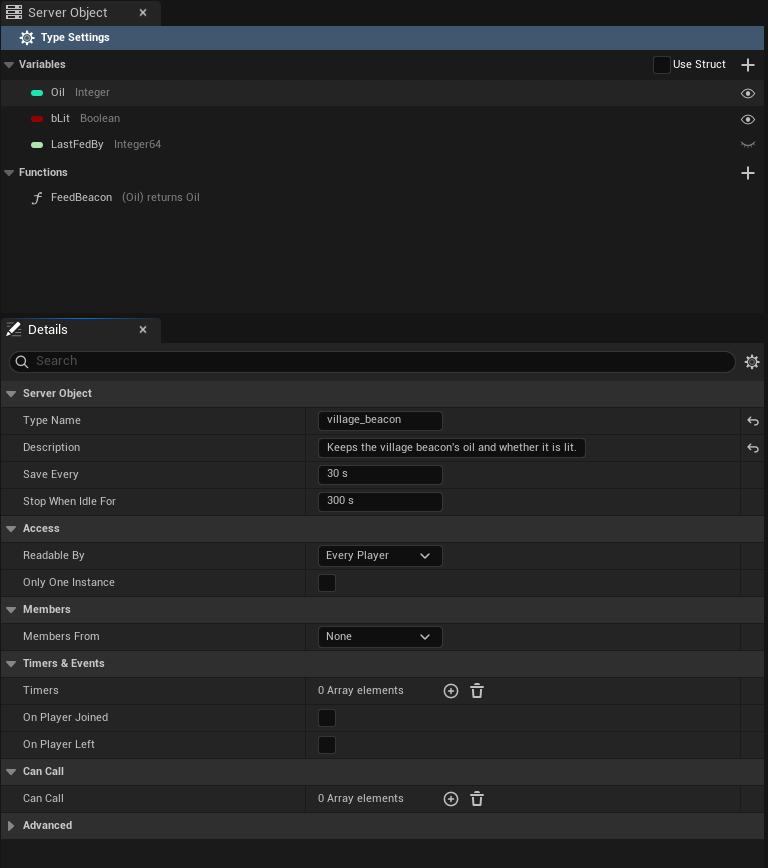
Then pick the asset in the beacon's **Beacon Definition** slot in the level's Details panel; see [Get a Server Object](./from-cpp/get-a-server-object.md).
## Variables, inputs and outputs, or a struct
The variables, and each function's inputs and outputs, can each be added right in the asset, as above, or taken from a `USTRUCT` of your own. Tick **Use Struct** in the section's header to take a struct: for the Variables, pick it as **State Struct** in Details with **Type Settings** selected; for a function's Inputs or Outputs, the list gives way to an **Input Struct** or **Output Struct** picker, where None sends or replies nothing. The beacon's structs:
```cpp
// VillageBeacon.h
// Everything the server keeps for one village's beacon; only the watched fields ever reach a player.
USTRUCT(BlueprintType)
struct FVillageBeaconState
{
GENERATED_BODY()
UPROPERTY() int32 Oil = 50;
UPROPERTY() bool bLit = true;
UPROPERTY() int64 LastFedBy = 0;
};
USTRUCT(BlueprintType)
struct FFeedBeaconParams
{
GENERATED_BODY()
UPROPERTY() int32 Oil = 10;
};
USTRUCT(BlueprintType)
struct FFeedBeaconReply
{
GENERATED_BODY()
UPROPERTY() int32 Oil = 0;
};
```
With **Use Struct** ticked, the Server Object panel lists the struct's fields as the variables, each with its type and eye, but they are renamed and retyped in the struct, not in the asset.
Both travel exactly alike, so the server code and the saved data do not care which you chose. The generated server code gives the ones added in the asset the names the structs would have, `VillageBeaconState`, `FeedBeaconParams` and `FeedBeaconReply`, so the beacon's `logic.rs` is the same either way.
The C++ on the following pages uses these structs. With variables, inputs and outputs added in the asset there is no struct, so C++ reads and sends them by name instead: see [Read and follow its variables](./from-cpp/read-and-follow-variables.md#read-the-values) and [Call its functions](./from-cpp/call-functions.md#call-one-with-inputs-added-in-the-asset). Keep a struct when the same values are shared by several types or functions, when you may rename a field and want to keep its saved value with [Field Names](#every-setting), or when your C++ uses the struct elsewhere.
## The asset editor
Double-click a definition in the Content Browser and it opens in its own editor, laid out like the Blueprint editor and using its words, not as a plain property list. The editor has a toolbar and three tabs.
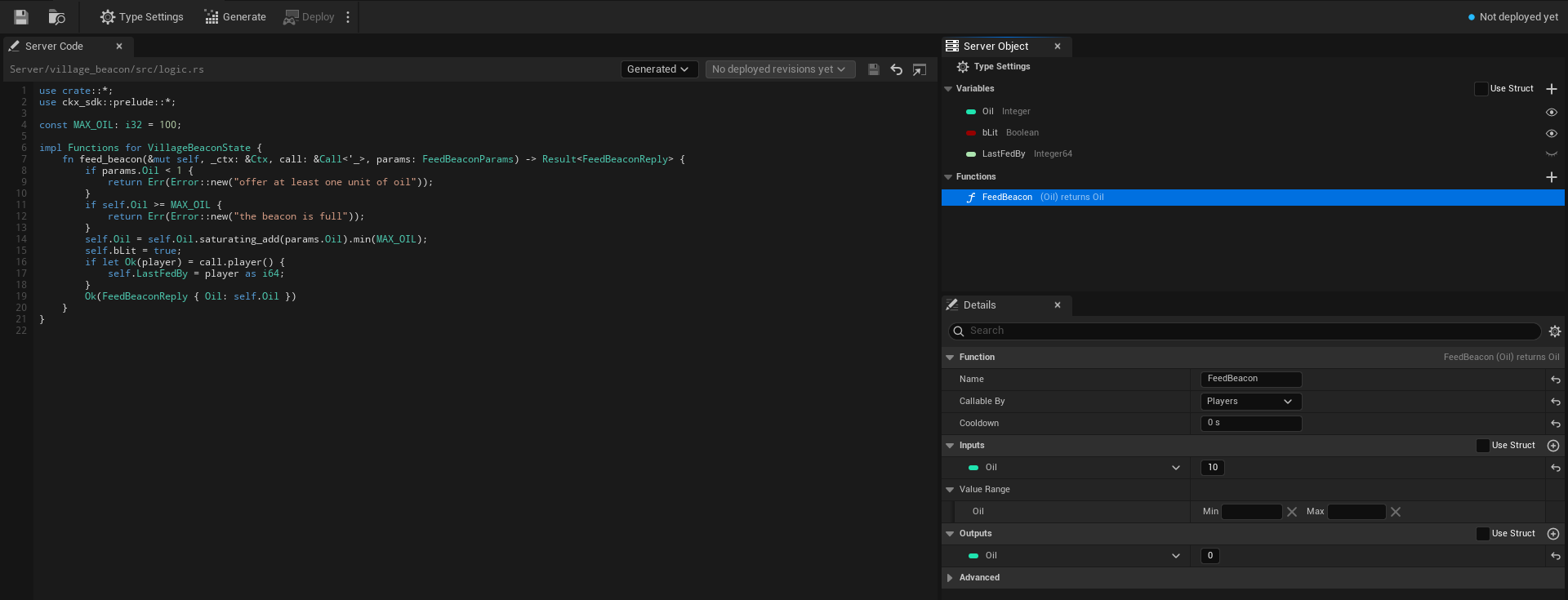
### The toolbar
After the usual **Save** and **Browse** buttons the toolbar holds:
- **Type Settings**, a toggle that selects the **Type Settings** row of the Server Object panel from anywhere, so Details shows the type's own settings.
- **Generate** writes the type's server code, the same as the Content Browser command. Its tooltip reads "Writes this type's server code under `Server/`; your logic file is never replaced".
- **Deploy** builds and deploys every Server Object type in the project together, since a deploy replaces the app's whole version, and asks first. See [Server Compute](./deploy-with-server-compute.md#deploy).
- A small arrow beside Deploy opens a menu with two entries. **Open Server Compute** opens [Crowdy Studio](../studio/overview.md) on the Server Compute page itself (it opens on Sign In first when nobody is signed in, and shows the page after). **Show build output** opens a **Build Output** window with what the last build of this session printed; it is disabled until a build has printed something.
- A **status readout** at the right: a coloured dot and one line saying where the type stands. Hover it for the reason.
Generate is disabled until the Type Name is valid. Deploy is disabled until the Type Name is valid, while another definition has the same Type Name, while another operation runs, and while nothing in the project has changed since the live version. While a deploy runs, its progress line takes the place of the status readout.
The readout says:
| Readout | Meaning |
|---|---|
| **Ready** | The server code on disk matches this definition. It is compared with the live version once [Server Compute](./deploy-with-server-compute.md) has read it, which needs you signed in to Crowdy Studio. |
| **No changes**, then "live in version 7" (green dot) | The live version runs this code with these settings. |
| **Changed since version 7 (server code, save interval)** (yellow dot) | Version 7, the live one, runs something else. The brackets say what: server code, save interval or idle timeout. |
| **Not deployed yet** (blue dot) | The live version does not run this type. Deploy adds it. |
| **Live code unknown**, then "app version 7" (yellow dot) | The live version runs code this project has no record of, for example deployed from another copy of the project. |
| **Needs generating**, **Out of date** (yellow dot) | The type's server code has to be generated, or generated again; see [Write its server logic](./write-server-logic.md#the-server-code-tab). |
| **Problem: ...** (red dot) | The definition fails its checks, or another definition has the same Type Name (see [Two definitions with one Type Name](#two-definitions-with-one-type-name)). The reason follows the colon. |
### The three tabs
- **Server Code**, the large tab on the left: the path of the Server Functions file, the Code Source choice (**Generated** or **My Own File**), the deployed revisions, and the code itself with line numbers, Rust colouring, **Save**, **Revert** and an external-editor button. It is described on [Write its server logic](./write-server-logic.md#the-server-code-tab).
- **Server Object**, top right, where My Blueprint is in the Blueprint editor: the type's variables and functions.
- **Details**, bottom right: the settings of whatever is selected in the Server Object panel.
The tabs dock and rearrange like any editor tab, for example to put the code above the rest; the editor remembers the layout.
### The Server Object panel
The panel starts with a pinned row, **Type Settings**, with a gear icon. It is selected when the asset opens, and selecting it shows the type's own settings in Details. Below it are two sections.
- **Variables**, with a **Use Struct** check-box and a **+** button in its header. Each row shows the variable's type as a coloured pill, the way a Blueprint variable does, its name, its type name (Integer, Boolean, String) and an eye. An open eye is **Visible to Players**: players can read and watch it. A closed eye is **Server Only**: it never leaves the server. Click the eye to switch it. With Use Struct ticked the + button is hidden and the rows are the struct's fields.
- **Functions**, with a **+** button in its header. Each row shows the function's name and its pins the way its node reads, inputs in brackets, then "returns" and the outputs, so `FeedBeacon` reads `(Oil) returns Oil`; a struct shows as its name. A **Server Only** tag follows when only server code may call it (see [Callable By](#callable-by)). Double-click a function to jump the Server Code tab to its `fn` in `logic.rs`. When **Members From** is **This Object**, a **Built-in** section lists **Join**, **Leave**, **Add Member**, **Remove Member**, **Make Leader** and **Set Open for Joining**, greyed out: they cannot be edited or deleted. Each shows its inputs the way a function row does, such as **Add Member (Player)**. See [Members](./access-members-and-timers.md#members).
Right-click a section's header for **Add Variable** (while Use Struct is clear) or **Add Function**, a function for **Duplicate** and **Delete**, and a variable added in the asset for **Delete**. The Delete key deletes the one selected. New variables are Integers named `NewVar`, then `NewVar_1` and on; new functions are named `NewFunction`, and new inputs and outputs `NewParam`.
A warning icon after a name means the variable or function fails a [check made when you save](#checks-when-you-save); hover it to read the problem.
### The Details tab
Details follows the selection in the Server Object panel.
**With Type Settings selected** it shows the type's own settings: **Type Name**, **Description**, **State Struct** (only when the Variables use a struct), **Save Every** and **Stop When Idle For**, both always in seconds (such as 300 s), and a collapsed **Advanced** group with **Server Names** (**Field Names** and **Enum Value Names**) and **Baked**. Four categories hold the settings for who may do what: **Access** (**Readable By**: **Every Player**, **Owner Only** or **Members**), **Members** (**Members From**, **Max Members**, **Show Members to Players**, **Remove Members Who Leave**), **Timers & Events** and **Can Call**. They are described on [Access, members and timers](./access-members-and-timers.md). See [Every setting](#every-setting).
**A variable** shows **Variable Name**, where you rename it, **Variable Type**, and **Visible to Players**, the same switch as the eye. Variable Type is Unreal's Blueprint type picker, offering only the types a Server Object can carry (see [Field types](#field-types)). Below them a **Default Value** section holds the variable's starting value, where a new Server Object starts. A variable from a struct shows its name and type read only; change them in the struct.
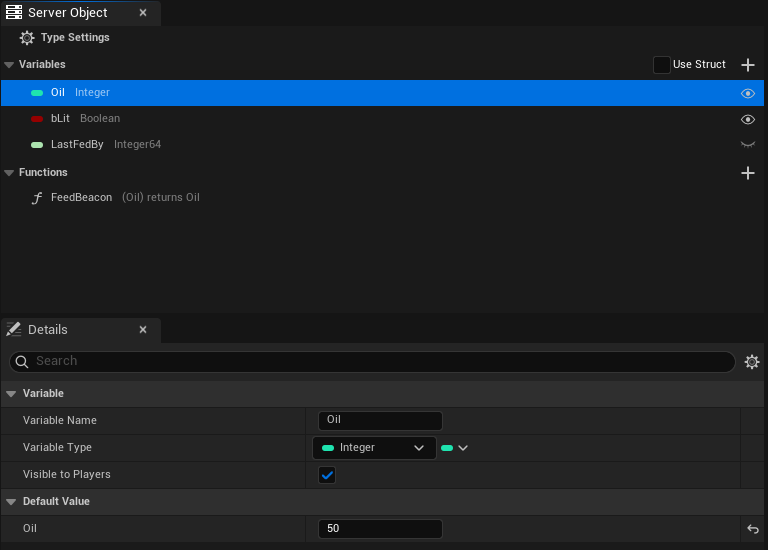
**A function** shows:
- a **Function** section whose header reads the node line, for example `FeedBeacon (Oil) returns Oil`, with **Name**, the name your C++ passes to `Call`, **Callable By** (**Players**, **Members**, **Leader** or **Server Only**) and **Cooldown**, in seconds;
- **Inputs**, what the caller sends, and **Outputs**, what the server answers with. Each has a **Use Struct** check-box and a **+** button in its header, and lists its pins the Blueprint way: type pill, name and default value on each row, with a drop-down to change the type, and rename, delete and drag to reorder. An empty one says "No inputs: the caller sends nothing. Add one with the + button." or "No outputs: the function replies nothing. Add one with the + button." Ticking Use Struct swaps the list for an **Input Struct** or **Output Struct** picker. A number input also gets a **Value Range** under Inputs, two boxes labelled **Min** and **Max** that the server holds callers to; see [Value Range](./access-members-and-timers.md#value-range);
- a collapsed **Advanced** section with the **Server Name**, the [name the function has on the server](#every-setting).
**Code Source** and the logic file are not in Details: they are on the Server Code tab, beside the code they choose.
### Type Name
The Type Name box checks what you type as you type it and says what is wrong: "Needed: the type's name on the server.", "At most 48 characters.", "Start with a lowercase letter." or "Use only lowercase letters, digits and underscores." The problem appears under the box with a warning icon. The value is stored when you press Enter or leave the box. When there is a problem and the asset's name gives a better idea, a **Use village_beacon** link beside it sets the Type Name from the asset name ("Sets the Type Name from the asset's name"): `CSO_VillageBeacon` becomes `village_beacon`, dropping the `CSO_` (or the `DA_` of an older asset) and putting an underscore where each word starts.
### Callable By
**Callable By**, in a function's Details, decides whether a player may call it.
| Choice | What happens |
|---|---|
| **Players** | Players can call it, and so can other server code and developer tools. |
| **Members** | Members of the Server Object can call it. Needs **Members From**; see [Members](./access-members-and-timers.md#members). |
| **Leader** | Only its leader can. Needs **Members From**. |
| **Server Only** | Only other server code and developer tools can. **A player's call is refused**, and the caller's `OnDone` sees the `Denied` outcome, with a `Reason` such as "players may not call this function"; see [Troubleshooting](./troubleshooting.md#refusals-from-your-server-code). The function's row in the Server Object panel carries a **Server Only** tag. |
Other server code and developer tools may call every function whatever it says.
Server Only is for functions that should never be reachable from a game client, such as a payout your own server code triggers or an administrative reset. The check is made on the server, so a modified game client cannot get around it.
### Two definitions with one Type Name
Two definitions cannot use the same Type Name, since both would write the same `Server//` folder and become the same type on the server. When another definition has the Type Name, the Type Name row says "Another definition already uses this Type Name; give this one its own.", the status readout reads **Problem** followed by the same text, **Generate** and **Deploy** are disabled, and the list of deployed revisions is hidden, until one of them is renamed. [Server Compute](./deploy-with-server-compute.md#deploy) refuses to deploy too, naming both assets: "Two Server Object types are named village_beacon (...) and (...); each needs its own Type Name".
## Every setting
The platform term is in brackets, for when you read the platform's own [ck-exec pages](/exec/intro) or its logs. Where the editor labels a setting differently from its C++ name, the label is given too.
**Server Object**
- **Type Name** [node type]: the type's name on the server. Lowercase letters, digits and underscores, starting with a letter, at most 48 characters, and unique in your project.
- **Description**: what this type is for, in a sentence. It is shown beside the type on the [Server Compute](./deploy-with-server-compute.md#overview) page. It is for you and your team: it is not sent to the server, and it is not part of a packaged game.
- **Visibility** (`ECrowdyServerObjectVisibility`, labelled **Readable By**): who may see the values.
- **Public** (**Every Player**): every player can read the variables visible to players and is told of each change.
- **Owner Only**: each Server Object belongs to one player. Its Instance Id is that player's user id, and only that player can read its values or call its functions. See [Owner Only types](./from-cpp/get-a-server-object.md#owner-only-types).
- **Members**: only the Server Object's members read its values; anyone can still see who the members are and join. Needs **Members From**. See [Readable By](./access-members-and-timers.md#readable-by).
- **Only One Instance** (`bOnlyOneInstance`): one shared instance for every player, like a registry or a world event; nothing picks an instance. See [Only One Instance](./access-members-and-timers.md#only-one-instance).
- **Members From**, **Max Members**, **Show Members to Players**, **Remove Members Who Leave**, **Timers**, **On Player Joined**, **On Player Left** and **Can Call**: the settings on [Access, members and timers](./access-members-and-timers.md). Members From is **None**, **This Object** or **Crowdy Team**.
- **State Form** (`StateForm`, an `ECrowdyServerValuesForm`, shown as the Variables' **Use Struct** check-box): **Struct** (Use Struct ticked) or **Variables** (`List` in C++), added in the asset. The one not chosen is kept but not used.
- **State** (labelled **State Struct**) [the hub's state, kept in its snapshots]: the struct holding everything the server keeps for one Server Object, when the Variables use a struct.
- **State List** (`StateList`, an `FInstancedPropertyBag`, labelled **Variables**): the variables added in the asset, each with its default value, where a new Server Object starts. In the generated server code they are a struct named after the Type Name in PascalCase plus `State`, so `village_beacon` gives `VillageBeaconState`.
- **Watched Fields** [the `state` topic] (labelled **Visible to Players**; the eyes): the variables players can read and watch, by the name the editor gives them. The others never leave the server.
- **Functions** [methods]: what players, other server code and developer tools can ask the Server Object to do. Each, an `FCrowdyServerFunction`, has:
- **Name**: the name your C++ passes to `Call`.
- **Server Name** (in the function's **Advanced** section) [method name]: the function's name on the server. Empty uses Name in snake case, so `FeedBeacon` becomes `feed_beacon`. Lowercase letters, digits and underscores, starting with a letter, at most 64 characters; `read` is reserved.
- **Params Form** (`ParamsForm`, shown as the Inputs' **Use Struct** check-box): **Struct** or **Variables**, added in the asset.
- **Params** (labelled **Input Struct**): the struct the caller sends, when the Inputs use a struct. None sends nothing.
- **Params List** (`ParamsList`, labelled **Inputs**): the inputs the caller sends, with their default values. No inputs sends nothing. In the generated server code they are a struct named after the function plus `Params`, such as `FeedBeaconParams`, with the default values as its defaults.
- **Reply Form** (`ReplyForm`, shown as the Outputs' **Use Struct** check-box): **Struct** or **Variables**.
- **Reply** (labelled **Output Struct**): the struct the server answers with, when the Outputs use a struct. None answers nothing.
- **Reply List** (`ReplyList`, labelled **Outputs**): the outputs the server answers with. No outputs answers nothing. In the generated server code they are a struct named after the function plus `Reply`, such as `FeedBeaconReply`.
- **Who Can Call** (`ECrowdyServerFunctionCaller`, labelled **Callable By**): **Players** lets players call it; **Members** and **Leader** limit it to the members or the leader; **Server Only** refuses a player's call, and only other server code and developer tools can call it. See [Callable By](#callable-by).
- **Cooldown** (`CooldownSeconds`): how long one player waits between two calls that succeeded; 0 for none. See [Cooldown](./access-members-and-timers.md#cooldown).
A function added with **+** starts with its inputs and outputs added in the asset, and none of either.
Variables, inputs and outputs added in the asset can be any type the Blueprint type picker offers there: booleans, integers, floats and doubles, names, strings, enums, structs, soft object and soft class paths, and arrays, sets and maps of those. Text, object, class and interface references, `FInstancedStruct` and `FGameplayTagContainer` are not offered, since a Server Object cannot carry them.
Variables, inputs or outputs share one struct in the generated server code when they have the same names, types and order and one was copied from the other, which keeps each value's hidden id. Lists you built separately in the editor never share, even if they look alike. The first of the sharing Lists keeps the struct, counting the variables first, then the functions in order with inputs before outputs. Each of the others that starts with the same values gets its own name as a type alias, so `logic.rs` can still use it: in the [tip jar](./examples/tip-jar.md), the Tip output (`Total`, starting at 0) is `pub type TipReply = TipJarState;`, because the jar's `Total` also starts at 0. A List that has the same shape but starts with different values gets its own struct with its own defaults. In the village beacon, the beacon's `Oil` starts at 50, so the FeedBeacon input (`Oil`, starting at 10) and output (`Oil`, starting at 0) are each their own struct, and code that used one for the other no longer builds. Generate shows a notice when a List switches between the two, such as "TipReply is now its own struct, since its starting values differ from those of TipJarState; code that uses one for the other no longer builds." In Unreal each function keeps its own default values: **Make Inputs**, the call nodes and a reply that leaves a value out use that function's. In the generated server code the defaults matter only when an older client leaves out a value it does not know yet.
**Save and stop** (with the type's own settings)
- **Save Interval Seconds** [`persist_every_ms`] (labelled **Save Every**): how often the server saves a running Server Object, 5 to 60 seconds, default 30. After a crash it starts again from its last save, so at most this much is lost.
- **Idle Timeout Seconds** [`evict_after_ms`] (labelled **Stop When Idle For**): how long a Server Object nobody uses keeps running before the server stops it, 1 to 1800 seconds, default 300. The next use starts it again from its last save.
**Server Names** (in the Advanced group)
- **Field Names**: keeps a field's name on the server when you rename the field in Unreal. Each entry, an `FCrowdyServerFieldName`, names the struct, the field as the struct now names it, and the Server Name to keep. You pick the struct, then the field from a list of that struct's fields, so there is nothing to spell. For variables, inputs and outputs added in the asset, use **List Value Names**.
- **Enum Value Names**: the same for an enum value, each entry an `FCrowdyServerEnumValueName`: pick the enum, then the value from a list of its values.
- **List Value Names**: the same for a variable, input or output added in the asset, each entry an `FCrowdyServerListValueName`: pick the List (the variables, or a function's inputs or outputs), then the value, and the Server Name to keep. An entry follows its value through later renames, since it records the value's id, not its name. You rarely add one yourself: Generate Server Code adds it when you choose to keep a renamed value's old name (see [After you change the definition](./write-server-logic.md#after-you-change-the-definition)). An entry stops applying when its function is renamed; Generate then asks again.
In both, the second list stays empty until the first is chosen ("Choose the struct first", "Choose the enum first"), a list with nothing to offer says "Nothing to pick", an entry still to be filled in reads "None", and one whose struct, field, enum, value or List is gone reads its name followed by "(missing)" ("Unknown value (missing)" for a List value, which is kept by its id). A Blueprint enum's values are listed by the names the editor shows.
**Server Code** (set on the editor's Server Code tab, not in Details)
- **Code Source**: where this type's Server Functions come from. **Generated** (the default) uses `Server//src/logic.rs`, the file Generate Server Code writes once and never replaces. **My Own File** uses a `.rs` file of your own instead, for example one shared in your repo. It is the combo beside the file's path on the tab. In C++ the choice is the enum `ECrowdyServerCodeSource`, with the values `Generated` and `OwnFile`.
- **Logic File**: your `.rs` file, relative to the project folder, chosen with the folder button on the Server Code tab. The button is shown, and the file used, only when Code Source is My Own File; with My Own File and no file chosen, the type cannot be generated or deployed, and the messages say "Code Source is My Own File but no file is chosen". The tab shows the file's state and code; see [Write its server logic](./write-server-logic.md#the-server-code-tab) and [Use your own logic file](./write-server-logic.md#use-your-own-logic-file). Both settings are editor-only, like the Description.
**Baked** (in the Advanced group, read only)
- **Baked Structs** and **Baked Enums**: the field and value tables the SDK uses at runtime, rebuilt every time you save the asset. You never edit them.
## Checks when you save
Saving the asset, and the editor's **Validate Data**, check the whole definition and list every problem at once, naming the struct and field (or the function) each is about: a Type Name or Server Name that breaks the rules, two functions or two fields with the same name on the server, a variable visible to players that is not in the State struct, and any field of a type a Server Object cannot carry. The Server Object panel puts a warning icon on the variable or function a problem is about. A definition with a problem cannot be used until it is fixed.
Variables, inputs and outputs added in the asset are checked the same way, named by the name the server code gives them, for example "FeedBeaconParams.Label: text is not supported; use FString". Two more checks are about them only:
- "Add at least one variable, or use a State struct": the Variables are added in the asset and there are none.
- "Two lists are named FeedBeaconParams; give their functions different names": two functions with the same Name both have inputs (or outputs) added in the asset, which would give the server two structs with one name.
Field names on the server are your C++ member names (`Oil`, `bLit`), or a Blueprint struct's field names with every character other than letters, digits and underscores removed (`Max Health` becomes `MaxHealth`). Two fields whose names differ only in case are refused.
:::warning[After you change a struct, save the definition again.]
The tables in the asset describe the structs as they were when it was saved. If a struct gains or loses a field and the asset is not saved again, acquiring a Server Object of that type fails with a message saying the struct has changed since the definition was saved. Every cook saves it again, so this bites in the editor, not in a packaged game.
:::
## Field types
| Type | Notes |
|---|---|
| `bool`, `uint8`, `int32`, `int64`, `float`, `double` | C++ also allows `int8`, `int16`, `uint16`, `uint32`, `uint64`. |
| `FString`, `FName` | Use `FString` for text the server makes up or players choose (names, messages). |
| Enums | Travel by the value's name, so reordering values is safe. |
| Nested `USTRUCT`s | |
| `TArray`, `TSet`, `TMap` | Set elements and map keys must be strings, names, integers or enums. |
| `TOptional` | C++ only. |
| `FVector`, `FVector2D`, `FIntPoint`, `FIntVector`, `FRotator`, `FQuat`, `FLinearColor`, `FColor` | |
| `FDateTime`, `FTimespan` | To the millisecond. |
| `FGuid`, `FGameplayTag` | A tag this build does not know fails to decode. |
| `TSoftObjectPtr`, `TSoftClassPtr`, `FSoftObjectPath` | The path only; nothing is loaded. |
:::warning[Keep server-made text in FString, not FName or a soft path.]
Every `FName` and soft object path the server sends becomes a permanent name in the engine, never freed, so a client accepts at most 1 Mi (1,048,576) characters of new names (Name values and soft object path parts it has not seen before) from the server per run. Past that, a new Name reads as None and an object path made of new names reads as empty; the rest of the message still applies, a map or set entry whose key was skipped is dropped, and the client logs one warning. The text "None" never counts. A variable holding player-chosen names or free text should be a String (`FString`). Keep `FName`, enums, gameplay tags and soft paths for values drawn from a fixed set your game already knows.
:::
Refused: object, class, weak and interface references, `FText`, `FInstancedStruct`, `FGameplayTagContainer` (use a `TArray` of `FGameplayTag`), fixed-size arrays, delegates, and field paths. Editor-only, deprecated and `Transient` properties never travel.
## Changing a type later
A Server Object's state outlives the code that wrote it, so some changes are safe and some are not.
| Change | What happens |
|---|---|
| Add a field | Safe. Older saves and older clients leave it at its default. |
| Remove a field | Safe. The server drops it from its saves. |
| Rename a field | The server sees one field removed and another added, and the old value is lost. Keep the old name under **Field Names** instead. |
| Rename a variable, input or output added in the asset | Generate Server Code notices the rename and asks whether to keep the old name on the server. Keep it and saved values carry over (a **List Value Names** entry holds the old name); rename it on the server and the old value is lost, as with a field. |
| Change a field's type | Refused when the value is read, and a save holding the old type cannot be loaded. Add a new field instead. |
| Reorder enum values | Safe: values travel by name. |
| Add an enum value | An older client reads the new value as the field's default and logs a warning; older server code refuses it. |
| Remove or rename an enum value | A save holding it cannot be loaded. Keep the old name under **Enum Value Names**, or stop using the value before you remove it. |
After any change, the server code has to be generated and deployed again for the server to know it; see [After you change the definition](./write-server-logic.md#after-you-change-the-definition).
## Related
- [Access, members and timers](./access-members-and-timers.md): who may read and call, members, timers, and calling other types
- [Write its server logic](./write-server-logic.md): generating the type's server code from this asset, and the Server Code tab
- [Get a Server Object, from Blueprint](./from-blueprint/get-a-server-object.md) and [from C++](./from-cpp/get-a-server-object.md): using the type in a game
- [Unreal and ck-exec names](./unreal-and-ck-exec-names.md)
- [ck-exec overview](/exec/intro): hubs, snapshots and the manifest these settings become
# Access, members and timers
Source: https://docs.crowdedkingdoms.com/unreal-sdk/exec/access-members-and-timers
# Access, members and timers
:::note
Server Objects run on [ck-exec](/exec/intro).
:::
Some rules are the same in every game: only the players of a team may spend the team's gold, a match starts once and only its leader starts it, a purchase can be made once a minute. You can write each of them in `logic.rs`, or you can set them in the [definition asset](./create-a-type.md) and let the server code the editor generates enforce them before your code runs. Then `logic.rs` holds only the rules that are truly yours.
The settings fall into four groups in the asset's Details tab, each in its own category:
- **Access**: who can read a Server Object, who can call each Server Function, how often, and with what values.
- **Members**: who belongs to a Server Object.
- **Timers & Events**: things the server does on a clock, and when a player arrives or leaves.
- **Can Call**: the other Server Object types this one's server code may call; see [Call other Server Objects](#call-other-server-objects).
After you change any of these, [generate the server code](./write-server-logic.md#after-you-change-the-definition) and deploy it again, since the server enforces them.
Two examples in Oakford's world use every group; see [Guild halls and arena lobbies](./examples/guild-halls-and-arenas.md).
## Access
### Readable By
**Readable By** is on the type: select **Type Settings** in the Server Object panel. It says who can read the variables that are [Visible to Players](./create-a-type.md#the-details-tab) and is told when they change.
| Choice | Who reads the variables |
|---|---|
| **Every Player** | Any player. |
| **Owner Only** | The one player who owns it. Its Instance Id is that player's user id. See [Owner Only types](./from-cpp/get-a-server-object.md#owner-only-types). |
| **Members** | The members of the Server Object. Anyone can still see who the members are and whether joining is open, so a player who is not a member can find it and join. **Members** needs **Members From**. |
With **Members** or **Owner Only** the server does not send a change's values to everyone. It tells the watchers that something changed, and each reads the values again. That is fine for a team of five; for a big group, use **Every Player**. See [Large groups](#large-groups).
### Callable By
**Callable By** is on each function, in its Details.
| Choice | Who may call it |
|---|---|
| **Players** | Any player. |
| **Members** | A player who is a member of this Server Object. |
| **Leader** | The leader of this Server Object. |
| **Server Only** | No player. Only other server code and developer tools. |
Other server code and developer tools may call every function whatever it says. **Members** and **Leader** need **Members From**. The check is made on the server, so a modified game client cannot get around it.
### Cooldown
**Cooldown**, in seconds, sits beside **Callable By**. It is how long one player waits between two calls of that function that succeeded; 0 means no wait. A call inside the wait is refused, and the refusal is retryable: "Feed can be called again in 4 s". A call that failed does not start the wait. Each player has their own wait, and the server remembers the last calls of up to 10,000 players per function.
### Value Range
**Value Range** limits a number a caller sends. Select an **Input** of a number type in the function's Details and fill in the two boxes under **Value Range**, **Min** and **Max**, both optional. A call with a number outside them is refused before your code runs: `bad_params: Amount must be 1 to 100`.
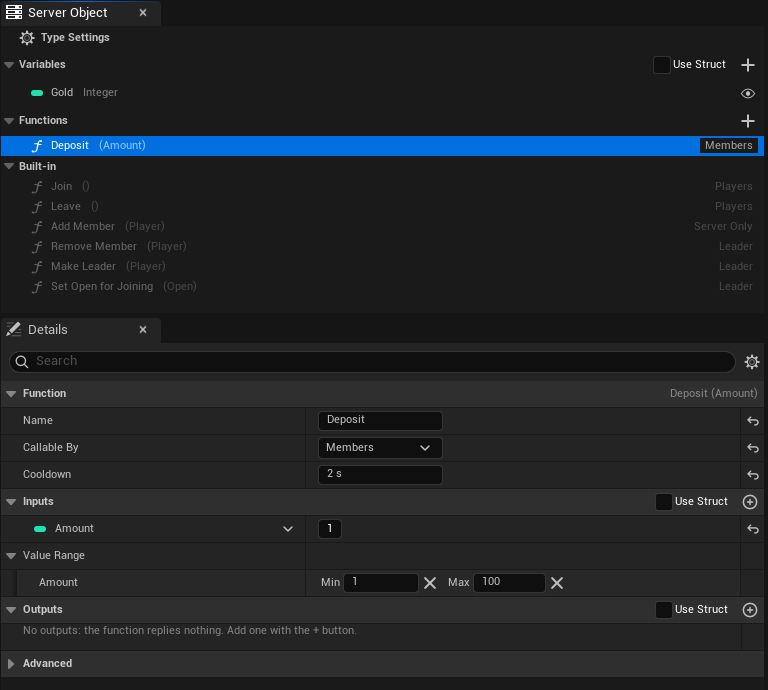
For an input taken from a struct, set the range on the struct's field with `meta = (ClampMin = 1, ClampMax = 100)`; the two ways read the same. The range is read when the server code is generated, so generate and deploy again after changing it. Only number inputs can have one.
### Only One Instance
**Only One Instance** is on the type, in **Access**, beside **Readable By**. Tick it for one shared instance for every player, like a registry or a world event: a list of the world's open arenas, the day's festival. Nothing picks an instance, so no Instance Id is needed anywhere.
- In Blueprint, the [typed nodes](./from-blueprint/get-a-server-object.md#where-the-object-comes-from) for the asset need neither a **Target** nor a **Find By Asset** choice. Place the node and use it. A **Crowdy Server Object** component with the asset joins the one object whatever its **Instance Mode** says.
- From C++, acquire it with any Instance Id, or an empty one; the subsystem uses the one object.
- The generated server code refuses a call for any other instance with `denied`, so a stray tool cannot make a second one.
- It cannot be combined with **Readable By** set to **Owner Only**, whose Instance Id is each player's user id, or with **Members From** set to **Crowdy Team**, whose Instance Id is the team id. The asset says so when you save it.
Ticking or clearing it changes which object players reach, so generate and deploy the type again. Data saved under the old Instance Id is not moved to the new one.
## Members
**Members From** is on the type. It decides who belongs to the Server Object.
| Choice | Members are |
|---|---|
| **None** | Nobody. There are no members, and saving refuses **Members** in **Readable By** and **Members** or **Leader** in **Callable By**. |
| **This Object** | Players the Server Object keeps itself. Players **Join** and **Leave**. |
| **Crowdy Team** | The members of a [Crowdy Team](../services/teams.md) whose id is the Server Object's Instance Id. |
### This Object
The Server Object keeps its members, their order of joining, its leader and whether joining is open, and saves them with its variables. Set:
- **Max Members**: the most members it takes. It is 100 unless you change it. 0 means no limit, and needs **Show Members to Players** off.
- **Show Members to Players**: on by default. Players can read who the members are. Turn it off for a large group: players then get only the number of members, and **Max Members** may be 0 or any size. With it on, **Max Members** must be 1 to 4,096.
- **Remove Members Who Leave**: on by default. A member who leaves the game, once their last connection to the Server Object closes, stops being a member. Turn it off to keep a member listed while they are away.
The panel's **Built-in** section then lists six functions, greyed out, each with its inputs as a function row shows them, such as **Add Member (Player)**: you cannot edit or delete them, and you cannot make a function of your own with the same name. They work like any Server Function: call them from Blueprint with **Make Inputs** and **Call Server Function**, or from C++ with `Call`.
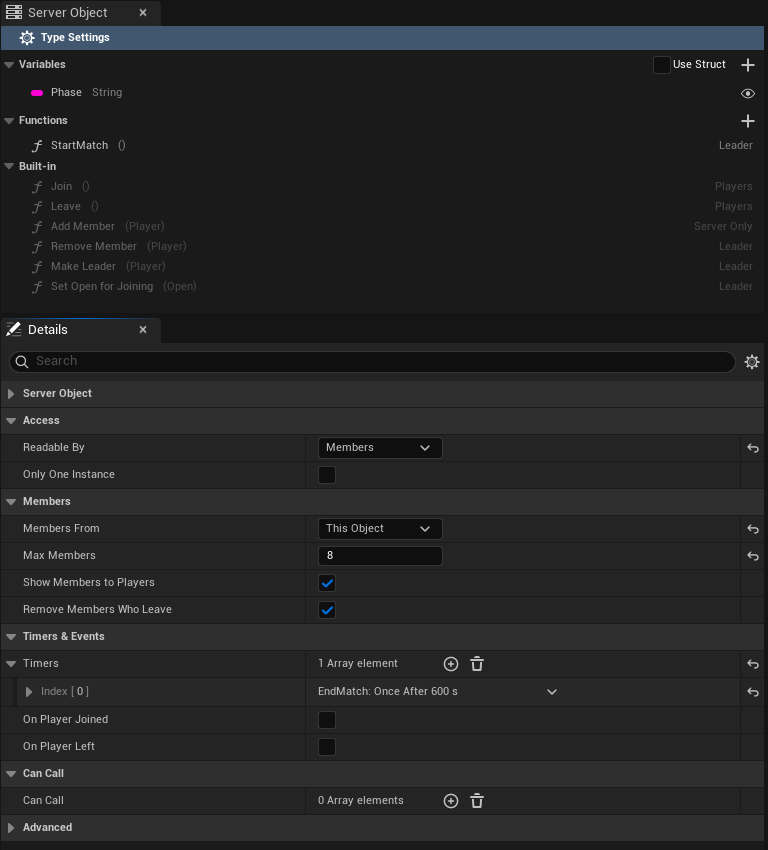
| Function | Inputs | Who may call it | What it does |
|---|---|---|---|
| **Join** | none | Any player | Adds the caller. Refused with "It is full" at **Max Members** and "It is not open for joining" while joining is closed. A player who is already a member succeeds. |
| **Leave** | none | Any player | Removes the caller. A player who is not a member succeeds. |
| **Add Member** | `Player` (Integer64) | Server code only | Adds that player, with the same limits as Join. |
| **Remove Member** | `Player` | The leader, or server code | Removes that player. |
| **Make Leader** | `Player` | The leader, or server code | Makes that member the leader. Refused for a player who is not a member. |
| **Set Open for Joining** | `bOpen` (Boolean) | The leader, or server code | Opens or closes joining. |
**Add Member** exists so that one type can seat players in another, as a registry does; see [Guild Halls](./examples/guild-halls-and-arenas.md#guild-halls).
The inputs of **Add Member**, **Remove Member** and **Make Leader** are the struct `FCrowdyServerMemberInputs`, whose one field is `Player`. The input of **Set Open for Joining** is `FCrowdyServerOpenInputs`, whose one field is `bOpen`.
### The leader
- The first member to join is the leader.
- When the leader leaves or is removed, the member who has been a member longest becomes the leader.
- An object with no members has no leader.
- **Make Leader** hands the lead to another member.
### Open for joining
A Server Object with members kept by itself also has **Open For Joining**, which starts true. While it is false, **Join** and **Add Member** are refused. The leader closes it with **Set Open for Joining**, and your code closes it with `members::set_open(false)`, for example when a match starts. It opens again by itself when the last member leaves, so nobody can close an empty object for good. Everyone can read it, and a registry reads it to skip a match that has already started.
### What a player who is not a member sees
With **Readable By** on **Members**, a player who is not a member can still acquire the Server Object. They read the member count, the leader, **Open For Joining** and, with **Show Members to Players** on, the list of members, so they can decide to join. The variables stay at their defaults, **Is Member** is false, and any function whose **Callable By** is **Members** or **Leader** is refused. With **Show Members to Players** off they see the count, not the list. After a successful **Join** the game reads again and they see everything.
### Crowdy Team
With **Crowdy Team**, the platform's teams own joining, roles and the size of the team. The Server Object keeps no members. Players join and leave through the **Teams** nodes ([Create Team, Join Team, Request to Join Team, Leave Team](../services/teams.md)); the Server Object asks the platform who belongs.
- The Instance Id is the team's id, written in digits. Anything else is refused, as is **Crowdy Team** with **Readable By** on **Owner Only**.
- **Members** means the team's members.
- **Leader** means a member who can manage the team, which the team's leader role can.
- The six built-in functions do not exist, and there are no `Members`, `MemberCount`, `Leader` or `OpenForJoining` variables. **Is Member** and **Is Leader** work as they do for This Object.
- If the platform cannot answer who a player is, the call is refused: "membership could not be checked", with the reason after it.
Give an actor the Server Object of the player's team with the component's **Player's Team** mode; see [Add the component](./from-blueprint/get-a-server-object.md#add-the-component).
## Timers and events
Under **Timers & Events**, a **Timer** is something your Server Object does on a clock, each with:
- **Name**: what it is called. Not empty, unique, and not the name of a function.
- **Runs**: **Every**, which runs again and again, **Time** apart, or **Once After**, which runs once, **Time** after it starts. In C++ this is the enum `ECrowdyServerTimerRepeat`, with the values `Every` and `After`.
- **Time**: in seconds, at least 0.01.
- **Start Automatically**: on by default. It starts when the Server Object first starts. With it off, your code starts it.
Each timer's row is titled with its name and when it runs, such as "Respawn: Once After 10 s".
Each timer is a function in `logic.rs`, named after it in snake case, so a timer named `EndMatch` is `end_match`. It changes the variables the same way a Server Function does, and its changes reach the watchers.
```rust
fn end_match(&mut self, _ctx: &Ctx) -> Result<()> {
self.Phase = "Ended".into();
Ok(())
}
```
Each timer's name is also a constant in the `timers` module, its function's name in capitals: `EndMatch` is `timers::END_MATCH`, which holds `"EndMatch"`. Start and stop one from your code with `timers::start(ctx, timers::END_MATCH)` and `timers::stop(ctx, timers::END_MATCH)`. Use the constant rather than typing the name: the name is matched exactly, capitals included, so `"end_match"` or a misspelling is only refused when the code runs, while a misspelt constant does not compile. A timer whose constant would be `QUEUED` is refused when you generate, since the timers code uses that name itself. Start uses the period set in the asset. Inside a Server Function they take effect only when that function succeeds. If the platform refuses a timer the function starts, the whole call is refused: nothing it changed is kept or published, any timer it already started in that call is cancelled, and the player sees `ServerError` with a reason such as `the change was not kept: timer EndMatch could not start: `.
The two **Events** are tick-boxes, **On Player Joined** and **On Player Left**. Each adds a function to `logic.rs`, `on_player_joined` and `on_player_left`, which get the player's user id. They count a player's connections to the Server Object, not its members. A player who opens the Server Object twice counts once: the first open runs `on_player_joined` and the last close runs `on_player_left`. When **Remove Members Who Leave** is on, the member is removed first and then `on_player_left` runs; it runs even when the player was never a member.
## Call other Server Objects
**Can Call**, in the **Can Call** category, is a list of other Server Object definitions. Each is a type this one's server code may call, from `logic.rs`. Add the definition assets of the types, never the type's own. The types deploy together, so the callee is there when the caller runs.
Each function of a listed type becomes a typed function in `logic.rs`, under `calls::::`. It takes the `Ctx`, the callee's Instance Id and its inputs, and returns its outputs:
```rust
let hall = format!("hall-{}", self.Halls);
calls::guild_hall::add_member(ctx, &hall, &calls::guild_hall::MemberInputs { Player: player })?;
```
A call from server code is not stopped by **Callable By**, so this is also how a **Server Only** function gets called. When the call fails, its error comes back to your code with the type and function in front, "guild_hall.add_member failed: It is full". Return it with `?` and the caller's player sees it as the reason their call failed. What the callee already changed stays changed even if your function then fails.
The first call to an instance that is just starting, such as a new match, can take longer than a call is allowed, and fails with "call deadline passed" although the callee may still finish it. A function that is safe to repeat, like **Add Member**, can simply be called again once:
```rust
let inputs = calls::guild_hall::MemberInputs { Player: player };
calls::guild_hall::add_member(ctx, &hall, &inputs).or_else(|_| calls::guild_hall::add_member(ctx, &hall, &inputs))?;
```
## What a refused player sees
A refused call reaches the caller's `OnDone`, or **On Failed** in Blueprint, with its **Outcome** and **Reason**. See [Troubleshooting](./troubleshooting.md#outcomes).
| Why | Outcome | Reason |
|---|---|---|
| **Server Only** function | Denied | players may not call this function |
| **Members** function, caller not a member | Denied | only members may call Deposit |
| **Leader** function, caller not the leader | Denied | only the leader may call StartMatch |
| Owner Only, not the owner | Denied | only the owner may use this Server Object |
| Team membership could not be checked | Denied | membership could not be checked, and the reason |
| **Cooldown** not over | Denied, **Retryable** | Feed can be called again in 4 s |
| **Value Range** | ServerError | `bad_params: Amount must be 1 to 100` |
| Join refused | ServerError | It is full, or It is not open for joining |
Denied is not retryable except for a cooldown: calling again will be refused the same way until something changes. A cooldown is retryable, and the number of seconds is rounded up.
## Large groups
A guild of hundreds or a match of thousands works, with care:
- Set **Readable By** to **Every Player** and **Show Members to Players** off, with **Max Members** as high as you need or 0. Players are then sent the member count, the leader and whether joining is open along with each change, and nobody re-reads. With **Members** or **Owner Only**, every change to a large group makes every member read again.
- With the list hidden, **Is Member** and **Is Leader** follow the player's own **Join** and **Leave** and the next read, not a list.
- Keep busy per-player actions, such as every player's score or purse, off the one shared object. Give each player an [Owner Only](./from-cpp/get-a-server-object.md#owner-only-types) object for them, and let the shared one hold what the group shares. Every call on one Server Object goes through that one object, and every player watching it is told of each change.
## Checks when you save
Saving refuses the asset, and lists every problem at once, when:
- **Members** or **Leader** is used in **Callable By**, or **Readable By** is **Members**, and **Members From** is **None**.
- A function of your own has the name of a built-in one while **Members From** is **This Object**.
- **Max Members** is below 0, or is 0 or above 4,096 while **Show Members to Players** is on.
- A **Value Range** has a minimum above its maximum, or is on an input that is not a number.
- A timer's name is empty, is used twice, is not a usable name once written in snake case, or is a function's name, or its **Time** is under 0.01 seconds.
- **Can Call** has an empty entry, the type itself, or a type without a Type Name.
- **Members From** is **Crowdy Team** and **Readable By** is **Owner Only**.
- **Only One Instance** is ticked with **Readable By** on **Owner Only**, or with **Members From** on **Crowdy Team**.
## For logic.rs
The generated server code gives `logic.rs` these, when the definition uses the setting.
| Name | What it does |
|---|---|
| `members::list()` | The members' user ids, in the order they joined. This Object only. |
| `members::leader()` | The leader's user id, if any. |
| `members::is_member(player)` | Whether a player is a member. |
| `members::is_open()` | Whether joining is open. |
| `members::set_open(open)` | Opens or closes joining. |
| `members::add(player)` | Adds a member, and errors when full or closed. The first member leads. |
| `members::remove(player)` | Removes a member. |
| `members::make_leader(player)` | Makes a member the leader, and errors for a player who is not one. |
| `members::is_member_of_team(ctx, player)` | Whether a player is in the team. Crowdy Team only. |
| `timers::start(ctx, timers::END_MATCH)`, `timers::stop(ctx, timers::END_MATCH)` | Starts or stops a timer with the asset's period. |
| `timers::END_MATCH` | A timer's name, one constant per timer. |
| `calls::::(ctx, key, &inputs)` | Calls a function of a Can Call type and returns its outputs. |
The `members` functions change the Server Object's own members, so a function that fails leaves them as they were, like its variables.
## Related
- [Create a Server Object type](./create-a-type.md): the type's other settings and the asset editor
- [Relate Server Objects to each other](./relate-server-objects.md): which of these settings to use for one-to-one, one-to-many and many-to-many relations
- [Guild halls and arena lobbies](./examples/guild-halls-and-arenas.md): a registry of teams of five, and a lobby with a leader and a timer
- [Write its server logic](./write-server-logic.md): what the generated code does for you, and where `logic.rs` goes
- [Troubleshooting](./troubleshooting.md#outcomes): outcomes and refusals
- [Read and follow its variables, from Blueprint](./from-blueprint/read-and-follow-variables.md#by-name): **Get Members**, **Is Member** and **Is Leader**
- [Get a Server Object, from Blueprint](./from-blueprint/get-a-server-object.md#add-the-component): the component's **Player's Team** and **From Server Value** modes
- [Teams](../services/teams.md): the platform's teams, for **Crowdy Team**
# Relate Server Objects to each other
Source: https://docs.crowdedkingdoms.com/unreal-sdk/exec/relate-server-objects
# Relate Server Objects to each other
:::note
Server Objects run on [ck-exec](/exec/intro).
:::
A game rarely has one Server Object on its own. A player has a stash, a guild has a hall, a hall sits in a registry, a match reports to a leaderboard. This page shows how to model those relations with the settings you already have: the Instance Id, **Readable By**, **Members From**, **Only One Instance** and **Can Call**. Nothing here is a separate feature.
The rule under all of it: **an object refers to another by its Instance Id.** A Server Object's type and Instance Id are all it takes to reach it, from Blueprint, from C++ or from another type's server code.
## One to one
One thing in your game has exactly one Server Object of its own.
| Relation | Settings | Instance Id |
|---|---|---|
| A player and their own object, such as a locker or a stash | **Readable By**: **Owner Only** | The player's user id |
| An actor placed in the level and its object | The component's **Instance Mode**: **This Actor** | None to type: the actor's placement |
| A team and its object | **Members From**: **Crowdy Team** | The team's id |
An **Owner Only** object belongs to one player: only that player reads it or calls it. In Blueprint, the component's **Signed-In Player** mode, or **Find By Asset** with **Signed-In Player**, finds it with no id to type. See [Owner Only types](./from-cpp/get-a-server-object.md#owner-only-types).
**This Actor** gives each placed actor its own object, the same on every player's machine; the [shared boss](./examples/shared-boss.md#the-actor) uses it. An actor spawned at run time needs an id of its own instead, set with **Instance Id**.
A **Crowdy Team** object is the team's: the platform's teams decide who belongs, and the component's **Player's Team** mode finds it. See [Crowdy Team](./access-members-and-timers.md#crowdy-team).
## One to many
One object keeps a list of others, such as a registry of the village's guild halls. The registry holds each hall's Instance Id, never the hall's values.
| Part | Settings |
|---|---|
| The registry | **Only One Instance** when there is truly one per app, or one Instance Id per region; a String, Array or Map variable of Instance Ids; **Can Call** with the listed type, if it seats players or changes them |
| Each listed object | Its own type and Instance Id, such as `hall-1`, with its own **Readable By** and members |
To reach a listed object, take its Instance Id from the registry:
- give the component **From Server Value**, pointing **Source Variable** at a variable that holds one Instance Id, and it follows the id as it changes;
- or pass the id to **Find By Asset**'s **Instance Id** pin, or to **Get Server Object**.
In [Guild halls](./examples/guild-halls-and-arenas.md#guild-halls), `hall_registry` seats each player in a hall with room, writes the hall's id into the player's own `player_team` object, and the hall's actor follows that id with **From Server Value**.
## Many to one
Many players, or many objects, share one Server Object.
| Relation | Settings |
|---|---|
| Many players on one shared object, such as a boss | **Readable By**: **Every Player**; a **Cooldown** and a **Value Range** on the functions players call |
| Many objects reporting to one, such as matches to a leaderboard | **Can Call** on the reporting type, listing the shared one; the shared function's **Callable By** on **Server Only** |
The [shared boss](./examples/shared-boss.md) is the first: every player hits one boss, and the **Cooldown** and **Value Range** keep each player to a fair rate and a fair hit, enforced on the server before your code runs. **Every Player** sends each change to every watcher; with **Members** or **Owner Only**, every watcher reads again after every change. See [Large groups](./access-members-and-timers.md#large-groups).
For the second, an arena match calls the leaderboard's function from its own server code, as `calls::::`. A call from server code is not stopped by **Callable By**, so a **Server Only** function on the leaderboard takes reports from matches and refuses players. See [Call other Server Objects](./access-members-and-timers.md#call-other-server-objects).
## Many to many
Players belong to several groups, and each group has several players.
| Relation | Settings |
|---|---|
| Players and lobbies | **Members From**: **This Object** on the lobby type, with **Max Members**; one Instance Id per lobby |
| Teams and their objects | **Members From**: **Crowdy Team** on each type a team has, all keyed by the team's id |
Each lobby keeps its own members, so a player can be a member of several lobbies at once, and each lobby takes up to its **Max Members**. Players **Join** and **Leave**, and **Is Member** and **Get Members** answer per lobby. See [This Object](./access-members-and-timers.md#this-object) and [The arena lobby](./examples/guild-halls-and-arenas.md#the-arena-lobby).
With **Crowdy Team**, the platform keeps the relation: a team can have a hall, a banner and a stash, each a type with **Members From** set to **Crowdy Team** and the team's id as its Instance Id. A player in several teams picks one with **Team Id**. See [Crowdy Team](./access-members-and-timers.md#crowdy-team).
## Good practice
**Refer by Instance Id; never copy another object's values.** A copy goes stale the moment its owner changes. The registry keeps `hall-1`, not the hall's gold; the game reads the gold from the hall.
**Give each fact one owner.** One type changes a value, and the others read it or call that type's function. Only `guild_hall` changes its `Gold` and its members; the registry seats a player by calling the hall's **Add Member**, and the hall does the seating.
**Keep calls between types few, and plan for a timeout.** Each call from server code is one more thing that can fail. The first call to an instance that is just starting can run out of time and fail with "call deadline passed", although the callee may still finish it. So call again only a function that is safe to run twice, such as **Add Member**, or make yours safe, as `Assign` is when it gives a seated player back the same hall. What the callee already changed stays changed even if your function then fails. From the game, a **Timeout** outcome means the call may or may not have taken effect; watch the values before you call again. See [Outcomes](./troubleshooting.md#outcomes).
**Keep a registry within the limits.** An Unreal client refuses a list, set or map of more than 4,096 entries, more than 65,536 entries in all the lists of one message, and a message over 1 MiB, and a change that would put one into a variable players see is not kept. See [What the generated code does for you](./write-server-logic.md#what-the-generated-code-does-for-you). A list that can grow without bound needs splitting: one registry per region or per day, each its own Instance Id, or the detail kept in the members' own objects, as each player's `player_team` holds their hall.
**Choose Readable By per object, not per relation.** Related objects need not share it. A registry readable by every player can list lobbies whose values only their members read.
**Use Only One Instance only for what is truly one per app.** It cannot be combined with **Owner Only** or **Crowdy Team**, and ticking or clearing it later changes which object players reach without moving the saved data. A registry that may one day be per region is better off with an Instance Id from the start. See [Only One Instance](./access-members-and-timers.md#only-one-instance).
## Related
- [Access, members and timers](./access-members-and-timers.md): every setting used here
- [Guild halls and arena lobbies](./examples/guild-halls-and-arenas.md): a registry, team objects and a lobby, built step by step
- [Shared boss fight](./examples/shared-boss.md): many players on one object
- [Get a Server Object, from Blueprint](./from-blueprint/get-a-server-object.md#add-the-component): the component's instance modes
- [Get a Server Object, from C++](./from-cpp/get-a-server-object.md): acquiring an object by its Instance Id
# Write its server logic
Source: https://docs.crowdedkingdoms.com/unreal-sdk/exec/write-server-logic
# Write its server logic
:::note
Server Objects run on [ck-exec](/exec/intro).
:::
A Server Object's values change only when its server code says so. That code is a small Rust crate, one per type, which the editor writes from the type's [definition asset](./create-a-type.md). Most of it is generated and kept in step with the definition; the part that decides what a Server Function does is yours, and the generator never touches it again once it exists.
## Generate it
There are two places to do it, and they do the same thing: in the Content Browser, right-click the definition asset, for example `CSO_VillageBeacon`, and choose **Generate Server Code**; or open the asset and press **Generate** in its editor's toolbar (see [The Server Code tab](#the-server-code-tab)). The editor checks the definition the same way saving it does and lists any problem instead of generating. When it succeeds, a notification names the folder it wrote:
```text
Server/
village_beacon/
Cargo.toml
src/
lib.rs
types.rs
logic.rs
```
The folder is `Server//` in your project, next to the `.uproject` file and outside `Content`, so nothing in it is cooked into the game. The crate is named after the Type Name.
| File | What it holds | Written |
|---|---|---|
| `Cargo.toml` | The crate's name, its two dependencies, `ckx-sdk` and `serde`, and the definition asset it was generated for. | Every time |
| `src/types.rs` | A Rust struct for every struct the definition uses and a Rust enum for every enum, with the same fields and the same defaults as in Unreal. | Every time |
| `src/lib.rs` | The glue between the platform and your code, and the `Functions` trait listing your Server Functions. | Every time |
| `src/logic.rs` | Your code: what each Server Function does. | Once, only when it does not exist, and only when [Code Source](#use-your-own-logic-file) is Generated |
A deploy adds one more file to the folder, `revisions.json`, which records what each deploy sent; see [What a deploy records](#what-a-deploy-records).
Do not edit `Cargo.toml`, `types.rs` or `lib.rs`: the next generation replaces them. `logic.rs` is yours from the moment it is written. When you later add a Server Function, timer or event, Generate offers to add an empty version of it to `logic.rs` (see [After you change the definition](#after-you-change-the-definition)). To get a fresh starting point instead, delete `logic.rs` and generate again.
### The Server Code tab
The definition asset opens in its own [editor](./create-a-type.md#the-asset-editor), and the large tab on its left is **Server Code**, so you can generate, edit and deploy the type's server code without leaving the asset.
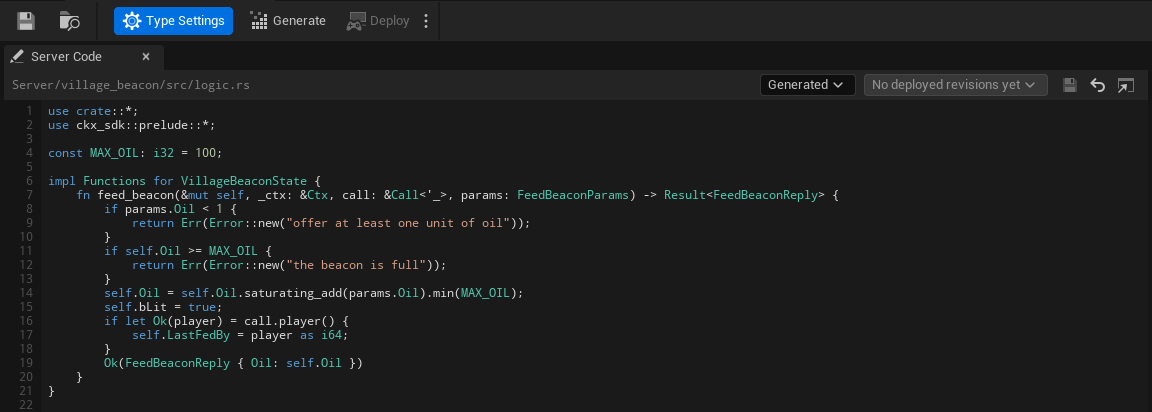
Generate and Deploy are in the editor's toolbar, after Save and Browse, not on the tab. **Generate** is the same as the Content Browser command, including the warning before a change would drop saved data (see [After you change the definition](#after-you-change-the-definition)). **Deploy** builds and deploys every Server Object type in the project, and the small arrow beside it opens **Open Server Compute** and **Show build output**. At the right of the toolbar a coloured dot and one line say where the type stands: **Ready**, **Needs generating**, **Out of date** or **Problem**, or how it compares with the live version (**No changes**, **Changed since version 7**, **Not deployed yet**, **Live code unknown**), the same states as on the [Server Compute](./deploy-with-server-compute.md#overview) page. Hover the line to read the reason.
Along the top of the tab, from left to right:
- **The file.** The path of the Server Functions file this type uses, relative to the project folder, `Server/village_beacon/src/logic.rs` for Generated. Until the Type Name is valid it reads "`Server//src/logic.rs`, once the Type Name is valid", and for My Own File with no file chosen "No file chosen: choose your .rs file with the folder button". "Unsaved changes" appears beside it while you have edits.
- **The source.** A **Code Source** combo, **Generated** or **My Own File**; see [Use your own logic file](#use-your-own-logic-file). With My Own File, a folder button beside it ("Chooses your .rs file") picks the file.
- **Deployed revisions.** A combo of the code this type had at earlier deploys, starting with **Your code**; see [View, compare and restore an earlier deploy](#view-compare-and-restore-an-earlier-deploy).
- **Three icon buttons.** **Save** ("Writes the code below to the logic file") is enabled only while you have edits, and keeps the file's line endings. **Revert** ("Shows the logic file as it is on disk again"). **Open in external editor** opens the file in the program your computer uses for `.rs` files; it is disabled until the file exists.
Below is **the code**: an editor with line numbers down its left edge, and Rust colouring for keywords, types, strings, comments and numbers. Long lines scroll sideways instead of wrapping. When the file does not exist yet, a line above the editor says so ("logic.rs does not exist yet. Generate writes it.") with a **Generate** button for a generated `logic.rs`.
When the code lacks a function the definition now has, or defines one it no longer has, a line above the editor says so as you type, for example "logic.rs is missing test_function, on_player_joined, which this type now has." Its **Add Stubs** button adds empty versions of the missing ones just before the closing brace of your `impl Functions` block, as unsaved changes: look them over, then **Save**. When the code has no `impl Functions for ` block, the button reads **Copy Stubs** and copies them for you to paste where they belong. A function the type no longer has is only named ("logic.rs defines join, which this type no longer has: rename or delete it."); the editor never deletes your code.
The paths and the Type Name decide what the card can do:
- **Generate and Save are disabled until the Type Name is valid**, and their tooltips say why: "Set a valid Type Name first: lowercase letters, digits and underscores, starting with a letter, at most 48 characters". They are also disabled when the logic file would be outside the project folder ("The logic file must be inside the project folder"), and when another definition has the same Type Name. **Save** is also disabled when the file exists but could not be read ("The logic file could not be read, so saving could replace what it holds"). With no valid path the code editor is read-only, and says "Set a valid Type Name to edit this type's server code here."
- **Save asks before it could lose anything.** If the file changed on disk since the editor opened it: "`logic.rs` changed on disk since it was opened here. Overwrite it with your edits?" Yes overwrites the file; No discards your edits and shows the file from disk, after a second question, since they cannot be recovered; Cancel keeps your edits unsaved. If the definition now points at another logic file: "This definition's logic file is no longer `logic.rs`. Save your edits to `logic.rs` anyway?" If the file is not UTF-8 text, it warns that saving writes it as UTF-8, which can change characters that are not plain ASCII. If the file cannot be written: "Could not save `logic.rs`. Close any program using it and try again."
- **Revert** shows the file as it is on disk again, and asks first ("Discard your unsaved changes to `logic.rs`?") when you have edits.
- **Edits made in another editor show up by themselves.** The tab checks the file every second while it is visible. Saved in VS Code or another editor, the new code appears in the tab within a second when you have no unsaved changes here. If you do, the tab keeps them and says "`logic.rs` changed on disk, for example in another editor, while you have unsaved changes here." with **Reload**, which drops your changes after asking, and **Keep Mine**, after which Save still asks before it overwrites the file.
- **Generate** with unsaved edits asks "Save your changes to `logic.rs` first? Generating never replaces an existing logic file."
- **Deploy**, in the editor's toolbar, with unsaved edits asks "Save your changes to `logic.rs` first? A deploy sends the files as they are saved."
- **Changing the Type Name, Code Source or Logic File** while you have edits asks "Save your changes to `logic.rs`? If not, they stay unsaved and come back when this editor shows `logic.rs` again."
Unsaved edits are kept if the panel closes or refreshes. They are not on disk, so [Server Compute's Deploy](./deploy-with-server-compute.md#deploy) warns you about them before it sends the saved files, and closing the editor asks:
> These server code files have edits that are not saved: ... Quit anyway and lose the edits?
## Use your own logic file
The **Code Source** combo at the top of the Server Code tab, **Generated** or **My Own File** (the definition's Code Source), says where the type's Server Functions come from.
- **Generated**, the default, uses `Server//src/logic.rs`, the file Generate writes once.
- **My Own File** keeps them somewhere else, for example in a file shared in your repo. A folder button appears beside the combo; choose your `.rs` file with it, relative to the project folder. Choose **Generated** again to go back to `logic.rs`; the file you chose is remembered but not used.
The choice is explicit: an empty **Logic File** no longer means "use the generated file". With My Own File and no file chosen, nothing can be generated or deployed for the type, and the messages say so:
- The toolbar's status line and the type's Server Compute row read **Needs generating** with "Code Source is My Own File but no file is chosen; choose one, or switch Code Source to Generated".
- **Generate** still writes the generated files, then shows "Code Source is My Own File but no file is chosen. Choose one, or switch Code Source to Generated."
- The tab says "Choose your .rs file above, or switch to Generated to use the generated logic.rs.", and Save says "Choose your .rs file first".
With your own file chosen:
- **Generate** writes only the generated files, `Cargo.toml`, `src/lib.rs` and `src/types.rs`. It never creates or overwrites your file.
- **Deploy** sends your file as the type's `logic.rs`, whatever it is called on disk.
- **If the file is missing**, the tab says "This file does not exist. Choose an existing file, switch to Generated, or type code below and Save to create it.", the type reads **Needs generating** with the reason "its Logic File ... does not exist; choose an existing file, or switch Code Source to Generated", and Generate says "The Logic File ... does not exist. Choose an existing file, or switch Code Source to Generated."
Your file implements the same `Functions` trait as the default one; see [Write logic.rs](#write-logicrs).
## View, compare and restore an earlier deploy
Every deploy [records](#what-a-deploy-records) the code it sent for each type, so the type's Server Code tab can show you what was live before. The revisions combo in the tab's header lists them, newest first. Its first entry is **Your code**, the editor as you have been using it. The others give the version, how long ago it was deployed ("just now", "5 min ago", "3 h ago", "2 d ago"), and the word "live" for the revision the live version runs, so the beacon might list Version 7, live, 3 h ago, then Version 6, 2 d ago. When the type has never been deployed, the list says "No deployed revisions yet" and is disabled. How many revisions are kept is set on the Server Compute page's [Settings tab](./deploy-with-server-compute.md#settings).
Pick a revision and the editor shows that revision's `logic.rs`, read only, under a line such as "Viewing version 6's code (deployed 2 d ago)". Three buttons act on it:
- **Compare with yours** shows a line-by-line difference against the code in your editor, unsaved edits included: lines the revision has that yours does not in red with a minus, lines yours adds in green with a plus. The button then reads **Show its code**, to switch back.
- **Restore** puts the revision's code in your editor **as unsaved changes**. Nothing is written until you press **Save**, and nothing is live until you **Deploy** afterwards, so you can look at it, change it, or press **Revert** to throw it away. If you already have unsaved edits it asks "Replace your unsaved changes to `logic.rs` with version 6's code?" first. Restore replaces only the `logic.rs` (or your own file); the generated files stay as **Generate** writes them from the definition today. It is disabled, with the reason on hover, when there is no file to put it in (the Type Name is not valid, or My Own File has none chosen), when the file cannot be read, or when the revision has no `logic.rs`.
- **Back to your code** returns to the editor.
A revision may have been built from an older definition: if you added a field or a function since, the old `logic.rs` no longer fits the types Generate writes now. The banner then warns "This revision was built from a different definition, so its code may not compile with the types Generate writes now." You can still restore it; expect to fix compile errors before it deploys.
To go back to an earlier version as it ran, without editing anything, use **Make active** on the [Versions tab](./deploy-with-server-compute.md#versions) instead: it switches the app to that whole version at once. Restore is for when you want that code back in your project.
## The Rust names
- **Structs** are named after the C++ struct without its `F`: `FVillageBeaconState` becomes `VillageBeaconState`. A Blueprint struct uses its name as the editor shows it, with every character other than letters, digits and underscores removed.
- **Enums** drop a leading `E`: `EBeaconColor` becomes `BeaconColor`. Each value keeps its name on the server.
- A type name that Rust or the generated code already uses (`Vec`, `Error`, `Functions` and the like), or that another of your types already has, gets `Type` added, then a number if that is taken too.
- **Fields** keep their names on the server exactly, so the beacon's code reads `self.Oil` and `self.bLit`. A field named like a Rust keyword, such as `type`, is written `r#type`.
- **Server Functions** become methods named by their Server Name: `FeedBeacon` is `feed_beacon`.
A few names cannot be written in Rust at all: a field or enum value named `self`, `Self`, `super`, `crate` or `_`, and a Server Function whose Server Name is `on_timer`, `on_topic`, `on_presence`, `on_session`, `on_player_joined` or `on_player_left`. Generation stops and names the one it hit; give it a different name on the server under the definition's **Server Names**, or the function a different **Server Name**.
Field types map like this:
| In Unreal | In Rust |
|---|---|
| `bool` | `bool` |
| `int8`, `int16`, `int32`, `int64` | `i8`, `i16`, `i32`, `i64` |
| `uint8`, `uint16`, `uint32`, `uint64` | `u8`, `u16`, `u32`, `u64` |
| `float`, `double` | `f32`, `f64` |
| `FString`, `FName`, `FGuid`, `FGameplayTag`, soft object and class paths | `String` |
| `FDateTime`, `FTimespan` | `i64` |
| `TArray` | `Vec` |
| `TSet` | `BTreeSet` |
| `TMap` | `BTreeMap` |
| `TOptional` | `Option` |
| `FVector`, `FVector2D`, `FRotator`, `FQuat` | generated structs `Vector`, `Vector2D`, `Rotator`, `Quat` with `f64` fields |
| `FIntPoint`, `FIntVector` | generated structs `IntPoint`, `IntVector` with `i32` fields |
| `FLinearColor`, `FColor` | generated structs `LinearColor` (`f32` fields) and `Color` (`u8` fields) |
The generated structs keep the Unreal field names too: `X`, `Y`, `Z`, `Pitch`, `Yaw`, `Roll`, `R`, `G`, `B`, `A`. Each field in `types.rs` ends with a comment naming its Unreal type, since several Unreal types share one Rust type.
For the beacon, `types.rs` holds the state struct with the defaults `FVillageBeaconState` gives it in C++:
```rust
#[derive(Serialize, Deserialize, Clone, PartialEq, Debug)]
#[serde(default)]
pub struct VillageBeaconState {
pub Oil: i32, // Int32
pub bLit: bool, // Bool
pub LastFedBy: i64, // Int64
}
impl Default for VillageBeaconState {
fn default() -> Self {
Self {
Oil: 50,
bLit: true,
LastFedBy: 0,
}
}
}
```
A new beacon on the server starts from these values, the same ones a client shows before the first values arrive. A default must be the same every time the struct is made: a field initialized with `FGuid::NewGuid()` or the current time cannot be written as server code, and Generate Server Code names it.
## Write logic.rs
`lib.rs` declares a trait, `Functions`, with one method per Server Function. For the beacon it reads:
```rust
pub trait Functions {
fn feed_beacon(&mut self, ctx: &Ctx, call: &Call<'_>, params: FeedBeaconParams) -> Result;
fn on_timer(&mut self, ctx: &Ctx, name: &str) -> Result<()> {
Ok(())
}
fn on_topic(&mut self, ctx: &Ctx, msg: TopicMsg<'_>) -> Result<()> {
Ok(())
}
fn on_presence(&mut self, ctx: &Ctx, presence: &Presence) -> Result<()> {
Ok(())
}
}
```
You implement it on the State struct in `logic.rs`. The first generation writes a version whose functions all refuse with "not written yet"; replace them with your own. Here is the beacon's, which takes the oil it is offered up to a limit, relights itself, and remembers who fed it:
```rust
use crate::*;
use ckx_sdk::prelude::*;
const MAX_OIL: i32 = 100;
impl Functions for VillageBeaconState {
fn feed_beacon(&mut self, _ctx: &Ctx, call: &Call<'_>, params: FeedBeaconParams) -> Result {
if params.Oil < 1 {
return Err(Error::new("offer at least one unit of oil"));
}
if self.Oil >= MAX_OIL {
return Err(Error::new("the beacon is full"));
}
self.Oil = self.Oil.saturating_add(params.Oil).min(MAX_OIL);
self.bLit = true;
if let Ok(player) = call.player() {
self.LastFedBy = player as i64;
}
Ok(FeedBeaconReply { Oil: self.Oil })
}
}
```
Each method gets:
- **`self`**: the Server Object's state, to read and change.
- **`ctx`**: the platform's context for this Server Object. `ctx.key` is its Instance Id, and `ctx.log` writes to the [logs](/exec/operations#logs).
- **`call`**: who is calling. `call.player()` is the calling player's user id, or an error when the caller is not a player (a developer tool or other server code).
- **`params`**: the function's inputs, already decoded into their struct (`FeedBeaconParams`). A function with no inputs has no `params` argument.
It returns its outputs' struct (`FeedBeaconReply`), or `Ok(())` for a function with no outputs. To refuse, return `Err(Error::new("..."))`. The state is then put back exactly as it was before the call, nothing is published, and the caller's `OnDone` sees `ServerError` with your message as its `Reason` (see [Troubleshooting](./troubleshooting.md#refusals-from-your-server-code)). So a function can change fields as it goes and still refuse halfway. Do not start your own messages with `unknown_method`, `denied` or `bad_params`: those words mean the generated code refused the call.
The beacon never trusts the amount it is offered: the params are a request, and the reply says what the server did with it.
### The optional hooks
`on_timer`, `on_topic` and `on_presence` do nothing unless you implement them in the same `impl`. They are the platform's hooks, described on [Timers, subscriptions and presence](/exec/timers-and-presence): `on_timer` runs when a timer your code set with `ctx.timer_after` or `ctx.timer_every` comes due, `on_topic` when another instance publishes on a topic your code subscribed to, and `on_presence` only on the app's root hub. A hook changes the state the same way a Server Function does: its changes reach watchers, and an `Err` puts the state back.
## What the generated code does for you
`lib.rs` handles everything the definition asset already says, so `logic.rs` holds only your rules:
- **Watched values.** It answers the SDK's request for the watched values, and after every Server Function or hook that succeeds it compares the watched fields with what they were before and tells every watcher about the ones that changed, all in one notice. A change to a field that is not watched, like `LastFedBy`, sends nothing.
- **Owner Only.** On an Owner Only type, a player may read or call a Server Object only when its Instance Id is that player's user id. An Instance Id that is not a user id written plainly in digits (`007`, `abc`) starts no Server Object at all.
- **Values every client can read.** An Unreal client refuses some values:
- a number that is not finite;
- a list, set or map of more than 4,096 entries, or more than 65,536 entries in all the lists, sets and maps of one message;
- a text over 65,535 bytes, or a message over 1 MiB;
- two map keys or set values Unreal counts as one (it ignores the case of the letters A to Z, and reads an empty name as None);
- a text in an `FGuid` field that is not a GUID, a name or gameplay tag over 1,023 characters, a soft object or class path that is not an object path;
- a date outside the years 1 to 9999, or a time span longer than Unreal holds.
Params holding one are refused with `bad_params`. A change that would put one into a watched field, or a reply holding one, is not kept: the state goes back to what it was and the call fails with a message starting `the change was not kept`. This keeps one bad call from breaking the Server Object for everyone watching it. The starting values of a new Server Object are checked too, and a bad one refuses to start it (`bad_seed`). A value that is already in the state, for example one loaded from a save made by older server code, makes reads fail with `unreadable` and the field at fault: players' Server Objects wait in Connecting, with that reason, until your server code replaces the value. Only the client knows which gameplay tags exist and which content roots are mounted, so keep tags and paths valid in your code.
- **Callable By.** A player may call only functions their **Callable By** allows: **Players**, **Members** for a member, **Leader** for the leader; a **Server Only** function refuses a player's call with `denied`. Developer tools and other server code may call every function.
- **Members, Cooldown, Value Range, timers and Can Call.** The settings on [Access, members and timers](./access-members-and-timers.md) are enforced here, in order: who may call, the params, the **Value Range**, the **Cooldown**, then your function. Members, timers and calls to other types reach `logic.rs` as the `members`, `timers` and `calls` names listed under [For logic.rs](./access-members-and-timers.md#for-logicrs).
- **Refusals.** An unknown function is refused with `unknown_method`, a call the checks above do not allow with `denied` or `cooldown`, and params that cannot be read as the function's inputs, or are outside a **Value Range**, with `bad_params` and the field at fault. These are the reasons listed on [Troubleshooting](./troubleshooting.md#refusals-from-your-server-code).
- **Saving and loading.** It saves the whole state on the definition's Save Interval and loads it when the Server Object starts again. For a change that should not wait for the next save, call `ctx.persist_now()` from your function.
## After you change the definition
Generate the server code again after any change to the definition asset or to a struct it uses, then [build and deploy it](./deploy-with-server-compute.md). `Cargo.toml`, `types.rs` and `lib.rs` are rewritten to match; `logic.rs` is not.
- **A new Server Function, timer or event** appears in the `Functions` trait, and the crate does not compile until `logic.rs` has its method. After writing the other files, Generate Server Code compares `logic.rs` with the trait and, when a method is missing, says which and asks: "Add empty versions of the missing functions?" **Yes** adds each one just before the closing brace of your `impl Functions for ` block, the way the first generation writes it: a Server Function refuses with "not written yet" until you write it, and a timer or event does nothing. **No**, the default, leaves the file as it is. If the file has no such block, or is not UTF-8 text, nothing is added and the empty versions are copied to the clipboard for you to paste. If the file changes while the question is open, for example saved from another editor, Yes adds the stubs to the file as it is then, or, when they no longer fit, adds nothing and asks you to generate again. If an open Server Code tab has unsaved edits to the file, Generate leaves it alone and the tab's [Add Stubs](#the-server-code-tab) line shows what is missing.
- **A renamed or removed Server Function, timer or event** leaves its old method in `logic.rs`, which no longer compiles against the trait. Generate Server Code names it ("logic.rs defines join, which this type no longer has: rename or delete it.") and never deletes it: rename it to the new name or delete it yourself. A rename is offered as a missing function plus a left-over one, so move your code from the old method into the new one.
- **A renamed variable, input or output added in the asset** is noticed, since each one keeps an id of its own. Before it writes anything, Generate Server Code lists each one, such as "Gold was renamed to Coins (VillageBeaconState)", and asks: **Yes** keeps the old names on the server, so saved values carry over and `logic.rs` keeps using `Gold` (it adds a [List Value Names](./create-a-type.md#every-setting) entry for each); **No** renames them on the server, and saved values under the old names are dropped; **Cancel** stops. Server code generated by an older SDK has no ids, so the first generation after updating reports a rename as the value being gone.
- **A removed or renamed field or enum value** is something your saved Server Objects may still hold. Before it writes anything, Generate Server Code compares the new types with the ones already in `types.rs` and, if a struct, field or enum value is gone or a field changed type, lists each one (for example `VillageBeaconState.Oil is gone`) and asks whether to regenerate anyway. Answer **No** and keep the old name on the server with a Server Name under **Field Names** or **Enum Value Names** on the definition, or keep the value instead of deleting it. See [Changing a type later](./create-a-type.md#changing-a-type-later) for what each change does to existing data.
- **Code in `logic.rs` that used a removed field** stops compiling; fix it there.
- **A new type name** (the definition's Type Name) goes into a new folder, `Server//`. Each generated `Cargo.toml` records the definition asset it was generated for, so Generate Server Code finds the folder it wrote under the old name and asks: **Yes** moves `Server//` to `Server//`, keeping your `logic.rs` and `revisions.json`, then generates; **No** generates into a fresh folder with a new `logic.rs` and leaves the old one as it is; **Cancel** stops. A folder generated for another asset, such as the one you duplicated this definition from, is never offered. If you move or rename the definition asset in the Content Browser, saving it updates the record in its crate's `Cargo.toml`, so a later Type Name change still finds the folder. Either way, to the server it is a new type, so Server Objects saved under the old name are not carried over (see [What a deploy records](#what-a-deploy-records)). A Type Name another definition already uses is refused.
## Keep it in version control
The crate folder is source: commit `Server//` with the rest of your project, `logic.rs` above all, and `revisions.json` with it (see the next section). Building it locally creates a `target/` folder inside it; leave that out, for example with a `target/` line in your ignore file.
## What a deploy records
The platform keeps only a fingerprint of what it built for each type (its build digest), never the code. So every deploy from the editor or the command line writes a record beside each type's crate, `Server//revisions.json`, and that record is what lets the editor tell you what changed. Per deployed revision of the type it holds:
- the files as they were sent: `Cargo.toml` (without the definition asset it records, which stays on your machine) and the `src` files, with your own file's code as `logic.rs` if you use one,
- a fingerprint of those files that ignores line endings and spaces at the end of a line, so opening a file in an editor that changes them does not make a new revision,
- the versions that ran it and the platform's build digests for it, and
- when it was deployed.
Deploying the same code again does not add a revision: it moves the existing one to the top and adds the version. The newest revisions are kept, as many as **Revisions to keep** on the [Settings tab](./deploy-with-server-compute.md#settings) says, 5 by default. The file is written the same way on every platform, so it only changes in version control when a revision does.
A type's state on the [Server Compute](./deploy-with-server-compute.md#overview) page is worked out from it. The platform tells the editor which build digest the live version runs for the type. If `revisions.json` has a revision with that digest, the type is compared with it: the fingerprint of the crate on disk now against the recorded one, and Save every and Stop when idle for against the live version's. Same means **No changes**; different means **Changed**, naming what differs (server code, save interval, idle timeout). If no revision has that digest, the type reads **Live code unknown**: the live version runs something this project has no record of. If the live version's manifest cannot be read at all, every type reads **Live code unknown**, never **No changes**.
**Commit `revisions.json` with the crate**, so your teammates see the same states you do. If a teammate deploys and you do not have their `revisions.json` yet, the type reads **Live code unknown** on your machine until you do, and Deploy's confirmation says it replaces live code you have no record of.
A `revisions.json` that cannot be read (someone edited it, or a merge left markers in it) is reported in the editor's log as "... is not a deploy record; fix or delete it", and its type reads **Live code unknown**. Deleting it forgets that type's history. The next deploy cannot add to a file it cannot read: it still deploys, then says "Deployed as version 8. Its record could not be saved, so its changes cannot be compared: ..." in the warning color, and the command line lists the same problems as `recordErrors`. Fix the file and deploy again. **Deploy starter pack** records nothing, since it does not send your code.
## Build and deploy it
Open Crowdy Studio, choose **Server Compute** in its navigation, and press **Deploy** on its Overview tab, or press **Deploy** in a definition asset editor's toolbar. Deploy is offered only when something changed since the live version; see [Server Compute](./deploy-with-server-compute.md#deploy). The editor sends every Server Object type in the project to the platform, builds it there (no Rust toolchain needed on your machine), and deploys the result as your app's new active server code. The same page shows the build output, the versions you can make active again, and the logs and call activity of what is running, and `-run=CrowdyServerCompute` does it from the command line for CI. See [Server Compute](./deploy-with-server-compute.md).
A Server Object acquired before its type is deployed waits in Connecting and comes up once it is; see [Waiting is not failing](./troubleshooting.md#waiting-is-not-failing).
### By hand
The platform's own build and deploy do the same work without the editor, for a setup the Server Compute page does not cover:
1. **Build.** Send the crate's `Cargo.toml`, without its `[package.metadata.crowdy]` section (the platform's build accepts only `[package]`, `[lib]` and `[dependencies]`), and its three files under `src/` to the platform's build; see [Builds and starter packs](/exec/builds#building). CrowdyJS and CrowdyCPP wrap it: see [From an SDK](/exec/builds#from-an-sdk). You can also build locally with `cargo build --release --target wasm32-unknown-unknown` and deploy the module yourself; see [Deploying](/exec/intro#deploying).
2. **Deploy.** Give the type an entry in your app's [manifest](/exec/intro#the-manifest), named by its Type Name, and deploy the build with it; see [Deploying a build](/exec/builds#deploying-a-build). A deploy replaces the app's whole manifest, so it lists every type your app runs. The beacon's entry, as the editor writes it under its `root` type:
```json
"village_beacon": { "kind": "hub", "parent": "root", "crate": "village_beacon", "client": true, "persist_every_ms": 30000, "evict_after_ms": 300000 }
```
`client` must be `true` for players to reach it. `persist_every_ms` and `evict_after_ms` are the definition's **Save Interval Seconds** and **Idle Timeout Seconds** in milliseconds.
Building and deploying need your organization's `manage_compute` permission. [Operations](/exec/operations#instances-and-versions) explains how to move a running Server Object to new code at once, and where a crashed call's log is.
## Related
- [Deploy it with Server Compute](./deploy-with-server-compute.md)
- [Create a Server Object type](./create-a-type.md)
- [Call its functions, from Blueprint](./from-blueprint/call-functions.md) and [from C++](./from-cpp/call-functions.md)
- [Troubleshooting](./troubleshooting.md#refusals-from-your-server-code): the refusals this code produces
- [Unreal and ck-exec names](./unreal-and-ck-exec-names.md)
- [ck-exec overview](/exec/intro): hubs, the manifest, and the `ckx-sdk` your code runs on
# Deploy it with Server Compute
Source: https://docs.crowdedkingdoms.com/unreal-sdk/exec/deploy-with-server-compute
# Deploy it with Server Compute
:::note
Server Objects run on [ck-exec](/exec/intro).
:::
Once a type's [server code](./write-server-logic.md) is generated and its `logic.rs` written, the server still has to run it. **Server Compute** is the page in [Crowdy Studio](../studio/overview.md) that builds your project's server code on the platform, deploys it to your app, and then lets you watch it work: which version is live, what it logged, how players' calls to each Server Function went, and a switch to stop one type if it misbehaves. There is nothing to install: the build happens on the platform, so no Rust toolchain is needed on your machine.
## Open the page
Open Crowdy Studio (**Tools, Crowdy SDK, Crowdy Studio**) and choose **Server Compute** under **COMPUTE** in its navigation.
It uses the sign-in and the app you already set in Studio: [sign in](../studio/sign-in.md), then pick your app on the [Project page](../studio/projects-and-apps.md). If you are not signed in, or no app is set, the page says so ("Sign in to Crowdy Studio first" or "Set the app in Crowdy Studio first", then "Sign in and choose an app on the Project page.") and shows a **Try Again** button; fix it in Studio and press that.
The header holds the title, the line "Deploy your Server Objects' server code, then watch how players' calls to it go.", a line naming the app and backend ("App 12345 on Dev"), one status badge, and **Refresh**. The badge shows the first of these that applies:
| Badge | Meaning |
|---|---|
| **Budget paused** | The app used up its Server Compute budget, so players' calls are refused until it is raised. |
| **Switched off** | The app's Server Compute is switched off, so players' calls are refused. A **Switch on** button sits beside the badge. |
| **Nothing deployed** | The app has no active server code yet. |
| **Live: version 7** | Version 7 is the app's active server code. |
Hover a badge for a one-line explanation. **Refresh** reads the app's status, versions, logs and activity again and checks the project's Server Object types. If you change the app in Studio, the header line adds "The project's app has changed since; press Refresh to show it."
The page has five tabs: **Overview**, **Versions**, **Logs**, **Activity** and **Settings**. Building, deploying, making a version active and switching on or off need your organization's `manage_compute` permission; reading needs `view_compute_diagnostics`. A problem from the platform, such as a missing permission, is written in red under the tab it came from, for example "Could not read the app's status: ..."; a busy server is retried for you first.
## Overview
The **Server Object types** card lists every definition asset in the project, sorted by Type Name, and below them any type that is on the server but no longer in the project. Hover a Type Name to see its asset. Each row shows, from left to right, the Type Name, **one badge**, the running switch, and a **...** menu. Under the name are the type's description, if its [definition](./create-a-type.md#every-setting) has one, and a small line with how many functions it has, how many variables are visible to players ("2 variables visible to players"), who can read it ("readable by every player", "readable by its members" or "only its owner can read it") and, once the Activity numbers are in, how many calls it had over the Activity tab's period, for example "1.2k calls in the last hour". The parts are separated by dots.
The badge is the first of these that applies. What stops the type's server code from being built comes first:
| Badge | Meaning |
|---|---|
| Needs generating | There is no folder for the type yet, `logic.rs` is missing, or the type uses [My Own File](./write-server-logic.md#use-your-own-logic-file) and no file is chosen or the file is missing. The reason is written under the Type Name. |
| Out of date | The definition or a struct it uses changed since the code was generated. Regenerate it with **Generate**. |
| Problem | The definition fails its checks, or its Type Name is `root`, the name of the platform's top-level type. The reason is written under the Type Name. |
Once the type's code is fine, the badge says how the type compares with the version that is live now:
| Badge | Meaning |
|---|---|
| No changes | The live version runs this code with these settings. Hover: "Live in version 7 exactly as it is here". |
| Changed | The live version runs another revision of the code, or other settings. Hover: "Changed since version 7: server code, save interval. Deploy to make it live." Server code, save interval and idle timeout are the three things it can list. |
| New | The live version does not run this type: "Not live yet. Deploy to add it." |
| Live code unknown | The live version runs code this project has no record of, for example deployed from another copy of the project. "Deploying replaces it." See [What a deploy records](./write-server-logic.md#what-a-deploy-records). |
| Ready | The type's server code is fine, but it has not been compared yet, because the app's versions have not been read (you are not signed in, or the read failed). Press **Refresh**. |
A type that the live version runs and the project no longer has gets a **Removed** row instead: its name, a **Removed** badge ("On the server, not in this project"), the running switch, and the line "On the server, not in this project. Your next deploy removes it." Once every definition is gone from the project the line says instead "On the server, not in this project. It keeps running until the project has a type to deploy again, since a deploy needs at least one type. Switch it off here to stop players' calls to it."
The definition asset's editor shows the same state for its type in the status readout at the right of its toolbar, with **Changed since version 7** and **Not deployed yet** in place of Changed and New; see [The asset editor](./create-a-type.md#the-asset-editor). Its **Deploy** dropdown has an **Open Server Compute** entry that brings you to this page.
The page does not regenerate code for you. Regenerate from the Content Browser or the asset, then open the tab again or press **Refresh**. With no definition assets it says "No Server Object types yet." and "Create a Server Object Definition asset to add one."
Once the app's status is known, a type the live version runs also says **Running** or **Switched off**, with a **Switch off** or **Switch on** button (see [Switching a type or the app off and on](#switching-a-type-or-the-app-off-and-on)). A type that is not live yet has nothing to switch, so it shows neither.
### Remove a type
The **...** menu on a type has two entries. **Open definition** opens the type's definition asset. **Remove from project...** takes the type out of the project: it deletes the definition asset and, when the folder is the type's own, its `Server//` folder. It is disabled while another operation runs, and it asks first, in a dialog titled "Remove village_beacon":
> Remove village_beacon from this project?
>
> This deletes its definition /Game/Beacon/CSO_VillageBeacon and its Server Code folder Server/village_beacon.
>
> village_beacon keeps running on the server (App 12345 on Dev) until your next deploy, which removes it.
The confirm changes with the situation:
- **What it deletes.** Everything in the type's `Server//` folder goes with it: `logic.rs`, the generated files and `revisions.json`, so the type's revision history goes too. Get them back from version control if you need them. A logic file of your own that lives outside that folder is never touched.
- **What it leaves, and why.** The folder is left alone, and the dialog says "This deletes its definition ... only." followed by the reason, when deleting it could hurt something else: "Another definition has the same Type Name and so the same Server Code folder, which is left as it is."; "Its Type Name is not a valid one, so its Server Code folder may be another type's; it is left as it is."; "Its Server Code folder is not directly inside the project's Server folder, so it is left as it is."; "It has no Server Code folder."; or "Its Server Code folder is, or holds, a link to somewhere else, and deleting it could delete what the link points to; it is left as it is, so delete it by hand." A folder that could not be deleted is reported in red under the tab: "Removed village_beacon's definition, but could not delete its Server Code folder Server/village_beacon. Delete it by hand."
- **Unsaved code edits.** If the type's code has edits you have not saved, the dialog lists the files: "Its unsaved code edits are lost:".
- **What it does on the server: nothing yet.** A type that is live keeps running, with players calling it, until your next deploy, which no longer includes it and removes it (the deploy's confirm says "It removes village_beacon, which the project no longer has; its Server Objects stop."). Until then it shows as a **Removed** row, where you can still switch it off. A type that was never deployed ("New") says "village_beacon is not live on the server (App 12345 on Dev), so nothing changes there."
- **The last type.** A deploy needs at least one type, so removing the project's last one cannot take it off the server: the confirm says "village_beacon keeps running on the server (App 12345 on Dev) until the project has a type to deploy again, since a deploy needs at least one type. To stop players' calls to it meanwhile, use Switch off on this page."
After you confirm, the editor's own delete runs, with its usual check of what still refers to the definition, for example a Blueprint slot holding it; it may ask again, and if you cancel there nothing else happens. If the row went stale (the asset moved, or its Type Name changed since the list was read) nothing is removed and the page says "/Game/Beacon/CSO_VillageBeacon is no longer the definition of village_beacon, so nothing was removed. The list is read again; try once more from it."
### Deploy
The **Deploy** card says "Builds every type's server code on the server and makes it the app's live version. Players use it at once." and holds the **Deploy** button, a status line, and **Deploy starter pack**.
**Deploy is offered only when something changed.** Once every type's code is fine and the live version is known, the status line says what a deploy would do, and the **Deploy** button is shown only if there is something to do:
- "Since version 7: 1 changed, 1 new. Deploying sends the project's 2 types." Any of "changed", "new", "running code not recorded here" (the live version runs something this project has no record of) and "removed" can appear, each with its count.
- "Nothing changed since version 7." The **Deploy** button is not shown at all.
- "Nothing is deployed yet. Deploying sends the project's 2 types." for an app with no active version.
- "Ready to deploy 2 Server Object types." when the live version could not be compared, for example because it has not been read yet; press **Refresh**.
A change you have just deployed keeps its "Deployed as version 8." line until something changes again, then the summary takes over. A failed or half-recorded deploy keeps its message until the next deploy. **Deploy** is disabled while any type is not fine, and the line says what to do: "Fix the 1 type marked Problem first.", "Generate Server Code for 1 type first (right-click the definition in the Content Browser).", or "Create a Server Object Definition asset to deploy."; two definitions with one Type Name show "Two Server Object types are named village_beacon (...) and (...); each needs its own Type Name". It is also disabled while another operation runs. The same rules apply to the **Deploy** button in a definition asset editor's toolbar.
**Deploy** asks first, in a dialog titled Deploy. The first sentence is always there, then one sentence for each kind of change that applies, naming the types:
> Deploying replaces the active server code of App 12345 on Dev with this project's 2 Server Object types.
>
> It adds lantern.
>
> It changes village_beacon (server code, save interval).
The other two are "It replaces live code this project has no record of in village_beacon." and "It removes lantern, which the project no longer has; its Server Objects stop." When what the app runs now could not be read, the dialog says "What the app runs now could not be read, so what this changes is not known." instead. Read the list before you answer Yes: it is the difference between what you have here and what players are running.
If any server code file has edits you have not saved in the asset editor's Server Code tab, the dialog adds:
> 1 Server Code file has unsaved edits; Deploy sends the saved files.
and lists the file names. Answer No, save them, and deploy again if you meant to send them.
Confirm, and Studio sends the platform:
- the server code of **every** Server Object type in the project, exactly as it is on disk under `Server//` (a type whose Code Source is My Own File sends that file as its `logic.rs`), and
- a small crate named `root` that the SDK writes for you. It keeps no state; it is the top-level type every Server Object type sits under on the platform, and you never edit it.
together with an entry for each type saying that players may reach it and giving its **Save Interval Seconds** and **Idle Timeout Seconds** from the definition (the platform's [manifest](/exec/intro#the-manifest)).
A deploy replaces the app's active server code as a whole; it does not add to it. That is why every type goes together: a type left out of a deploy is a type the app no longer has in its active code, until a deploy or a version that includes it is active. That is also how [removing a type](#remove-a-type) takes effect. For the example world, a project with `CSO_VillageBeacon` and a `CSO_Lantern` sends `village_beacon`, `lantern` and `root` in one deploy, even when only the beacon's `logic.rs` changed.
The status line follows the build: "Sending the server code...", "Waiting for a builder... 4 s", "Building on the server... 12 s", "Deploying...", and finally:
> Deployed as version 7.
Once the deploy succeeds, Studio also records what it sent in each type's `Server//revisions.json`, which is how the page tells you next time what changed; see [What a deploy records](./write-server-logic.md#what-a-deploy-records). If a record cannot be written the deploy still stands, and the line says so in the warning color: "Deployed as version 7. Its record could not be saved, so its changes cannot be compared: ..." Commit `revisions.json` with the crate.
A **Build output** button appears once a build has output, and opens it in a read-only box. A failed build deploys nothing: the line says "The build failed. See the build output below." and the box opens by itself, usually with a compiler error in a `logic.rs`. Only one operation runs at a time; the buttons are disabled until it ends. The platform limits a build to 16 crates, 64 files per crate, 2 MB of source and 5 minutes; the [builds page](/exec/builds#limits) has the full list. A project over the first three shows the reason on the status line and **Deploy** stays disabled.
A running Server Object keeps its old code until it next starts; see [Operations](/exec/operations#instances-and-versions). Switching its type off and on again moves it at once.
### Deploy starter pack
**Deploy starter pack** builds and deploys the platform's example types instead of your project, after asking:
> Deploying the starter pack replaces the active server code of App 12345 on Dev with the platform's example Server Object types.
It is meant for trying the platform out on an empty app. It replaces your project's server code just as **Deploy** replaces the previous code, so do not press it on an app your game uses; if you do, make the earlier version active again on the Versions tab. See [Starter packs](/exec/builds#starter-packs).
## Versions
Every deploy makes a new version. The **Versions** tab lists them newest first: "Version 7", an **Active** badge on the live one, and a line such as "3 h ago by Ada, 2 types" (hover it for the exact time). Under it, a second line says what that deploy changed from the version before it, for example "Since version 6: village_beacon changed", or "Since version 6: lantern added" and "lantern removed" when a type came or went, several joined by dots. A deploy that changed nothing says "Same server code as version 6". Hover it: "The types whose server code or settings differ from the version before it". The platform reports each version's types, so this works for versions anyone deployed, from any copy of the project; the oldest version has no line, and neither does one whose code cannot be compared with the one before because the platform has no build digest for it. With nothing deployed the tab says "Nothing deployed yet." and "Deploy from the Overview tab."
**Make active** on any other version asks first, in a dialog titled "Make version 6 active":
> Makes version 6 the active server code of App 12345 on Dev.
That is a rollback: if version 7 has a bug, make 6 active and players get the earlier code, while you fix `logic.rs` and deploy again. It changes no Server Object's saved values. As with a deploy, a running Server Object moves to the code when it next starts. Rolling back to a version older than a definition change can leave Server Objects saved in a newer shape; read [Changing a type later](./create-a-type.md#changing-a-type-later) before you go back across one.
## Switching a type or the app off and on
Each type row on the Overview tab has a **Switch off** button, or **Switch on** once the type is off. Use it when one type is causing trouble and you want it quiet while the rest of the app carries on. Switching off asks first, in a dialog titled "Switch off village_beacon":
> Players' calls to village_beacon in App 12345 on Dev are refused until it is switched on again. Its Server Objects are saved and stopped.
Switching on asks nothing. While a type is off, calls to it are refused and reach the client as the `Denied` outcome (see [Troubleshooting](./troubleshooting.md#outcomes)), and nothing of that type runs. Switch it on and its Server Objects start again, from what was saved, the next time a call reaches them. This is also the quick way to make a running Server Object pick up newly deployed code. It is not the same as removing the type in a deploy: the code stays and the state is kept. The buttons are disabled until the app's status has loaded and while another operation runs.
When the whole app is switched off, the header badge says so and its **Switch on** button, after asking "Players can call the Server Functions of App 12345 on Dev again.", lets players call the app again. The page cannot switch the whole app off; see [the kill switch](/exec/operations#the-kill-switch) for that.
## Logs
The **Logs** tab shows the lines your server code writes with `ctx.log`. For the beacon:
```rust
ctx.log(Level::Info, &format!("fed {} oil, now {}", params.Oil, self.Oil));
```
Filter by type (type a name in the "All types" box and press Enter) and by level: **All**, **Info**, **Warnings** or **Errors**. Lines come newest first, 100 at a time; **Load older** at the bottom pages back. Each line has a colored dot (hover for Error, Warning, Info or Debug), its text, and a small line such as "3 min ago, village_beacon, 42": when, the type, and the Instance Id. Hover it for the exact time. The platform keeps lines for 24 hours; with none to show the tab says "No log lines match." and "Lines are kept for 24 hours."
A **flow** is the platform's name for one call and everything it causes. **Show this call** on a line shows only the lines of that call, and a **One call** chip appears beside the level choices; its x shows every call again. That is how you follow one `FeedBeacon` from a player's request through the beacon's own lines. Lines written outside a call, such as when a Server Object starts or stops, have no flow and no button. The limits on how many lines a call and an app may log are on [Operations](/exec/operations#following-one-call).
## Activity
The **Activity** tab shows "How players' calls to each Server Function went, busiest first." for the **Last hour**, **Last day** or **Last week**. Each Server Function gets a card, for example `village_beacon.FeedBeacon`:
- how many calls: "1.2k calls in the last hour" (or "1 call in the last hour"),
- "no failures", or "94% succeeded",
- "usually answers in 12 ms (slowest 1.4 s)",
- and a badge for each kind of problem there was: **N server errors** (your code answered with an error, or the call failed on the server), **N timed out**, **N refused** (the caller was not allowed) and **N busy** (the server was busy; the caller may try again). Hover a badge for what it counts.
If `FeedBeacon` is slow or refusing, this is where it shows. With no calls it says "No calls yet in this period." The numbers come from [Calls per endpoint](/exec/operations#calls-per-endpoint) on the platform.
## Settings
The **Settings** tab holds Server Compute's settings for this project: "Server Compute's settings for this project. They are saved with the project, so everyone working on it shares them." It has one card so far, **Revisions**, with one setting.
**Revisions to keep** is how many deployed revisions of each type's server code the project keeps, to view, compare or restore in the definition asset editor's [Server Code tab](./write-server-logic.md#view-compare-and-restore-an-earlier-deploy). It is a number from 3 to 50 and starts at 5. The hint under it reads "Per type, how many deployed revisions of its server code the project keeps to view, compare or restore (3 to 50). Saved in Config/DefaultEditor.ini; keeping fewer takes effect at the next deploy." The number is changed when you press Enter or leave the box.
The setting is saved to `Config/DefaultEditor.ini` in your project, not to your own editor preferences, so commit that file and your team shares one value. If the file cannot be written the page says "Could not save to Config/DefaultEditor.ini, so the change lasts only until the editor closes. Check that the file can be written, for example that it is not read-only." Check the file out first if your version control keeps it read only. Each type's history is `Server//revisions.json`, which holds every kept revision's files in full, so a higher number makes it bigger; lowering the number trims each type the next time it is deployed.
## From the command line
For a build server or a script, the same operations run without the editor window:
```text
UnrealEditor-Cmd.exe Oakford.uproject -run=CrowdyServerCompute -op=deploy -yes
```
It uses Crowdy Studio's saved sign-in and app, so sign in and pick the app in the editor once on that machine first. There is no token to pass on the command line.
| Operation | What it does |
|---|---|
| `-op=status` | The app's active version, whether the app is switched off, which types are switched off, and whether its budget is paused. |
| `-op=versions` | The versions, newest first. |
| `-op=changes` | Which types differ from the live version, like the badges on the Overview tab, and whether a deploy would change anything. Read only. |
| `-op=deploy -yes` | Assembles the project, builds it, waits, deploys it, and records what it sent in each type's `revisions.json`, like **Deploy**. |
| `-op=starters -yes` | Builds and deploys the starter pack, like **Deploy starter pack**. |
| `-op=activate -version=6 -yes` | Makes version 6 the active one, like **Make active**. |
| `-op=disable -type=village_beacon -yes` | Switches one type off. |
| `-op=enable -type=village_beacon -yes` | Switches it on. |
| `-op=logs` | Recent log lines. Optional `-type=`, `-flow=` and `-limit=`. |
| `-op=stats` | Call counts per Server Function. Optional `-type=`. |
`-yes` stands in for the confirmation the page asks. `deploy`, `starters`, `activate`, `disable` and `enable` replace or switch the app's live server code, so without `-yes` they refuse with "This replaces or switches the app's live server code; pass -yes to confirm." and send nothing. The read-only operations (`status`, `versions`, `changes`, `logs`, `stats`) do not need it. An unknown `-op` is refused with the list of operations.
The command's exit code is its own result: 0 when the operation succeeded and 1 when it did not, whatever else the editor logs. It writes one line per step to the log under `LogCrowdyExec`. Add `-out=` to also get the result as one JSON object: `op`, `ok`, `error` and `errorCode` (both empty when it succeeded), and the fields of that operation. A CI job can read it:
```text
UnrealEditor-Cmd.exe Oakford.uproject -run=CrowdyServerCompute -op=deploy -yes -out=Saved/deploy.json
```
A job that runs `-op=deploy` without `-yes` fails with exit code 1 and deploys nothing, so add it once you are sure the job should replace the app's server code.
`-op=deploy` refuses, as the page does, when a type's server code is not ready (it needs generating, is out of date, or has a problem), and says why. Regenerate and commit the server code before the job runs; a `Server/` folder that no longer matches its definition asset fails the job instead of deploying old code. Unlike the page, the command knows nothing about unsaved edits in an open editor; it sends what is on disk. It also does not check whether anything changed: it deploys what is on disk every time, so ask `-op=changes` first if the job should skip a deploy that would change nothing.
### Changes and records
`-op=changes` compares the project with the live version the way the page does, without changing anything or needing `-yes`. It logs one line per type, for example `village_beacon: changed (server code, save interval), live revision 2`, and a last line saying `nothing changed`, `a deploy would change what runs` or `not ready to deploy; see problems`. With `-out=` the JSON result adds:
| Field | What it holds |
|---|---|
| `liveVersion` | The live version's number, or 0 when nothing is live. |
| `types` | One row per type in the project, then one for each type on the server that the project no longer has: `type` (the Type Name), `change`, `what` and `liveRevision`. |
| `change` | `unchanged`, `changed`, `new`, `unknown` (the live version runs code this project has no record of), `removed` (on the server, not in the project) or `not_compared` (the type's server code is not ready). |
| `what` | For a changed type, what differs: any of `server code`, `save interval` and `idle timeout`. Otherwise empty. |
| `liveRevision` | Where the revision the live version runs sits in the type's `revisions.json`, counting from 0 for the newest, or null when there is none. |
| `problems` | Why the project cannot be deployed yet, one sentence each, as the page shows them. Empty when it can. |
| `ready` | True when `problems` is empty. |
| `hasChanges` | True when a deploy would change what runs (a type is `new`, `changed`, `unknown` or `removed`), and also when `ready` is false, since a type whose code is not ready differs from what a deploy would send once it is. |
A job that should deploy only when something changed can run `-op=changes`, stop when `hasChanges` is false, and otherwise run `-op=deploy -yes`.
`-op=deploy` writes each type's `revisions.json` after the deploy succeeds and logs "recorded the deployed revision of 2 types". A record that cannot be written does not fail the job: the deploy stands, the log warns "the deploy record was not saved for ...", and the JSON result lists each one under `recordErrors` (an empty list when all were saved). A job that builds the project's server code in CI should commit the changed `revisions.json` files afterwards, so the next `-op=changes` and everyone's Overview tab agree with what is live. `-op=starters` records nothing.
## Be careful on a shared app
A deploy replaces the app's active server code for every player and every teammate on that app at once, and there is no separate staging step. Use an app of your own for experiments, keep `Server/` in version control so a deploy can be repeated, and know how to make the previous version active before you deploy.
## Related
- [Write its server logic](./write-server-logic.md)
- [Create a Server Object type](./create-a-type.md)
- [Call its functions, from Blueprint](./from-blueprint/call-functions.md) and [from C++](./from-cpp/call-functions.md)
- [Troubleshooting](./troubleshooting.md): outcomes, refusals and `crowdy.exec.trace`
- [Unreal and ck-exec names](./unreal-and-ck-exec-names.md)
- [Crowdy Studio](../studio/overview.md)
- [Builds and starter packs](/exec/builds) and [Operations](/exec/operations) on the platform
# Troubleshooting
Source: https://docs.crowdedkingdoms.com/unreal-sdk/exec/troubleshooting
# Troubleshooting
:::note
Server Objects run on [ck-exec](/exec/intro).
:::
This page is for Blueprint and C++ alike. In Blueprint, **Get Status** and **Get Failure Reason** are the nodes for what `GetStatus()` and `GetFailureReason()` answer in C++, and **On Failed** carries the **Outcome**, **Reason** and **Retryable** that `OnDone` receives. On a **Call** node those three pins are in the advanced area: click the small arrow at the bottom of the node to show them.
## A Server Object does not become Ready
Read its status first; the four statuses are on [Get a Server Object](./from-cpp/get-a-server-object.md#status). Then the reason it gives.
### Waiting is not failing
Most problems on the server clear up by themselves, so reading and watching a Server Object recover from every temporary one without your help. Before its first values arrive, a Server Object waits them out in **Connecting** instead of failing. It keeps trying, a little less often each time and never more than 10 seconds apart, and becomes Ready on its own once the cause is gone. While it waits, `GetFailureReason()` says what it is waiting for. It waits when:
- the type is not deployed on the server yet;
- the type is switched off on the server;
- the server does not let players use the type;
- the server code crashed and its Server Object is restarting;
- the server did not answer in time, or failed internally;
- the server code refused the read, such as `unreadable` when the state holds a value players cannot read (see [refusals from your server code](#refusals-from-your-server-code));
- the server is busy or cannot be reached.
So a game can acquire its Server Objects before their server code is deployed, and they come up as soon as it is.
### What makes it fail
A Server Object moves to **Failed**, and stays there, only when waiting cannot help:
- this player may not read it: an [Owner Only](./from-cpp/get-a-server-object.md#owner-only-types) Server Object that belongs to someone else;
- the deployed server code does not serve the variables players can see, or was built for another version of the SDK: generate and deploy it again;
- the values the server sends do not match the definition's State struct: the definition and the deployed code are out of step, so generate and deploy again;
- the server refused the SDK's request as malformed;
- the player signed out (`The player signed out`).
To try again after a failure, call `Acquire` again with the same definition and Instance Id, from the same owner or another; in Blueprint, call **Rejoin** on the component. The same object starts over from Connecting, and its values start from the definition's defaults.
## A value is not what you expect
- **A newer server sends an enum value this build does not have.** The field keeps its default and the SDK logs a warning once, under `LogCrowdyExec`. Update the game, or keep the value's old name under **Enum Value Names** if it was a rename.
- **The connection dropped.** Changes made while it was gone are not replayed. The SDK reads the values again when it reconnects and reports the fields that differ as one change. See [Get a Server Object](./from-cpp/get-a-server-object.md#sign-out-shutdown-and-dropped-connections).
- **The values stopped changing, or never arrived.** Check `GetStatus()` and `GetFailureReason()`. A Server Object waiting in Connecting (its type not deployed yet, or switched off) or one that has Failed keeps the last values it had, and the reason says what it is waiting for or why it stopped. See [Status](./from-cpp/get-a-server-object.md#status).
## Outcomes
`Outcome` is an `ECrowdyServerCallOutcome`. The platform's own status is in brackets.
| Outcome | What happened | What to do |
|---|---|---|
| Success [`Ok`] | The server code ran and answered. `Reply` holds the outputs. | Nothing. The watched values change for everyone, you included. |
| ServerError [`AppError`, `Internal`] | The server code refused the call or failed, or the platform failed handling it. `Reason` carries the message. Also returned when the reply does not fit the function's outputs. | Show or log `Reason`. See [refusals from your server code](#refusals-from-your-server-code). |
| Busy [`Busy`, `RateLimited`] | The server stayed busy through every retry. | Try again later, and call less often. |
| Unavailable [`Unavailable`, `Moved`] | The server could not be reached, so the call may or may not have run; or the Server Object has Failed (`Reason` is its failure reason). Not retried by the SDK. | Check `GetStatus()`. Call again only if running the function twice is harmless, or after the watched values show it did not happen. |
| NotDeployed [`NotFound`] | This type is not deployed on the server. The Server Object itself waits in Connecting until it is. | Deploy the type's server code to the app. |
| Timeout [`DeadlineExceeded`] | The server did not answer in time. The call may or may not have taken effect. | Watch the values before you call again. |
| Denied [`Denied`] | The server refused this player: the platform does not let players call this type at all, or the type's own server code refused them by a rule in the asset, such as **Callable By**, **Owner Only** or a **Cooldown**. `Reason` says why. | Show `Reason`. A refusal by a rule stays a refusal until something changes, except a cooldown, which is `bRetryable`: call again after the seconds it names. See [refusals from your server code](#refusals-from-your-server-code). |
| ServerCrashed [`Trapped`] | The server code crashed handling the call. The Server Object restarts on the server from its last save, so its most recent changes may be lost; the SDK reads its values again and reports what differs. | Read the server code's log. |
| BadRequest [`BadRequest`] | The call could not be sent as asked: an unknown function name, params of the wrong struct, or params that could not be encoded. `Reason` says which. | Fix the call. |
| Canceled | The Server Object was given back, or the player signed out, before the call finished. | Nothing, usually; the owner is gone or the session ended. |
## Refusals from your server code
A refusal whose message starts with one of these words came from the [server code generated for the type](./write-server-logic.md#what-the-generated-code-does-for-you), not from your own logic:
- `unknown_method`: the deployed server code has no such function. The definition is newer than what is deployed; generate and deploy the server code again. It reaches `OnDone` as a `ServerError`.
- `denied`: a player called a function they may not: **Server Only**, **Members** or **Leader** without being one, or, on an Owner Only type, a Server Object that is not theirs. It reaches `OnDone` as `Denied`, and `Reason` is the text after the word, such as "only members may call Deposit". A Server Only function is one no player may call, so a call from a game client is refused this way every time; only other server code and developer tools can call it. Set it back to **Players** in the [definition asset](./create-a-type.md#callable-by) if players should be able to. Deploy the type again afterwards, since the server code carries the choice.
- `cooldown`: the player called a function inside its **Cooldown**. It reaches `OnDone` as `Denied` with `bRetryable` set, and `Reason` says how many seconds to wait, such as "Feed can be called again in 4 s".
- `bad_params`: the server could not read the params, or a number is outside its **Value Range** (`bad_params: Amount must be 1 to 100`), and the rest of the reason names the field. Usually the deployed code is older than the definition. It reaches `OnDone` as a `ServerError`.
- `unreadable`: the Server Object's state holds a value no Unreal client could read, such as text in an `FGuid` field that is not a GUID, often one loaded from a save that older server code made. The rest of the reason names the field, such as `unreadable: Id: the server state holds a value players cannot read: a GUID is not in a form Unreal reads`. Reads are refused until your server code replaces the value, so players' Server Objects wait in Connecting with this as their reason and become Ready by themselves once it is fixed. See [the values every client can read](./write-server-logic.md#what-the-generated-code-does-for-you).
- `bad_seed`: the starting values given to a new Server Object hold a value no Unreal client could read, and the rest of the reason names the field. The Server Object does not start.
- `the change was not kept`: the call or hook would have put such a value into a watched field, or the reply held one, so the state went back to what it was. It reaches `OnDone` as a `ServerError`.
The [full list of what a refused player sees](./access-members-and-timers.md#what-a-refused-player-sees) is on the members page.
Any other `ServerError` reason is the message your server code refused with, such as the beacon saying it is full.
## Seeing what a Server Object is doing
When a Server Object never becomes Ready, stops changing, or two players disagree about it, turn on `crowdy.exec.trace`. It is off by default, and the warnings and errors print whether it is on or not. Turn it on in the editor's console (press the backtick key, in Play In Editor too):
```text
crowdy.exec.trace 1
```
or, for a packaged game or an editor started from the command line, add this to the command line:
```text
-ini:Engine:[ConsoleVariables]:crowdy.exec.trace=1
```
The lines go to the Output Log under `LogCrowdyExec`, at Log verbosity, each starting with `exec:`, then the type and Instance Id (`boss/boss-1`). An [Owner Only](./from-cpp/get-a-server-object.md#owner-only-types) Server Object prints `owner` in place of the Instance Id, so the player's user id never reaches the log. For a shared boss being hit by two players, one player's log reads:
```text
exec: boss/boss-1 status Connecting -> Ready
exec: boss/boss-1 subscribe ok
exec: boss/boss-1 read applied epoch=3 seq=41 changed=Health,MaxHealth,Phase,Respawns,Hits,LastHitBy
exec: boss/boss-1 call Hit sent
exec: boss/boss-1 push applied epoch=3 seq=42 changed=Health,Hits,LastHitBy
exec: boss/boss-1 call Hit answered Success ms=63
exec: boss/boss-1 push applied epoch=3 seq=43 changed=Health,Phase,Hits,LastHitBy
exec: boss/boss-1 push stale epoch=3 seq=43
exec: boss/boss-1 call Hit sent
exec: boss/boss-1 call Hit answered Denied ms=41
exec: connection closed
exec: redial ok
exec: boss/boss-1 reread reason=reconnect
exec: boss/boss-1 read applied epoch=3 seq=47 changed=Health,Hits,LastHitBy
```
What it prints:
- **Status changes**, such as `status Connecting -> Ready`.
- **Every read and push that was applied**, with its `epoch`, its `seq` and the names of the variables that changed (`changed=-` when none did). The `epoch` changes when the server restarts the Server Object, and `seq` orders its changes. The `seq` printed is the one the SDK applied, so if two players' logs show the same `epoch` and `seq` lines, they saw the same changes. The names come in the order Watch Variables reports them. A push that is older than what the object already has prints `push stale`, with the object's current `epoch` and `seq`, and is not applied.
- **Why it read again**, as `reread reason=` followed by `gap` (a change was missed), `overflow` (so many changes arrived while a read was in flight that they could not all be held), `epoch` (the server restarted the object), `reconnect` (the connection came back) or `ownerOnly` (an [Owner Only](./from-cpp/get-a-server-object.md#owner-only-types) or Members type, which tells watchers to read instead of sending the values).
- **Subscribes**, as `subscribe ok` or `subscribe failed` followed by the reason.
- **Calls**: `call Hit sent`, and `call Hit answered` with the [outcome](#outcomes) and how many milliseconds the answer took. A call the SDK retries for you because the server was busy prints `sent` once.
- **Connection**: `exec: dial failed` with the reason when the first connection could not be made, `exec: connection closed` when an open one drops, then `exec: redial ok` or `exec: redial failed` with the reason. Every `redial ok` is preceded by a `connection closed`. A close on purpose names why, and no redial follows it: `exec: connection closed (no Server Object in use)`, `(signed out)` or `(shutting down)`. The next Server Object you get opens a fresh connection.
It prints the names of the variables that changed, never their values, and never a token. Turn it off again with `crowdy.exec.trace 0` once you have your answer, since a busy fight writes a line for every hit.
## Related
- [Get a Server Object, from Blueprint](./from-blueprint/get-a-server-object.md) and [from C++](./from-cpp/get-a-server-object.md): the statuses, and what sign-out and a dropped connection do
- [Read and follow its variables, from Blueprint](./from-blueprint/read-and-follow-variables.md) and [from C++](./from-cpp/read-and-follow-variables.md)
- [Call its functions, from Blueprint](./from-blueprint/call-functions.md) and [from C++](./from-cpp/call-functions.md): what the SDK retries
- [Access, members and timers](./access-members-and-timers.md#what-a-refused-player-sees): every refusal a rule in the asset can cause
- [Deploy it with Server Compute](./deploy-with-server-compute.md): the Logs tab and the Activity tab
- [ck-exec operations](/exec/operations): logs, including a crashed call's
# Unreal and ck-exec names
Source: https://docs.crowdedkingdoms.com/unreal-sdk/exec/unreal-and-ck-exec-names
# Unreal and ck-exec names
:::note
Server Objects run on [ck-exec](/exec/intro).
:::
The SDK names things the way an Unreal project would. The platform's [ck-exec pages](/exec/intro), its operations tools and its logs use their own words. This table maps one to the other.
| Unreal SDK | ck-exec |
|---|---|
| Server Object type: one definition asset, `UCrowdyServerObjectDefinition` | hub node type |
| Type Name | node type name |
| Server Object: `UCrowdyServerObject`, from `UCrowdyServerObjectSubsystem` | a hub instance |
| Instance Id | instance key |
| Variables: the State Struct, or the variables added in the asset | the hub's state, kept in its snapshots |
| Server Function | method |
| Server Name of a function | method name |
| Calling a Server Function: `UCrowdyServerObject::Call` | a call |
| Call outcome: `ECrowdyServerCallOutcome` | reply status (mapped on [Troubleshooting](./troubleshooting.md#outcomes)) |
| Variables Visible to Players, and following them: `WatchValues` | the hub's `state` topic, subscribed to, and its `read` method |
| Save Interval Seconds | `persist_every_ms` |
| Idle Timeout Seconds | `evict_after_ms` |
| The type's server code, generated into `Server//` by **Generate Server Code** | the type's crate, built into the module its manifest entry names |
| Your code in `logic.rs`, implementing `Functions` | the hub's handlers: the generated `lib.rs` implements `Hub` and calls yours |
| Deploy on the Server Compute page, and `-op=deploy` | a build (`execBuild`) then a deploy (`execDeploy`) of a manifest that lists every type under a `root` hub type |
| Version: one deploy, listed on the Versions tab of the Server Compute page, with **Make active** to go back | a version (`execVersions`); activating an earlier one is `execActivateVersion`, a rollback |
| Switch off and Switch on for a type | the kill switch, `execSetEnabled` with a node type; calls are refused with `Denied` meanwhile |
| A call and its log lines: click a line's flow to follow it | a flow, the 32 hex digits every line of one call carries (`execLogs`) |
| The Activity tab of the Server Compute page | `execEndpointStats`, calls per endpoint |
Spokes, mods and CLIENT halves have no Unreal SDK counterpart yet.
Two platform names show up where you might not expect them. `read` is the method the SDK calls to fetch the watched values, which is why no Server Function may use that name. And `state` is the one topic every Server Object's server code publishes its changes on.
## Related
- [What a Server Object is](./overview.md)
- [ck-exec overview](/exec/intro)
# Move from Game Models
Source: https://docs.crowdedkingdoms.com/unreal-sdk/exec/move-from-game-models
# Move from Game Models
:::note
Server Objects run on [ck-exec](/exec/intro).
:::
The SDK's Game Model API is deprecated and does nothing, and a later release removes it. It was built on a game API engine that ck-exec replaced, so it has no server to talk to. This page says what you will see in your project, what takes the place of each part, and how to move a system across. The replacement is [Server Objects](./overview.md), from Blueprint or C++.
## What happens to your project
The deprecation covers Game Model containers and attributes (the `CrowdyModel` and `CrowdyContainer` markers and container tags), model functions and Invoke Model Function, Crowdy Effects and the Apply Effect nodes, invoke policies, sessions and turns, collections, container manifests and pre-seeding, the Game Kits, automations and signals, **Listen for Model Changes**, `UCrowdyGameModelSubsystem`, and the libraries `UCrowdyModel`, `UCrowdyGameModel`, `UCrowdyModelValue` and `UCrowdyEffects`.
- **Every call fails at once, once.** An async node fires its **Failed** pin immediately with "Game Models are deprecated and no longer available; use Server Compute." (code `GAME_MODEL_DEPRECATED`); **Listen for Model Changes** never fires. Nothing is sent to a server, waited for or retried. Reads return their defaults (**Get Local User Id** still answers). The SDK logs the deprecation once per run.
- **C++ warns at each use.** The classes and functions are marked deprecated, so the compiler warns (C4996 on MSVC) wherever your code names one. They are warnings only; nothing fails the build unless your project treats warnings as errors.
- **Blueprint warns per Blueprint.** The Game Model library functions and the subsystem's events show the engine's deprecation warning. On top of that, each Blueprint that uses Game Models gets one compiler warning that lists its uses (the first 12, then how many more): `[CrowdySDK] This Blueprint uses Game Models, which are deprecated and no longer available; move it to a Server Object (Server Compute). Uses: ...`. It appears when the Blueprint compiles, loads or cooks. Assets still load, save and cook, so you can open each one and see what it used.
- **A Failed pin wired back into the same node used to retry once a frame.** The failure is now immediate, so with no **Delay** that loop calls itself straight away, with no frame in between, and can hang or crash the game. Add a **Delay** or remove the loop.
- **Deprecated functions leave the context menu.** The deprecated library functions are no longer offered when you search a graph, and the editor silently drops a deprecated call node when you paste or duplicate it. To copy old nodes, turn on **Expose Deprecated Functions** in Editor Preferences (search the window for it). The async Game Model nodes and the Apply Effect nodes are still listed; the per-Blueprint warning is what flags them.
- **Get Local User Id**: use **Get User ID** on the Crowdy Game Session instead.
- **Crowdy Studio.** The Game Model page shows a deprecation banner and no longer loads its lists. Schema sync, pre-seeding, purge and Game Kit deploy refuse with the same message as above. The tier-features panel on that page keeps working. In a Crowdy Effect asset's editor, the sync status in the toolbar reads "Deprecated".
- **CrowdyMass.** Game Model values no longer land on crowd entities: **Get Crowdy Mass Model Value** answers "no fragment" and **Bind Entity Model Containers** binds nothing and returns 0. Landing Server Object values on crowd entities is planned for a later release.
- **A subsystem tagged as a Game Model container** is no longer registered as an entity participant by the Game Model system.
## What takes the place of each part
| Game Models | Server Objects |
|---|---|
| A container type | A Server Object definition asset: [Create a Server Object type](./create-a-type.md) |
| Container attributes (`CrowdyModel`) | The state struct's variables. What players may read is the values that are **Visible to Players**, the ones they watch: [Create a Server Object type](./create-a-type.md#the-details-tab) |
| Model functions and Effects | Server Functions, written in the type's `logic.rs`: [Write its server logic](./write-server-logic.md) |
| Invoke policies | **Callable By** and **Readable By** on the asset, and checks in the logic: [Access, members and timers](./access-members-and-timers.md#access) |
| A match session | One Server Object per match, with the match id as its Instance Id: [Relate Server Objects to each other](./relate-server-objects.md) |
| Change pings, **Listen for Model Changes**, OnRep on model attributes | Following the watched variables, from [Blueprint](./from-blueprint/read-and-follow-variables.md) or [C++](./from-cpp/read-and-follow-variables.md) |
| Automations: interval schedules | The type's timers: [Timers and events](./access-members-and-timers.md#timers-and-events) |
| Automations: cron schedules | No setting on the asset for now; the platform's [Cron schedules](/exec/timers-and-presence#cron-schedules) |
| `player_joined`, `player_left`, `player_count_changed` triggers | **On Player Joined** and **On Player Left** on the type, and presence on the server: [Presence](/exec/timers-and-presence#presence) |
| Authority rules (tier features, group and grid permissions) | Checks in the logic against the player and the world: [World and platform data](/exec/world-and-platform-data) |
In Oakford, had the beacon that a villager feeds with oil been a Game Model container, it would have had an `Oil` attribute and a `FeedBeacon` model function, guarded by an invoke policy. As a Server Object it is the `AVillageBeacon` type from [What a Server Object is](./overview.md): `Oil` is a variable players watch, and `FeedBeacon` is a Server Function that adds the oil or refuses.
## The steps
1. **Take this release and read the warnings.** Together, the C++ warnings, the engine's deprecation warnings and the one per Blueprint name the uses of Game Models in your project.
2. **Author each system as a Server Object type**: make the [definition asset](./create-a-type.md), set [who may read and call it](./access-members-and-timers.md), [write its logic](./write-server-logic.md) and [deploy it with Server Compute](./deploy-with-server-compute.md).
3. **Switch the call sites.** Read and follow values and call functions [from Blueprint](./from-blueprint/get-a-server-object.md) or [from C++](./from-cpp/get-a-server-object.md), and remove the Game Model nodes and calls as you go.
4. **Seed any data that must persist.** Nothing moves automatically. A one-off script writes the starting values into the new type, for example by calling a [Server Only](./create-a-type.md#callable-by) Server Function, which developer tools can call and players cannot.
Server Objects need ck-exec on your app's environment, so a project can finish moving once its environment has it.
## Why Server Objects are not marked on the class
Game Models were declared by markers on your own classes. Server Objects are declared in one asset, on purpose:
- **The truth is the server code.** A property on an actor that looks writable is only a request to the server. Keeping the state in the server code makes that plain.
- **A Server Object is not an actor.** It is picked by an Instance Id, exists before any actor does and outlives them, and many actors can share one.
- **One versioned contract.** The asset is the single place the type is described, so compiling a Blueprint can never silently change what the server expects.
- **Marker metadata is stripped when a game is cooked,** so a property marker is not something a packaged game can read back.
- **A call answers or refuses plainly,** with an outcome and a reason, which an OnRep on an attribute cannot.
## Related
- [What a Server Object is](./overview.md)
- [From the legacy engines](/exec/from-the-legacy-engines): the platform's full mapping from game models and automations to ck-exec
- [Port a compute module](/exec/port-a-compute-module): a worked port to a hub
- [Unreal and ck-exec names](./unreal-and-ck-exec-names.md): the SDK's words next to the platform's
- [Troubleshooting](./troubleshooting.md): outcomes and refusals
# Get a Server Object
Source: https://docs.crowdedkingdoms.com/unreal-sdk/exec/from-blueprint/get-a-server-object
# Get a Server Object
:::note
Server Objects run on [ck-exec](/exec/intro).
:::
Everything on the [C++ pages](../from-cpp/get-a-server-object.md) can be done from Blueprint, and most of it needs no variable, no cast and no setup of your own. Open any Blueprint graph, type the name of a variable or function from a [definition asset](../create-a-type.md), and pick the node that appears. The node reads the variable, tells you when it changes, or calls the function, with a real pin for every value. A Blueprint and a C++ class can use the same Server Object at the same time.
To build one from nothing, following each click, see [Tip jar: your first Server Object](../examples/tip-jar.md).
## The typed nodes
Type a variable's name in the graph's palette or in the menu that opens when you drag off a pin, and the asset offers its nodes under **Server Objects**, then the asset's name. For the village beacon's `CSO_VillageBeacon` the category is **CSO Village Beacon**:
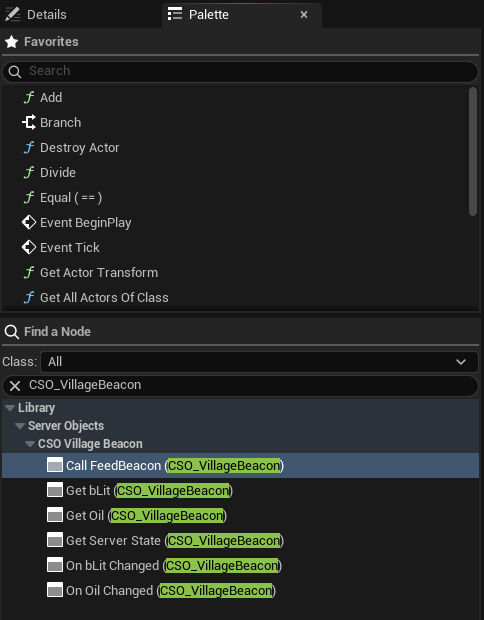
| Node | What it does |
|---|---|
| **Get Oil (CSO_VillageBeacon)** | Reads the variable `Oil`. A pure node: it has no execution pins. |
| **On Oil Changed (CSO_VillageBeacon)** | Runs when `Oil` changes. |
| **Call FeedBeacon (CSO_VillageBeacon)** | Calls the function `FeedBeacon`, with a pin for each input and each output. |
| **Get Server State (CSO_VillageBeacon)** | Every variable of the object at once, one output pin each. |
[Blueprint snippet: so-typed-nodes, see /bp/unreal-sdk/so-typed-nodes.txt]
Pan a Blueprint figure with the right mouse button. Press **Copy nodes**, then Ctrl+V in your own event graph. The figure shows the four nodes for `Oil`; `bLit` has a **Get** and an **On bLit Changed** of its own, as the palette shows.
There is one **Get** and one **On Changed** for each variable and one **Call** for each function of the asset. Only variables ticked **Visible to Players** are offered, since a **Server Only** variable never reaches a player. There is also a generic **Call Server Function** under **Server Objects**, with a **Function** dropdown that lists every function of every asset, for when you would rather pick than type.
There is no bookkeeping to do. A Server Object is one shared object that the SDK keeps current. **Get** reads that object's current value directly, never a copy you have to refresh. **On Changed** follows it, so you do not keep a variable holding the last value, compare it, or unbind anything. Rename or retype a variable in the asset and the nodes follow; see [When the asset changes](./pins-for-every-type.md#when-the-asset-changes).
## Where the object comes from
Every typed node needs a Server Object. There are three ways to give it one.
- **Target.** The default. The **Target** pin takes the Server Object, a **Crowdy Server Object** component, or an actor that has a component for that asset. Left empty it is **Self**, so a node in a Blueprint that has the component just works. Anything else cannot be connected to it, and the editor says why.
- **Find By Asset.** For a widget or other Blueprint with no reference to pass in. Right-click the node and choose **Find By Asset**; the **Target** pin is replaced by the choice of **Instance**, which you can also change in the node's Details.
- **Instance Id**: a pin takes the id, such as `oakford`.
- **Signed-In Player**: the signed-in player's own object, for an [Owner Only](../from-cpp/get-a-server-object.md#owner-only-types) type.
- **Player's Team**: the signed-in player's [Crowdy Team](../access-members-and-timers.md#crowdy-team). A **Team Id** pin picks the team when the player is in several; 0 uses the first.
In C++ the choice of **Instance** is the enum `ECrowdyServerObjectFind`, with the values `InstanceId`, `SignedInPlayer` and `PlayersTeam`.
The object is acquired the first time a node of this Blueprint uses it, and held while the Blueprint lives. Right-click the node and choose **Use Target** to go back.
- **Only One Instance.** A type with [Only One Instance](../access-members-and-timers.md#only-one-instance) has just the one object, so its nodes need neither a Target nor an Instance. Place the node and use it.
## Add the component
The typed nodes take **Self** as the default **Target**, so the simplest way to have a Server Object is an actor with a component. Open the Blueprint actor, click **Add** in the Components panel, and choose **Crowdy Server Object**. In its Details panel, under **Server Object**:
- **Definition**: the definition asset, such as the `CSO_VillageBeacon` from [Create a Server Object type](../create-a-type.md).
- **Instance Mode**: which Server Object of that type this actor uses. A type with Only One Instance ignores it.
- **Instance Id**: the id typed in **Instance Id**. Every actor with the same id shares one Server Object. The beacon uses the village's name, `oakford`.
- **Signed-In Player**: the signed-in player's user id. Use it for an [Owner Only](../from-cpp/get-a-server-object.md#owner-only-types) type, so each player gets their own. The component waits for the player to sign in, and joins again after a new sign-in or a new account.
- **This Actor**: the actor's placement in the level, which is the same on every player's machine. Only for an actor placed in the level with the component already on it, not one spawned at run time or given the component at run time.
- **Player's Team**: the signed-in player's [Crowdy Team](../access-members-and-timers.md#crowdy-team), for a type whose **Members From** is **Crowdy Team**. **Team Id** picks the team; 0 uses the player's only team. The component gets the player's teams if the game has not, and joins again when **On My Teams Changed** runs. A player in several teams fails with "This player is in 2 teams; set Team Id": set **Team Id**, then call **Rejoin**.
- **From Server Value**: the Instance Id is a variable of another Server Object, followed as it changes. Set **Source Definition**, **Source Instance** (the enum `ECrowdyServerObjectSourceInstance`: **Instance Id**, with **Source Instance Id**, or **Signed-In Player**) and **Source Variable**, a String or an integer. While the variable is empty the component waits ("Waiting for TeamId"), and when it changes the component joins the new one. See [Guild Halls](../examples/guild-halls-and-arenas.md#guild-halls).
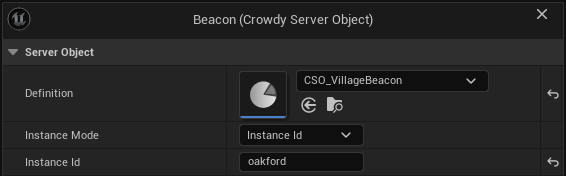
The component joins at Begin Play and lets go at End Play. The Server Object is given back a few seconds after its last holder lets go, so a beacon that is destroyed and placed again straight away keeps its values. See [Get a Server Object](../from-cpp/get-a-server-object.md#one-object-many-owners).
If you change **Definition** or **Instance Id** in a graph after the actor has begun play, call **Rejoin** on the component. It also tries again after a failure. While the component is joining, Rejoin does nothing, so calling it from the component's own **On Status Changed** cannot loop.
### Its events and nodes
| Event or node | What it does |
|---|---|
| **On Variables Changed** (event) | Runs after every change of the Variables players can see, and once when they are first read. It gives the Server Object and the names that changed. The delegate is `FCrowdyServerVariablesChanged`. |
| **On Status Changed** (event) | Runs when the Server Object's status changes. **Object** is None when it could not be joined. The delegate is `FCrowdyServerStatusChanged`, which gives the Server Object and its status. |
| **Get Server Object** | The Server Object the component holds, or None before it joins one or after it could not. |
| **Get Failure Reason** | Why there is no usable Server Object, or empty. |
| **Rejoin** | Joins again. |
## Without the component
The component is a convenience over the same nodes. You can use them from any Blueprint, such as a widget that shows the beacon's oil without owning it. These nodes, and **Set Server Value** and **Get Server Value**, are in the function library `UCrowdyServerObjectLibrary`:
- **Get Server Object**: takes a **Definition**, an **Instance Id** and an **Owner** (which defaults to the Blueprint itself), and returns the Server Object, or None with **Error** saying why. Owners that ask for the same one share it. It is held until the owner is destroyed.
- **Release Server Object**: stops one owner holding it, for an owner that lives on after it stops needing it, such as a widget that is reused.
- **Get Player Instance Id**: the signed-in player's user id, which is the Instance Id of their own [Owner Only](../from-cpp/get-a-server-object.md#owner-only-types) object. It is empty when nobody is signed in.
On the Server Object itself:
| Node | What it does |
|---|---|
| **Get Status** | Connecting, Ready, Failed or Released. See [Status](../from-cpp/get-a-server-object.md#status). |
| **Get Failure Reason** | Why it Failed, or what it is waiting for. |
| **Get Instance Id** | The Instance Id it was joined with. |
| **On Status Changed** | An event that runs when the status changes. |
The statuses are the ones from C++; see [Status](../from-cpp/get-a-server-object.md#status).
## Related
- [Get a Server Object, from C++](../from-cpp/get-a-server-object.md): the same rules, from C++
- [Read and follow its variables](./read-and-follow-variables.md): the next page, **Get** and **On Changed**
- [Tip jar: your first Server Object](../examples/tip-jar.md): the component, click by click
- [Create a Server Object type](../create-a-type.md): the asset these nodes come from
- [Access, members and timers](../access-members-and-timers.md): Only One Instance, members and teams
- [Guild halls and arena lobbies](../examples/guild-halls-and-arenas.md): the component's From Server Value mode
- [Troubleshooting](../troubleshooting.md): a Server Object that stays in Connecting or Fails
# Read and follow its variables
Source: https://docs.crowdedkingdoms.com/unreal-sdk/exec/from-blueprint/read-and-follow-variables
# Read and follow its variables
:::note
Server Objects run on [ck-exec](/exec/intro).
:::
Players see the variables their [definition](../create-a-type.md) marks **Visible to Players**. The typed nodes read them and follow their changes, each with a real pin of the variable's type. The examples use the village beacon, whose `CSO_VillageBeacon` asset has `Oil`, `bLit` and a Server Only `LastFedBy`. Every node here needs a Server Object; see [Get a Server Object](./get-a-server-object.md#where-the-object-comes-from).
## Get a variable
**Get Oil** has one output pin, **Oil**, typed as the variable is. It reads the object's current value each time the node is used. Before the server has sent the values it reads the variable's default from the asset. A **Get** with nothing behind it, such as a **Target** that holds no object for that asset, gives the default too.
To tell a real zero from "the server has not answered yet", use the node's advanced pin, **Oil Has Value**. It is collapsed by default: click the small arrow at the bottom of the node to show it. It is false until the server has sent this Server Object's values, and true after. A variable that is an optional in C++ has a **Has Value** pin that is always shown, and it is false when the optional is empty or the values have not arrived; see [What the pins are](./pins-for-every-type.md#what-the-pins-are).
**Get Server State** is the same for every visible variable at once, with one advanced **Has Values** pin that is false until the server has sent the values.
## Follow a variable
**On Oil Changed** is for an event graph. It has a **Bind** execution pin in, **Then** and **Changed** execution pins out, and the value as an output pin. Wire **Bind** from **Begin Play** once:
```text
Event BeginPlay -> On Oil Changed (Bind)
Changed -> Set Text (Oil)
```
- **Changed** runs right away with the current value as soon as the object is ready, and again after every change of that variable, and only of that variable.
- Each **On Changed** node you place is its own binding, so you can use the same variable's node more than once in one graph: bind one from **Begin Play** and another from a custom event, and each runs **Changed** once per change.
- Run the same node's **Bind** again, for example with another **Target**, and it replaces its own binding; it does not run twice. It runs **Changed** once at once with the current value when the object is Ready.
- There is nothing to unbind. A binding goes away when the Blueprint that owns it is destroyed or the Server Object is given back.
- Through a component or an actor it follows whatever object that component joins. If the player's team changes and the component joins another team's object, **Changed** runs with the new object's value.
- A node whose **Bind** is not connected never runs, so the compile gives a warning.
- Bound to something that is not a Server Object of that asset, nothing is watched and the log says so.
## Show the oil
The village square's beacon, `BP_VillageBeacon`, has a Crowdy Server Object component with **Definition** set to `CSO_VillageBeacon`, **Instance Mode** on **Instance Id**, and **Instance Id** set to `oakford`. In its Event Graph:
1. Add **On Oil Changed (CSO_VillageBeacon)** and wire **Event BeginPlay** into its **Bind**.
2. From **Changed**, use **Oil**, for example to set a text or a light's intensity. The figure sends it through a conversion to a **Print String**. It runs once when the object is ready, and again after every change, so this one graph covers both.
3. For the lamp, add **On bLit Changed (CSO_VillageBeacon)** from the **Then** pin of the first node, and wire its **bLit** to **Set Visibility** on the light, `Light` in the figure.
[Blueprint snippet: so-show-oil, see /bp/unreal-sdk/so-show-oil.txt]
Pan a Blueprint figure with the right mouse button. Press **Copy nodes**, then Ctrl+V in your own event graph.
Anywhere else in the graph, **Get Oil (CSO_VillageBeacon)** gives the current amount. `LastFedBy` is Server Only, so it has no nodes here.
## A widget that shows the oil
A widget has no component, so use **Find By Asset**. In its Event Construct, add **On Oil Changed (CSO_VillageBeacon)**, right-click it, choose **Find By Asset**, leave **Instance** on **Instance Id** and type `oakford` into its **Instance Id** pin. Wire Construct into **Bind**, and **Changed** into **SetText** on the widget's `OilText`, with **To Text** turning the **Oil** into text. The widget holds the beacon while it lives.
[Blueprint snippet: so-widget-oil, see /bp/unreal-sdk/so-widget-oil.txt]
## By name
The typed nodes cover a Server Object whose shape you know. The by-name nodes work by name and by type, for the dynamic cases: a graph that shows any variable by a name in a data table, or one that works for several types. They are the ones every Blueprint had before typed nodes, and they still work.
### Show the oil by name
Select the component and add its **On Variables Changed** event. The event runs once when the Variables are first read and again after each change, so one graph covers both:
1. From **Object**, call **Get Variables**.
2. Call **Get Server Value** on that, with **Name** set to `Oil`. Its **Value** pin takes the type of whatever you connect to it, here an Integer.
3. Use the value, for example to set a text or a light's intensity. `bLit` reads the same way, into a Boolean.
**Get Server Value** returns false when the Variables have no value by that name or it is of another type. Names are matched ignoring case, spaces and punctuation, so `Max Health` and `maxhealth` find the same Variable, in the editor and in a packaged game. A C++ `float` Variable reads into a Blueprint Float. A Variable that is **Server Only** is never sent to players, so it always reads its default here.
### The nodes for reading and watching
| Node | What it does |
|---|---|
| **Get Variables** | The Variables the server last sent, to read with **Get Server Value**. They hold their defaults until the object is Ready. |
| **Watch Variables** | Takes an event (the delegate `FCrowdyServerVariablesEvent`) and runs it after every change, with the names that changed. If the Variables are already current it also runs once at once, naming them all. |
| **Stop Watching Variables** | Removes an event that **Watch Variables** was given. |
| **Get Members** | The user ids of the members, in the order they joined. Only for a type whose **Members From** is **This Object** with **Show Members to Players** on; empty otherwise. |
| **Get Member Count** | How many members there are, even when the list is not shown. |
| **Get Leader** | The leader's user id, or 0 when there is none. |
| **Is Open For Joining** | Whether **Join** is accepted. |
| **Is Member** | Whether the signed-in player is a member. |
| **Is Leader** | Whether the signed-in player is the leader. |
The member nodes answer for a type with [members](../access-members-and-timers.md#members). **Get Members**, **Get Member Count**, **Get Leader** and **Is Open For Joining** are for members the Server Object keeps itself; **Is Member** and **Is Leader** also work for a **Crowdy Team**. With the list shown, **Is Member** and **Is Leader** follow it and the signed-in user id. Otherwise a successful **Join** or **Leave** makes the object read again, and each read sets both.
**On Variables Changed** and **Watch Variables** name a change of these too: `Members`, `MemberCount`, `Leader` and `OpenForJoining`, so a lobby's list refreshes when someone joins.
A widget that only shows the oil by name would call **Get Server Object** in its Construct event, bind **Watch Variables** to a custom event, and read `Oil` there. It needs no component.
Two things to know about the by-name nodes:
- **Set Server Value** and **Get Server Value** work by name and by type. A misspelled name or a wrong type gives false, not an error, so branch on the result while you are wiring a graph. The typed nodes have no such failure: a wrong name or type does not compile.
- The names **On Variables Changed** and **Watch Variables** give are the ones **Get Server Value** takes, the variable's own name in the asset, even when the definition's **Server Names** gives a Variable a different name on the server.
## Related
- [Read and follow its variables, from C++](../from-cpp/read-and-follow-variables.md): the same rules, from C++
- [Get a Server Object](./get-a-server-object.md): the previous page, where the object comes from
- [Call its functions](./call-functions.md): the next page
- [Pins for every type](./pins-for-every-type.md): which pin each variable type gets
- [Tip jar: your first Server Object](../examples/tip-jar.md): **On Total Changed**, click by click
- [Shared boss fight](../examples/shared-boss.md): a health bar, a phase and a respawn message
- [Troubleshooting](../troubleshooting.md#a-value-is-not-what-you-expect): when a value is not what you expect
# Call its functions
Source: https://docs.crowdedkingdoms.com/unreal-sdk/exec/from-blueprint/call-functions
# Call its functions
:::note
Server Objects run on [ck-exec](/exec/intro).
:::
A client never changes a Server Object's values. It calls one of the Server Functions its [definition](../create-a-type.md) lists, and the server decides. The examples use the village beacon's `FeedBeacon` function, which takes an `Oil` amount and answers with the oil the beacon now holds. Every node here needs a Server Object; see [Get a Server Object](./get-a-server-object.md#where-the-object-comes-from).
## The Call node
**Call FeedBeacon** has an execution pin and a pin for each input on the left. On the right it has **Then**, **On Success** and **On Failed**, then a pin for each output. It is a latent node, so it goes in an event graph. **On Success** or **On Failed** runs, one of them and only once, when the server answers.
**Outcome**, **Reason** and **Retryable** are in the node's advanced area: click the small arrow at the bottom of the node to show them. A pin you have already wired stays visible when the area is collapsed.
- **On Success** runs with the outputs set. Wire them straight from their pins.
- **On Failed** runs with **Outcome**, **Reason** and **Retryable**. **Outcome** is one of the [call outcomes](../troubleshooting.md#outcomes). A call the server refuses by a rule in the asset, such as **Callable By**, arrives as **Denied** with the reason to show, and a call inside a **Cooldown** as **Denied** with **Retryable** true; see [What a refused player sees](../access-members-and-timers.md#what-a-refused-player-sees).
- An input you leave alone sends its default from the asset.
- An input that does not fit its type, such as -1 for a `uint32` or 70,000 for an `int16`, sends nothing: **On Failed** runs as a **Bad Request** and **Reason** names the input.
The beacon's oil changes on the server, not on the client when the call succeeds. **On Oil Changed** shows the new amount to every player watching, the way it does in C++. **Call** reports what the server answered; use **On Changed** to show the state.
When **Members From** is **This Object**, the built-in functions **Join**, **Leave**, **Add Member**, **Remove Member**, **Make Leader** and **Set Open for Joining** are offered as **Call** nodes too.
A busy server is retried for you, up to three tries, and nothing else is; see [What the SDK retries](../from-cpp/call-functions.md#what-the-sdk-retries).
## Feed the beacon
When the player walks into the beacon, feed it ten units of oil:
1. Add **Call FeedBeacon (CSO_VillageBeacon)** and wire the overlap event, **Event ActorBeginOverlap**, into its execution pin.
2. Set its **Oil** input to 10.
3. Under **On Success**, use its **Oil** output, the oil the server says the beacon now holds. Under **On Failed**, show **Reason**, or try again later when **Retryable** is true; show both with the arrow at the bottom of the node first. The figure prints the oil, and the reason, with a **Print String** each.
[Blueprint snippet: so-feed-beacon, see /bp/unreal-sdk/so-feed-beacon.txt]
Pan a Blueprint figure with the right mouse button. Press **Copy nodes**, then Ctrl+V in your own event graph.
The call needs no **Target**: it uses the beacon's own component.
## By name
The generic **Call Server Function** under **Server Objects** has a **Function** dropdown that lists every function of every asset, for when you would rather pick than type. Its pins are laid out like a **Call** node's, with **Outcome**, **Reason** and **Retryable** in the advanced area. The nodes below work by name and by type instead, for a graph that calls whichever function it is told to.
### Feed the beacon by name
1. Call **Get Server Object** on the component. Drag the result into **Is Valid** first: it is None until the object joins.
2. From the Server Object, call **Make Inputs** with **Function** set to `FeedBeacon`. It returns the function's **Inputs** with their default values. It has execution pins: wire it in before **Set Server Value**, and pass its result to both of the next two nodes.
3. Call **Set Server Value** with those Inputs, **Name** `Oil` and **Value** `10`. It changes the Inputs you pass in and returns true, or false when there is no Input by that name or the type differs.
4. Call **Call Server Function** with the Server Object, **Function** `FeedBeacon` and those Inputs.
5. Under **On Success**, call **Get Server Value** on **Outputs** with **Name** `Oil` to read the oil the server says the beacon now holds. Under **On Failed**, show **Reason**, or try again later when **Retryable** is true.
[Blueprint snippet: so-untyped-feed, see /bp/unreal-sdk/so-untyped-feed.txt]
The figure is steps 1 to 4 only: it has no trigger event, no **Is Valid** and nothing on **On Success** or **On Failed**, and it reads the Server Object from a component variable named `Beacon`. Add your own trigger and the **Is Valid**, and wire step 5.
**Call Server Function** here is the one with no **Function** dropdown, found under **Crowdy SDK > Server Objects**; it takes a Server Object and Inputs. It is latent like the typed one, and its **On Success** and **On Failed** behave the same. Both are the delegate `FCrowdyServerCallDone`, which carries **Outputs**, **Outcome**, **Reason** and **Retryable**.
**Make Inputs** returns a function's Inputs with their default values, and is empty when the function takes none.
Two things to know about the by-name nodes:
- **Set Server Value** and **Get Server Value** work by name and by type. A misspelled name or a wrong type gives false, not an error, so branch on the result while you are wiring a graph. The typed nodes have no such failure: a wrong name or type does not compile.
- For a function with no Inputs, leave the **Inputs** pin of the untyped **Call Server Function** empty.
## Related
- [Call its functions, from C++](../from-cpp/call-functions.md): the same rules, from C++, and what the SDK retries
- [Read and follow its variables](./read-and-follow-variables.md): the previous page
- [Pins for every type](./pins-for-every-type.md): the next page, which pin each input and output gets
- [Troubleshooting](../troubleshooting.md#outcomes): every outcome, and the refusals from your server code
- [Access, members and timers](../access-members-and-timers.md#what-a-refused-player-sees): what a refused player sees
- [Tip jar: your first Server Object](../examples/tip-jar.md): **Call Tip**, click by click
- [Shared boss fight](../examples/shared-boss.md): **Call Hit** with a cooldown and a value range
# Pins for every type
Source: https://docs.crowdedkingdoms.com/unreal-sdk/exec/from-blueprint/pins-for-every-type
# Pins for every type
:::note
Server Objects run on [ck-exec](/exec/intro).
:::
The typed nodes give every value a pin of its own type, so none needs a cast. This page is what the pins are, and what happens to them when the asset changes.
## What the pins are
Every value has a pin of its own type, with no casting.
| In the asset or C++ | Pin |
|---|---|
| `bool` | Boolean |
| `uint8` | Byte |
| `int32` | Integer |
| `int64` | Integer64 |
| `float`, `double` | Float |
| `FString` | String |
| `FName` | Name |
| Enums | The enum |
| `FVector`, `FRotator`, `FVector2D`, `FQuat`, `FIntPoint`, `FIntVector`, `FLinearColor`, `FColor`, `FDateTime`, `FTimespan`, `FGuid`, `FGameplayTag` | The struct of that name |
| Soft object and soft class references | A soft reference pin |
| Your own structs | The struct; right-click its pin and choose **Split Struct Pin** to get a pin for each field |
| `TArray`, `TSet`, `TMap` | An Array, Set or Map pin |
| `int8`, `int16`, `uint16` (C++ only) | Integer |
| `uint32`, `uint64` (C++ only) | Integer64 |
| `TOptional` (C++ only) | A pin for T, and a **Has Value** pin beside it |
The C++-only types are carried on the nearest pin that holds every value. A value that does not fit, such as a negative Integer64 for a `uint64`, is refused: a **Call** fails through **On Failed** naming the input, and a **Get** logs a warning and reads the default.
An optional input is sent only when its **Has Value** is true; an optional output's **Has Value** says whether the server set it. On a **Get**, an optional's **Has Value** is false when it is empty and also before the server has sent the values.
A variable, input or output whose name is one a node uses for its own pin gets no node, and the Blueprint compile says to rename it. The names are `Team Id`, `Instance Id`, `Value Changed`, `Has Values`, `then`, `execute`, `self`, `Server Function`, `Call Outcome`, `Call Reason`, `Call Retryable`, `On Success`, `On Failed`, and another value's name followed by ` Has Value`. Rename it in the asset; the nodes follow. `Call Outcome`, `Call Reason` and `Call Retryable` are the pins a **Call** node shows as **Outcome**, **Reason** and **Retryable** in its advanced area, under the small arrow at the bottom of the node.
Two other things have no pin. An Array, Set, Map or optional inside another one cannot be held in a Blueprint, and neither can a C++ struct or enum that is not marked `BlueprintType`. The compile says which variable and why, for example "the struct FRelic is not BlueprintType; mark it BlueprintType", and the node is not offered in the menu until it does. Blueprint structs and enums you made in the editor already work.
### When the asset changes
The nodes follow the asset. Rename a variable or an input that you added in the asset, or a field of a Blueprint struct, and the node keeps it and its wires. Change a type and the pin changes with it; a wire that no longer fits is a compile error, and the message names the pin, so reconnect it or remove it. Remove a variable and the nodes for it say "has no variable Oil any more". A variable you untick from **Visible to Players** fails the same way, and the message tells you to tick it again or remove the node.
## Related
- [Get a Server Object](./get-a-server-object.md)
- [Read and follow its variables](./read-and-follow-variables.md): the **Get** and **On Changed** pins
- [Call its functions](./call-functions.md): the input and output pins of a **Call** node
- [Create a Server Object type](../create-a-type.md#field-types): the types a variable can have
# Get a Server Object
Source: https://docs.crowdedkingdoms.com/unreal-sdk/exec/from-cpp/get-a-server-object
# Get a Server Object
:::note
Server Objects run on [ck-exec](/exec/intro).
:::
A game never creates a `UCrowdyServerObject` itself. It asks `UCrowdyServerObjectSubsystem`, a game instance subsystem, for the one matching a [definition asset](../create-a-type.md) and an Instance Id, and names an owner: the object that needs it. The subsystem keeps the Server Object connected for as long as it has an owner, and shares it between every owner that asks for the same one.
## Acquire it
The beacon acquires its Server Object in `BeginPlay`, with itself as the owner and the village's name as the Instance Id. `BeaconDefinition` is the asset from [Create a Server Object type](../create-a-type.md), picked in the Details panel.
```cpp
// VillageBeacon.h
#include "Components/PointLightComponent.h"
#include "Components/SphereComponent.h"
#include "CrowdyServerObject.h"
#include "VillageBeacon.generated.h"
UCLASS()
class AVillageBeacon : public AActor
{
GENERATED_BODY()
public:
AVillageBeacon();
virtual void BeginPlay() override;
UPROPERTY(VisibleAnywhere, Category = "Lantern")
TObjectPtr Trigger;
UPROPERTY(VisibleAnywhere, Category = "Lantern")
TObjectPtr Light;
UPROPERTY(EditAnywhere, Category = "Crowdy")
TObjectPtr BeaconDefinition;
UPROPERTY(EditAnywhere, Category = "Crowdy")
FString VillageName = TEXT("oakford");
UPROPERTY()
TObjectPtr Beacon;
};
// VillageBeacon.cpp
#include "VillageBeacon.h"
#include "CrowdyServerObjectDefinition.h"
#include "CrowdyServerObjectSubsystem.h"
#include "Engine/GameInstance.h"
void AVillageBeacon::BeginPlay()
{
Super::BeginPlay();
FString Error;
Beacon = GetGameInstance()->GetSubsystem()->Acquire(BeaconDefinition, VillageName, this, Error);
if (!Beacon)
{
UE_LOG(LogTemp, Warning, TEXT("The village beacon cannot be used: %s"), *Error);
return;
}
}
```
`Acquire(Definition, InstanceId, Owner, OutError)` returns the Server Object, or null with `OutError` saying why:
- The definition cannot be used: it is missing, it has a problem the editor reported when you saved it, or a struct changed since it was saved.
- The Instance Id is not valid. It must be 1 to 256 bytes of UTF-8 with no control characters (`An Instance Id must be 1 to 256 bytes with no control characters`).
- There is no owner (`Acquire needs an owner`).
Instance Ids are case-sensitive: `oakford` and `Oakford` are two Server Objects.
You can acquire before the player has signed in. The Server Object waits in **Connecting** until the connection opens, and the subsystem keeps trying to open it while any Server Object needs one.
## One object, many owners
Every owner that acquires the same definition and Instance Id gets the same `UCrowdyServerObject`: one set of values, one stream of changes, and one connection to the server between them. Two beacons in the same village, or a beacon and a HUD widget showing its oil, share it.
The subsystem holds owners weakly. You do not have to give a Server Object back: when every owner has been destroyed, a grace period starts, `UCrowdyServerObjectSubsystem::GracePeriodSeconds` (10 seconds). An owner that acquires it again inside that time gets the same object back, values and all. When the grace period runs out, the Server Object is **Released** and forgotten; the next `Acquire` starts a fresh one.
- **Map travel.** The grace period does not run while the game instance is loading a map. A beacon destroyed by leaving one map and acquired again by a beacon in the next reuses the same Server Object, with no gap in its values.
- **Giving it back early.** `Release(Object, Owner)` stops one owner holding it, as if that owner had been destroyed. Use it for an owner that lives on after it stops needing the Server Object, such as a pooled widget.
## Status
A Server Object is always in one of four statuses, `ECrowdyServerObjectStatus`. Read the current one with `GetStatus()`; `OnStatusChanged`, an `FOnCrowdyServerObjectStatusChanged`, runs on every change after you acquire. `GetDefinition()` and `GetInstanceId()` return what it was acquired with.
| Status | Meaning |
|---|---|
| Connecting | Joining the Server Object and reading its variables for the first time, or waiting until the server can answer. |
| Ready | Its variables are current and its functions can be called. |
| Failed | It cannot be used. `GetFailureReason()` says why. Acquiring it again tries afresh. |
| Released | Given back. Nothing on it works any more. |
The beacon goes dark when its Server Object fails, rather than show oil it can no longer vouch for:
```cpp
// VillageBeacon.h
void HandleBeaconStatus(UCrowdyServerObject* Object, ECrowdyServerObjectStatus Status);
// VillageBeacon.cpp
void AVillageBeacon::BeginPlay()
{
Super::BeginPlay();
FString Error;
Beacon = GetGameInstance()->GetSubsystem()->Acquire(BeaconDefinition, VillageName, this, Error);
if (!Beacon)
{
UE_LOG(LogTemp, Warning, TEXT("The village beacon cannot be used: %s"), *Error);
return;
}
Beacon->OnStatusChanged.AddUObject(this, &AVillageBeacon::HandleBeaconStatus);
}
void AVillageBeacon::HandleBeaconStatus(UCrowdyServerObject* Object, ECrowdyServerObjectStatus Status)
{
// A failed beacon goes dark instead of showing oil the server no longer vouches for.
if (Status == ECrowdyServerObjectStatus::Failed)
{
Light->SetVisibility(false);
UE_LOG(LogTemp, Warning, TEXT("The village beacon failed: %s"), *Object->GetFailureReason());
}
}
```
A Server Object that waits in Connecting, or one that fails, says why in `GetFailureReason()`; see [A Server Object does not become Ready](../troubleshooting.md#a-server-object-does-not-become-ready). To see what one is doing, turn on [`crowdy.exec.trace`](../troubleshooting.md#seeing-what-a-server-object-is-doing).
## Owner Only types
A definition whose **Visibility** is **Owner Only** describes a Server Object that belongs to one player, such as a player's own stash. Its Instance Id must be the owning player's user id in decimal, which you get from `UCrowdyGameSession`: `LexToString(Session->GetUserID())`. Only that player can read its values or call its functions; for anyone else it fails as soon as the server refuses to show them.
For a group's shared object that only its members read, see **Members** under [Readable By](../access-members-and-timers.md#readable-by). Everything else works the same way. Each change reaches the owner a moment later than on a Public type, because the SDK fetches the new values when the server says they changed, instead of receiving them with the notice.
## Sign-out, shutdown and dropped connections
- **Sign-out.** When the player signs out, every Server Object fails with `The player signed out`, and every call still waiting finishes as `Canceled`. After the player signs in again, acquire them again.
- **Shutdown.** When the game instance shuts down, every Server Object is released quietly: no status change, no value change, and calls still waiting do not run their completion.
- **A dropped connection.** The SDK reconnects by itself and starts watching again. Changes made while it was gone are not replayed, so it reads the variables again and reports whatever differs as one change. Your code sees at most one extra change event.
## Related
- [Read and follow its variables](./read-and-follow-variables.md)
- [Call its functions](./call-functions.md)
- [Get a Server Object, from Blueprint](../from-blueprint/get-a-server-object.md): the same thing without C++
- [Troubleshooting](../troubleshooting.md): why a Server Object waits or fails, and `crowdy.exec.trace`
- [Player sign-in](../../runtime/player-sign-in.md)
# Read and follow its variables
Source: https://docs.crowdedkingdoms.com/unreal-sdk/exec/from-cpp/read-and-follow-variables
# Read and follow its variables
:::note
Server Objects run on [ck-exec](/exec/intro).
:::
The variables a [definition](../create-a-type.md) marks **Visible to Players** are a Server Object's public face. The SDK keeps a copy of them current on every client that has the Server Object, and tells your code each time the server changes them.
## React to changes
`WatchValues`, a function of `UCrowdyServerObject`, takes a listener and returns an `FDelegateHandle`. The beacon watches its Server Object right after acquiring it, and sets its light from the oil and the lit flag:
```cpp
// VillageBeacon.h
void HandleBeaconChanged(UCrowdyServerObject* Object, TConstArrayView Fields);
// VillageBeacon.cpp
void AVillageBeacon::BeginPlay()
{
Super::BeginPlay();
FString Error;
Beacon = GetGameInstance()->GetSubsystem()->Acquire(BeaconDefinition, VillageName, this, Error);
if (!Beacon)
{
UE_LOG(LogTemp, Warning, TEXT("The village beacon cannot be used: %s"), *Error);
return;
}
Beacon->WatchValues(FOnCrowdyServerValuesChanged::FDelegate::CreateUObject(this, &AVillageBeacon::HandleBeaconChanged));
}
void AVillageBeacon::HandleBeaconChanged(UCrowdyServerObject* Object, TConstArrayView Fields)
{
const FVillageBeaconState* State = Object->GetState().GetPtr();
if (!State)
{
return;
}
// Fields names what changed by server name; the state holds every watched value.
Light->SetVisibility(State->bLit);
if (Fields.Contains(TEXT("Oil")))
{
Light->SetIntensity(State->Oil * 100.f);
}
}
```
The listener, an `FOnCrowdyServerValuesChanged` delegate, receives the Server Object and the names of the fields that changed. It runs:
- **once when the values first arrive**, naming every variable players can see. This comes just before `OnStatusChanged` reports Ready, so by the time a status handler sees Ready the values are already applied;
- **once when you start watching, if the values are already current**, naming every variable players can see. A second beacon that acquires a Server Object the first one already made Ready is set up at once, with no special case in your code. A listener added from inside a Ready status handler is called once, not twice;
- **once per change on the server**, naming every field that change touched. A Server Function that changes both `Oil` and `bLit` produces one call naming both, never two calls or a moment where one is new and the other old.
`UnwatchValues(Handle)` removes a listener. A listener bound to a `UObject`, as above, is skipped once that object is gone, so the beacon does not need to remove its own; a lambda or raw binding does.
## Read the values
`GetState()` returns an `FInstancedStruct` holding the definition's State struct. Read it with `GetPtr` and the struct type, as the beacon does, at any time, not only inside the listener.
- The variables **Visible to Players** hold what the server last sent. Before the first values arrive they hold the struct's defaults.
- The other fields, the **Server Only** variables, hold the struct's defaults, always. They never leave the server, so `LastFedBy` reads `0` on every client.
- The copy belongs to the SDK. Changing it changes nothing on the server, and the next change from the server overwrites it. To change a value, [call a Server Function](./call-functions.md).
When the definition's variables are [added in the asset](../create-a-type.md#variables-inputs-and-outputs-or-a-struct) rather than taken from a struct, there is no struct to read them into. `GetStateList()` returns them as an `FInstancedPropertyBag` to read by name; it is empty when the variables come from a struct:
```cpp
const FInstancedPropertyBag State = Beacon->GetStateList();
const TValueOrError Oil = State.GetValueInt32(TEXT("Oil"));
const TValueOrError bLit = State.GetValueBool(TEXT("bLit"));
if (Oil.HasValue() && bLit.HasValue())
{
Light->SetIntensity(bLit.GetValue() ? Oil.GetValue() * 100.f : 0.f);
}
```
The same rules hold: the variables players do not see keep their default values on every client.
## Field names
The names the listener receives are the fields' names on the server: the C++ member name (`Oil`, `bLit`), the name of a variable added in the asset, a Blueprint struct field's name with the spaces and other characters removed, or the Server Name you set under **Field Names** on the definition. Compare them exactly as they are spelled there.
## Related
- [Create a Server Object type](../create-a-type.md): choosing which variables players see
- [Call its functions](./call-functions.md)
- [Read and follow its variables, from Blueprint](../from-blueprint/read-and-follow-variables.md): **On Changed**, **Watch Variables** and **On Variables Changed**
- [Troubleshooting](../troubleshooting.md#a-value-is-not-what-you-expect): when a value is not what you expect
- [The Two Planes](../../concepts/two-planes.md): why these values are the server's, not the client's
# Call its functions
Source: https://docs.crowdedkingdoms.com/unreal-sdk/exec/from-cpp/call-functions
# Call its functions
:::note
Server Objects run on [ck-exec](/exec/intro).
:::
A client never changes a Server Object's values. It asks, by calling one of the Server Functions its [definition](../create-a-type.md) lists, and the server's code decides what happens. Each function says who can call it, with [Callable By](../create-a-type.md#callable-by): **Players**, **Members**, **Leader** or **Server Only**, which refuses a player's call. A function can also have a **Cooldown**, and a number input a **Value Range**; see [Access, members and timers](../access-members-and-timers.md). The answer comes back to the caller; the change, if there is one, reaches every player through the [variables they can see](./read-and-follow-variables.md).
## Call one
When the local player walks into the beacon, the beacon offers it ten units of oil:
```cpp
// VillageBeacon.h
virtual void NotifyActorBeginOverlap(AActor* OtherActor) override;
// VillageBeacon.cpp
#include "LanternPlayer.h"
void AVillageBeacon::NotifyActorBeginOverlap(AActor* OtherActor)
{
Super::NotifyActorBeginOverlap(OtherActor);
const ALanternPlayer* Player = Cast(OtherActor);
if (!Beacon || !Player || !Player->CrowdyEntity->IsLocallyOwned())
{
return;
}
FFeedBeaconParams Params;
Params.Oil = 10;
TWeakObjectPtr WeakThis(this);
Beacon->Call(TEXT("FeedBeacon"), FInstancedStruct::Make(Params), [WeakThis](const FCrowdyServerCallResult& Result)
{
if (!Result.IsSuccess())
{
UE_LOG(LogTemp, Warning, TEXT("The beacon took no oil: %s"), *Result.Reason);
return;
}
// The reply is what the server decided, which may be less oil than was offered.
const FFeedBeaconReply* Reply = Result.Reply.GetPtr();
if (WeakThis.IsValid() && Reply)
{
WeakThis->Light->SetIntensity(Reply->Oil * 100.f);
}
});
}
```
`Call(Function, Params, OnDone)` takes:
- **Function**: the function's **Name** on the definition, `FeedBeacon` here.
- **Params**: an `FInstancedStruct` holding the function's Input Struct, made with `FInstancedStruct::Make`. For a function with no inputs, pass an empty `FInstancedStruct()`. A function whose inputs are added in the asset takes an `FInstancedPropertyBag` instead; see [below](#call-one-with-inputs-added-in-the-asset).
- **OnDone**: runs once with an `FCrowdyServerCallResult`, on the game thread. It holds the `Outcome`, the `Reply` on success (empty for a function with no outputs), a `Reason` sentence for anything but success, and `bRetryable`, which says calling again later may succeed.
Things worth knowing before you rely on it:
- **OnDone can run before `Call` returns.** A call the SDK can refuse without asking the server (an unknown function, params of the wrong struct, a Server Object that is already Failed or Released) completes at once, inside `Call`, and sends nothing.
- **You can call while the Server Object is still Connecting.** The call waits and is sent when the connection opens. If there is still no connection after 30 seconds, it completes as `Unavailable` with `The server could not be reached`.
- **The server may do less than you asked.** The beacon's reply is how much oil it holds after the feed, as the server decided; the params are only the offer.
- **Capture your actor weakly.** OnDone can run after the actor that made the call is gone; the beacon checks a `TWeakObjectPtr` before it touches its light.
- **Only a game instance shutdown skips OnDone.** Calls still waiting then are dropped without running it. Sign-out and a released Server Object complete them as `Canceled`.
## Call one with inputs added in the asset
When a function's inputs are [added in the asset](../create-a-type.md#variables-inputs-and-outputs-or-a-struct) rather than taken from a struct, there is no struct to make. `MakeParams(Function)` hands you a copy of the function's inputs with their default values; set the ones you want by name and pass it to the `Call` that takes an `FInstancedPropertyBag`. Outputs added in the asset are read by name too, through `CrowdyExec::ToList` from `CrowdyExecCodec.h`:
```cpp
#include "CrowdyExecCodec.h"
FInstancedPropertyBag Params = Beacon->MakeParams(TEXT("FeedBeacon"));
Params.SetValueInt32(TEXT("Oil"), 10);
Beacon->Call(TEXT("FeedBeacon"), Params, [](const FCrowdyServerCallResult& Result)
{
const TValueOrError Oil = CrowdyExec::ToList(Result.Reply).GetValueInt32(TEXT("Oil"));
UE_CLOG(Result.IsSuccess() && Oil.HasValue(), LogTemp, Log, TEXT("The beacon holds %d"), Oil.GetValue());
});
```
- `MakeParams` returns an empty `FInstancedPropertyBag` for a function whose inputs are a struct, or that has none.
- The getters return a `TValueOrError`, so a name the reply does not have is an error, not a crash.
- The two kinds do not mix: passing a struct to a function whose inputs are added in the asset completes as `BadRequest` with "FeedBeacon takes FeedBeaconParams params".
## What the SDK retries
The SDK retries a call only when the server says it did not run it: a busy server. It tries up to three times in all, with a short wait between tries that grows each time and is never shorter than the wait the server asks for, up to 30 seconds. Only when those tries are spent does OnDone see `Busy`.
Nothing else is retried, because the SDK cannot tell whether the server already ran the call. A connection that drops after the server ran a purchase, for example, looks the same from the client as one that dropped before, and sending it again could buy twice. So an unreachable server reaches OnDone as `Unavailable` with `bRetryable` set, a timeout or a crash reaches it on the first answer, and your game decides whether calling again is safe. Where you can, write a Server Function so that a repeated call does no harm: take an amount to reach rather than an amount to add, or let the caller send an id the server remembers and ignores the second time.
The platform limits how often one player may call your app's code (see [call limits](/exec/operations#call-limits)); a call over the limit is answered as busy and retried the same way. Do not call a Server Function every frame.
## Outcomes
`Outcome` is an `ECrowdyServerCallOutcome`. Every outcome, what it means and what to do about it, and the refusals that come from the server code generated for the type, are on [Troubleshooting](../troubleshooting.md#outcomes).
## Related
- [Read and follow its variables](./read-and-follow-variables.md)
- [Get a Server Object](./get-a-server-object.md#status)
- [Call its functions, from Blueprint](../from-blueprint/call-functions.md): the **Call** node and **Call Server Function**
- [Troubleshooting](../troubleshooting.md#outcomes): every outcome, and the refusals from your server code
- [ck-exec operations](/exec/operations): logs, including a crashed call's
# Tip jar: your first Server Object
Source: https://docs.crowdedkingdoms.com/unreal-sdk/exec/examples/tip-jar
# Tip jar: your first Server Object
:::note
Server Objects run on [ck-exec](/exec/intro).
:::
This page builds the village square's tip jar. Every villager can drop a coin in, and everyone sees the same running total. The total is worth keeping on the server, so nobody can tip a thousand coins from a modified client. You use only the editor and Blueprints; the one piece of code is a few lines of Rust that you paste.
Before you start you need:
- a project with the Crowdy SDK, on the **Dev** backend, where your players can sign in (see [Player sign-in](../../runtime/player-sign-in.md));
- Crowdy Studio signed in to your app, for the Deploy step (see [Server Compute](../deploy-with-server-compute.md#open-the-page)).
## Make the Server Object
1. In the Content Browser, click **Add**, then **Crowdy**.
2. Pick **Server Object**. The new asset is named `CSO_NewServerObject`.
3. Rename it `CSO_TipJar` and double-click it. The asset editor opens.
4. In the **Variables** section of the **Server Object** panel, click **+**.
5. In **Details**, set **Variable Name** to `Total`.
6. Leave its type on **Integer** and its **Default Value** on 0.
7. Leave the eye at the end of the `Total` row open, so it is **Visible to Players**.
8. In the **Functions** section, click **+**.
9. In **Details**, set **Name** to `Tip`.
10. Leave **Callable By** on **Players**.
11. In the **Inputs** header, click **+**, and rename the new `NewParam` to `Amount`. Leave it an Integer.
12. In the **Outputs** header, click **+**, and rename the new `NewParam` to `Total`. Leave it an Integer.
13. Select **Type Settings**, the first row of the **Server Object** panel.
14. In **Details**, set **Type Name** to `tip_jar`, or click **Use tip_jar** beside it.
15. Click **Save**.
The panel now shows the variable `Total` with an open eye, and the function `Tip` with `(Amount) returns Total` beside it. The [definition asset page](../create-a-type.md) explains every setting.
## Write what Tip does
1. In the asset editor's toolbar, click **Generate**. It writes the server code under `Server/tip_jar/` in your project.
2. Open the **Server Code** tab. It shows `logic.rs`, where Tip refuses with "not written yet".
3. Click in the code, press **Ctrl+A** to select it all, and paste this over it:
```rust
use crate::*;
use ckx_sdk::prelude::*;
impl Functions for TipJarState {
fn tip(&mut self, _ctx: &Ctx, _call: &Call<'_>, params: TipParams) -> Result {
if params.Amount < 1 || params.Amount > 100 {
return Err(Error::new("a tip is 1 to 100 coins"));
}
self.Total = self.Total.saturating_add(params.Amount);
Ok(TipReply { Total: self.Total })
}
}
```
4. Click **Save** on the tab.
Tip adds the amount to `Total` and answers with the new total. It refuses a tip of 0 or of a thousand, and the server checks that, not the game. [Write its server logic](../write-server-logic.md) says what each line does.
## Put it on the server
1. In the asset editor's toolbar, click **Deploy**. It sends every Server Object type in the project, and asks first.
2. Read the dialog, which should say it adds `tip_jar`, and click **Yes**.
3. Wait for the status line to say "Deployed as version" and a number.
Deploy builds the code on the server and makes it live for your app at once. If it fails, the build output opens, usually with a mistake in the pasted code. The [Server Compute](../deploy-with-server-compute.md#deploy) page has the rest.
## Make the actor
1. In the Content Browser, click **Add**, then **Blueprint Class**, then **Actor**.
2. Name it `BP_TipJar` and double-click it.
3. In the Components panel, click **Add** and choose **Crowdy Server Object**.
4. With the component selected, in **Details**, under **Server Object**, set **Definition** to `CSO_TipJar`.
5. Leave **Instance Mode** on **Instance Id**.
6. Set **Instance Id** to `lobby`.
Every `BP_TipJar` with the Instance Id `lobby`, on every player's machine, now shares one tip jar. A different id is a different jar.
## Show the total
1. Open the **Event Graph**.
2. Right-click in the graph, type `Total`, and choose **On Total Changed (CSO_TipJar)** under **Server Objects**.
3. Drag from **Event BeginPlay**'s execution pin to the **Bind** pin of the new node.
4. Drag from the node's **Changed** pin, type `Print String` and choose it.
5. Drag from the **Total** pin of the node to **In String** of Print String. The editor adds the conversion from Integer to String.
[Blueprint snippet: so-tipjar-total, see /bp/unreal-sdk/so-tipjar-total.txt]
Pan a Blueprint figure with the right mouse button. Press **Copy nodes**, then Ctrl+V in your own event graph.
The node runs **Changed** once as soon as the jar is ready, with the current total, and again after every change. You wired **Bind** once and there is nothing to unbind.
## Tip from the keyboard
1. Click **Class Defaults** in the toolbar.
2. In **Details**, under **Input**, set **Auto Receive Input** to **Player 0**, so this actor hears the local player's keys.
3. Back in the **Event Graph**, right-click, type `T`, and choose the **T** key event under **Input, Keyboard Events**.
4. Drag from its **Pressed** pin, type `Tip`, and choose **Call Tip (CSO_TipJar)**.
5. Set its **Amount** pin to 1.
6. Drag from **On Success**, type `Print String`, and choose it.
7. Drag from the **Total** output pin of Call Tip to its **In String**.
8. Click the small arrow at the bottom of **Call Tip** to show its **Reason** pin. Drag from **On Failed**, add another **Print String**, and drag **Reason** to its **In String**.
9. Click **Compile**, then **Save**.
[Blueprint snippet: so-tipjar-tip, see /bp/unreal-sdk/so-tipjar-tip.txt]
Neither node needs a **Target** wired: they use this actor's own component. **On Success** runs when the server has added the coin, with the new total. **On Failed** runs with the reason if the server refused, or could not be reached. The [Blueprint page](../from-blueprint/call-functions.md#the-call-node) says what **Outcome** and **Retryable** tell you.
## Play it with two players
1. Drag `BP_TipJar` from the Content Browser into your level.
2. Open the dropdown beside the Play button, choose **Advanced Settings**, and under **Multiplayer Options** set **Number of Players** to 2.
3. Click **Play**. Both windows are players of your app, so each has to be signed in the way your game signs players in.
4. Watch the two screens. Each prints the jar's total, `0` the first time, as soon as the jar is ready.
5. Click in one window and press **T**.
6. The window you pressed in prints `1` twice, once from **On Success** and once from **Changed**. The other window prints `1` once, from **Changed**.
7. Press **T** in the other window, and both print `2`.
Both windows read the one jar on the server, and **On Total Changed** told each of them. The total is not kept anywhere in your Blueprint; the server holds it.
## Where to go next
- Next: [a shared boss](./shared-boss.md). Many players hit one boss, the server refuses hits while it is defeated and brings it back on a timer, and you switch the type off and on from Server Compute to watch everyone recover.
- Make a second variable, such as `LastTipper` as a String, keep its eye open, and use **On LastTipper Changed** the same way. Add it to `logic.rs` and Deploy again. After any change to the asset, **Generate** and **Deploy** again; see [After you change the definition](../write-server-logic.md#after-you-change-the-definition).
- Let only a leader call a function, with **Callable By** set to **Leader**: [Access, members and timers](../access-members-and-timers.md).
- If the whole game should share one jar, with no Instance Id to choose, tick **Only One Instance** in the asset: [Only One Instance](../access-members-and-timers.md#only-one-instance).
- For a widget that shows the total with no actor, use **Find By Asset**: [Where the object comes from](../from-blueprint/get-a-server-object.md#where-the-object-comes-from).
# Guild halls and arena lobbies
Source: https://docs.crowdedkingdoms.com/unreal-sdk/exec/examples/guild-halls-and-arenas
# Guild halls and arena lobbies
:::note
Server Objects run on [ck-exec](/exec/intro).
:::
Two things Oakford's players do in groups, built from the settings on [Access, members and timers](../access-members-and-timers.md). Each shows the settings on the asset, the few lines of `logic.rs` that are left, and the Blueprint side.
## Guild halls
Oakford's players are seated in guild halls of five. A hall keeps a coffer of gold that only its five may add to. A registry seats each new player in the hall that has room, and the game shows the player their own hall.
Three types do it.
**`guild_hall`**, one per hall, with an Instance Id such as `hall-1`:
| Setting | Value |
|---|---|
| Members From | This Object |
| Max Members | 5 |
| Readable By | Members |
| Variables | `Gold`, Integer, Visible to Players |
| Function `Deposit` | Callable By **Members**, Input `Amount` Integer with a **Value Range** of 1 to 100, Cooldown 2 |
**`player_team`**, one per player, whose Instance Id is the player's user id:
| Setting | Value |
|---|---|
| Readable By | Owner Only |
| Variables | `TeamId`, String, Visible to Players |
| Function `SetTeam` | Callable By **Server Only**, Input `TeamId` String |
**`hall_registry`**, one for the village, with the Instance Id `oakford`:
| Setting | Value |
|---|---|
| Readable By | Every Player |
| Variables | `Halls` and `Seated`, Integers, and `Seats`, a Map of String to String (player to hall), all Server Only |
| Function `Assign` | Callable By **Players**, no Inputs, Output `TeamId` String |
| Can Call | `guild_hall`, `player_team` |
### The logic
The hall and the team object need almost nothing. `Deposit` is one line, since the server already checked that the caller is a member, that `Amount` is 1 to 100 and that the player is not depositing too fast:
```rust
fn deposit(&mut self, _ctx: &Ctx, _call: &Call<'_>, params: DepositParams) -> Result<()> {
self.Gold += params.Amount;
Ok(())
}
```
`SetTeam` on `player_team` stores `params.TeamId` in `self.TeamId`. The registry seats the player and tells their object:
```rust
fn assign(&mut self, ctx: &Ctx, call: &Call<'_>) -> Result {
let player = call.player()?;
// A player who already has a hall keeps it, however often Assign is called.
if let Some(hall) = self.Seats.get(&player.to_string()) {
return Ok(AssignReply { TeamId: hall.clone() });
}
if self.Halls == 0 || self.Seated >= 5 {
self.Halls += 1;
self.Seated = 0;
}
let hall = format!("hall-{}", self.Halls);
calls::guild_hall::add_member(ctx, &hall, &calls::guild_hall::MemberInputs { Player: player })?;
let team = calls::player_team::SetTeamParams { TeamId: hall.clone() };
calls::player_team::set_team(ctx, &player.to_string(), &team)?;
self.Seated += 1;
self.Seats.insert(player.to_string(), hall.clone());
Ok(AssignReply { TeamId: hall })
}
```
`Add Member` is the built-in function that only server code may call, so a player cannot seat themselves. `Seats` makes `Assign` safe to call twice: the second call gives back the same hall.
### The Blueprint side
1. On the village's hall board, `BP_HallBoard`, add a **Crowdy Server Object** component. Set **Definition** to `CSO_HallRegistry`, **Instance Mode** to **Instance Id**, and **Instance Id** to `oakford`. When a player presses the board, call **Call Server Function** on its Server Object with **Function** `Assign`.
2. On the player's character or HUD, add a second **Crowdy Server Object** component. Set **Definition** to `CSO_PlayerTeam` and **Instance Mode** to **Signed-In Player**. Its `TeamId` says which hall the player is in.
3. On the hall's own actor, `BP_GuildHall`, add a third component. Set **Definition** to `CSO_GuildHall`, **Instance Mode** to **From Server Value**, **Source Definition** to `CSO_PlayerTeam`, **Source Instance** to **Signed-In Player** and **Source Variable** to `TeamId`. While the player has no hall, `TeamId` is empty and the component waits ("Waiting for TeamId"). When `Assign` sets it, the component joins `hall-1` by itself, and follows the player if they are ever seated elsewhere.
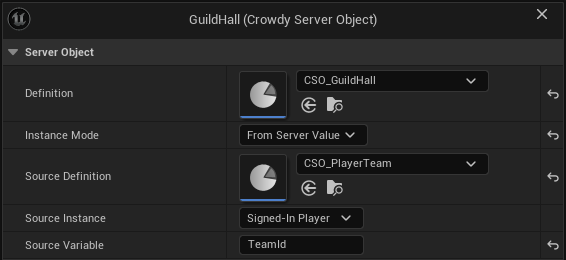
4. In the hall's **On Variables Changed**, call **Get Variables** and **Get Server Value** with **Name** `Gold` to show the coffer. **Get Member Count** and **Get Members** show who is in the hall.
5. To give gold, call **Call Server Function** with **Function** `Deposit` and Inputs made with **Make Inputs** and **Set Server Value** (`Amount`). A player from another hall gets **On Failed** with **Outcome** Denied and the Reason "only members may call Deposit", and reads no `Gold` at all. A second deposit within two seconds gets Denied with **Retryable** true.
If your halls were Crowdy Teams instead, set `guild_hall`'s **Members From** to **Crowdy Team**, use **Player's Team** for the component, and let the Teams nodes seat players; the registry is no longer needed. See [Crowdy Team](../access-members-and-timers.md#crowdy-team).
## The arena lobby
Oakford's arena takes eight players. They gather in a lobby, the first to arrive leads, the leader starts the match, nobody can join once it has begun, and ten minutes later it ends by itself.
One type, **`arena_match`**, with the Instance Id `oakford-arena`:
| Setting | Value |
|---|---|
| Members From | This Object |
| Max Members | 8 |
| Readable By | Members |
| Variables | `Phase`, String, starting at `Lobby`, Visible to Players |
| Function `StartMatch` | Callable By **Leader**, no Inputs |
| Timer | `EndMatch`, **Runs** **Once After**, **Time** 600 seconds, **Start Automatically** off |
Change **Readable By** to **Every Player** if spectators should see `Phase`. As it stands, someone who is not in the lobby sees how many are in it, who leads and whether it is open, and can **Join**.
### The logic
```rust
fn start_match(&mut self, ctx: &Ctx, _call: &Call<'_>) -> Result<()> {
if self.Phase != "Lobby" {
return Err(Error::new("the match has already started"));
}
members::set_open(false);
self.Phase = "Running".into();
timers::start(ctx, timers::END_MATCH)
}
fn end_match(&mut self, _ctx: &Ctx) -> Result<()> {
self.Phase = "Ended".into();
Ok(())
}
```
Nothing checks that the caller is the leader: **Callable By** did that. Nothing counts eight players: **Max Members** did. Closing joining is `members::set_open(false)`, so **Join** is refused with "It is not open for joining" from then on.
### The Blueprint side
1. On `BP_ArenaLobby`, add a **Crowdy Server Object** component with **Definition** `CSO_ArenaMatch`, **Instance Mode** **Instance Id**, **Instance Id** `oakford-arena`.
2. A **Join** button calls **Call Server Function** with **Function** `Join` and no Inputs. Under **On Failed**, show the **Reason**: "It is full", or "It is not open for joining". In the figure, the button is a custom event, **OnJoinPressed**, that takes **Get Server Object** from the lobby's component (the figure's variable is named `CrowdyServerObject`), calls **Call Server Function** with **Function** `Join`, and prints the **Reason** from **On Failed**.
[Blueprint snippet: so-arena-join, see /bp/unreal-sdk/so-arena-join.txt]
Pan a Blueprint figure with the right mouse button. Press **Copy nodes**, then Ctrl+V in your own event graph.
3. In **On Variables Changed**, call **Get Member Count** to show "5 of 8", **Is Open For Joining** to hide the Join button once it closes, and **Is Leader** to show a **Start** button to the leader only.
4. **Start** calls **Call Server Function** with **Function** `StartMatch`. A player who is not the leader is refused with Denied, "only the leader may call StartMatch", even from a modified client.
5. When `Phase` changes to `Ended`, **On Variables Changed** runs again and the game shows the result. **Get Leader** gives the leader's user id, for a name tag.
If the leader leaves the lobby, the member who has been in it longest leads, and **Is Leader** changes for both of them. A lobby for every match rather than one arena needs a registry that finds a lobby with room, as the guild halls have.
## Related
- [Access, members and timers](../access-members-and-timers.md): every setting used here
- [Relate Server Objects to each other](../relate-server-objects.md): registries, team objects and lobbies as relations, and good practice
- [Get a Server Object, from Blueprint](../from-blueprint/get-a-server-object.md#add-the-component): the component modes
- [Read and follow its variables, from Blueprint](../from-blueprint/read-and-follow-variables.md#by-name): the member nodes
- [Write its server logic](../write-server-logic.md): where `logic.rs` lives
# Shared boss fight
Source: https://docs.crowdedkingdoms.com/unreal-sdk/exec/examples/shared-boss
# Shared boss fight
:::note
Server Objects run on [ck-exec](/exec/intro).
:::
The Hollow Giant stalks Oakford's north road. Every player who passes can hit it, and all of them see the same health bar fall. Its health is the kind of number a client must never decide, so it lives on the server as a Server Object: one boss, however many players are hitting it.
This page builds it end to end. It uses what the earlier pages explain one piece at a time: the [definition asset](../create-a-type.md), [access and timers](../access-members-and-timers.md), the [server code](../write-server-logic.md), [Server Compute](../deploy-with-server-compute.md) and the [Blueprint nodes](../from-blueprint/get-a-server-object.md). If you have not made a Server Object before, start with [Tip jar: your first Server Object](./tip-jar.md).
The rules of the fight:
- Every hit takes 1 to 25 health off the boss, whoever lands it.
- A player can hit about four times a second.
- At half health the boss is **Enraged**. At zero it is **Defeated**, and hits are refused.
- Ten seconds after it falls, it comes back at full health.
## What the server keeps
The boss has six values, and every player may see all of them.
| Value | Type | Starts at | What it is |
|---|---|---|---|
| `Health` | Integer | 100 | What is left |
| `MaxHealth` | Integer | 100 | What a full bar is |
| `Phase` | `EBossPhase` | Alive | Alive, Enraged or Defeated |
| `Respawns` | Integer | 0 | How many times it has come back |
| `Hits` | Integer | 0 | Hits accepted, over every life |
| `LastHitBy` | Integer64 | 0 | The user id of the last player to hit it |
You can keep them in structs, as the C++ pages do, or as variables added right in the asset. The server code is the same either way. The structs:
```cpp
UENUM(BlueprintType)
enum class EBossPhase : uint8
{
Alive,
Enraged,
Defeated
};
USTRUCT(BlueprintType)
struct FBossState
{
GENERATED_BODY()
UPROPERTY(EditAnywhere, BlueprintReadWrite) int32 Health = 100;
UPROPERTY(EditAnywhere, BlueprintReadWrite) int32 MaxHealth = 100;
UPROPERTY(EditAnywhere, BlueprintReadWrite) EBossPhase Phase = EBossPhase::Alive;
UPROPERTY(EditAnywhere, BlueprintReadWrite) int32 Respawns = 0;
UPROPERTY(EditAnywhere, BlueprintReadWrite) int32 Hits = 0;
UPROPERTY(EditAnywhere, BlueprintReadWrite) int64 LastHitBy = 0;
};
USTRUCT(BlueprintType)
struct FBossHitInputs
{
GENERATED_BODY()
UPROPERTY(EditAnywhere, BlueprintReadWrite, meta = (ClampMin = 1, ClampMax = 25)) int32 Damage = 10;
};
USTRUCT(BlueprintType)
struct FBossHitOutputs
{
GENERATED_BODY()
UPROPERTY(EditAnywhere, BlueprintReadWrite) int32 Health = 0;
UPROPERTY(EditAnywhere, BlueprintReadWrite) int32 Hits = 0;
};
```
The `ClampMin` and `ClampMax` are the function's [Value Range](../access-members-and-timers.md#value-range), 1 to 25.
With no C++, add the same six as **Variables** in the asset instead, with `Phase` picking your enum (a Blueprint enum works too), and give `Hit` one **Input**, `Damage`, and two **Outputs**, `Health` and `Hits`. Set the range under **Value Range** in the input's Details, **Min** 1 and **Max** 25. The rest of this page says where the two differ.
## The asset
Make a **Crowdy Server Object Definition**, `CSO_Boss`, as on [Create a Server Object type](../create-a-type.md#make-the-asset). With **Type Settings** selected in the Server Object panel, in Details:
| Setting | Value |
|---|---|
| Type Name | `boss` |
| Readable By | **Every Player** |
| State Struct | `FBossState`, if you use structs |
Leave **Members From** on **None**: nobody is seated in a boss, and anyone may hit it. Leave every eye on the variables open, **Visible to Players**.
**Every Player** suits a boss that a whole world fights. With **Members** or **Owner Only** the server tells each watcher that something changed and each one reads the values again, which is slower and means a burst of hits can be seen as fewer, bigger steps. See [Readable By](../access-members-and-timers.md#readable-by).
Add a function, `Hit`:
| Setting | Value |
|---|---|
| Callable By | **Players** |
| Cooldown | 0.25 |
| Inputs | `FBossHitInputs` (**Use Struct**), or one Integer, `Damage`, starting at 10, with a **Value Range** of 1 to 25 |
| Outputs | `FBossHitOutputs` (**Use Struct**), or two Integers, `Health` and `Hits` |
**Cooldown** is per player: one player can hit every quarter second, and another player's hits do not count against them.
Add a timer under **Timers & Events**:
| Setting | Value |
|---|---|
| Name | `Respawn` |
| Runs | **Once After** |
| Time | 10 seconds |
| Start Automatically | **off** |
Its row reads "Respawn: Once After 10 s". Start Automatically is off because the boss starts alive. The server code starts the timer when the boss falls. Save the asset.
## The server code
Click **Generate** in the asset editor's toolbar, which writes `Server/boss/`. `Hit` and `Respawn` both arrive in `logic.rs` as methods that refuse with "not written yet". Replace the file with this:
```rust
use crate::*;
use ckx_sdk::prelude::*;
impl Functions for BossState {
fn hit(&mut self, ctx: &Ctx, call: &Call<'_>, params: BossHitInputs) -> Result {
if self.Phase == BossPhase::Defeated {
return Err(Error::new("The boss is defeated; wait for it to respawn"));
}
self.Health = (self.Health - params.Damage).max(0);
self.Hits = self.Hits.saturating_add(1);
self.LastHitBy = call.player().map(|id| id as i64).unwrap_or(0);
self.Phase = match self.Health {
0 => BossPhase::Defeated,
health if health * 2 <= self.MaxHealth => BossPhase::Enraged,
_ => BossPhase::Alive,
};
if self.Health == 0 {
timers::start(ctx, timers::RESPAWN)?;
}
Ok(BossHitOutputs { Health: self.Health, Hits: self.Hits })
}
fn respawn(&mut self, _ctx: &Ctx) -> Result<()> {
// A timer that fires twice, or on a boss that is not down, changes nothing.
if self.Phase != BossPhase::Defeated {
return Ok(());
}
self.Health = self.MaxHealth;
self.Phase = BossPhase::Alive;
self.Respawns += 1;
Ok(())
}
}
```
If you added the values in the asset rather than as structs, the generated names are `BossState` (the same), `HitParams` and `HitReply` in place of `BossHitInputs` and `BossHitOutputs`; see [The Rust names](../write-server-logic.md#the-rust-names).
What it does, in the order it does it:
- **It refuses while the boss is defeated.** The function returns an error, so the state is put back exactly as it was and nothing is published. The caller gets the `ServerError` outcome with that message. A second player who hits in the same moment the boss falls gets the refusal too.
- **It clamps at zero.** A 25 at 10 health leaves 0, not -15.
- **It counts the hit and remembers who landed it.** `Hits` goes up by one, over every life of the boss.
- **It sets the phase from what is left.** Half of `MaxHealth` or less is Enraged, and zero is Defeated.
- **At zero it starts `Respawn`.** The timer starts only because this call succeeded. Had the call been refused, no timer would have been armed. If the platform refuses to start the timer, the whole hit is refused instead: the boss keeps its health, nothing is published, and the player sees `ServerError` with "the change was not kept: timer Respawn could not start" and the reason.
- **`respawn` restores full health, but only for a boss that is down.** It runs once, ten seconds after the boss fell, and its changes reach every watcher like a function's do. Called on a boss that is not Defeated, for example by a stale or repeated timer, it does nothing.
Nothing here checks that `Damage` is 1 to 25, that the caller is a player or that they are not hitting too fast. The **Value Range** and **Cooldown** on the asset are enforced before `hit` runs.
## Put it on the server
Open Crowdy Studio and choose **Server Compute**, as on [Open the page](../deploy-with-server-compute.md#open-the-page). The **Overview** tab lists `boss` with the badge **New**. Click **Deploy**, read the dialog, which should say it adds `boss`, and click **Yes**. Wait for "Deployed as version" and a number. See [Deploy](../deploy-with-server-compute.md#deploy).
If you change the asset or the code later, **Generate** and **Deploy** again.
## The actor
The boss is an actor with a **Crowdy Server Object** component: **Definition** `CSO_Boss`. What to set in **Instance Mode** depends on how the boss gets into the level.
- **This Actor**, for a boss you place in the level. The component uses the actor's placement, which is the same on every player's machine, so every player who loads the level meets the same boss. No id to type.
- **Instance Id**, for a boss your game spawns at run time, the usual case for a boss that appears when a fight starts. Type an id such as `boss-1`; every copy with that id, on every machine, is the same boss. Set it before the actor finishes spawning, or call **Rejoin** on the component afterwards. A new id is a new boss, at full health, with nothing saved.
- **From Server Value**, for a boss per match. Point **Source Definition** at the match's Server Object and **Source Variable** at a String such as `MatchId`; the boss follows it, as the guild hall follows its player's team. See [Guild Halls](./guild-halls-and-arenas.md#guild-halls).
For this page, place the actor in the level and use **This Actor**.
Name it `BP_Boss`: in the Content Browser, **Add**, **Blueprint Class**, **Actor**, then open it, click **Add** in the Components panel, choose **Crowdy Server Object**, set **Definition** to `CSO_Boss` and **Instance Mode** to **This Actor**. Drag it into your level.
## The Blueprint
Every node here is a typed node from [The typed nodes](../from-blueprint/get-a-server-object.md#the-typed-nodes), and none needs a **Target**: they use the actor's own component.
**Show the health.** In the Event Graph:
1. Add **On Health Changed (CSO_Boss)** and wire **Event BeginPlay** into its **Bind**.
2. Wire **Changed** to a **Set Percent** on your health bar widget, with **Health** divided by **Get MaxHealth (CSO_Boss)**. The figure converts both to floats first.
[Blueprint snippet: so-boss-health, see /bp/unreal-sdk/so-boss-health.txt]
Pan a Blueprint figure with the right mouse button. Press **Copy nodes**, then Ctrl+V in your own event graph.
3. In the same way, bind **On Phase Changed (CSO_Boss)** from **Event BeginPlay**, and from its **Changed** show the **Phase**: the figure sends it through **Enum to String** into a **Print String**, and a tint on the bar that turns red for Enraged and grey for Defeated works as well.
4. Bind **On Respawns Changed (CSO_Boss)** as well, from the **Then** pin of **On Phase Changed**, and show "It is back." from its **Changed** with a **Print String**.
[Blueprint snippet: so-boss-phase, see /bp/unreal-sdk/so-boss-phase.txt]
**Changed** runs at once, with the current value, as soon as the object is ready, so the bar is right for a player who arrives in the middle of the fight. A widget with no component can read the same boss through **Find By Asset**, using **Get Health (CSO_Boss)** in its own graph; see [A widget that shows the oil](../from-blueprint/read-and-follow-variables.md#a-widget-that-shows-the-oil), which works the same way.
**Hit it.** Give the actor **Auto Receive Input** on **Player 0**, as in [Tip jar: your first Server Object](./tip-jar.md#tip-from-the-keyboard), then:
1. Add the **F** key event, and from **Pressed** add **Call Hit (CSO_Boss)**.
2. Set its **Damage** pin to 10.
3. From **On Success**, add a **Print String** that builds "Health " and the **Health** output, the boss's health after your hit, with **Build String**. The call also gives **Hits**, the hit count; the figure leaves it unwired.
4. Click the small arrow at the bottom of **Call Hit** to show its **Reason** pin, then from **On Failed** add a **Print String** and wire **Reason** to it.
Compile and save.
[Blueprint snippet: so-boss-hit, see /bp/unreal-sdk/so-boss-hit.txt]
## Two players in Play In Editor
1. In **Advanced Settings** under **Multiplayer Options**, set **Number of Players** to 2 and click **Play**. Sign both windows in.
2. Both show a full bar.
3. Press **F** in one window. Its bar drops to 90, and it prints the success line with `Health 90`. The other window's bar drops to 90 too, a moment later.
4. Press **F** in the other window. Both go to 80.
5. Tap **F** in one window faster than four times a second. A hit sooner than that after your last one runs **On Failed** with the **Outcome** Denied and a **Reason** that says how long to wait, such as "Hit can be called again in 1 s". **Retryable** is true for that one, and the boss does not change.
6. Keep hitting from both windows. Below 50 health both windows turn Enraged. At 0 both show Defeated.
While it is defeated, another **F** runs **On Failed** with the **Outcome** ServerError and the **Reason** "The boss is defeated; wait for it to respawn", and **Retryable** is false: calling again will be refused the same way until something changes. Ten seconds after it fell, both windows show a full bar, Alive, and **Respawns** 1. **Hits** is not reset: it counts every hit the boss has taken.
To see the range at work, set **Damage** to 30 or 0. The server refuses it before `hit` runs: **On Failed** gets the **Outcome** ServerError and the **Reason** `bad_params: Damage must be 1 to 25`, **Retryable** is false, and the boss does not change.
## Switch it off and on
Open **Server Compute** and look at the `boss` row on the **Overview** tab while both players are in the fight.
1. Click **Switch off** and confirm "Switch off boss". Its Server Objects are saved and stopped.
2. Press **F** in either window. The call is refused as **Denied**, and nothing changes for either player. Each window keeps showing the last health it had.
3. Click **Switch on**. There is no dialog.
4. Press **F** again. The boss starts again from what was saved, both windows follow it again, and the next hit lands on the same health it had before you switched off. Nothing is lost and nothing has gone back.
If the boss was defeated when you switched it off, its `Respawn` timer is still pending: it fires once after the type is back, and both windows see the boss return.
A switch like this is also the quick way to move a running boss onto code you have just deployed. See [Switching a type or the app off and on](../deploy-with-server-compute.md#switching-a-type-or-the-app-off-and-on).
## What the player sees when the boss falls
The hit that takes it to 0 succeeds for the player who landed it, with `Health` 0. Everyone watching gets one change with `Health` 0 and `Phase` Defeated, and their bars empty together. `LastHitBy` is that player's user id, so the game can name who landed the blow.
From then until the respawn, every hit is refused, from every player, with the same message and not retryable. A game should turn the **F** prompt off on **Defeated** rather than let players fire into it. Ten seconds later the server runs `respawn` and every player gets one change: full health, Alive, `Respawns` up by one.
If something does not behave, turn on [`crowdy.exec.trace`](../troubleshooting.md#seeing-what-a-server-object-is-doing) in both windows. Each accepted hit shows as one applied push with the same epoch and sequence number in both logs, which is the quick way to tell whether the two players really saw the same thing. A dropped connection shows as `exec: connection closed`, then `exec: redial ok` and a re-read.
## Related
- [Tip jar: your first Server Object](./tip-jar.md): the same flow from nothing, with a tip jar
- [Guild halls and arena lobbies](./guild-halls-and-arenas.md): members, a registry and a lobby
- [Access, members and timers](../access-members-and-timers.md): every setting used here
- [Write its server logic](../write-server-logic.md): where `logic.rs` lives and what the generated code does for you
- [Deploy it with Server Compute](../deploy-with-server-compute.md): Deploy, versions and the switch
- [Get a Server Object, from C++](../from-cpp/get-a-server-object.md): the statuses and what a dropped connection does
- [Troubleshooting](../troubleshooting.md#seeing-what-a-server-object-is-doing): `crowdy.exec.trace`
# Authentication
Source: https://docs.crowdedkingdoms.com/unreal-sdk/services/authentication
# Authentication
A player signs in once, at startup, from the Game Instance. Every method, email and password, a one-time link by email, a social provider, converges on one pipeline: the sign-in returns an identity session token, the SDK mints a short-lived app-scoped token from it, adopts the app's endpoints, fires a success event, and requests the realtime connection with the app token. Your code picks the method and reacts to the event; the tokens are the SDK's business.
## When you touch this
Once per project for the sign-in itself, which the [Quickstart](../quickstart.md) already did with a password. Again when you add a sign-in screen (which methods to offer, restoring a saved session), when a player signs out, and when you let a player link a second way to sign in.
## Two tokens
| Token | Plane | Who holds it | Lifetime |
|---|---|---|---|
| Identity **session** token | Management: the account, Studio, linked identities | The SDK persists it so a later launch can restore the session | Until sign-out |
| **App-scoped** token | Gameplay: the Game API and the realtime connection, confined to one app | The SDK keeps it in memory only | About 30 minutes; refreshed for you before expiry, and again on a realtime `TOKEN_EXPIRED` |
The session token is rejected for gameplay and the app token cannot manage the account, so neither can stand in for the other. You never handle either: the SDK stores, mints, refreshes, and installs them. The mint itself is described on [Portals and app-scoped tokens](/management-api/portals-and-app-tokens#minting-an-app-token); the sign-in calls underneath are on [Sign in](/management-api/authentication).
:::danger[Never log, print, persist, or display a token.]
`FCrowdyAuthResult::GameToken`, despite its name, is the identity session token, and the SDK already holds it. The SDK's own `On Login` and `On Register` events on the Crowdy SDK Subsystem carry a human-readable message and never a credential, because anything on a Blueprint-assignable event can end up on screen. Keep yours the same way: read `UserID`, ignore `GameToken`.
:::
## Choosing a method
| Method | Needs | Call |
|---|---|---|
| Email and password | Nothing but the two strings. No inbox, no browser. Permanent and first-class, not a legacy path. | `Login`, or `Register` for a new account |
| Magic link | An inbox the player can reach while the game runs | `BeginMagicLinkSignIn` |
| Social provider | The system browser, and a provider the server has enabled | `BeginSocialSignIn` |
| A saved session | A previous sign-in on this machine | `RestoreSession` |
Password is the right default for a build machine, a bot, or an agent, and for any flow that must complete without leaving the game.
## Two surfaces, one pipeline
`UCrowdySDKSubsystem` (Game Instance subsystem, category **CrowdySDK, Authentication**) is the simple surface the Quickstart uses: `Login(Email, Password)`, `Register(Email, Password)`, `CompleteLoginLink(Token)`, `BeginMagicLinkSignIn(Email)`, `BeginSocialSignIn(Provider)`, `RefreshAppToken()`, `Logout()`, and `RequestUDPAccess()`. Each forwards to the rich surface below with no per-call delegate, and the outcome arrives on the subsystem's multicast events: `OnLogin` and `OnRegister` (`FOnLogin`, `FOnRegister`: `bSuccess`, `Message`) and `OnLogout` (`FOnLogout`: `bSuccess`).
`UCrowdyAuthentication` (Game Instance subsystem, **Crowdy Authentication**, category **Crowdy SDK, Authentication**) is the rich surface: every call takes per-call delegates, `FOnAuthSuccess` with an `FCrowdyAuthResult` and `FOnAuthError` with a message, and every success also broadcasts an event carrying the result.
| Call | What it does |
|---|---|
| `Login(Email, Password, OnSuccess, OnError)` | Password sign-in. Persists the session so a later launch can restore it. |
| `Register(Email, Password, OnSuccess, OnError)` | Creates the account and signs in. An address that already has an account is refused with `EMAIL_ALREADY_REGISTERED`, not silently converted to a login. |
| `BeginMagicLinkSignIn(Email, OnSuccess, OnError)` | Opens a loopback listener on 127.0.0.1, emails the link, and completes itself when the player clicks it. `OnError` on failure or timeout. Nothing else to call. |
| `RequestLoginLink(Email, RedirectUri, OnLinkSent, OnError)`, `CompleteLoginLink(Token, OnSuccess, OnError)` | The two steps behind the one call above, for a flow you drive yourself. `FOnLoginLinkSent` carries one `bSent`, always true so an address cannot be probed. |
| `GetAvailableLoginProviders(OnResult, OnError)` | The enabled providers (`FOnLoginProvidersReceived`, a string array). Public: no session needed. Build the sign-in buttons from it. |
| `BeginSocialSignIn(Provider, OnSuccess, OnError)` | Opens the provider's consent page in the system browser, never an embedded view, and completes when the redirect lands on the loopback listener. |
| `RestoreSession(OnSuccess, OnError)` | Restores a saved session and re-mints. Returns false at once, and calls `OnError`, when nothing is saved. |
| `ClearSavedSession()`, `HasSavedSession()` | Delete the persisted credential and cancel the refresh timer; whether one exists on disk. |
| `IsSignedIn()` | Signed in right now: a sign-in or restore completed and its app token is in memory. |
| `RefreshAppToken()` | Rotate the app token by hand. It also happens automatically before expiry. |
| `GetMyIdentities(OnResult, OnError)`, `BeginLinkIdentity(Provider, OnResult, OnError)`, `UnlinkIdentity(IdentityId, OnResult, OnError)` | Linked sign-in methods; below. |
Events on `UCrowdyAuthentication`, all Blueprint-assignable: `OnLogin` (`FOnAuthLoginEvent`) and `OnRegister` (`FOnAuthRegisterEvent`) with an `FCrowdyAuthResult`; `OnLoginFailed` (`FOnAuthLoginFailed`) and `OnRegisterFailed` (`FOnAuthRegisterFailed`) with a message; `OnSessionRestored` (`FOnAuthSessionRestored`) and `OnSessionRestoreFailed` (`FOnAuthSessionRestoreFailed`); and `OnAppTokenRefreshed` (`FOnAppTokenRefreshed`), with no parameters, after a proactive or reactive rotation.
`FCrowdyAuthResult` has two fields: `UserID`, the player's `int64` id, and `GameToken`, the session token you never read.
## Signing in
The Game Instance signs the player in from `Init`, binds the outcome event before it calls, and enables play in the handler. This is the Quickstart's step, on the same `ULanternGameInstance`.
The C++ is the `ULanternGameInstance` block on [Player Sign-in](../runtime/player-sign-in.md): bind `OnLogin` and `OnUDPConnectionSuccess` on the Crowdy SDK Subsystem in `Init`, then call `Login` with the account read from `Config/DefaultGame.ini`. The rich surface in the table above is reached the same way, through `GetSubsystem()`, with the per-call delegates passed as arguments.
In the Game Instance Blueprint, **Event Init** runs the latent **Login** node with `Email` and `Password`; its `On Success` pin carries a `Result` and `On Error` a `Message`.
[Blueprint snippet: auth-login, see /bp/unreal-sdk/auth-login.txt]
The two literals on the node are placeholders for a test account; a shipped Blueprint reads them from a widget, as [Player Sign-in](../runtime/player-sign-in.md) does.
:::caution[Bind your delegates before you start the call.]
A response can arrive quickly enough to be missed by a handler bound after the call returns. The per-call delegates are bound as arguments, so they are always in place; for the multicast events, bind in `Init` before the first sign-in.
:::
In Blueprint, five latent nodes wrap the rich surface, each with `On Success` (a `Result`) and `On Error` (a `Message`) pins and no delegate wiring: **Login** (`UCrowdyAuth_Login`), **Register** (`UCrowdyAuth_Register`), **Magic Link Sign In** (`UCrowdyAuth_BeginMagicLinkSignIn`), **Social Sign In** (`UCrowdyAuth_BeginSocialSignIn`), and **Restore Session** (`UCrowdyAuth_RestoreSession`). Their pin delegate types are `FLoginDelegateOnSuccess`, `FLoginDelegateOnError`, `FRegisterDelegateOnSuccess`, `FRegisterDelegateOnFailure`, `FBeginMagicLinkSignInDelegateOnSuccess`, `FBeginMagicLinkSignInDelegateOnError`, `FBeginSocialSignInDelegateOnSuccess`, `FBeginSocialSignInDelegateOnError`, `FRestoreSessionDelegateOnSuccess`, and `FRestoreSessionDelegateOnError`, should you bind one from C++.
### Register
A Create Account action on your sign-in screen calls `RegisterNewAccount`; success is the account created and signed in. It binds the two handlers every sign-in path on this page shares, `HandleSignedIn` and `HandleSignInFailed`, with `BindDynamic` before the call.
```cpp
// LanternGameInstance.h
#include "Subsystem/CrowdyAuthentication.h"
// A Create Account button calls this; the outcome arrives on the two handlers every sign-in path shares.
UFUNCTION(BlueprintCallable, Category = "Lantern")
void RegisterNewAccount(const FString& NewEmail, const FString& NewPassword);
// LanternGameInstance.cpp
void ULanternGameInstance::RegisterNewAccount(const FString& NewEmail, const FString& NewPassword)
{
UCrowdyAuthentication* Auth = GetSubsystem();
FOnAuthSuccess OnSuccess;
OnSuccess.BindDynamic(this, &ULanternGameInstance::HandleSignedIn);
FOnAuthError OnError;
OnError.BindDynamic(this, &ULanternGameInstance::HandleSignInFailed);
Auth->Register(NewEmail, NewPassword, OnSuccess, OnError);
}
```
A custom event `OnCreateAccountPressed` runs **Register** with `Email` and `Password`.
[Blueprint snippet: auth-register, see /bp/unreal-sdk/auth-register.txt]
### Magic link
One call, `RequestMagicLink`. The SDK opens the loopback listener, sends the email, and completes the sign-in when the player follows the link. There is no second step for you to call, and `OnError` fires if the player never returns.
```cpp
// LanternGameInstance.h
#include "Subsystem/CrowdyAuthentication.h"
UFUNCTION(BlueprintCallable, Category = "Lantern")
void RequestMagicLink(const FString& MagicEmail);
// LanternGameInstance.cpp
void ULanternGameInstance::RequestMagicLink(const FString& MagicEmail)
{
UCrowdyAuthentication* Auth = GetSubsystem();
FOnAuthSuccess OnSuccess;
OnSuccess.BindDynamic(this, &ULanternGameInstance::HandleSignedIn);
FOnAuthError OnError;
OnError.BindDynamic(this, &ULanternGameInstance::HandleSignInFailed);
// Emails the link and listens on 127.0.0.1 for the click; nothing else to call, OnError also covers the timeout.
Auth->BeginMagicLinkSignIn(MagicEmail, OnSuccess, OnError);
}
```
A custom event `OnRequestMagicLinkPressed` with an `Email` parameter runs **Magic Link Sign In**.
[Blueprint snippet: auth-magic, see /bp/unreal-sdk/auth-magic.txt]
### Social
`SignInWithGoogle` opens the provider's consent page in the system browser. The provider string comes from `GetAvailableLoginProviders`; the example hard-codes `google` only to stay short.
```cpp
// LanternGameInstance.h
#include "Subsystem/CrowdyAuthentication.h"
UFUNCTION(BlueprintCallable, Category = "Lantern")
void SignInWithGoogle();
// LanternGameInstance.cpp
void ULanternGameInstance::SignInWithGoogle()
{
UCrowdyAuthentication* Auth = GetSubsystem();
FOnAuthSuccess OnSuccess;
OnSuccess.BindDynamic(this, &ULanternGameInstance::HandleSignedIn);
FOnAuthError OnError;
OnError.BindDynamic(this, &ULanternGameInstance::HandleSignInFailed);
// Opens the provider's consent page in the system browser; build a real sign-in screen from GetAvailableLoginProviders.
Auth->BeginSocialSignIn(TEXT("google"), OnSuccess, OnError);
}
```
A custom event `OnSignInWithGooglePressed` runs **Social Sign In** with `Provider` = `google`.
[Blueprint snippet: auth-social, see /bp/unreal-sdk/auth-social.txt]
:::warning[Build the provider list from Get Available Login Providers, never from a literal.]
A server can disable or rename a provider; a hard-coded button then opens a consent page that fails. Do not hard-code a provider you saw once in the list; build the buttons from the call every launch.
:::
## After sign-in
The SDK requests the realtime connection itself, on every path: password, link, social, and restore all end in the same success handler inside the SDK, which calls `RequestUDPAccess()`, and a token refresh reinstalls the new token on the live connection. Do not call `RequestUDPAccess()` from your own success handler; by the time it runs, the SDK already did. Wait for **On UDP Connection Success** on the Crowdy SDK Subsystem for the moment the connection is up; [Connection and reconnect](../runtime/connection-and-reconnect.md) covers what follows, including `TOKEN_EXPIRED` and the automatic re-mint. `RequestUDPAccess()` remains callable for a manual recovery and nothing else.
The events are also where a game enables play. `WatchAuthEvents` binds `OnLogin` and `OnSessionRestored` to the same `HandleSignedIn`, which lights every lantern in the world, and the `Result` it receives is read for nothing: the token in it belongs to the SDK.
```cpp
// LanternGameInstance.h
#include "Subsystem/CrowdyAuthentication.h"
void WatchAuthEvents();
UFUNCTION()
void HandleSignedIn(FCrowdyAuthResult Result);
UFUNCTION()
void HandleSignInFailed(FString Message);
// LanternGameInstance.cpp
#include "EngineUtils.h"
#include "Lantern.h"
void ULanternGameInstance::WatchAuthEvents()
{
UCrowdyAuthentication* Auth = GetSubsystem();
Auth->OnLogin.AddDynamic(this, &ULanternGameInstance::HandleSignedIn);
Auth->OnSessionRestored.AddDynamic(this, &ULanternGameInstance::HandleSignedIn);
}
void ULanternGameInstance::HandleSignedIn(FCrowdyAuthResult Result)
{
// Result also carries the session token; the SDK holds it, so never print or store it. The village lights up.
for (TActorIterator It(GetWorld()); It; ++It)
{
It->Light->SetVisibility(true);
}
}
void ULanternGameInstance::HandleSignInFailed(FString Message)
{
UE_LOG(LogTemp, Warning, TEXT("Sign-in failed: %s"), *Message);
}
```
The Game Instance Blueprint needs a Boolean variable `bCanPlay`. **Event Init** gets the **Crowdy Authentication** subsystem and **Bind Event to On Login**; the bound custom event `OnSignedIn` receives the `Result` and sets `bCanPlay` true.
[Blueprint snippet: auth-events, see /bp/unreal-sdk/auth-events.txt]
## What you may read about the signed-in player
`UCrowdyGameSession` (Game Instance subsystem, category **Crowdy SDK, Game Session**) is the client's own connection and sign-in state, written by the SDK's login and handshake. A game legitimately reads four things from it:
| Accessor | Returns |
|---|---|
| `GetAppID()` | The app id, `int64`. |
| `GetUserID()` | The signed-in user's id, `int64`. |
| `GetUUID()`, `GetID()` | This client's actor identity as a string and as an `FGuid`. |
Its two events, `OnOwnerUUIDUpdated` (`FOnOwnerUUIDUpdated`) and `OnHostIDUpdated` (`FOnHostIDUpdated`), announce a new client identity and a change of the elected view-plane host; the host one belongs to [Host election](../runtime/host-authority.md). Everything else on the class, the setters, the token and URL getters, the clear call, and the getter that returns the whole connection-state struct, is written by the SDK and is not for a game to read, display, or log: that struct carries both tokens as fields, so breaking it into a widget is exactly the leak the box above forbids.
## Session persistence and sign-out
`Login`, `Register`, the link, and the social flow persist the session token; `RestoreSession` on the next launch re-mints from it and fires `OnSessionRestored`, and the SDK connects as after any sign-in. Gate your login screen on `IsSignedIn()`.
### Restore a saved session
A returning player should type nothing. The Game Instance calls `RestoreSession(OnSuccess, OnError)` first, before it shows a sign-in screen or calls `Login`. The call returns `bool`: true means a saved session was found and the restore is under way, and the outcome arrives on the delegates; false means nothing is saved on this machine, `OnError` has already run with `No saved session found`, and `OnSessionRestoreFailed` has already fired, so the error path is the sign-in screen. On success the SDK re-mints the app token from the saved session token, calls `OnSuccess`, and fires `OnSessionRestored`; then, exactly as after a `Login`, it requests the realtime connection with the fresh app token and raises its own `OnLogin` on the Crowdy SDK Subsystem, so the handlers you bound for a first sign-in, `OnLogin` and `OnUDPConnectionSuccess`, run unchanged. A restore that fails after finding a saved session (the token was revoked, the network is down) reaches `OnError` the same way.
`RestoreOrSignIn` is what `Init` calls in place of the bare `Login` from the Quickstart. `OnSuccess` is the same `HandleSignedIn` every path on this page binds; `HandleRestoreFailed` falls through to `Login` with the configured account, and a game with a sign-in screen shows it there instead. The return value is ignored on purpose: both outcomes arrive on the delegates.
```cpp
// LanternGameInstance.h
#include "Subsystem/CrowdyAuthentication.h"
// Init calls this in place of Login: a machine that signed in before comes back without typing anything.
void RestoreOrSignIn();
UFUNCTION()
void HandleRestoreFailed(FString Message);
// LanternGameInstance.cpp
void ULanternGameInstance::RestoreOrSignIn()
{
UCrowdyAuthentication* Auth = GetSubsystem();
FOnAuthSuccess OnSuccess;
OnSuccess.BindDynamic(this, &ULanternGameInstance::HandleSignedIn);
FOnAuthError OnError;
OnError.BindDynamic(this, &ULanternGameInstance::HandleRestoreFailed);
// False means nothing is saved on this machine and OnError has already run; a saved token the server refuses reaches OnError later.
Auth->RestoreSession(OnSuccess, OnError);
}
void ULanternGameInstance::HandleRestoreFailed(FString Message)
{
GetSubsystem()->Login(Email, Password);
}
```
**Event Init** runs the latent **Restore Session** node, which takes nothing but the world context. Its **On Error** pin is the only place that asks for credentials: the graph runs **Login** with the configured account there, as the Quickstart does, and a game with a sign-in screen creates the widget from [Player Sign-in](../runtime/player-sign-in.md) and adds it to the viewport on that pin instead; a machine with nothing saved reaches it at once. **On Success** carries the `Result`, read for nothing.
[Blueprint snippet: auth-restore, see /bp/unreal-sdk/auth-restore.txt]
:::warning[IsSignedIn is not HasSavedSession.]
`HasSavedSession` only says a credential exists on disk. It stays true across a restart, before a restore has run, and after a restore that failed. `IsSignedIn` is true only while a sign-in or restore has completed and its app token is held in memory right now.
:::
:::warning[Sign out with Logout on the Crowdy SDK Subsystem, not ClearSavedSession alone.]
`Logout()` clears the saved session, clears the connection state, scrubs both bearers from the shared API client, and closes the realtime connection, then broadcasts `OnLogout`. `ClearSavedSession()` only deletes the on-disk credential; called alone during a live session it leaves the in-memory tokens and the open connection signed in as the player who just left.
:::
## Linked identities
A signed-in player can attach more ways to sign in. `GetMyIdentities` lists them (`FOnIdentitiesReceived`, an array of `FCrowdyUserIdentity`: `IdentityId`, `UserId`, `Provider`, `Subject`, `Email`, `bEmailVerified`, `CreatedAt`, `LastLoginAt`). `BeginLinkIdentity(Provider, ...)` runs the same browser and loopback flow as the social sign-in but attaches the result to the current session instead of starting one (`FOnIdentityLinked`). `UnlinkIdentity(IdentityId, ...)` removes one (`FOnIdentityUnlinked`, `bRemoved`). All three need an active session.
:::caution[The server refuses to unlink a player's last remaining sign-in method.]
Expect the refusal in a UI that lists identities with a remove button; do not treat it as an error to retry.
:::
## Gotchas
- Nothing connects until someone signs in. Every entity and event depends on it.
- `Register` on an existing address is a refusal, `EMAIL_ALREADY_REGISTERED`; offer Login instead.
- The link and social flows need the player to reach a browser or inbox while the game runs; on a machine that cannot, use a password.
- `OnAppTokenRefreshed` fires on every rotation. You rarely need it; the connection is re-armed for you.
- Studio's own sign-in is the same account and the same methods; [Signing In](../studio/sign-in.md).
## Related
- [Quickstart](../quickstart.md): the sign-in step this page extends.
- [Connection and reconnect](../runtime/connection-and-reconnect.md): the realtime connection the sign-in requests.
- [Sessions and presence](../concepts/sessions-and-presence.md): the other meanings of the word session.
- [Teams](../services/teams.md) and [Avatars](../services/avatars.md): services that need a signed-in player.
- [Sign in on the Management API](/management-api/authentication): the calls at the GraphQL level.
# Teams
Source: https://docs.crowdedkingdoms.com/unreal-sdk/services/teams
# Teams
A team is a persistent, named group of players, scoped to your app, with membership, roles, and
permissions the app controls. A game creates, joins, and manages teams live from `UCrowdyTeams`; Crowdy
Studio's Teams pane edits the same rows ahead of time.
## When you touch this
Any time players need a group that outlives one session, a guild, a faction, a village, with roles you
can grant and revoke. In the example world a village is a team: joining one is how a player shows they
belong to a place.
## Runtime and Studio, one dataset
Creating, updating, and deleting teams is not a Studio-only workflow. The same create, update, delete,
role, and policy operations run from game code through `UCrowdyTeams`, subject to your app's team
creation policy, and Crowdy Studio's Teams pane reads and writes the identical server rows. There is one
store, not two.
Membership, roles, and permissions are server-authoritative truth, pulled through `UCrowdyTeams` rather
than trusted from the client, the same split every server-owned system in the SDK follows: see
[The Two Planes](../concepts/two-planes.md) for the general story. There is no container here, just the
Team API `UCrowdyTeams` wraps one call at a time. Joining a team does not put a player in a match; see
[Sessions and presence](../concepts/sessions-and-presence.md).
The server owns team, role, and permission storage and every authorization check; a disallowed call comes
back through the error delegate rather than being refused on the client. The exact GraphQL shape behind
each call is on [Teams](/game-api/teams) and in the
[operations reference](/game-api/reference/graphql/operations/mutations/create-team); a team can also be
granted permissions over a grid region, covered on
[Grids and permissions](/game-api/grids-and-permissions#group-grants-per-team-or-group).
Every call below is asynchronous and answers through exactly one of the two delegates it is given, even
when the request never reaches the server.
## Reading the cache first
`GetCachedMyTeams` and its neighbors read a local snapshot of the player's own memberships. The SDK keeps
it current for you:
- Signing in (log in, register, magic link, social, or a restored session) clears it and fills it again
with a `GetMyTeams`.
- Signing out clears it: `HasCachedTeams()` is false, and `OnMyTeamsCacheChanged` fires with an empty
list if the cache held anything.
- A successful `CreateTeam`, `JoinTeam`, `LeaveTeam`, `DeleteTeam`, `UpdateTeam`, `RemoveTeamMember`,
`SetTeamMemberRoles`, `UpdateTeamRole` or `DeleteTeamRole` refreshes it. `RequestToJoin` does not,
since the membership is still pending.
- An answer to a `GetMyTeams` sent before a sign-out never fills the cache, and an older answer never
replaces a newer one.
Read it for the value to show now; treat a query's result and `OnMyTeamsCacheChanged` as the update that
follows. In C++, `ClearMyTeamsCache()` empties it by hand and `RefreshMyTeams()` asks for the player's teams again, with the answer arriving through `OnMyTeamsCacheChanged`; neither is exposed to Blueprint.
| Call | Returns |
|---|---|
| `HasCachedTeams()` | Whether the cache has been populated yet. |
| `GetCachedMyTeams()` | The player's memberships (`TArray`) as of the last refresh. |
| `IsPlayerInTeam(TeamId)` | Whether the player belongs to that team, from the cache. |
| `GetMyTeamById(TeamId, OutMembership)` | The cached membership for one team, if any. |
| `IsInAnyTeam()` | Whether the cache holds at least one membership. |
| `GetPrimaryMembership(OutMembership)` | The first cached membership. |
| `HasPermissionInTeam(TeamId, Permission)` | Whether the cached membership grants an `ECrowdyTeamPermission`. |
`OnMyTeamsCacheChanged` (`FOnMyTeamsCacheChanged`, `Memberships`) is a multicast, Blueprint-assignable
delegate that fires whenever the cache changes: after a `GetMyTeams` answers, after a mutation above
refreshes it, and when a sign-out empties it. Bind it once and re-read the cache; do not poll.
## Queries
Each query takes an `FOnTeamError` alongside its success delegate; bind it to a `UFUNCTION` with the
signature `(FCrowdyTeamError Error, FString Message)`, where `Message` repeats `Error.Message`.
| Call | Success delegate | Notes |
|---|---|---|
| `GetMyTeams(OnSuccess, OnError)` | `FOnMyTeamsSuccess` | Repopulates the cache and fires `OnMyTeamsCacheChanged`. |
| `GetTeam(TeamId, OnSuccess, OnError)` | `FOnTeamSuccess` | One team by id. |
| `GetTeams(OnSuccess, OnError)` | `FOnTeamsSuccess` | Every team in the app, not just the player's. |
| `GetTeamMembers(TeamId, OnSuccess, OnError)` | `FOnTeamMembersSuccess` | |
| `GetTeamRoles(TeamId, OnSuccess, OnError)` | `FOnTeamRolesSuccess` | |
| `GetTeamPolicy(OnSuccess, OnError)` | `FOnTeamPolicySuccess` | App-wide, not per-team. |
| `GetPendingJoinRequests(TeamId, OnSuccess, OnError)` | `FOnTeamMembersSuccess` | See the warning below. |
:::note[GetPendingJoinRequests re-fetches the full member list and filters on the client.]
It runs the same query as `GetTeamMembers` and then keeps only the members whose status is pending. That
is fine at team scale, a handful to a few dozen members, but do not call it in a hot loop expecting a
cheaper, dedicated request.
:::
## Creating and managing a team
Every mutation reports success through its own delegate and failure through the shared `FOnTeamError`.
**Team lifecycle:** `CreateTeam(Name, Description, MembershipPolicy, OnSuccess, OnError)` returns
`FOnTeamSuccess` with the new `FCrowdyTeam`; `UpdateTeam(TeamId, Name, Description, OnSuccess, OnError)`
also returns `FOnTeamSuccess`; `DeleteTeam(TeamId, OnSuccess, OnError)` returns `FOnTeamVoidSuccess`.
**Membership:** `JoinTeam(TeamId, OnSuccess, OnError)` honors the team's `ECrowdyTeamMembershipPolicy`,
seating the player immediately for an `Open` team; `RequestToJoinTeam(TeamId, OnSuccess, OnError)` is for
a `Request` policy team and returns a pending member. Both return `FOnTeamMemberSuccess`.
`LeaveTeam(TeamId, OnSuccess, OnError)` returns `FOnTeamVoidSuccess`. `AddTeamMember(TeamId, UserId,
OnSuccess, OnError)` is the admin add that bypasses the membership policy; `RemoveTeamMember(TeamId,
UserId, OnSuccess, OnError)` takes them off. `AddTeamMember` answers with `FOnTeamMemberSuccess`,
`RemoveTeamMember` with `FOnTeamVoidSuccess`.
**Roles and permissions:** `CreateTeamRole(TeamId, RoleName, Permissions, Rank, OnSuccess, OnError)` and
`UpdateTeamRole(TeamRoleId, RoleName, Permissions, OnSuccess, OnError)` return `FOnTeamRoleSuccess`;
`DeleteTeamRole(TeamRoleId, OnSuccess, OnError)` returns `FOnTeamVoidSuccess`.
`SetTeamMemberRoles(TeamId, UserId, RoleIds, OnSuccess, OnError)` returns `FOnTeamMemberSuccess`.
`Permissions` is an `FCrowdyTeamPermissions` your code builds before the call.
:::warning[SetTeamMemberRoles replaces the member's roles, it does not add to them.]
Pass every role the member should end up holding, including ones they already have, or the call drops
the roles you left out.
:::
**App-wide policy:** `SetTeamPolicy(CreationPolicy, DefaultMembershipPolicy, OnSuccess, OnError)` returns
`FOnTeamPolicySuccess` and is an app-admin operation.
## Data types
| Struct | Holds |
|---|---|
| `FCrowdyTeam` | `TeamId`, `AppId`, `Name`, `Description`, `OwnerUserId`, `MembershipPolicy`, `Status`, `CreatedAt`. |
| `FCrowdyTeamMember` | `TeamMemberId`, `TeamId`, `UserId`, `Status` (active or pending), `Roles` sorted by rank, `CreatedAt`. |
| `FCrowdyTeamMembership` | `Team`, `Roles`, the effective `Permissions` (a server-computed union across roles), `JoinedAt`, and `HasPermission(ECrowdyTeamPermission)`. |
| `FCrowdyTeamPermissions` | Flags `bManageTeam`, `bManageMembers`, `bManageRoles`, `bInviteMembers`, all `BlueprintReadWrite`, and `Has()`. Build one to pass into `CreateTeamRole` or `UpdateTeamRole`. |
| `FCrowdyTeamPolicy` | `AppId`, `CreationPolicy`, `DefaultMembershipPolicy`, `MaxMembers` (0 is uncapped), `MaxTeamsPerUser` (0 is uncapped). |
| `FCrowdyTeamRole` | `TeamRoleId`, `TeamId`, `RoleName`, `Rank`, `bIsSystem` (every team has an undeletable system leader role), `Permissions`, `CreatedAt`. |
| `FCrowdyTeamError` | `Code` (`ECrowdyTeamErrorCode`) and `Message`. |
| Enum | Values |
|---|---|
| `ECrowdyTeamCreationPolicy` | `Admin`, `Member`, `Anyone` |
| `ECrowdyTeamMembershipPolicy` | `Open`, `Request`, `Invite`, `Admin` |
| `ECrowdyTeamPermission` | `ManageTeam`, `ManageMembers`, `ManageRoles`, `InviteMembers` |
| `ECrowdyTeamErrorCode` | `Unknown`, `NotFound`, `Forbidden`, `PolicyViolation`, `AlreadyMember`, `NotMember`, `NetworkError`, `ServerError` |
:::note[Code is a coarse bucket, not a precise diagnosis.]
`FCrowdyTeamError` is built by pattern-matching the server's message text; there is no structured error
code from the server. Read `Message` for the detail and branch on `Code` only for the broad cases.
:::
## Blueprint nodes
The subsystem's per-call delegates need a Create Event node per call. For a graph that just drops in a
node, use the async-action latent nodes instead: one static factory and `Activate()` per node, with
multicast `OnSuccess`/`OnError` (`FTeamsAsyncOnError`, the same two parameters as `FOnTeamError`),
wrapping the same server calls.
| Node | Class | Returns |
|---|---|---|
| Get My Teams | `UCrowdyTeams_GetMyTeams` | `FCrowdyMyTeamsResult` |
| Get Team | `UCrowdyTeams_GetTeam` | `FCrowdyTeam` |
| Get All Teams | `UCrowdyTeams_GetTeams` | `FCrowdyTeamsResult` |
| Get Team Members | `UCrowdyTeams_GetTeamMembers` | `FCrowdyTeamMembersResult` |
| Get Team Roles | `UCrowdyTeams_GetTeamRoles` | `FCrowdyTeamRolesResult` |
| Get Team Policy | `UCrowdyTeams_GetTeamPolicy` | `FCrowdyTeamPolicy` |
| Get Pending Join Requests | `UCrowdyTeams_GetPendingJoinRequests` | `FCrowdyTeamMembersResult` |
| Create Team | `UCrowdyTeams_CreateTeam` | `FCrowdyTeam` |
| Update Team | `UCrowdyTeams_UpdateTeam` | `FCrowdyTeam` |
| Delete Team | `UCrowdyTeams_DeleteTeam` | void |
| Join Team | `UCrowdyTeams_JoinTeam` | `FCrowdyTeamMember` |
| Request to Join Team | `UCrowdyTeams_RequestToJoinTeam` | `FCrowdyTeamMember` |
| Leave Team | `UCrowdyTeams_LeaveTeam` | void |
| Add Team Member | `UCrowdyTeams_AddTeamMember` | `FCrowdyTeamMember` |
| Remove Team Member | `UCrowdyTeams_RemoveTeamMember` | void |
| Set Team Member Roles | `UCrowdyTeams_SetTeamMemberRoles` | `FCrowdyTeamMember` |
| Create Team Role | `UCrowdyTeams_CreateTeamRole` | `FCrowdyTeamRole` |
| Update Team Role | `UCrowdyTeams_UpdateTeamRole` | `FCrowdyTeamRole` |
| Delete Team Role | `UCrowdyTeams_DeleteTeamRole` | void |
| Set Team Policy | `UCrowdyTeams_SetTeamPolicy` | `FCrowdyTeamPolicy` |
`FCrowdyTeamsResult`, `FCrowdyMyTeamsResult`, `FCrowdyTeamMembersResult`, and `FCrowdyTeamRolesResult`
each wrap one multi-item result (`Teams`, `Memberships`, `Members`, `Roles`); a single-item call like
`GetTeam` or `CreateTeam` returns its struct directly.
Each async-action node's own `On Success` pin is a multicast delegate named after its call:
`FTeamAsyncOnSuccess` (Get Team, Create Team, Update Team), `FTeamsAsyncOnSuccess` (Get All Teams),
`FMyTeamsAsyncOnSuccess` (Get My Teams), `FMemberAsyncOnSuccess` (Join Team, Request to Join Team, Add
Team Member, Set Team Member Roles), `FMembersAsyncOnSuccess` (Get Team Members, Get Pending Join
Requests), `FRoleAsyncOnSuccess` (Create Team Role, Update Team Role), `FRolesAsyncOnSuccess` (Get Team
Roles), `FPolicyAsyncOnSuccess` (Get Team Policy, Set Team Policy), and `FVoidAsyncOnSuccess` (Delete
Team, Leave Team, Remove Team Member, Delete Team Role). These are separate from the per-call
`FOnTeam*Success` delegates above; the async-action nodes never use those.
:::caution[Bind a per-call delegate to a UFUNCTION on a UObject that outlives the request.]
The response arrives asynchronously; if the object is gone by then, the callback has nowhere to land.
:::
:::note[The array delegates pass `const TArray&`.]
`FOnTeamsSuccess`, `FOnTeamMembersSuccess`, `FOnTeamRolesSuccess`, `FOnMyTeamsSuccess`, and the cache event
`FOnMyTeamsCacheChanged` pass their array as `const TArray&`, which is what the C++ handlers on this page
take. A handler must match or it fails to bind, and a project coming from 2.14.0 or earlier, where these
passed by value, changes its handlers once; see
[What's Changed](../guides/whats-changed.md#2026-09-22-sdk-v2150). In Blueprint prefer the async-action
nodes above, whose result pins are structs; a Blueprint pin has no by-value distinction.
:::
## Example: founding and joining a village
A village is a team. The player asks to join "the Village," and a successful join lights their `Torch`,
the light component the example cast already carries, to show membership at a glance.
A "Found the Village" button calls `FoundVillage()`, which calls `CreateTeam("The Village", "Everyone
who shares one fire.", Open, HandleVillageFounded, FOnTeamError())`; `HandleVillageFounded(FCrowdyTeam)`
stores the new id in a private `VillageTeamId`, read back through the `BlueprintPure` `GetVillageTeamId()`:
```cpp
// LanternGameInstance.h
#include "Subsystem/CrowdyTeams.h"
public:
// A Found the Village button calls this; the id the handler keeps is the one every player joins.
UFUNCTION(BlueprintCallable, Category = "Lantern")
void FoundVillage();
UFUNCTION(BlueprintPure, Category = "Lantern")
int64 GetVillageTeamId() const { return VillageTeamId; }
private:
int64 VillageTeamId = 0;
UFUNCTION()
void HandleVillageFounded(FCrowdyTeam Team);
// LanternGameInstance.cpp
void ULanternGameInstance::FoundVillage()
{
UCrowdyTeams* Teams = GetSubsystem();
FOnTeamSuccess Founded;
Founded.BindDynamic(this, &ULanternGameInstance::HandleVillageFounded);
Teams->CreateTeam(TEXT("The Village"), TEXT("Everyone who shares one fire."),
ECrowdyTeamMembershipPolicy::Open, Founded, FOnTeamError());
}
void ULanternGameInstance::HandleVillageFounded(FCrowdyTeam Team)
{
VillageTeamId = Team.TeamId;
}
```
Overlapping the village post calls `JoinVillage()`, which calls `JoinTeam(GetVillageTeamId(), ...)`;
on success `HandleJoinedVillage(FCrowdyTeamMember)` sets `Torch->SetVisibility(true)`:
```cpp
// LanternPlayer.h
#include "Subsystem/CrowdyTeams.h"
virtual void NotifyActorBeginOverlap(AActor* OtherActor) override;
void JoinVillage();
UFUNCTION()
void HandleJoinedVillage(FCrowdyTeamMember Member);
// LanternPlayer.cpp
#include "LanternGameInstance.h"
#include "LanternPost.h"
void ALanternPlayer::NotifyActorBeginOverlap(AActor* OtherActor)
{
Super::NotifyActorBeginOverlap(OtherActor);
if (Cast(OtherActor))
{
JoinVillage();
}
}
void ALanternPlayer::JoinVillage()
{
const ULanternGameInstance* Game = GetGameInstance();
UCrowdyTeams* Teams = Game ? Game->GetSubsystem() : nullptr;
if (!Teams || Game->GetVillageTeamId() == 0)
{
return;
}
// Open membership seats the player at once; a Request team would answer with a pending member instead.
FOnTeamMemberSuccess Joined;
Joined.BindDynamic(this, &ALanternPlayer::HandleJoinedVillage);
Teams->JoinTeam(Game->GetVillageTeamId(), Joined, FOnTeamError());
}
void ALanternPlayer::HandleJoinedVillage(FCrowdyTeamMember Member)
{
Torch->SetVisibility(true);
}
```
`ShowVillageMembership()`, called from `BeginPlay`, guards on `HasCachedTeams()` and sets
`Torch->SetVisibility(Teams->IsPlayerInTeam(GetVillageTeamId()))` from the cache alone, before any round
trip completes:
```cpp
// LanternPlayer.h
void ShowVillageMembership();
// LanternPlayer.cpp
#include "LanternGameInstance.h"
#include "Subsystem/CrowdyTeams.h"
void ALanternPlayer::ShowVillageMembership()
{
const ULanternGameInstance* Game = GetGameInstance();
UCrowdyTeams* Teams = Game ? Game->GetSubsystem() : nullptr;
// The cache holds this player's own memberships only, and nothing until the first Get My Teams has answered.
if (!Teams || !Teams->HasCachedTeams())
{
return;
}
Torch->SetVisibility(Teams->IsPlayerInTeam(Game->GetVillageTeamId()));
}
```
`WatchVillage()`, bound at `BeginPlay`, calls `OnMyTeamsCacheChanged.AddDynamic` and `GetMyTeams()`;
`HandleVillageCacheChanged(const TArray&)` re-runs `ShowVillageMembership()`
whenever the cache changes, from anywhere:
```cpp
// LanternPlayer.h
#include "Subsystem/CrowdyTeams.h"
void WatchVillage();
UFUNCTION()
void HandleVillageCacheChanged(const TArray& Memberships);
// LanternPlayer.cpp
void ALanternPlayer::WatchVillage()
{
UCrowdyTeams* Teams = GetGameInstance()->GetSubsystem();
Teams->OnMyTeamsCacheChanged.AddDynamic(this, &ALanternPlayer::HandleVillageCacheChanged);
// Only Get My Teams fills the cache; a join or a leave does not, so pull again after one.
Teams->GetMyTeams(FOnMyTeamsSuccess(), FOnTeamError());
}
void ALanternPlayer::HandleVillageCacheChanged(const TArray& Memberships)
{
ShowVillageMembership();
}
```
The Blueprint needs an `int64` variable `VillageTeamId` and the `Torch` light component the cast already
has.
Creating the village: the **Create Team** async node takes `Name` and `Description` literals and a
`MembershipPolicy` of `Open`; its `On Success` pin fires when the server has the team, breaks the `Team`
output, and sets `TeamId` into `VillageTeamId`.
[Blueprint snippet: team-create, see /bp/unreal-sdk/team-create.txt]
Joining it: overlapping the village post fires **Event ActorBeginOverlap**, which reads `VillageTeamId`
and calls **Join Team**; its `On Success` pin gets the `Torch` and sets its visibility.
[Blueprint snippet: team-join, see /bp/unreal-sdk/team-join.txt]
Reading the cache on spawn: **Event BeginPlay** gets the `Torch`, gets the **Crowdy Teams** subsystem and
`VillageTeamId`, and feeds them into **Is Player in Team** (pure), whose return value drives the torch's
visibility directly, no network call. The cache is empty until the sign-in refresh or a **Get My Teams** has answered, so on
its own this graph hides the torch on spawn; the sync step below is what shows it. A **Has Cached Teams**
(pure) check into **Branch** guards the read, so the visibility set only runs once the cache has answered.
[Blueprint snippet: team-query, see /bp/unreal-sdk/team-query.txt]
Staying in sync: add a custom event with one input, `Memberships` (array of `Crowdy Team Membership`),
connect it with **Bind Event to On My Teams Cache Changed** at Begin Play, then call **Get My Teams**; the
event's body re-runs the membership check above. No figure is shown for this step; the C++ tab shows the
same one.
## Gotchas
- The cache holds only the player's own memberships. `GetTeams` lists every team in the app; the cache
never does.
- A successful join, leave, create, delete or role change refreshes the cache, but a pending
`RequestToJoin` does not, since the player is not a member yet. Between a change and its refresh,
`IsPlayerInTeam` still answers from before it.
- `GetPendingJoinRequests` filters the full member list on the client; it is not a dedicated server call.
- `SetTeamMemberRoles` replaces the member's role set. Pass the full set every time.
- `FCrowdyTeamError::Code` is pattern-matched from the server's message text, not a structured server
code; treat it as a coarse bucket and `Message` as the detail.
- A per-call delegate needs a `UFUNCTION` on a `UObject` that outlives the request, including when the
request never reaches the server.
- The array delegates take `const TArray&` handlers; a mismatch fails to bind. The async-action nodes
in Blueprint have no such split.
## Related
- [Authentication](./authentication.md): a signed-in player is what every team call needs.
- [Avatars](./avatars.md)
- [Voice chat](./voice-chat.md)
- [Host election](./host-election.md)
- [Channels](../runtime/channels.md): a sibling group-like system that shares the same permission table.
- [Teams and Channels in Crowdy Studio](../studio/teams-and-channels.md): the same data, authored ahead of time.
# Avatars
Source: https://docs.crowdedkingdoms.com/unreal-sdk/services/avatars
# Avatars
An avatar is a player-owned profile: an identity a player picks from and carries across sessions, holding small state other players can read and only the owner can write. It is not a live world actor and it is not server-checked game state; it is a stored profile the rest of the SDK reads to seed one, distinct from [authoritative gameplay truth](../concepts/two-planes.md).
## When you touch this
When you build a profile or loadout screen, when a player changes a cosmetic or setting that should survive between sessions, or when you seed an entity's spawn state from a stored value the player already owns.
## The record
`UCrowdyAvatars` (Game Instance subsystem, category **Crowdy SDK > Avatars**) owns every avatar call. An avatar record, `FCrowdyAvatar`, holds:
| Field | Holds |
|---|---|
| `AvatarId` | The avatar's `int64` id. |
| `UserId` | The owning player's `int64` id. |
| `Name` | Display name. |
| `PublicState` | Base64 blob, readable by every player. |
| `PrivateState` | Base64 blob, readable by the owner only; stripped server-side on a non-owner read. |
| `CreatedAt` | Creation timestamp. |
Per-app data is a separate record, `FCrowdyAppAvatarState`, keyed by `AppId` and `AvatarId`: `RawState` (base64, empty string means not set), `CreatedAt`, `UpdatedAt`. This is the slot for cosmetics, settings, or any small struct your game defines; the avatar record's own fields do not hold arbitrary game data.
:::warning[Only the owner may write an avatar, and the SDK does not check locally.]
Every write, `UpdateAvatar`, `UpdateAvatarState`, `UpdatePublicAvatarState`, `UpdatePrivateAvatarState`, `UpdateAvatarAppState`, `DeleteAvatar`, is owner-only, enforced by the Game API against the caller's app-scoped token. `UCrowdyAvatars` performs no local ownership check: a write for an avatar the signed-in player does not own is sent over the wire and refused server-side, surfaced through `OnError` and usually classified `Forbidden`.
:::
## Reading avatars: cache versus network
`GetCachedMyAvatars`, `HasCachedAvatars`, and `GetMyAvatarById` are synchronous, cache-only, and never populate themselves. Only `GetMyAvatars` (a network refresh) repopulates the cache and fires `OnMyAvatarsCacheChanged` (`FOnMyAvatarsCacheChanged`, one param, the refreshed array) so anything watching the cache updates without polling. A create, rename, delete or state write does not touch the cache, so call `GetMyAvatars` again after a write you want the cache to reflect.
`GetAvatar` reads any avatar by id, including one you do not own; `GetUserAvatars` lists another user's avatars. Neither is limited to the signed-in player.
## Reading and writing per-app state
`GetAvatarAppState` and `GetAvatarAppStates` (batch) read the calling app's slot for one or many avatars. `UpdateAvatarAppState` replaces it.
:::warning[AppId always comes from project settings; there is no per-call override.]
`GetAvatarAppState`, `GetAvatarAppStates`, and `UpdateAvatarAppState` resolve `AppId` from project settings, not a parameter. This subsystem cannot target a different app's slot.
:::
`UpdatePublicAvatarState` and `UpdatePrivateAvatarState` each leave the other field untouched on the server; `UpdateAvatarState` replaces both public and private state atomically.
:::caution[The combined write still round-trips an unchanged field.]
Calling `UpdateAvatarState` with a field's old value does not clear it, it just resends it. Prefer the separate `UpdatePublicAvatarState` / `UpdatePrivateAvatarState` calls when only one field changes.
:::
## Serializing struct state
State fields are base64 strings on the wire. `SerializeToAvatarState` and `DeserializeFromAvatarState` convert any `USTRUCT` to and from that string; `GetAvatarAppStateAs` and `SetAvatarAppStateAs` are latent wrappers that fetch-and-deserialize or serialize-and-write in one call.
:::warning[The State pin is a wildcard: one struct, string or scalar, never an array.]
`SerializeToAvatarState`, `DeserializeFromAvatarState`, `GetAvatarAppStateAs`, and `SetAvatarAppStateAs` are `CustomThunk` with a `CustomStructureParam`. The `int32&` in the C++ signature is a wildcard pin in Blueprint: connect a struct pin (or a single string, bool, integer or float) and the pin takes that type. An array, set or map pin is refused.
:::
The lantern serializes its torch color as a small cosmetic struct, writes it to the app-state slot, and re-applies it on spawn. The example assumes the player already has an avatar (created with `CreateAvatar`, or **Create Avatar** in Blueprint); with none, `AvatarId` stays 0 and every call below returns early.
`SetTorchColor` writes the picked `FLinearColor` directly with `FMemoryWriter`, byte-identical to what `SerializeToAvatarState` would produce for a linear color; C++ cannot call that helper itself, since its struct pin is a `CustomThunk` wildcard. `UpdateAvatarAppState` sends the encoded bytes, and `Torch` only recolours once the write's `OnSuccess` handler, `ApplyTorchColor`, confirms it.
```cpp
// LanternPlayer.h
UFUNCTION(BlueprintCallable, Category = "Lantern")
void SetTorchColor(FLinearColor NewColor);
// LanternPlayer.cpp
#include "Misc/Base64.h"
#include "Serialization/MemoryWriter.h"
#include "Subsystem/CrowdyAvatars.h"
void ALanternPlayer::SetTorchColor(FLinearColor NewColor)
{
UCrowdyAvatars* Avatars = GetGameInstance()->GetSubsystem();
if (!Avatars || AvatarId == 0)
{
return;
}
// App state is an opaque base64 blob; these 16 bytes match what Serialize Struct to Avatar State writes for a Linear Color.
TArray Bytes;
FMemoryWriter Writer(Bytes);
Writer << NewColor;
FOnAppStateSuccess Saved;
Saved.BindDynamic(this, &ALanternPlayer::ApplyTorchColor);
Avatars->UpdateAvatarAppState(AvatarId, FBase64::Encode(Bytes), Saved, FOnAvatarError());
}
```
`LoadTorchColor` calls `GetAvatarAppState`; the handler `ApplyTorchColor`, shared with the write above, base64-decodes, guards on 16 bytes, and reads the color with `FMemoryReader` straight into `Torch`. The latent `GetAvatarAppStateAs` is not used here for the same wildcard-thunk reason as above.
```cpp
// LanternPlayer.h
#include "Subsystem/CrowdyAvatars.h"
void LoadTorchColor();
UFUNCTION()
void ApplyTorchColor(FCrowdyAppAvatarState AppState);
// LanternPlayer.cpp
#include "Misc/Base64.h"
#include "Serialization/MemoryReader.h"
void ALanternPlayer::LoadTorchColor()
{
UCrowdyAvatars* Avatars = GetGameInstance()->GetSubsystem();
if (!Avatars || AvatarId == 0)
{
return;
}
FOnAppStateSuccess Loaded;
Loaded.BindDynamic(this, &ALanternPlayer::ApplyTorchColor);
Avatars->GetAvatarAppState(AvatarId, Loaded, FOnAvatarError());
}
void ALanternPlayer::ApplyTorchColor(FCrowdyAppAvatarState AppState)
{
// An empty Raw State is an avatar that never saved a color; anything but a Linear Color's 16 bytes is ignored too.
TArray Bytes;
if (!FBase64::Decode(AppState.RawState, Bytes) || Bytes.Num() != static_cast(sizeof(FLinearColor)))
{
return;
}
FLinearColor Color;
FMemoryReader Reader(Bytes);
Reader << Color;
Torch->SetLightColor(Color);
}
```
`WatchAvatars`, bound at `BeginPlay`, picks up `AvatarId` from the first entry of a cache refresh and calls `LoadTorchColor`, so a cache change elsewhere still lands the stored color. The handler takes `const TArray&`.
```cpp
// LanternPlayer.h
#include "Subsystem/CrowdyAvatars.h"
// The keeper this player plays as: their first avatar, learned when the cache answers.
UPROPERTY(BlueprintReadOnly, Category = "Lantern")
int64 AvatarId = 0;
void WatchAvatars();
UFUNCTION()
void HandleAvatarsChanged(const TArray& Avatars);
// LanternPlayer.cpp
void ALanternPlayer::WatchAvatars()
{
UCrowdyAvatars* Avatars = GetGameInstance()->GetSubsystem();
Avatars->OnMyAvatarsCacheChanged.AddDynamic(this, &ALanternPlayer::HandleAvatarsChanged);
Avatars->GetMyAvatars(FOnAvatarsSuccess(), FOnAvatarError());
}
void ALanternPlayer::HandleAvatarsChanged(const TArray& Avatars)
{
if (Avatars.Num() == 0)
{
return;
}
AvatarId = Avatars[0].AvatarId;
LoadTorchColor();
}
```
Variables the Blueprint needs: `Torch` (a `UPointLightComponent` reference) and `AvatarId` (`int64`). Set `AvatarId` from a **Get My Avatars** result (the first entry's `AvatarId`) or from the cache-changed event described below; the two graphs read it and do nothing while it is 0.
Saving the color: `OnTorchColorPicked` (custom event, `NewColor`) runs **Serialize Struct to Avatar State** on `NewColor`, reads `AvatarId`, and passes the result to the **Update Avatar App State** async node; its `OnSuccess` pin calls **Set Light Color** on `Torch` with `NewColor`.
[Blueprint snippet: avatar-set, see /bp/unreal-sdk/avatar-set.txt]
Loading it on spawn: `Event BeginPlay` gets the **Crowdy Avatars** subsystem, reads `AvatarId`, and calls the latent **Get Avatar App State As**, whose wildcard output feeds `NewLightColor`; a **Branch** on its `bSuccess` output calls **Set Light Color** on `Torch`.
[Blueprint snippet: avatar-get, see /bp/unreal-sdk/avatar-get.txt]
Following cache changes: no figure is shown for this step. Add a custom event with one input, `Avatars` (array of `Crowdy Avatar`), bind it with **Bind Event to On My Avatars Cache Changed** at Begin Play, set `AvatarId` from the first entry in its body, then run the loading path above; the C++ tab's `WatchAvatars` is the same step.
## Async action nodes
Every network call above also exists as a Blueprint async action node with the same name and, as its underlying class, the subsystem name plus the call (**Get My Avatars** `UCrowdyAvatars_GetMyAvatars`, **Get Avatar** `UCrowdyAvatars_GetAvatar`, **Get User Avatars** `UCrowdyAvatars_GetUserAvatars`, **Get Avatar App State** `UCrowdyAvatars_GetAvatarAppState`, **Get Avatar App States** `UCrowdyAvatars_GetAvatarAppStates`, **Create Avatar** `UCrowdyAvatars_CreateAvatar`, **Update Avatar** `UCrowdyAvatars_UpdateAvatar`, **Delete Avatar** `UCrowdyAvatars_DeleteAvatar`, **Update Public Avatar State** `UCrowdyAvatars_UpdatePublicAvatarState`, **Update Private Avatar State** `UCrowdyAvatars_UpdatePrivateAvatarState`, **Update Avatar App State** `UCrowdyAvatars_UpdateAvatarAppState`), each with its own `On Success` and `On Error` exec pins instead of a bound delegate. Their pins are the multicast `FAvatarAsyncOnSuccess`, `FAvatarsAsyncOnSuccess`, `FAppStateAsyncOnSuccess`, `FAppStatesAsyncOnSuccess`, `FAvatarVoidAsyncOnSuccess` and `FAvatarsAsyncOnError`; the subsystem's per-call `FOnAvatarSuccess`, `FOnAvatarsSuccess`, `FOnAppStateSuccess`, `FOnAppStatesSuccess`, `FOnAvatarVoidSuccess` and `FOnAvatarError` are a separate family the async nodes never expose. `TArray` results arrive wrapped, `FCrowdyAvatarList` for a list of avatars and `FCrowdyAppAvatarStateList` for a list of app states, so the result is one struct pin. `UpdateAvatarState` (the combined public-and-private write), `GetMyAvatarById`, `HasCachedAvatars`, `GetCachedMyAvatars`, `SerializeToAvatarState`, `DeserializeFromAvatarState`, `GetAvatarAppStateAs`, and `SetAvatarAppStateAs` have no async action node; a Blueprint reaches those only through the subsystem functions shown above.
## Creating and removing avatars
`CreateAvatar(Name, OnSuccess, OnError)` makes a new avatar for the signed-in player; `UpdateAvatar(AvatarId, Name, ...)` renames one; `DeleteAvatar(AvatarId, OnVoidSuccess, OnError)` removes one. All three are owner-only, enforced the same way as the state writes above.
## Error codes
`FCrowdyAvatarError` carries a `Code` (`ECrowdyAvatarErrorCode`: `Unknown`, `NotFound`, `Forbidden`, `NetworkError`, `ServerError`) and a `Message`. Bind `FOnAvatarError` to a `UFUNCTION` with the signature `(FCrowdyAvatarError Error, FString Message)`; `Message` repeats `Error.Message`. The async nodes' `FAvatarsAsyncOnError` has the same two parameters.
:::caution[The error code is a client-side guess, not a server code.]
`ECrowdyAvatarErrorCode` is classified from the error message text by substring match, not a code the server sends. Branch on it for a coarse UI response; do not treat it as a stable server contract.
:::
Cosmetic selections and progression flags belong here; currency balances and match results do not. Avatar state, public, private, or app, is profile data, not server-authoritative gameplay truth, which belongs in your [server code](../concepts/two-planes.md).
## Gotchas
- `GetCachedMyAvatars`, `HasCachedAvatars`, and `GetMyAvatarById` never populate themselves; only `GetMyAvatars` does. A create, rename, delete or state write leaves the cache as it was.
- Every write is owner-only and enforced server-side; a non-owner's write is sent, not blocked locally.
- `AppId` for the per-app state calls always comes from project settings; there is no per-call override.
- The serialization helpers take a wildcard pin: one struct, string or scalar. An array, set or map pin is refused.
- `ECrowdyAvatarErrorCode` is a client-side text classification, not a server-issued code.
## Related
- [Teams](./teams.md): a sibling service on the same subsystem pattern.
- [The Two Planes](../concepts/two-planes.md): the contrast; avatar state is profile data, not server-checked truth.
- [Entities and spawning](../runtime/entities-and-spawning.md): seeding an entity's spawn state from an avatar's public part.
# Voice Chat
Source: https://docs.crowdedkingdoms.com/unreal-sdk/services/voice-chat
# Voice Chat
Voice chat is a thin, opt-in add-on: capture your microphone, encode it, send it over the SDK's own UDP transport, decode and play back what other players send. The two-plane model does not apply here. There is no server truth for voice, only a live stream the server relays between clients and never stores.
## When you touch this
When your game wants live player-to-player audio alongside its gameplay: push-to-talk, an always-on party channel, or a quick way to confirm a build's audio path with owner echo before anyone else connects.
## The functions
All six live on `UCrowdySDKSubsystem` (Game Instance subsystem, module CrowdySDK, category **CrowdySDK > Communication**). There is no separate wrapper to write: get the subsystem and call them. They need only `CrowdySDK` in your module's Build.cs; you list `CrowdyVoice` only to reach the voice classes directly, below.
| Call | Does |
|---|---|
| `StartVoiceChat()` | Begins capturing your microphone. |
| `StopVoiceChat()` | Stops capturing. |
| `PlayVoiceChat()` | Enables local playback of other players. |
| `MuteVoiceChat()` | Disables local playback. |
| `SetVoiceChatStreamTimeoutThreshold(float InSeconds)` | How long a silent remote stream is kept before it is dropped. |
| `ToggleOwnerEcho(bool bEnable)` | Loops your own captured audio back to you, for confirming capture without a second client. |
Capture and playback are independent: you can send without listening, listen without sending, or both. Internally all six forward to `UVoiceChatSubsystem` and `FVoiceChatService`. Neither is exposed to Blueprint; from C++ `UVoiceChatSubsystem` is a world subsystem in the `CrowdyVoice` module, so you reach it only if your Build.cs lists `CrowdyVoice`, and the six calls above are the supported way in.
## A push-to-talk toggle
`StartTalking` and `StopTalking` bind to an Enhanced Input action's Started and Completed triggers in `SetupPlayerInputComponent`, the same "fetch the game instance subsystem" pattern every page in this section uses: capture starts while the action is held and stops on release.
```cpp
// LanternPlayer.h
#include "InputAction.h"
virtual void SetupPlayerInputComponent(UInputComponent* PlayerInputComponent) override;
// Hold to talk: capture runs between the action's Started and Completed triggers.
UPROPERTY(EditDefaultsOnly, Category = "Lantern")
TObjectPtr TalkAction;
void StartTalking();
void StopTalking();
// LanternPlayer.cpp
#include "EnhancedInputComponent.h"
#include "Subsystem/CrowdySDKSubsystem.h"
void ALanternPlayer::SetupPlayerInputComponent(UInputComponent* PlayerInputComponent)
{
Super::SetupPlayerInputComponent(PlayerInputComponent);
UEnhancedInputComponent* Input = Cast(PlayerInputComponent);
if (Input && TalkAction)
{
Input->BindAction(TalkAction, ETriggerEvent::Started, this, &ALanternPlayer::StartTalking);
Input->BindAction(TalkAction, ETriggerEvent::Completed, this, &ALanternPlayer::StopTalking);
}
}
void ALanternPlayer::StartTalking()
{
GetGameInstance()->GetSubsystem()->StartVoiceChat();
Torch->SetIntensity(8000.f);
}
void ALanternPlayer::StopTalking()
{
GetGameInstance()->GetSubsystem()->StopVoiceChat();
Torch->SetIntensity(2000.f);
}
```
Two custom events stand for the input action's Started and Completed pins. **OnTalkStarted** calls **Start Voice Chat**; **OnTalkCompleted** calls **Stop Voice Chat**; one **Crowdy SDK Subsystem** node feeds both calls.
[Blueprint snippet: voice-toggle, see /bp/unreal-sdk/voice-toggle.txt]
`StartTalking` and `StopTalking` also brighten and dim the `Torch` (`SetIntensity(8000.f)` /
`SetIntensity(2000.f)`), so the example has a visible signal beyond the console trace described below.
## Confirming capture with owner echo
Turn on owner echo, speak, and you should hear yourself:
```cpp
UCrowdySDKSubsystem* Voice = GetGameInstance()->GetSubsystem();
Voice->StartVoiceChat();
Voice->ToggleOwnerEcho(true);
```
:::caution[Turn owner echo back off once capture is confirmed.]
Leaving `ToggleOwnerEcho(true)` on means the player hears their own microphone continuously, not just during the check.
:::
## Watching activity
There is no Blueprint event for incoming voice, so nothing to show in a graph; the tool is a console variable. `crowdy.voice.trace 1` (read in code through `CrowdyVoiceTrace::Voice`) gates `LogCrowdyVoice` info logging for the voice subsystem, the capture and playback service, and the device monitor. Use it as a troubleshooting knob, not as a gameplay hook.
## The device monitor (Windows only)
The SDK spawns an audio device monitor for its own use when the voice subsystem starts. It watches audio devices connect and disconnect on Windows only; on every other platform it logs "Audio device monitoring is only supported on Windows" and does nothing. It is a private class with nothing for a game to call or bind.
## Reaching the voice subsystem from C++
`UVoiceChatSubsystem` is not exposed to Blueprint. From C++ it is an ordinary world subsystem: add `CrowdyVoice` to your module's `PublicDependencyModuleNames` and call `GetWorld()->GetSubsystem()`. `IsCapturing()` is true only while the capture device stream is open and delivering samples, so a `StartVoiceChat()` that found no microphone reads false.
It declares four delegates: `OnAudioNotify` (`FAudioNotify`, no parameters), `OnAudioDataGenerated` (`FOnAudioDataGenerated`), `OnAudioDataReceived` (`FOnAudioDataReceived`), and `OnStreamTimeout` (`FOnStreamTimeout`). Only `OnAudioNotify` fires, once per decoded incoming voice frame from any remote player; bind it with `AddDynamic` to a `UFUNCTION` with no parameters. The other three are declared and never broadcast in the current build.
:::caution[This is not a supported binding surface.]
`OnAudioNotify` is the one voice delegate that fires; the other three never do, and none carries a player id or the audio itself. Treat a bind on it as a talk indicator at most, and the trace CVar above as the observation tool.
:::
## How the transport works
Captured audio is compressed with Opus (`FVoiceChatService` owns the encoder and decoder pair, one decoder per remote player) and sent as an ordinary `FClientAudioPacketMessageRequest` over the same UDP channel every other RPC uses, not a separate connection. The service decodes each incoming frame and hands the samples to a per-player playback buffer, `FAudioChatTrack`, which is why device output uses a procedural sound wave rather than a fixed asset.
The `CrowdyVoice` module links `AudioCapture`, `AudioCaptureCore`, `AudioMixer`, and `Voice` purely to read the local microphone. A project that only plays back other players and never calls `StartVoiceChat()` does not need capture hardware access, though `UCrowdySDKSubsystem` always depends on `CrowdyVoice` since the six calls live there regardless.
## Gotchas
- Voice is relayed live like any other RPC; the server stores nothing, so there is no truth to check it against.
- The six calls need only `CrowdySDK` in Build.cs; `UVoiceChatSubsystem` needs `CrowdyVoice`, and of its four delegates only `OnAudioNotify` fires.
- The device monitor is the SDK's own; it does something on Windows only and exposes nothing to a game.
- `ToggleOwnerEcho(true)` is a one-time check, not a setting to leave on.
- `SetVoiceChatStreamTimeoutThreshold` only affects how long a silent stream is kept; it does not mute or drop active audio.
## Related
- [Authentication](./authentication.md): the subsystem-fetch pattern this page reuses.
- [Connection and reconnect](../runtime/connection-and-reconnect.md): the shared UDP transport voice rides on.
- [Troubleshooting](../guides/troubleshooting.md): the trace CVar pattern used above.
# Host Election
Source: https://docs.crowdedkingdoms.com/unreal-sdk/services/host-election
# Host Election
`UCrowdyHostSubsystem` tracks who the SDK elected host and can also ask the server directly, for the one caller who cannot afford to be wrong. The local convenience answer, and why election is a convention and not enforcement, lives on [Host Authority](../runtime/host-authority.md); this page is the subsystem and the server-validated check it is built around.
## When you touch this
Reading `IsHost` or the elected id for ordinary view-plane logic is the common case, and [Host Authority](../runtime/host-authority.md) covers it. Reach for the check on this page only when a wrong answer costs something: granting an ownership transfer, starting a host-only sequence you cannot cheaply undo, anything where a stale or spoofed local read is a real risk.
## The host subsystem
`UCrowdyHostSubsystem` is a world subsystem, re-created per world, that re-reads the elected host from the login session each time.
| Member | One line |
|---|---|
| `GetHostID()` | The host's entity id as an `FGuid`. No display name override, so Blueprint lists the node as **Get Host ID**: an upper-case run stays together. |
| `IsHostSet()` | Whether an election result has arrived yet. |
| `GetHostUserID()` (**Get Host User ID**) | The host's raw user id, 0 until known. Backed by a `std::atomic` read with relaxed ordering, so it is safe to call from any thread as well as from Blueprint. |
| `IsHost()` (**Is Host**) | Compares this client's own user id to the tracked host id. The same local, unenforced answer as `GetCrowdyHasAuthority` on [Host Authority](../runtime/host-authority.md); also safe from any thread. |
| `OnHostElected` (`FOnCrowdyHostElected`, `HostID`, `PreviousHostID`) | Fires on the game thread when the elected host changes, the first result included (0 to the first host); a poll that repeats the same host does not fire it. |
| `CheckEntityIsHost(Entity, Callback)` | The server-validated check, C++ entry point; see below. |
:::note[Under normal operation the server agrees with the local view.]
`IsHost()` and the server-validated `CheckEntityIsHost` answer the same question at different trust levels, and day to day they say the same thing. The server check exists for the moment you cannot assume the caller is running an unmodified client, not because the local view is usually wrong.
:::
## The server-validated check
`CheckEntityIsHost` is server-validated in a specific sense: for the local player's own entity it asks the server's `amIGameHost` query directly; for any other actor it resolves that actor's server-side owner user id and compares it to the elected host user id. [Host discovery](/game-api/host-discovery#amigamehost) on the Game API covers the query itself; this page states only what the SDK does with the answer.
That answer is still not enforcement by itself. `CheckEntityIsHost` tells the caller the current truth about who is host so the caller can gate something; the check is not the gate. A change worth cheating for is decided by your server code, on the [truth plane](../concepts/two-planes.md).
The lantern world uses it exactly there: a claim on a lantern post is only granted after a definite server yes.
`GetSubsystem()` gets the world subsystem; its callback runs on the game thread with `bSuccess` and `bIsHost`. Capturing `this` as a `TWeakObjectPtr` matters because the callback runs after a round trip to the server.
```cpp
// LanternPost.h
void VerifyThenGrant(const FGuid& RequesterID);
// LanternPost.cpp
#include "Replication/Ownership/CrowdyOwnershipTransfer.h"
#include "Subsystem/CrowdyHostSubsystem.h"
void ALanternPost::VerifyThenGrant(const FGuid& RequesterID)
{
UCrowdyHostSubsystem* Host = GetWorld()->GetSubsystem();
if (!Host)
{
return;
}
// Failed is not the same as "not host"; grant only on a definite yes from the server, and only if the post still exists.
TWeakObjectPtr WeakThis(this);
Host->CheckEntityIsHost(this, [WeakThis, RequesterID](bool bSuccess, bool bIsHost)
{
ALanternPost* Post = WeakThis.Get();
if (!Post || !bSuccess || !bIsHost)
{
return;
}
UCrowdyOwnershipTransfer::GrantOwnershipTransferToPlayer(Post, Post, RequesterID);
});
}
```
This graph needs no extra variables; everything comes from the event's own parameters and Self. From the `OnClaimRequested` custom event (params `TargetEntity` Actor, `RequesterActor` Actor, `RequesterID` Guid), the latent **Is Crowdy Entity Host (Server)** node (`Entity` defaults to Self) runs the check; its **Is Host** pin continues to **Grant Ownership Transfer To Player**, with `Target Entity` fed by Self and `New Owner Player ID` fed by the event's `Requester ID`.
[Blueprint snippet: host-check-server, see /bp/unreal-sdk/host-check-server.txt]
The **Is Not Host** and **Failed** pins are left unwired in this graph; both are explained below.
`UCrowdyIsEntityHostServer::IsCrowdyEntityHostServer` (display **Is Crowdy Entity Host (Server)**, category **Crowdy SDK > Session**) is the Blueprint front end for `CheckEntityIsHost`; from C++, call `CheckEntityIsHost` directly rather than this node. It exposes three pins of type `FCrowdyHostCheckPin`: **Is Host** (`OnIsHost`), **Is Not Host** (`OnIsNotHost`), and **Failed** (`OnFailed`). Exactly one of `OnIsHost` or `OnIsNotHost` fires on a definite answer; `OnFailed` fires when the answer could not be determined at all.
:::warning[Failed and Is Not Host are different answers. Treat Failed as unknown, never as a confirmed no.]
`bSuccess == false`, or the **Failed** pin, means the check could not be resolved: no host elected yet, a network or GraphQL error, or an actor the server has no row for because it never sent an update. `bIsHost` carries no meaning in that case. Retry or wait; do not take the branch you would take for "not the host".
:::
:::caution[Every completion still runs, even after the awaiting Blueprint node is gone.]
The subsystem is world-scoped, but a Blueprint graph waiting on `CheckEntityIsHost` is not tied to that lifetime the same way. Each call owns its own completion, so concurrent checks never answer each other, and a completion still fires after the world that started it has torn down; a dropped node's pins simply never receive it, rather than the callback hanging or crashing. Do not rely on a check outliving a level travel to reach your handler.
:::
`UCrowdyHostSubsystem::Initialize` null-checks `GetGameInstance()`, and any world subsystem you write alongside it must too; [Replicated subsystems](../runtime/replicated-subsystems.md#inherit-a-base) has the reason.
## Gotchas
- `IsHost()` and `GetHostUserID()` are the local, unenforced view. Reach for `CheckEntityIsHost` only when the caller cannot afford a spoofed or stale answer.
- `GetHostID()` has no display name override; find it in Blueprint as **Get Host ID**.
- `CheckEntityIsHost` needs the target actor to have sent at least one update. A freshly spawned, never-updated actor answers Failed, the same as an unresolved entity.
- `IsHost` is documented safe from any thread; `GetHostUserID` is a single atomic read, so it is too. Nothing else on this subsystem carries that guarantee.
- The check itself gates nothing. What you do with `bIsHost` still needs your server code to decide it if the outcome is worth cheating for.
## Related
- [Host Authority](../runtime/host-authority.md): the local, unenforced view of who is host, and the same examples from the view-plane side.
- [Ownership transfer](../runtime/ownership-transfer.md): the grant flow the server check feeds in the lantern world.
- [The Two Planes](../concepts/two-planes.md): where a rule is actually enforced.
- [Host discovery](/game-api/host-discovery#amigamehost) on the Game API: the `amIGameHost` and actor-owner queries underneath this subsystem.
# UI Interfaces
Source: https://docs.crowdedkingdoms.com/unreal-sdk/services/ui-interfaces
# UI Interfaces
A small set of Blueprint interfaces a game can implement to let the SDK drive its HUD, player, and
minigame classes, plus two things that are not UI at all but live in the same module: the Blueprint
reception layer, which forwards incoming events and actor updates to delegates without a line of C++,
and `UCrowdyUtilities`, an entity and session helper library. All of it lives in `CrowdyServices`.
## When you touch this
When you want the SDK to open and close your widgets instead of doing it by hand, when a Blueprint-only
project needs to receive game events or actor updates without binding a delegate in C++, or when gameplay
code needs an entity's id, owner, or host state and you would rather call a library function than reach
into the entity component yourself.
Nothing else in the SDK requires any of this. CrowdyState and RPC work with none of
`ICrowdyHUD`, `ICrowdyUIRootWidget`, `ICrowdyPlayer`, `ICrowdyMinigame`, or `ACrowdyHUDBase` implemented.
## HUD hooks
`ICrowdyUIRootWidget` is the contract for a widget that owns the four UI layers and stacks widgets on
them. `ICrowdyHUD` is the contract for a HUD actor that routes commands to that root widget. Each `I`
interface is the Blueprint-facing half of a `UINTERFACE` pair; the generated class you never call
directly is `UCrowdyUIRootWidget` for the first and `UCrowdyHUD` for the second.
`ACrowdyHUDBase` (`Blueprintable`, `Abstract`, derives `AHUD`) implements `ICrowdyHUD` for you and adds
two editable properties, `HUDWidgetClass` and `WidgetSetConfig`. `UW_CrowdyHUD` is the SDK's own
`UUserWidget` implementation of `ICrowdyUIRootWidget`. `HUDWidgetClass` defaults to none: make a Widget
Blueprint parented to `UW_CrowdyHUD` with four Overlay widgets named `GameLayer`, `GameMenuLayer`,
`MenuLayer` and `ModalLayer`, and assign it as **HUD Widget Class** on your HUD Blueprint's class
defaults; until then BeginPlay logs a warning and starts no widget system.
| Interface | Function | Does | Parameters that matter |
|---|---|---|---|
| `ICrowdyUIRootWidget` | `PushToLayer` | Creates and pushes a widget onto one of the four layers | `Layer` (`ECrowdyUILayer`), `bClearLayerFirst`, `WidgetClass` |
| `ICrowdyUIRootWidget` | `PopFromLayer` | Pops the top widget off a layer | `Layer`, `bRemoveFromParent` |
| `ICrowdyUIRootWidget` | `GetLayer` | Returns the `UOverlay` backing a layer | `Layer` |
| `ICrowdyHUD` | `ExecuteUICommand` (**Execute Crowdy UI Command**) | Routes an `FGameplayTag` command to the HUD | `Command`, `bHideOtherWidgetsInLayer`, `bChangeInputMode` |
| `ICrowdyHUD` | `GetWidgetReference` | Returns an already-created widget of the given class, or null | `WidgetClass` |
| `ICrowdyHUD` | `ToggleLayerVisibility` | Shows or hides a whole layer | `Layer`, `bVisible` |
| `ACrowdyHUDBase` | `InitializeCrowdyWidgets` | `BlueprintNativeEvent` called once from BeginPlay; the default creates every widget in `WidgetSetConfig`. Override to add to that and call the parent | none |
`UCrowdySDKSubsystem::OnCrowdyHUDReady` (**Crowdy HUD Ready**, `FOnCrowdyHUDReady`, no parameters) fires
once `ACrowdyHUDBase` has created every widget in `WidgetSetConfig`; bind it on the Crowdy SDK Subsystem
when something must wait for the HUD to exist.
`ECrowdyUILayer` (`GameLayer`, `GameMenuLayer`, `MenuLayer`, `ModalLayer`) names the four layers.
`ECrowdyInputMode` (`Game`, `GameAndUI`, `UI`) is the input mode a widget switches to. A widget set is a
`UCrowdyWidgetSet` data asset, one `FWidgetSpec` per tag in its `WidgetSpecMap`, each spec carrying a
`WidgetClass`, `Layer`, `bClearLayerFirst`, `bStartVisible`, and the entering and exiting input modes.
`ACrowdyHUDBase::WidgetSetConfig` points at one; its private `ToggleWidget` and `GetWidget` do the actual
show and lookup work behind `ExecuteUICommand` and `GetWidgetReference`.
Set both `HUDWidgetClass` and `WidgetSetConfig` on the HUD Blueprint's class defaults; they are saved with
it.
This section has no example: the tables above are the reference.
## Player and minigame hooks
`ICrowdyPlayer::GetPlayerName` and `ICrowdyPlayer::InteractMessage` (an interact prompt with a `Message`
and a `Duration`) are the player-facing hooks, generated alongside `UCrowdyPlayer`.
`ICrowdyMinigame::GetMinigameName` and `ICrowdyMinigame::JoinMinigame` are their minigame equivalents,
generated alongside `UCrowdyMinigame`.
:::warning[GetPlayerName and GetMinigameName are placeholders today.]
Both are hooks the SDK never calls and never implements; whatever you return is yours, and nothing in the
SDK reads it. Do not build a feature that expects the SDK to fill either one.
:::
## The Blueprint reception layer
`UCrowdyBlueprintReceptionLayer` lets a Blueprint receive game events and actor updates without binding a
delegate in C++. `CreateAndRegisterLayer(WorldContextObject, Class)` spawns one and registers it. Once
registered, it broadcasts `OnEventNotificationReceived` (an `FGameEventNotificationBP`) for a matching
game event and `OnActorUpdateReceived` (an `FActorUpdateNotificationBP`) for a matching actor update.
Three `EditDefaultsOnly` arrays say what a layer subscribes to: `SupportedResponseTypes`
(`ECrowdyMessageType`), `SupportedActorUpdateTypes` (`FName`), and `SupportedEvents` (the struct types to
receive).
:::warning[An empty SupportedEvents array is a catch-all when the event opcode is listed.]
With `SupportedEvents` empty and `Client Event Notification` or `Server Event Notification` in
`SupportedResponseTypes`, the layer receives every event no other layer claimed. With all three arrays
empty it receives nothing. The same rule pairs `SupportedActorUpdateTypes` with `Actor Update
Notification`: empty plus the opcode is every actor update, empty alone is none.
:::
`DispatchToBlueprint` and the `RegisterLayer` internals are C++-only and not exposed to Blueprint;
`RegisterLayer` is safe to call more than once and builds one subscription per declared type, or the
unclaimed fallback when nothing is declared and the matching opcode is listed.
## The utilities library
`UCrowdyUtilities` is a static Blueprint function library for entities, sessions, and events. It is not
UI-specific, but it lives in the same module.
| Function | Does |
|---|---|
| `SpawnCrowdyEntity`, `DestroyCrowdyEntity` | Spawns or destroys an entity actor |
| `GetCrowdyEntityID`, `GetCrowdyEntity` | Converts between an entity actor and its id |
| `GetLocalPlayerEntityID` | The local player's entity id |
| `GetCrowdyEntityOwnerID`, `GetAllCrowdyEntitiesByOwner` | An entity's owner, or every entity a given owner has |
| `CrowdyIsEntityRegistered` | Whether an id is a known entity |
| `GetCrowdyEntityRole` | An entity's `ECrowdyRole` |
| `DoesCrowdyEntityOwn` | Whether one actor owns another, by Crowdy identity |
| `GetCrowdyEntityComponent` | An actor's entity component, falling back to `FindComponentByClass` when the actor does not implement `ICrowdyEntityComponentProvider` |
| `IsCrowdyEntityLocallyControlled`, `IsCrowdyEntityPlayerControlled` (and its exec-flow twin `SwitchIsCrowdyEntityPlayerControlled`) | Local or player control checks |
| `CrowdyIsRemoteProxy` (and its exec-flow twin `SwitchCrowdyIsRemoteProxy`) | Whether this is a remote proxy of the entity |
| `K2_SendCrowdyEvent` (display name **Send Crowdy Event**; C++-only template `SendCrowdyEvent` for the same call without the Blueprint thunk) | Sends a game event struct with `Recipient`, `DecayRate`, and `ReplicationDistance` |
| `CrowdyHasAuthority` (exec-flow, **Switch Crowdy Has Authority**) / `GetCrowdyHasAuthority` (pure, **Crowdy Has Authority**) | True when this client is the host |
| `CrowdyIsConnectedToServer` | Whether the realtime connection is up |
| `CrowdyGetHostID` | The current host's id |
| `IsCrowdyEntityHost` | Whether this actor is the host player's own entity (its id equals the host id). For "owned by the host" compare `GetCrowdyEntityOwnerID` with `CrowdyGetHostID` |
:::warning[DoesCrowdyEntityOwn compares Crowdy ownership, not AActor::GetOwner.]
The name invites Unreal's actor-owner meaning, but this checks Crowdy entity ownership instead; it will
not agree with `AActor::GetOwner()` for an entity whose Unreal owner was never set to match.
:::
`IsCrowdyEntityHost` and `IsCrowdyEntityLocallyControlled` both fold in host election state. See
[Host election](./host-election.md) and [Host authority](../runtime/host-authority.md) for what "host"
means before relying on either.
## Gotchas
- Every hook on this page is optional. Nothing else in the SDK requires an implementation of any of them.
- `GetPlayerName` and `GetMinigameName` are placeholders the SDK never calls; nothing reads what you return.
- `HUDWidgetClass` defaults to none. Without a `UW_CrowdyHUD` Widget Blueprint assigned, the HUD base starts
no widget system and `OnCrowdyHUDReady` never fires.
- The reception layer's `SupportedEvents` is a claim list, not a filter: empty plus the event opcode in
`SupportedResponseTypes` widens the layer to every unclaimed event; empty alone receives nothing.
- The reception layer forwards transport-level notifications to Blueprint.
- Everything on this page logs under `LogCrowdyServices`, gated by two trace CVars:
`crowdy.services.trace` (`CrowdyServicesTrace::Services`) for the utilities library and reception
layer, and `crowdy.hud.trace` (`CrowdyServicesTrace::Hud`) for HUD-side calls.
## Related
- [Host election](./host-election.md) and [Host authority](../runtime/host-authority.md): what
`IsCrowdyEntityHost` and `IsCrowdyEntityLocallyControlled` fold in.
- [Channels](../runtime/channels.md): the message plane the reception layer's subscriptions ride.
# Best Practices
Source: https://docs.crowdedkingdoms.com/unreal-sdk/guides/best-practices
# Best Practices
Four rules decide most of the design questions you will meet with this SDK: which plane a field lives on, who decides an outcome, what code that runs once per entity may do, and what the host is for. Every feature page shows one of them on one feature; this page states them plainly so you can apply them to a feature no page covers.
## When you come here
Before you add a replicated variable and are not sure whether it is a `CrowdyState` property or belongs on the server. Before you write the code that resolves a fight, a capture, or a purchase. When a loop over your networked entities is slower than it should be. When you are about to write `if (IsHost())` around something that matters.
## Where state goes
Networked state lives on one of two planes, and a field lives on exactly one of them.
**CrowdyState** is the view plane: movement, animation, transient data. It rides a fast client-owned UDP path, the client that owns an entity writes its state, and nothing on the server checks the value. Any client can lie about its own view state.
**Your server code** is the truth plane: hit points, stats, inventory, scores, anything a client must not be able to forge. Your app's code on [ck-exec](/exec/intro) owns them; a client asks it for a change and is told the confirmed result. This is the only enforcement boundary in the system. The SDK does not wrap ck-exec yet; see [The Two Planes](../concepts/two-planes.md).
The test for a new field is one question: can a malicious client benefit from lying about this value? If yes, it belongs in your server code, however tempting the low latency of CrowdyState is. If no, it is a CrowdyState property, and the truth plane never hears about it.
:::warning[Authoritative or cheat-sensitive state never goes in CrowdyState.]
A `CrowdyState` property is whatever its owner says it is. Put health, currency, inventory, or a quest flag there and any client can set it to any value, and every peer will apply it. Those belong in your server code.
:::
Only you know whether a value gates a reward, so the SDK cannot choose the plane for you. [The Two Planes](../concepts/two-planes.md) walks through the split field by field.
## Requesting versus deciding
A client requests a change and presents the confirmed result. It does not decide the authoritative outcome, not from local prediction, not from a peer's event, and not because it happens to be the host.
When the client already knows the target, it asks the server's code for the change: deal damage, heal, capture a camp, change ownership, assign a team. The server validates and applies it, including any immediate dependent state. When the target or the process has to be discovered or coordinated, finding or creating a team, searching, resetting a match, fanning out work, that work belongs in server code too. The site-wide [API best practices](/overview/best-practices) page states this split for every API.
CrowdyEvents, CrowdyState, and actor snapshots move presentation: poses, cosmetics, one-shot effects. Use them to look responsive, and reconcile anything competitive or persistent to the server's confirmed value when it arrives. `IsLocallyOwned()` on the entity component answers who sends an entity's pose, never who decides a rule.
## The cost of per-entity work
Code that runs once per networked entity per frame or per tick pays for everything inside it at whatever scale your game reaches. A cast that is free on one actor is a thousand casts a frame on a thousand entities. Two habits keep that loop cheap.
Track many entities by index, not by pointer. An index is smaller, survives a reallocation, and does not chase a cache line to be useful; a pointer in a per-entity struct is a guaranteed miss every time it is followed.
Resolve once, outside the loop. Anything that allocates, copies a container, searches by `FName`, calls `Cast<>`, calls a virtual, resolves a soft object, or reads a `UObject`'s properties belongs in a per-frame or per-chunk step whose output is a flat value the loop indexes.
:::warning[No allocation, `Cast<>`, or UObject read inside a per-entity loop.]
Resolve the component, the ownership, and the property you need once, into a plain value, and let the loop index that. If the loop needs to know who owns each entity, that is a bool per entity computed once, not a `FindComponentByClass` and a `Cast<>` per entity per frame.
:::
The entity component is built to be read this way. `GetOwnership()`, `GetRole()`, and `IsLocallyOwned()` are cheap getters over values the component already holds, and `OnCrowdyOwnershipAssigned` tells you the moment they change, so an owner flag can be computed at `BeginPlay` and updated from that event rather than re-derived every frame. The same applies on the send side: a `MarkStateDirty` or an RPC issued inside a loop over many entities is a per-entity cost your own tick pays before the SDK ever sees the data. Ship one event that names many entities before you ship many events that each name one. [The Entity Component](../runtime/entity-component.md) lists the getters.
## What to do on the host
One client of your app is elected host. The host is a convenience for "which client runs shared setup once": driving world entities that belong to nobody, spawning the things a level needs, running the one-time step that should not happen on every client at once.
It is not a security boundary. Election happens on the view plane and nothing on the server prevents a modified client from claiming the role or from writing as if it held it. Even the SDK's own host-owned entity path, the `HostOverride` policy read through `GetHostOverridePolicy()`, is precedence by convention: it decides whose write wins on a well-behaved client, not whether a write is true.
:::warning[The host is a convention, not an anti-cheat boundary.]
Do not put HP, currency, inventory, captures, or team assignment behind a host check. A host check decides who runs a piece of view-plane work; your server code decides whether a change is allowed. [The Host Is a Convention](../concepts/host-is-a-convention.md) explains why.
:::
Two checks answer "am I the host", at two trust levels. `UCrowdyHostSubsystem::IsHost()`, `GetHostID()`, and `GetHostUserID()` are the local view, free and immediate, and right for choosing which client runs setup. `UCrowdyHostSubsystem::CheckEntityIsHost` is the server-validated sibling of the client-derived `UCrowdyUtilities::IsCrowdyEntityHost` compare: for the local player it asks the server directly, and for another actor it resolves that actor's owner on the server and compares it to the elected host. Use it when the caller cannot afford a spoofed or stale answer, and remember that even its answer only tells you who is host; the gate itself still lives in your server code. [Host Authority](../runtime/host-authority.md) has the calls, [Host Election](../services/host-election.md) the server-validated check in full.
## Gotchas
- A field lives on one plane. Decide which one it is before you mark it.
- `IsLocallyOwned()` fails closed for a host-owned entity while no host is elected yet. Bind `OnCrowdyOwnershipAssigned` instead of assuming an answer at `BeginPlay`.
- `HostOverride` is authored configuration, identical on every client. It is not sent on the wire and it is not checked by the server.
- A per-entity cost you cannot see in one PIE client is still there. Measure with the entity count you ship, not the one you test with; [Testing Locally](./testing-locally.md) covers the loopback switches for that.
## Related
- [The Two Planes](../concepts/two-planes.md): the split, field by field.
- [ck-exec overview](/exec/intro): where the truth plane's code runs.
- [Host Authority](../runtime/host-authority.md): the host calls and host-owned entities.
- [Host Election](../services/host-election.md): the server-validated host check.
- [Testing Locally](./testing-locally.md): loopback and trace switches for a single client.
# Testing Locally
Source: https://docs.crowdedkingdoms.com/unreal-sdk/guides/testing-locally
# Testing Locally
Most replication paths need two clients to see anything: one that sends, one that receives. Two console
variables let you exercise the send and receive halves of RPC and Crowdy State on a single Play in Editor
client, so you do not need a second window for most day-to-day iteration. This page covers those two
switches, when you do need genuine two-client PIE and how to set it up without a false result, and the
trace console variables you reach for once loopback confirms the send side but the far end still looks
wrong.
## When you come here
You are iterating on an RPC handler or a Crowdy State property and want to confirm the send and receive
code paths without launching a second client, you are about to test something that only shows up with two
real players (host election, ownership, targeted delivery), or something replicated is not showing up and
you need to see where the SDK stopped.
## Single-client RPC loopback
```text
crowdy.rpc.loopback 1
```
With loopback on, a CrowdyEvent you send is also delivered back to your own receive path, once. This
confirms, with a single client, that the send site fires, the call serializes, and the receiving
`Name_Implementation` runs. A call made from inside the replayed body sends normally but does not loop back
again, so loopback cannot cascade into a second delivery of its own output.
:::warning[Loopback is for single-client testing only.]
Turn it off before testing real two-client routing, or the extra self-delivery masks routing problems.
```text
crowdy.rpc.loopback 0
```
:::
## Single-client Crowdy State loopback
Crowdy State loopback cannot replay a delta onto the same actor the way RPC loopback replays a call, because
the ownership gate drops a non-host-sourced delta for an entity the client already owns outright, and even
if it did not, decoding onto the same live actor would report zero changed properties and never fire
`OnRep`. So instead of replaying onto the sender, it mirrors.
```text
crowdy.state.loopback 1
```
With loopback on, a state delta you send for an owned entity is also decoded onto a lazily spawned local
mirror: a second instance of the same class, in the `RemoteProxy` role, with its own distinct NetID. The
mirror's `OnRep` and change delegates fire exactly as a real peer's would, so you can confirm a property
change reaches a receiver without a second client. Off by default; when it is off, nothing about normal
replication changes.
:::note[The mirror always logs its delivery as `(targeted)`, even for a delta that actually went out spatially or as a keyframe.]
This is a cosmetic label in the trace log only: `DispatchStateDelta` never gates its behavior on that flag.
Do not read the trace log's delivery-kind label as fact while state loopback is on.
:::
The mirror requires the entity's `OwnerID` to stay invalid and its role to stay `RemoteProxy`; that is how
the SDK tells the mirror apart from the real owned entity so the two do not collide. You do not configure
this yourself, it explains why a mirror exists at all rather than a same-actor replay.
## Two-PIE-client setup
The loopback switches cover the common case. Some things only show up with two real clients: which one gets
elected host, an ownership transfer, a targeted or spatial send that must reach one client and not the
other.
:::caution[Two PIE clients need two distinct real accounts.]
Identity is deterministic from the signed-in account. One account signed in twice, in two PIE windows,
conflates into a single player and a single NetID, so the two windows do not reproduce two-client behavior
at all. This is a silent wrong result, not a crash: sign each window in with a different account.
:::
Each PIE instance now isolates its own session automatically, so one window does not overwrite another
window's saved sign-in. The only setup left to do by hand is signing the two windows into two different
accounts.
Run the two clients as separate processes: in Editor Preferences, under Play, uncheck "Run Under One
Process." Besides matching how a packaged build actually runs, it keeps any per-process editor systems
(runtime generation, audio devices) from being shared between the two worlds.
Once both clients are running, confirm the setup actually worked before you trust anything else you see:
each client should report a different local player identity, and exactly one client should be the elected
host.
## Trace console variables
Each SDK area exposes a `crowdy..trace` console variable that adds informational logging for that
area; warnings and errors print regardless. The four you will reach for first while testing locally:
- `crowdy.rpc.trace`: every CrowdyEvent send and receive, the function, entity, addressing, and whether it
was owned or delegated.
- `crowdy.state.trace`: owned-entity diffing, delta emission, and datagram sizes.
- `crowdy.entity.trace`: registry add and remove, event routing and dispatch, actor tracking.
- `crowdy.net.trace`: the UDP transport underneath both: socket open and close, sends and receives, worker
pool and buffer pool churn.
The full table, every trace and behavior console variable the SDK ships, is on
[Console variables](../reference/console-cvars.md). The category each module logs under, and which trace
console variable pairs with it, is on [Log categories](../reference/log-categories.md).
:::tip[Turn a trace back off once you have your answer.]
Informational trace lines add log volume and a small per-frame cost while they are on.
`crowdy.serialize.scopes` and `crowdy.state.scopes` are worth calling out specifically: each adds a nested
CPU trace scope around every message decode, at the cost of an extra pair of timestamps per message. Leave
both off unless you are reading that specific timing.
:::
## A short debugging loop
1. Turn on the trace that matches the area you suspect: `crowdy.rpc.trace` for a call that never arrives,
`crowdy.state.trace` for a property that never updates, `crowdy.entity.trace` if replication looks dead
everywhere at once.
2. Reproduce the problem.
3. Read the log from the moment of the action. The trace lines show what the SDK decided and where it
stopped.
4. Turn the trace back off.
If nothing traces at all and replication looks completely inactive on a map, that is usually a map profile
whose asset did not load, or one with networking off, not a logging problem; the warning names the asset.
See [Map profile](../runtime/map-profile.md) before you dig further into traces.
## Gotchas
- `crowdy.rpc.loopback` replays a call once and does not cascade; a call made from inside the replayed body
sends normally.
- `crowdy.state.loopback` mirrors onto a second local entity instead of replaying onto the sender, because
the ownership gate and the zero-changed-properties problem rule out a same-actor replay.
- The state loopback mirror's trace always says `(targeted)`; that is a label, not the delta's real delivery
kind.
- One account in two PIE windows produces two windows that look like they are testing two clients while
actually sharing one identity. Confirm two distinct local player identities before you trust a two-client
result.
- `crowdy.serialize.scopes` and `crowdy.state.scopes` cost real per-message overhead while on; they are not
free background logging.
## Related
- [Console variables](../reference/console-cvars.md): the full table of trace and behavior console
variables.
- [Log categories](../reference/log-categories.md): each module's log category and its trace console
variable.
- [Crowdy State](../runtime/crowdy-state.md): the concepts behind the deltas state loopback mirrors.
- [Troubleshooting](./troubleshooting.md): symptom-to-cause table for problems that are not a testing-setup
question.
# Packaging and Shipping
Source: https://docs.crowdedkingdoms.com/unreal-sdk/guides/packaging
# Packaging and Shipping
Run through this checklist before you cook and package a build. Each step covers a setup mistake that passes in the editor but breaks, or silently does nothing, once the build is packaged.
Come here before a cook, and again if a symptom only shows up in a packaged build: replication that looks dead, settings that did not take, or a Shipping build that will not compile.
## 1. Rebuild the baked registry
`UCrowdyBakedRegistry` is a `UDataAsset` stored at the fixed path `/Game/CrowdySDK/CrowdyBakedRegistry`. It is a cooked snapshot of the metadata the SDK's markers declare.
UObject metadata (`HasMetaData` and friends) is stripped from cooked and Shipping builds, so at runtime the SDK reads this snapshot instead of the live metadata: RPC routing and CrowdyState property flags among it.
:::warning[Never call `HasMetaData` at runtime in shipped code.]
That metadata is gone in a cooked build. The SDK already reads the baked registry for you, for RPC and CrowdyState metadata alike.
:::
The cook rebakes the asset automatically, and the editor also bakes it once at startup if the asset is missing. Run **Tools > Rebuild Crowdy Registry** yourself to guard against inspecting a stale snapshot while you are still in the editor, or use the Registry page's **Rebuild (Deep Scan)** button in [Crowdy Studio](../studio/inspector-and-registry.md), which streams tagged assets in instead of freezing the editor on a force-load.
:::note[The cook re-bakes the asset automatically, so the manual rebuild is mostly a guard while you are still in the editor.]
:::
## 2. Ignore the baked asset in version control
The baked asset is machine-generated and should not be committed. Add it to the ignore list in your version control system.
```text
Content/CrowdySDK/CrowdyBakedRegistry.uasset
```
The cook regenerates it, so leaving it out of source control avoids merge noise and a stale asset overwriting a fresh bake.
## 3. Confirm every playable map resolves a profile
Every map that ships resolves a [map profile](../runtime/map-profile.md), one of three ways:
- An entry in the per-map `MapProfiles` map names it, or
- `DefaultProfile` is set for unlisted maps, or
- Neither is set, and the map runs on the SDK's shipped default profile (networking on, the actor pool drawing).
The cook hazard is the first two: a `MapProfiles` row or a `DefaultProfile` whose asset is not packaged resolves to nothing. The SDK then logs `check that the asset still exists and is packaged`, and the entity subsystem, the auto replicator, and the actor manager do nothing on that map, so replication looks dead.
:::caution[A profile asset that loads in the editor and is missing from the cook is the failure to look for.]
Open **Project Settings, Plugins, Crowdy SDK, Map Profiles** and confirm every asset named there, and the `DefaultProfile` asset, is in a cooked directory or referenced by something that is.
:::
## 4. Verify project settings are synced
Confirm the app settings match the environment you are shipping to.
The relevant fields live under the `[/Script/CrowdyReplication.CrowdySDKDeveloperSettings]` section:
- AppID
- OrgId
- The game API URLs
To sync them, open Crowdy Studio, go to the Project page, and run **Config Sync**. It shows a before-and-after diff and writes the selected app's values into the project settings when you click **Sync to project** on the Project page's Configuration tab.
:::tip
See [Project settings](../reference/project-settings.md) for the full field list.
:::
## 5. What Shipping strips
A Shipping target does not just strip metadata. It sets `WITH_DEV_AUTOMATION_TESTS` to 0, so a region guarded by that macro is compiled out, unless your `Target.cs` sets `bForceCompileDevelopmentAutomationTests`. If it does, a test or harness file guarded by `WITH_DEV_AUTOMATION_TESTS` alone still compiles in Shipping, and it can reach a `#if !UE_BUILD_SHIPPING` region through an included header, not just through its own code. The Shipping build then fails on code you never touched directly.
:::warning[A dev-only file can fail to compile in Shipping through a header it includes, not just its own code.]
If your target forces dev automation tests on, guard test and harness sources with `#if WITH_DEV_AUTOMATION_TESTS && !UE_BUILD_SHIPPING`, and check them for a `!UE_BUILD_SHIPPING` region they reach transitively before you cut a Shipping build for the first time.
:::
This is a build-time hazard, not a runtime metadata fact: keep it separate in your head from the baked-registry rule above. One strips data the SDK reads back through a snapshot; the other strips code paths outright, and a file that assumes they are still there fails to compile.
## 6. CoreRedirects ship with the plugin
The SDK plugin carries its own `[CoreRedirects]` in `Plugins/CrowdySDK/Config/DefaultCrowdySDK.ini`. They map the class, struct, and enum paths from before the SDK's module split, and the type and property names the SDK has renamed since (`CrowdyEntityManager` to `CrowdyEntitySubsystem`, the `FCrowdyGroup*` teams structs to `FCrowdyTeam*` and their `GroupId` properties to `TeamId`, among others), to their current homes.
Unreal registers a plugin's own `Config/Default.ini` into the config hierarchy before `InitUObject` runs, so these redirects apply automatically to any project with the plugin installed.
:::caution[Do not hand-add CrowdySDK's CoreRedirects to your project's `DefaultEngine.ini`.]
The plugin's own ini already covers them. A duplicate entry is not harmful, but it is redundant, and it is a sign you are following guidance written before the module split.
:::
Redirects only take effect on load. An old asset that references a pre-split path is not rewritten until it is loaded and saved again, or run through a resave-packages pass. A packaging pass is exactly when a reference like that would otherwise surface, so if you are migrating assets from an older SDK version, resave them before you cook.
## Checklist
```text
[ ] Rebuilt the Crowdy registry in the editor (or trust the last cook's automatic bake)
[ ] CrowdyBakedRegistry.uasset is listed in the ignore list
[ ] Every profile asset named in MapProfiles or DefaultProfile is packaged (a map with neither runs on the shipped default)
[ ] Config Sync run against the target environment
[ ] Test and harness code guarded by WITH_DEV_AUTOMATION_TESTS alone also carries !UE_BUILD_SHIPPING if the target forces dev tests on
[ ] No hand-added CrowdySDK CoreRedirects in DefaultEngine.ini
[ ] No HasMetaData calls remain in shipped runtime code
```
## Gotchas
- The cook rebakes the registry automatically. The manual rebuild only guards against inspecting a stale snapshot while you are still in the editor.
- A Shipping-only build failure will not show up in a Development or PIE cook. If code compiles everywhere except Shipping, check whether `bForceCompileDevelopmentAutomationTests` keeps your test files in the build, then look for a `!UE_BUILD_SHIPPING` region reached through an include, not through the line you changed.
- CoreRedirects apply on load, not retroactively. A stale reference in an unopened asset waits until that asset is loaded and saved, or resaved in bulk, before it resolves to the new path.
## Related
- [Inspector and Registry](../studio/inspector-and-registry.md): the Registry page's Rebuild (Deep Scan) button.
- [Map Profile](../runtime/map-profile.md): what a profile is and what reads it.
- [Project Settings](../reference/project-settings.md): the full field list, and which fields Config Sync writes.
- [Testing Locally](./testing-locally.md): the dev-only loopback and trace surface, adjacent to what Shipping strips.
- [Troubleshooting](./troubleshooting.md): symptom to cause to fix, including a profile asset that did not load.
# Troubleshooting
Source: https://docs.crowdedkingdoms.com/unreal-sdk/guides/troubleshooting
# Troubleshooting
This page matches a symptom to its likely cause and its fix. Read the table first; each row links to a
section with the full fix and the trace CVar that confirms it.
| Symptom | Likely cause | Fix | Trace CVar |
|---|---|---|---|
| [Nothing replicates on a map](#nothing-replicates-at-all) | A `MapProfiles` row or `DefaultProfile` names an asset that did not load, or networking is off on the resolved profile | Fix the asset path the warning names, or tick Enable Networking | `crowdy.entity.trace` |
| [Actors do not appear at all](#rendering-backend-not-set) | The map profile's Backend Class was cleared | Assign a `UCrowdyRenderingBackend` subclass | `crowdy.entity.trace` |
| [Entities register but are never drawn](#entities-register-but-are-never-drawn) | Backend Config empty, or its Replication Policy Class unset (2.14.0 and earlier) | Set a Crowdy Actor Pool Backend Config with a policy class | `crowdy.entity.trace` |
| [Only some remote entities of a class appear](#only-some-remote-entities-of-a-class-appear) | The actor pool never grew past 8 per class (2.16.0 and earlier), or it is at `MaxPoolSizePerClass` | Update to 2.17.0; raise the cap if it warns | `crowdy.pool.trace` |
| [A player who just joined is invisible until they move](#a-player-who-just-joined-is-invisible-until-they-move) | A known server issue: the actor's first update is refused and later ones are not relayed to other players | Nothing on the client fixes it yet; moving recovers | `crowdy.net.trace` |
| [An RPC never runs on other clients](#events-are-not-received) | Missing entity component, unregistered entity, recipient/distance settings, or a registry gap | Work through the four sub-causes in order | `crowdy.rpc.trace` |
| [A remote entity shows as the wrong class](#a-remote-entity-cannot-be-targeted) | The entity's class was never loaded on this client | Add the class to Preloaded Entity Classes | `crowdy.entity.trace` |
| [A CrowdyState property does nothing on a crowd-rendered actor](#a-crowdystate-property-does-nothing-on-the-crowd) | Mass-rendered entities need their own field registration | See the rendering backend's own docs | n/a |
| [Client cannot connect, or connects on one machine and not another](#connection-fails-ipv4-versus-ipv6) | Address-family mismatch, or the realtime connection never came up | Match the family, check the UDP path | `crowdy.net.trace` |
| [Thousands of warnings a second, frame rate drops](#a-refused-connection-floods-the-log) | The realtime connection was refused or never came up; every send after that logs | Confirm the connection came up before chasing anything else | `crowdy.net.trace` |
| [Code will not compile against the SDK](#module-dependency-or-include-errors) | Missing module dependency or missing include | Add the module, include the header | n/a |
## Nothing replicates at all
A project that configures nothing runs on the SDK's shipped default map profile, so "no profile" is not
the nothing-configured state. The map is inactive when a `MapProfiles` row or the `DefaultProfile` points
at an asset that did not load, or when **Enable Networking** is off on the profile that resolved.
With no profile resolved for the current map, the entity subsystem, the auto replicator, and the actor
manager do nothing. You get one warning in the log and otherwise no errors, so replication just looks dead.
Fix:
1. Read the warning. It names the asset path a `MapProfiles` row or `DefaultProfile` points at and says it
"did not load; check that the asset still exists and is packaged". Fix the path, or the cook, first.
2. Open Project Settings, Plugins, Crowdy SDK, Map Profiles, and confirm the row for this map (or
`DefaultProfile`) points at a `UCrowdyMapProfile` asset that opens.
3. On that profile, confirm `bEnableNetworking` is true. Keep the other defaults: Actor Pool backend and
the auto replicator on.
4. A map with no row and no `DefaultProfile` runs on the shipped default; if that map should be inactive,
give it a profile of its own with **Enable Networking** off.
The profile is resolved by `UCrowdySDKDeveloperSettings::ResolveProfileForWorld`. If no profile resolves,
the SDK logs "map resolved no map profile, so the SDK is inactive on it: no entity registration" and stays
off for that map.
:::tip[If a new map replicates nothing, read the profile warning before anything else: it names the asset that failed.]
:::
## Rendering backend not set
Actors never appear, even though the map profile resolves and `crowdy.entity.trace` shows entities
registering. The map profile's Backend Class was cleared: it defaults to `UCrowdyActorPoolBackend`, so
this state only follows an edit.
The actor manager warns "BackendClass is not set in the map profile" the first time it needs one.
Fix: open the map profile asset and assign a `UCrowdyRenderingBackend` subclass in the Backend Class field.
The Actor Pool backend that ships with the SDK is the right default for most games.
## Entities register but are never drawn
Backend Class is set, `crowdy.entity.trace` shows remote entities registering, and nothing appears. On
2.14.0 and earlier the actor pool refuses to initialize when its config is incomplete, and logs one of two
warnings:
- "Backend Config is not set, but this backend needs a CrowdyActorPoolBackendConfig to know what to
spawn", when the profile's Backend Config is empty.
- "Replication Policy Class is not set on '...', so nothing would read the state arriving for these
entities", when the config exists but names no policy.
Fix: update to 2.15.0, where an empty config falls back to the built-in `UCrowdyTransformRepPolicy` and
this state no longer occurs. On an older plugin, set **Backend Config** on the map profile to a Crowdy
Actor Pool Backend Config asset and its **Replication Policy Class** to a `UCrowdyRepApplicationPolicy`
subclass; see [Rendering backends](../runtime/rendering-backends.md) and
[What's changed](./whats-changed.md).
## Only some remote entities of a class appear
Another client spawns twenty entities of one class and this client shows eight. On 2.16.0 and earlier the
actor pool held `DefaultPoolSizePerClass` actors (8) per class and never grew: every entity past that logged
`Pool exhausted for ` and was never drawn, and one whose spawn event had already made an actor lost
that actor too.
Fix: update to 2.17.0, where the pool grows on demand up to `MaxPoolSizePerClass` (256) and an entity it
cannot draw yet is retried instead of dropped. If the log says a pool "is at its cap", raise
`MaxPoolSizePerClass` on the map profile's Actor Pool Backend Config. `crowdy.pool.trace` logs each
activation, each growth step, and each entity waiting at the cap; see
[Rendering backends](../runtime/rendering-backends.md#configure-it).
## A player who just joined is invisible until they move
A player spawns and stands still, and the other players do not see them until they take a step; this can last
a minute or more. The client is sending correctly. The replication server refuses each actor's first update
with `UNAUTHORIZED` while it loads the player's permissions, which is expected and logged once as "The server
rejected a send: code 7 (Unauthorized) ... ACTOR_UPDATE_REQUEST". Every later update is accepted, but the server
does not relay that actor to the other players, nor theirs to it, until the actor moves. This is a server issue
and has been reported.
Confirm it with `crowdy.net.trace 1` on both clients: each client's log shows its own actor coming back to it
(`Received opcode 130 for actor `) every few seconds, and no line for the other player's actor until
one of them moves. "Transport totals" should show no verification failures and no drops. Until the server is
fixed, the actor becomes visible to everyone as soon as it moves.
## Events are not received
An RPC event (`CrowdyEvent`) reaches the call site but never runs `Name_Implementation` on other clients.
Work through these causes in order.
### The receiving actor has no entity component
An event is aimed at the entity that its sender object belongs to, by NetID. The receiving actor must carry
a `UCrowdyEntityComponent`. If the actor is not an entity, there is no NetID to route to and the event is
dropped.
Fix: add the component in the actor constructor.
```cpp
CrowdyEntity = CreateDefaultSubobject(TEXT("CrowdyEntity"));
```
### The entity is not registered, or the dispatch drops it
A Dynamic entity needs to register before it can send or receive. Until it registers it has no NetID on the
network, and a call aimed at an unregistered entity logs "target is not a registered entity, event dropped"
from `DispatchGameEvent` and goes nowhere.
- If `bAutoRegister` is off, call `StartReplication()` yourself.
- Confirm registration from `GetNetID()`. A registered entity returns a valid id.
### The recipient does not include this client
Check the `CrowdyRecipient` on the receiver function. The recipient decides who runs the body:
- `SpatialMulticast` (default): spatial and decay-thinned. Remote clients only run the event if they are in
range.
- `Multicast`: a named channel, any distance, no decay.
- `OwningClient`: only the entity's owner.
- `Host`: only the elected host.
If you used the default `SpatialMulticast` and the other client is out of range, the event is thinned away
on purpose. Raise `CrowdyDistance` (values run `None` to `Eight_Chunks`, default `Eight_Chunks`) or relax
`CrowdyDecay` (default `No_Decay`). Decay and distance apply only to `SpatialMulticast`.
If you need delivery at any distance, switch to `Multicast` with a `CrowdyChannel`, or use `OwningClient` or
`Host` for targeted delivery.
:::note[The owner of a SpatialMulticast event runs the body locally and announces to the others. The owner never runs its own `Name_Implementation` from the network: an event is not delivered back to its sender, even where a Dynamic entity's owner sees its own echoed proxy.]
:::
### The event was never registered, or the receiving function cannot be found
Two failures look the same as a dropped event but come from a cook or a rename, not from recipients or
range.
A `CrowdyEvent` that never made it into the baked registry logs "not registered; calls to it will be
dropped" and every call to it is silently a no-op. This is a cook-time gap: cooked builds strip UObject
metadata, so the SDK reads `CrowdyEvent` markers from a baked registry built ahead of time, never from
`HasMetaData` at runtime. A function that shows up in the editor because the metadata is still there can be
missing from that registry in a packaged build, which is why the symptom can differ between a dev session
and a shipped build. Rebuild the registry before packaging if you added or renamed an event.
Separately, if the function itself cannot be found on the class, `ResolveFunction` logs "not found on class"
and the call is dropped. This is almost always a rename or a missing `UFUNCTION` on the `_Implementation`
function.
Turn on `crowdy.rpc.trace` to follow send, route, and recipient decisions for each event.
## A remote entity cannot be targeted
A client falls back to guessing a remote entity's type from its state struct, and gets it wrong when two
classes share one struct.
The receiver resolves an incoming entity update by a class id, and it only resolves that id among classes
already loaded in memory; it never loads a package to do so. A Blueprint entity class this client has never
spawned itself is not loaded, so the id cannot be named and its own declaration cannot be read. The same
gap makes the actor manager fall back to the state struct, which cannot tell two classes sharing one struct
apart.
`Preloaded Entity Classes` is empty by default in a new project. This is the default state, not an edge
case you are unlikely to hit.
Fix: Project Settings, Plugins, Crowdy SDK, Replication, Preloaded Entity Classes. Add every entity class a
client needs to display or target when it belongs to someone else.
:::note[Treat Preloaded Entity Classes as a deployment requirement, not a one-time test-rig setting.]
Any client that must display or target another client's entity needs that entity's class preloaded on this
client, whether or not this client ever spawns one itself.
:::
## A CrowdyState property does nothing on the crowd
A `CrowdyState` property that works perfectly on a normally-spawned actor does nothing when the same actor
is spawned through a Mass or crowd rendering backend: the value is decoded and then silently dropped.
A normally-spawned actor needs nothing extra. An actor rendered through a crowd backend needs its own field
registration on that backend before a `CrowdyState` property reaches it; this is a rendering-backend
authoring topic, not a runtime setting, so it is covered where the backends are:
[Rendering backends](../runtime/rendering-backends.md).
## Connection fails: IPv4 versus IPv6
If the client never connects, or connects on one machine but not another, the cause is often an
address-family mismatch between the client and the server endpoint: one side resolves to IPv6 and the
other only listens on IPv4, or the reverse.
Fix:
1. Check **UDP Protocol** under Project Settings, Plugins, Crowdy SDK. It is read-only there; set it on
the Crowdy Studio Project page, Connection section. `Auto (IPv4)` and `Force IPv4` connect over IPv4,
`Force IPv6` over IPv6, and neither falls back to the other family. On a network without working IPv6,
`Force IPv6` is the mismatch. See [Connection and reconnect](../runtime/connection-and-reconnect.md).
2. Check that no local firewall is blocking the UDP path. The realtime plane runs over UDP; a blocked port
looks like a silent connection failure.
3. Verify the app is configured for the correct backend (Dev, Production, or Custom) in Crowdy Studio, then
run Config Sync so the URLs and the protocol in project settings match.
A UDP timeout during a live session is a different, self-healing case: the SDK logs "The UDP connection
failed, reconnecting" and retries on its own. It is not an error to act on unless the reconnect never
succeeds.
Turn on `crowdy.net.trace` to see connection attempts, the resolved endpoint, and the UDP handshake.
## A refused connection floods the log
Thousands of Warning lines a second, frame rate drops, and nothing else about the session looks unusual.
The realtime connection was refused or never came up, and every send attempt after that logs one Warning:
"the replication connection refused" a send, or "cannot open a replication connection without a game
instance" if it never had one to open.
:::caution[Count the Warning lines before you trust any other reading taken alongside them.]
A refused connection can produce thousands of Warning lines a second and cut your frame rate in half by
itself. If you are chasing a performance number or another symptom from the same run, a log with more than
a few hundred Warning lines in it is not a clean reading; the flood is the cause, not a side effect.
:::
Fix: confirm the connection actually came up. Look earlier in the log for a server assignment or a connect
failure, and fix that first before treating any other symptom recorded alongside the flood as real.
## Module dependency or include errors
Code does not compile after you call into the SDK, usually a missing module dependency or a missing
include.
The SDK is split across modules. Reference the right one for the API you call:
- `CrowdyReplication`: the entity subsystem (`UCrowdyEntitySubsystem`), the entity component, RPC events.
- `CrowdyServices`: high-level subsystems and statics: `UCrowdyUtilities`, `UCrowdyTeams`,
`UCrowdyAvatars`, `UCrowdyChannels`, `UCrowdyHostSubsystem`.
- `CrowdySDK`: `UCrowdySDKSubsystem` (including voice).
Fix:
1. Add the module you need to your `Build.cs`.
```csharp
PublicDependencyModuleNames.AddRange(new string[]
{
"CrowdyReplication",
"CrowdyServices",
"CrowdySDK"
});
```
2. Include what you use. For RPC events, include the event header explicitly.
```cpp
#include "Replication/RPC/CrowdyEvent.h"
```
:::caution[Keep the module dependency graph acyclic. `CrowdyServices` depends on `CrowdyReplication`, which depends on `CrowdyNet`. Your module can depend on any of them; nothing of yours should be depended on by them.]
:::
## Still stuck
If a problem does not match anything above, turn on the relevant trace variable and read the log around
the failing action. See [Testing locally](./testing-locally.md) for the loopback CVars and how to reach a
symptom with one client, and [Log categories](../reference/log-categories.md) for the full set of
`LogCrowdy` categories and their trace CVars.
A `LogHttp` `ConnectionError` burst against a backend host, with otherwise clean local connectivity, points
at your own network path, not the SDK. Check your route to the backend before filing a bug.
## Gotchas
- A map with nothing configured runs on the shipped default profile. The "resolved no map profile" warning
means a configured profile asset did not load, and it is a warning, not an error.
- On 2.14.0 and earlier an empty Backend Config, or one without a Replication Policy Class, tracks entities
and draws none; the warning names the field. 2.15.0 falls back to the built-in policy.
- Preloaded Entity Classes is empty by default. Add every entity class a client needs to see belonging to
someone else, not just the ones it spawns itself.
- A `CrowdyState` property needs no setup on a normal actor, but needs its own field registration on a
crowd-rendered one.
- A refused connection can flood the log by itself; rule that out before trusting any other measurement
from the same run.
## Related
- [Testing locally](./testing-locally.md): the loopback CVars for reproducing a symptom with one client.
- [Log categories](../reference/log-categories.md): every `LogCrowdy` category and its trace CVar.
- [Rendering backends](../runtime/rendering-backends.md): field registration for crowd-rendered entities.
- [Authentication](../services/authentication.md): the sign-in events to gate your first calls on.
- [What's changed](./whats-changed.md): renamed or removed nodes that can look like a new bug.
# Sample Project
Source: https://docs.crowdedkingdoms.com/unreal-sdk/guides/sample-project
# Sample Project
`crowdy-sdk-sample` is a small, real Unreal project that demonstrates the SDK feature by feature. Each feature is a switch you walk into: the switch fires, the feature runs, and you watch the result replicate across two Play in Editor clients.
:::note[This tour targets SDK 2.1.0, not the current SDK]
The plugin copy bundled in the repo is 2.1.0 (`Plugins/CrowdySDK/CrowdySDK.uplugin`), the release that introduced the current `GetCrowdyHasAuthority` name. It predates this site's own CrowdyState pages. The repo's README documents a few 2.1.0 additions, property replication on CrowdyState, replicated subsystems, host and ownership fields, as already present in the bundled plugin code, but none of the switches below exercise them, so this page does not either. For the current shapes, follow the Lantern in the [Quickstart](../quickstart.md).
:::
The code lives in the `CrowdySDKTest` module, under `Source/CrowdySDKTest/Public|Private/Sample`.
:::tip[Most examples ship as C++ and Blueprint side by side]
Read the C++ when you want the exact call site and types. Open the matching Blueprint under `Content/Interactions/` when you want to see the same wiring as nodes. Two examples, Persistence and Teams, are C++ only: there is no Blueprint counterpart for either in this repo.
:::
## The interact-switch pattern
The sample keeps feature code out of the player and the HUD. Each example is a trigger volume you overlap. This keeps every example self-contained and lets you trigger one feature at a time.
Two pieces drive it:
- `ISampleInteractable` is an interface with one method, `Interact(APawn*)`. Anything that reacts to the player implements it.
- `ASampleSwitchBase` is a trigger box. On overlap it calls `Interact` on itself, passing the overlapping pawn.
Each example subclasses `ASampleSwitchBase` and overrides `Interact`. Walk into the box, and that example's code runs with a reference to your pawn.
```cpp
void ASampleObjectSwitch::Interact(APawn* Instigator)
{
// Each switch puts its one feature here.
// The base class has already detected the overlap and handed you the pawn.
}
```
## Shared data
`SampleTypes.h` holds the structs the examples pass around:
- `FSampleEntityState` (Location, Rotation, Velocity, bIsFalling) is the snapshot a continuous-state executor sends on the wire.
- `FSampleSpawnInfo` (Tint, DisplayName) is the spawn `InitialState` for a new entity.
- `FSampleProgress` (Level, LastLocation), tagged `USTRUCT(meta=(CrowdyPersistent))`, is what the Persistence example saves and loads.
- `FSampleItem` (Id, Count) is a small struct declared to show an array-of-structs RPC parameter; nothing in the repo uses it yet, and it has no switch of its own.
## The examples
Eight switches, each demonstrating one part of the SDK.
| Example | Switch | SDK feature it shows |
| --- | --- | --- |
| MimicMe | `ASampleMimicSwitch` | Dynamic entity with a continuous-state executor |
| Object spawn-move-rotate-destroy | `ASampleObjectSwitch` | Spawn and destroy, plus RPC events with direct parameters |
| Ghost | `ASampleGhostSwitch` | Owner tracking: your own state echoed back as a proxy |
| Voice | `ASampleVoiceSwitch` | Voice chat capture and playback |
| Channel announce | `ASampleChannelSwitch` | Multicast RPC over a self-provisioned channel |
| Host spawn | `ASampleHostSwitch` | Host authority gate |
| Persistence | `ASamplePersistenceSwitch` | Push and pull saved gameplay state |
| Teams | `ASampleTeamsSwitch` | Find or create a team, join it, leave it on the next interact |
### MimicMe
`ASampleMimicSwitch` spawns `ASampleMimicEntity`, an invisible puppeteer built around a `UCrowdyEntityComponent`. Each tick, the entity mirrors the interacting pawn's transform, computed by `UMathOperations::GetMimicTransform`, through the `ISampleMirrorSource` interface it implements (`GetMirrorTarget`, `GetMirrorPlaneTransform`). `USampleMimicExecutor` reads that mirror source and streams the result as an `FSampleEntityState`.
The same struct shape is the one the SDK's general-purpose transform executor expects. `USampleTransformExecutor`, a `UActorUpdateExecutor`, implements the two functions any continuous-state executor needs:
```cpp
FInstancedStruct USampleTransformExecutor::GetActorState_Implementation(const UActorComponent* UpdateComponent) const
{
// Reads the owning actor's transform and packs it into an FSampleEntityState.
}
UScriptStruct* USampleTransformExecutor::GetStateStruct_Implementation() const
{
return FSampleEntityState::StaticStruct();
}
```
The AutoReplicator polls the executor about ten times a second, only on the owner. Remote clients apply the snapshot through the rendering backend. See [Continuous State](../runtime/continuous-state.md).
:::tip[ProxyClass here is a split-puppeteer detail, not a general rule]
`ASampleMimicSwitch` exposes a `ProxyClass` (falling back to `MimicClass` when unset) because this example splits the invisible puppeteer from the visible proxy the other clients see. Most Actor Pool entities do not need to touch `ProxyClass` at all.
:::
:::warning[The replication policy base class is abstract]
`USampleTransformReplicationPolicy` subclasses `UCrowdyRepApplicationPolicy` (`ExtractFields`, `ApplyToActor`, `OnInstanceDeactivated`) to interpolate position and rotation and latch velocity and the falling flag. Without a concrete subclass registered on the entity's `ReplicationPolicyClass`, the backend init bails and replication silently no-ops. If MimicMe stops moving on remote clients, this is the first thing to check.
:::
### Object spawn-move-rotate-destroy
`ASampleObjectSwitch` cycles through four actions on `ASampleObjectEntity`, a Static-mode `UCrowdyEntityComponent` actor: spawn, move, rotate, destroy.
- Spawn and destroy go through the entity spawn API.
- Move and rotate are RPC events whose parameters arrive directly, with no payload struct.
```cpp
UFUNCTION(meta=(CrowdyEvent, CrowdyRecipient="SpatialMulticast"))
void SetObjectLocation_Implementation(FVector NewLocation);
CROWDY_EVENT(SetObjectLocation)
UFUNCTION(meta=(CrowdyEvent, CrowdyRecipient="SpatialMulticast"))
void SetObjectRotation_Implementation(FRotator NewRotation);
CROWDY_EVENT(SetObjectRotation)
```
Calling `SetObjectLocation(NewLocation)` runs the body on the owner and announces it to the others, who run `SetObjectLocation_Implementation`. See [Entities and Spawning](../runtime/entities-and-spawning.md) and [RPC Events](../runtime/rpc-events-cpp.md).
### Ghost
`ASampleGhostSwitch` toggles `UCrowdyActorTracker::ToggleOwnerTracking`. With owner tracking on, the server echoes your own state back to you, and the backend draws it as a proxy: a true network round trip of yourself, not a local copy.
:::caution[Your player pawn must be a Dynamic Crowdy entity for there to be any state to echo.]
:::
### Voice
`ASampleVoiceSwitch` toggles voice chat on `UCrowdySDKSubsystem`:
- `StartVoiceChat` and `StopVoiceChat` control the microphone.
- `PlayVoiceChat` and `MuteVoiceChat` control hearing others.
No wrapper is needed; the subsystem methods are BlueprintCallable.
```cpp
UCrowdySDKSubsystem* Voice = GetGameInstance()->GetSubsystem();
Voice->StartVoiceChat();
```
See [Voice Chat](../services/voice-chat.md).
### Channel announce
`ASampleChannelSwitch` is a Static entity with a Stable identity policy. On interact it self-provisions its channel: it looks up `SampleWorldChat`, creates it with an Open policy if it does not exist yet, joins it, and registers for reliable RPC on it. `Announce`, its Multicast event, is then routed over that channel.
The event takes four parameters directly:
```cpp
UFUNCTION(meta=(CrowdyEvent, CrowdyRecipient="Multicast", CrowdyChannel="SampleWorldChat"))
void Announce_Implementation(const FString& InMessage, uint8 InMood, const TArray& InScores, TSubclassOf InIcon);
CROWDY_EVENT(Announce)
```
A matching `BlueprintImplementableEvent OnAnnounceReceived` carries the same four parameters for a Blueprint listener. A Multicast event reaches channel members at any distance with no decay.
For raw channel sends and the membership cache, see [Channels](../runtime/channels.md).
### Host spawn
`ASampleHostSwitch` spawns a world object, but only when `UCrowdyUtilities::GetCrowdyHasAuthority(this)` returns true.
```cpp
if (UCrowdyUtilities::GetCrowdyHasAuthority(this))
{
UCrowdyUtilities::SpawnCrowdyEntity(this, WorldObjectClass, SpawnTransform, FInstancedStruct());
}
```
:::note[The host is a convention, not an enforced server role, so this shows how to gate work to the one elected client.]
:::
See [Host Authority](../runtime/host-authority.md).
### Persistence
`ASamplePersistenceSwitch` pushes, then pulls, an `FSampleProgress` for the interacting player pawn.
```cpp
FSampleProgress Progress;
Progress.Level = 3;
Persistence->PushState(Progress, PlayerActor);
Persistence->PullState(PlayerActor,
[](bool bSuccess, const FSampleProgress& Loaded)
{
// Runs on the game thread.
});
```
:::note[Push goes over UDP and is fast. Pull goes over GraphQL and is async, and the callback runs on the game thread.]
:::
Persistence is being retired from the current SDK; see the Persistence section of [What's Changed](./whats-changed.md) for what replaces it and what stays working in the meantime.
### Teams
`ASampleTeamsSwitch` shows both sides of teams from gameplay code, through `GameInstance->GetSubsystem()`. Its one authored property is `TeamName` (default "Sample Team"). Interacting looks the name up with `GetTeams`, joins the team if it exists and creates it (Open policy, the creator is added as a member) if not; interacting again leaves it. Membership is read from the cache with `IsPlayerInTeam` and corrected when `OnMyTeamsCacheChanged` fires.
```cpp
// Found by name in the GetTeams result: join it.
TeamsSub->JoinTeam(FoundId, OnJoined, OnError);
// Not found: create it; the current player becomes a member.
TeamsSub->CreateTeam(TeamName, TEXT("Created from the sample"),
ECrowdyTeamMembershipPolicy::Open, OnCreated, OnError);
```
The 2.1.0 plugin still names these types `FCrowdyGroup` and reads `GroupId`; the current SDK calls them `FCrowdyTeam` and `TeamId` (see [What's Changed](./whats-changed.md)).
Read the cache for instant UI and treat the callbacks as eventual truth. See [Teams](../services/teams.md).
## Required setup
The sample project is already set up for you. Sign up for a developer account, then log in through Crowdy Studio and again through the game. Sync the app first if it is not already synced. Logging in through the game yields the identity session token; an app-scoped token for the app is minted from it before replication works. See [Authentication](../services/authentication.md).
## Gotchas
- This repo's `Plugins/CrowdySDK` has no `CrowdyCppBridge` or `CrowdyNodes` module folder. If you go looking for current-SDK modules here, you will not find them; they postdate this vendored copy.
- Eight examples exist in this repo, not nine. An earlier version of this page named a ninth, `ASampleChannelsSwitch`, that does not exist in `Source` or `Content`.
- Persistence and Teams have no Blueprint counterpart in `Content/Interactions/`, unlike the other six examples.
- `GetCrowdyHasAuthority` is already the current name in this sample; there is no rename to make here.
- If the transform replication policy has no concrete subclass registered on `ReplicationPolicyClass`, replication silently does nothing. There is no error to look for.
## Related
- [What's Changed](./whats-changed.md) for the gap between this sample's SDK 2.1.0 and the current SDK, and where Persistence is heading.
- [Testing Locally](./testing-locally.md) for the loopback and trace CVars this sample's own README testing steps use.
- [Entities and Spawning](../runtime/entities-and-spawning.md) for the entity component and the spawn API.
- [Continuous State](../runtime/continuous-state.md) for the executor pattern behind MimicMe.
- [RPC Events](../runtime/rpc-events-cpp.md) for the `CrowdyEvent` macro and its recipients.
- [Host Authority](../runtime/host-authority.md) for what host convention means for gameplay code.
- [Channels](../runtime/channels.md) for raw channel sends alongside the Multicast RPC shown here.
- [Voice Chat](../services/voice-chat.md) and [Teams](../services/teams.md) for the two services switches above use directly.
- [Authentication](../services/authentication.md) for the sign-in this project needs before anything else works.
# What's Changed
Source: https://docs.crowdedkingdoms.com/unreal-sdk/guides/whats-changed
# What's Changed
The customer-visible changes to the Unreal SDK since 2.0 / 2.1, newest first, each with what changed and what your project does about it. The list comes from a diff of the 2.1.0 public headers against 2.15.0 plus what each release since carried; anything not listed here kept its name, its pins, and its behavior as far as that diff shows.
## When you come here
You built against the SDK in July, you are updating the plugin to 2.15 or later (2.18.0 is current), and you want the list of things that compile differently, behave differently, or no longer exist, before you open the editor. Read top to bottom once. The entries that can break a C++ build are the teams rename (between 2.1.0 and 2.12.0), the removed `DevLogin` (2026-08-30), and, in 2.15.0, the array delegates.
## 2026-10-07 (SDK v2.18.0)
- **The Game Model API is deprecated and does nothing; a later release removes it.** It covers Game Model containers and attributes (the `CrowdyModel` and `CrowdyContainer` markers and container tags), model functions and Invoke Model Function, Crowdy Effects and the Apply Effect nodes, invoke policies, sessions and turns, collections, container manifests and pre-seeding, the Game Kits, automations and signals, **Listen for Model Changes**, `UCrowdyGameModelSubsystem` and the libraries `UCrowdyModel`, `UCrowdyGameModel`, `UCrowdyModelValue` and `UCrowdyEffects`. Every call now fails at once, once: an async node fires its **Failed** pin immediately with "Game Models are deprecated and no longer available; use Server Compute." (code `GAME_MODEL_DEPRECATED`), **Listen for Model Changes** never fires, nothing is sent to a server, waited for or retried, reads return their defaults (**Get Local User Id** still answers), and the SDK logs the deprecation once per run. In C++ the classes and functions are marked deprecated, so the compiler warns (C4996 on MSVC) wherever your code names one; they are warnings only, and nothing fails unless your project treats warnings as errors. In Blueprint the Game Model library functions and the subsystem's events show the engine's deprecation warning, and each Blueprint that uses Game Models also gets one compiler warning listing its uses (the first 12, then how many more), `[CrowdySDK] This Blueprint uses Game Models, which are deprecated and no longer available; move it to a Server Object (Server Compute). Uses: ...`, when it compiles, loads or cooks; assets still load, save and cook. The deprecated library functions no longer appear in the Blueprint context menu, and the editor silently drops a deprecated call node when you paste or duplicate it unless **Expose Deprecated Functions** is on in Editor Preferences; the async Game Model nodes and the Apply Effect nodes are still listed, and the per-Blueprint warning flags them. A **Failed** pin wired straight back into the same node with no **Delay** used to retry once per frame; it now calls itself straight away, because the failure is immediate, and can hang or crash the game. **Get Local User Id** is replaced by **Get User ID** on the Crowdy Game Session. In Crowdy Studio the Game Model page shows a deprecation banner and no longer loads its lists, schema sync, pre-seeding, purge and Game Kit deploy refuse with the same message, and the tier-features panel on that page keeps working; in a Crowdy Effect asset's editor the sync status in the toolbar reads "Deprecated". In CrowdyMass, Game Model values no longer land on crowd entities: **Get Crowdy Mass Model Value** answers "no fragment" and **Bind Entity Model Containers** binds nothing and returns 0; landing Server Object values on crowd entities is planned for a later release. A subsystem tagged as a Game Model container is no longer registered as an entity participant by the Game Model system. **What you do:** take this release and read the warnings, which name the uses; author each system as a Server Object type and switch the call sites; add a **Delay** to, or remove, any **Failed** loop; and seed any data that must persist with a one-off script, since nothing moves automatically. Server Objects need ck-exec on your app's environment, so a project can finish moving once its environment has it. See [Move from Game Models](../exec/move-from-game-models.md).
- **Server Objects: server-owned state on ck-exec, from C++.** A new module, `CrowdyExec`, lets a game use server code on [ck-exec](/exec/intro) without meeting the platform's vocabulary. A `UCrowdyServerObjectDefinition` data asset describes one type: the struct the server keeps, the fields players may watch, and the Server Functions they may call. `UCrowdyServerObjectSubsystem::Acquire` hands out a shared `UCrowdyServerObject` per definition and Instance Id, held for its owners and given back 10 seconds after the last one is gone; `WatchValues` reports each server change once, naming every field it touched; `Call` sends a params struct and completes once with an `FCrowdyServerCallResult` whose `ECrowdyServerCallOutcome` says what happened, after the SDK has retried a busy server; a call the server may already have run is never repeated for you. Log category `LogCrowdyExec`. **What you do:** nothing unless you adopt it. To adopt it, add `CrowdyExec` to your module's `Build.cs`, and deploy the type's server code to your app; C++ only for now, with Blueprint support to come. See [Server Logic](../exec/overview.md).
- **Generate Server Code: a Server Object type's server code, written from its definition asset.** Right-click a `UCrowdyServerObjectDefinition` asset in the Content Browser and choose **Generate Server Code**. The editor checks the definition, then writes a Rust crate for ck-exec under `Server//` in your project: `Cargo.toml`, `src/types.rs` (your structs and enums, with their Unreal defaults) and `src/lib.rs` (the glue that answers and publishes the watched values, applies Owner Only and Who Can Call, refuses with `unknown_method`, `denied` or `bad_params`, and saves and loads the state) are rewritten every time; `src/logic.rs`, where you implement the `Functions` trait with one method per Server Function, is written once and never overwritten. A Server Function that returns an error leaves the state as it was and publishes nothing. Before a regeneration drops a struct, field or enum value, or changes a field's type, the editor lists each one and asks whether to go on. The definition asset's editor also has a **Server Code** tab: the path of the Server Functions file, an external-editor button, and an editor for the file's code with **Save** and **Revert** (Revert asks before it discards edits; unsaved edits survive a refresh), while its toolbar has a **Generate** button (the same as the right-click command, with the same warning). A **Code Source** choice on the tab, **Generated** or **My own file**, says where the type's Server Functions come from: with My own file you choose your own `.rs` file, for example one shared in your repo, Generate Server Code writes only `Cargo.toml`, `lib.rs` and `types.rs` and never creates or overwrites your file, and Server Compute's Deploy sends your file as the type's `logic.rs`. Generated uses `Server//src/logic.rs`. **What you do:** nothing unless you use Server Objects. If you do, generate each type's crate, write its `logic.rs`, commit `Server//` (without `target/`), and build and deploy it from Crowdy Studio's Server Compute page (see the next entry). See [Write its server logic](../exec/write-server-logic.md).
- **Server Compute: build and deploy a project's server code from Crowdy Studio, and watch it run.** Open Crowdy Studio and choose **Server Compute** in its navigation; the page uses Studio's sign-in and the app set in Studio. A header shows the app and one status badge (**Live: version N**, **Nothing deployed**, **Switched off** with a **Switch on** button, or **Budget paused**), over four tabs (a fifth, **Settings**, comes in the next entry). **Overview** lists every Server Object type in the project with the state of its generated code (Ready, Needs generating, Out of date, Problem), and **Deploy** sends all of them, plus a small root the SDK writes, to ck-exec's build and deploys the result as the app's active server code, replacing what was active; a type whose code is not Ready has to be regenerated first, and the confirmation warns about server code files with unsaved edits. The build output is shown when the build finishes, succeeded or failed. **Versions** lists the deployed versions with a **Make active** button per row (a rollback). **Logs** shows the app's logs by type and level, with **Show this call** on a line to see only that call and **Load older** to page back. **Activity** shows how the calls to each Server Function went over the last hour, day or week. Each type on Overview can be switched off and on (its calls are refused while it is off; its Server Objects are saved and stopped). **Deploy starter pack** deploys the platform's example types instead. The asset editor's Server Code tab also warns before Save overwrites a file that changed on disk, disables Save and Generate Server Code until the Type Name is valid, and closing the editor asks about unsaved server code edits. The command `UnrealEditor-Cmd -run=CrowdyServerCompute -op=deploy -yes` does the same for CI, with `-op=status`, `versions`, `starters`, `activate`, `disable`, `enable`, `logs` and `stats` alongside it and `-out=` for a JSON result. The operations that replace or switch the app's live server code (`deploy`, `starters`, `activate`, `disable`, `enable`) need `-yes`; without it they refuse and send nothing. **What you do:** nothing unless you use Server Objects. If you do, deploy from the page instead of the platform's own build and deploy, and mind that a deploy replaces the app's active server code. Add `-yes` to any CI job that runs one of those operations. See [Server Compute](../exec/deploy-with-server-compute.md).
- **Server Objects: a definition asset editor, change tracking, and Remove.** Double-clicking a `UCrowdyServerObjectDefinition` now opens its own asset editor, like the Material or Blueprint editors, instead of a property list. Its toolbar, after Save and Browse, has **Generate**, **Deploy** (with a small dropdown: **Open Server Compute**, which opens Crowdy Studio on the Server Compute page itself, and **Show build output**) and a status readout, a coloured dot and one line such as "No changes" with the live version, or "Changed since version 7". It has two tabs you can rearrange, and the editor remembers the layout. **Server Code**, on the left, holds the file's path, the **Code Source** combo, the deployed revisions and the code, with line numbers and Rust colouring and **Save**, **Revert** and open-in-external-editor buttons. **Details**, on the right, has native property rows: a **Server Object** group (Type Name, Description, **Who Can Read**, State, **Players See** as tick-boxes drawn from State's fields, **Save Every**, **Stop When Idle For**), the **Server Functions** array (each entry shows **Name** and **Who Can Call** on its header, **Sends** and **Replies** underneath, and **Server Name** in a collapsed Advanced group), and a collapsed **Advanced** group with Server Names and Baked. Nothing about the definition's data changed, only its labels: Visibility reads **Who Can Read**, Watched Fields **Players See**, Save Interval Seconds **Save Every**, Idle Timeout Seconds **Stop When Idle For**, Params **Sends** and Reply **Replies**. Type Name is suggested from the asset name (`DA_VillageBeacon` becomes `village_beacon`) and checked as you type, and a Type Name another definition already uses is a **Problem** that disables Generate and Deploy. The field and enum-value overrides under Server Names now pick from lists instead of asking you to type a name. **Player Callable is replaced by Who Can Call, with Players and Server only**: a Server only function refuses a player's call with `denied`, and only other server code and developer tools can call it. Nothing is converted, so a function that had Player Callable off is Players again until you set it to Server only, and the type has to be generated and deployed again. New **Description** (shown under the header and on the Server Compute page) and **Code Source** (**Generated** or **My own file**): an empty Logic File no longer means the generated one, and **Logic File** is used only when Code Source is My own file, so set it once if you had your own file. With My own file and no file chosen the type cannot be generated or deployed, and the messages say "Code Source is My own file but no file is chosen".
Each deploy now records what it sent in `Server//revisions.json`: per deployed revision, the files as sent, a fingerprint that ignores line endings and trailing whitespace, the versions and build digests. From it the Server Compute Overview gives each type one badge against the live version, **No changes**, **Changed** (with what differs: server code, save interval, idle timeout), **New**, or **Live code unknown** (the live version runs code this project has no record of), and shows a **Removed** row for a type that is live but no longer in the project. **Deploy is offered only when something changed**, the status line says what ("Since version 7: 1 changed, 1 new."), and the Deploy confirmation lists what it adds, changes, replaces unrecorded and removes. The Versions tab gains a line per version saying what changed from the one before. On the editor's Server Code tab, the deployed revisions combo lets you view an earlier deploy's code, **Compare with yours** (a line diff), or **Restore** it into the editor as unsaved changes, with a warning when the revision was built from a different definition. A type's **...** menu on the Overview tab has **Open definition** and **Remove from project...**, which deletes the definition and its `Server//` folder after a confirmation that says what stays and why; the type keeps running until the next deploy removes it. A new **Settings** tab holds **Revisions to keep** (3 to 50, default 5), saved in `Config/DefaultEditor.ini`. From the command line, `-op=changes` reports the same comparison as JSON (`liveVersion`, `types`, `problems`, `ready`, `hasChanges`), and `-op=deploy` records revisions and lists any it could not save under `recordErrors`. **What you do:** nothing unless you use Server Objects. If you do, commit `revisions.json` with each type's crate (and `Config/DefaultEditor.ini` if you change the setting) so your teammates see the same states, and in a CI job that deploys, commit the changed `revisions.json` files afterwards. See [Create a Server Object type](../exec/create-a-type.md), [Write its server logic](../exec/write-server-logic.md#what-a-deploy-records) and [Server Compute](../exec/deploy-with-server-compute.md).
- **Server Objects: Lists instead of structs.** A definition's State, and each Server Function's Sends and Replies, can now each be a **Struct**, as before, or a **List**: named values added right in the asset with Unreal's property bag editor (the **+** button adds a value; pick its name and type and set its starting value), with no struct to write. New rows choose which: **State As** before **State**, and **Sends As** and **Replies As** before **Sends** and **Replies** in each Server Functions entry, all defaulting to Struct (`ECrowdyServerValuesForm`; C++ properties `StateForm`/`StateList`, `ParamsForm`/`ParamsList` and `ReplyForm`/`ReplyList`, the Lists being `FInstancedPropertyBag`s). A List travels exactly like a struct with the same fields, so the server code and saved data do not care which you chose; its starting values are the defaults a new Server Object starts from and the generated server code's defaults. The generated server code names a State List after the Type Name plus `State` (`village_beacon` gives `VillageBeaconState`) and a function's Lists `Params` and `Reply`, the names the structs usually have, so `logic.rs` does not change. **Players See** ticks a State List's values the same way. Saving checks the Lists like structs, and adds "Add at least one value to the State list" and "Two lists are named FeedBeaconParams; give their functions different names". A List value's name is its name on the server and Field Names cannot keep an old one, so renaming it loses its saved value, as renaming a struct field does without Field Names. From C++, `UCrowdyServerObject::MakeParams` hands out a function's params List with its starting values to set by name and pass to a new `Call` overload taking an `FInstancedPropertyBag`, `CrowdyExec::ToList(Result.Reply)` (in `CrowdyExecCodec.h`) reads a List reply by name, and `GetStateList()` returns a List State's watched values; passing a struct to a function that takes a List completes as `BadRequest`. Blueprint nodes are not here yet. **What you do:** nothing; existing definitions stay Struct. Use a List for values only one function or type needs, and keep a struct for values you share, may rename, or use elsewhere in C++. See [Create a Server Object type](../exec/create-a-type.md#variables-inputs-and-outputs-or-a-struct) and [Call its functions](../exec/from-cpp/call-functions.md#call-one-with-inputs-added-in-the-asset).
- **Server Objects: the Server Functions header row is labelled.** Each entry's header row now names its two cells: **Function** before the name box ("The function's name, used to call it from Blueprint and C++ (the server's method name is made from it)") and **Who can call** before the Players / Server only choice ("Players: any player can call this function. Server only: only other server code and developer tools can; a player's call is refused."). Nothing else about the entry changed. **What you do:** nothing. See [Create a Server Object type](../exec/create-a-type.md#the-details-tab).
- **Server Objects: the Server Object asset editor now works like the Blueprint editor.** It has three tabs that dock and rearrange, with the layout remembered: **Server Code** on the left, unchanged; **Server Object** at the top right, where My Blueprint is, listing the type's **Variables** (each with its type pill and an eye: open is **Visible to Players**, closed is **Server Only**) and **Functions** (each with its pins as the node reads, such as `(Oil) -> Oil`, and a **Server Only** tag), with **+** buttons, right-click menus, and double-click to jump to a function's `fn` in `logic.rs`; and **Details** at the bottom right, which follows the selection: the type's settings with nothing selected, a variable's name, type, visibility and default value, or a function's **Name**, **Callable By**, **Inputs** and **Outputs**. Labels now use Blueprint's words: **Who Can Read** is **Readable By** (**Every Player** or **Owner Only**), **Who Can Call** is **Callable By** (**Players** or **Server Only**), **Players See** is **Visible to Players**, **State As** is the Variables' **Use Struct** check-box and **State** is **State Struct**, **Sends** is **Inputs** (**Use Struct**, **Input Struct**), **Replies** is **Outputs** (**Use Struct**, **Output Struct**), and a List is now variables, inputs or outputs added in the asset. The save check "Add at least one value to the State list" now reads "Add at least one variable, or use a State struct". The wire, saved data, generated server code names and C++ calls are unchanged. **What you do:** nothing. See [Create a Server Object type](../exec/create-a-type.md#the-asset-editor).
- **Server Objects: Blueprint nodes and the Crowdy Server Object component.** The `CrowdyExec` module now exposes Server Objects to Blueprint. The **Crowdy Server Object** component (`UCrowdyServerObjectComponent`, in the Crowdy class group) holds one Server Object for its actor: it joins at Begin Play and lets go at End Play, and the Server Object is given back a few seconds after its last holder lets go. Its properties are **Definition**, **Instance Mode** and **Instance Id**. **Instance Mode** (`ECrowdyServerObjectInstanceMode`) is **Instance Id** (the typed id; every actor with the same one shares a Server Object), **Signed-In Player** (the player's user id, for Owner Only types; it waits for sign-in and joins again after a new sign-in) or **This Actor** (the actor's placement in the level, the same on every machine; only for actors placed in the level). It raises **On Variables Changed** and **On Status Changed** (**Object** is None when it could not join; **Get Failure Reason** says why) and has **Get Server Object**, **Get Failure Reason** and **Rejoin**. The nodes, under **Crowdy SDK > Server Objects**: **Get Server Object** (Definition, Instance Id, Owner, which defaults to self; the object, or None with **Error**), **Release Server Object**, **Get Player Instance Id** (the signed-in player's user id), **Call Server Function** (latent, `UCrowdyServerCallAction`: Object, Function, Inputs; **On Success** or **On Failed**, exactly one, each with **Outputs**, **Outcome**, **Reason** and **Retryable**), **Make Inputs** (a function's Inputs with their defaults), **Set Server Value** and **Get Server Value** (by name, with a wildcard **Value** pin; false when there is no value by that name or the type differs), and on the object **Get Status**, **Get Failure Reason**, **Get Instance Id**, **Get Variables**, **Watch Variables** (runs an event after every change, and once at once when the Variables are already current, naming what changed), **Stop Watching Variables** and **On Status Changed**. Typed nodes, with typed pins, follow in a later entry below. **What you do:** nothing; the C++ API is unchanged. Blueprint needs no `Build.cs` entry. See [Get a Server Object, from Blueprint](../exec/from-blueprint/get-a-server-object.md).
- **Server Objects: members, access rules, timers and Can Call.** The definition asset gains four Details categories. **Access**: `ECrowdyServerObjectVisibility` (**Readable By**) gains **Members**; `ECrowdyServerFunctionCaller` (**Callable By**) gains **Members** and **Leader**; each function gets **Cooldown** (`CooldownSeconds`, per player, only successful calls count); and a number input gets a **Value Range**, a **Min** and **Max** in the input's Details (a struct input's `ClampMin` and `ClampMax` read the same), refused as `bad_params: Amount must be 1 to 100`. **Members**: **Members From** (`ECrowdyServerMembersSource`: **None**, **This Object**, **Crowdy Team**), and for This Object **Max Members** (default 100; 0 is no limit and needs **Show Members to Players** off, which with it on must be 1 to 4,096), **Show Members to Players** and **Remove Members Who Leave**. This Object adds six built-in functions, greyed out in a **Built-in** section of the Server Object panel: **Join**, **Leave**, **Add Member** (server only), **Remove Member**, **Make Leader** and **Set Open for Joining** (the last three for the leader), and **Open For Joining**, which starts true and opens again when the last member leaves. The first member leads; when the leader goes the longest-standing member does. **Crowdy Team** takes the team id as the Instance Id, **Members** is the team's members and **Leader** a member who can manage the team. **Timers & Events**: **Timers** (`FCrowdyServerTimer`: **Name**, **Every** or **After**, **Seconds**, **Start Automatically**), each a function in `logic.rs`, and **On Player Joined** and **On Player Left**, which count connections. **Can Call**: other definitions this one's server code calls with typed functions. `logic.rs` gets `members::...`, `timers::start` and `timers::stop`, and `calls::::`. A refusal `denied:` reaches the caller as the **Denied** outcome (it was a `ServerError`) and `cooldown:` as **Denied** with `bRetryable`. The component (`UCrowdyServerObjectComponent`) gains two **Instance Mode** choices, **Player's Team** (**Team Id**; several teams fail and ask for one) and **From Server Value** (**Source Definition**, **Source Instance**, **Source Variable**, followed as it changes), and `UCrowdyServerObject` gains `GetMembers`, `GetMemberCount`, `GetLeader`, `IsOpenForJoining`, `IsMember` and `IsLeader`, with changes named `Members`, `MemberCount`, `Leader` and `OpenForJoining`. **What you do:** nothing for existing types; to use a setting, set it, then generate and deploy the type again. A Server Only function's refusal now reads as **Denied**, so code that checked for a `ServerError` starting with `denied` should check the outcome. See [Access, members and timers](../exec/access-members-and-timers.md) and [Guild halls and arena lobbies](../exec/examples/guild-halls-and-arenas.md).
- **Server Objects: typed Blueprint nodes, find by asset, and Only One Instance.** In any Blueprint graph, typing a variable's name now offers `Get ()` and `On Changed ()`, a function's name offers `Call ()`, and each asset offers `Get Server State ()`, all under **Server Objects** and the asset's name, with a real pin for every value instead of a name and a wildcard. A generic **Call Server Function** with a **Function** dropdown is offered as well. Only variables ticked **Visible to Players** are offered. The pins: Boolean, Byte, Integer, Integer64, Float, String, Name, enums, Vector, Rotator, Vector2D, Quat, IntPoint, IntVector, LinearColor, Color, DateTime, Timespan, Guid, GameplayTag, soft object and soft class references, your own structs (with **Split Struct Pin**), and Array, Set and Map. Types only C++ has widen: `int8`, `int16` and `uint16` to Integer, `uint32` and `uint64` to Integer64, and a `TOptional` to a value pin with a **Has Value** pin beside it. A value that does not fit is refused: a **Call** fails through **On Failed** as a **Bad Request** naming the input, and a **Get** logs a warning and reads the default. An Array, Set, Map or optional inside another, and a C++ struct or enum that is not `BlueprintType`, have no pin, and the compile says which and why. **Get** reads the shared Server Object's current value, not a copy, and reads the variable's default until the server has sent the values; its advanced ` Has Value` pin (collapsed, expand the node's arrow) says whether they have arrived, an optional's visible **Has Value** is false when it is empty or they have not arrived, and **Get Server State** has one advanced **Has Values** pin. A **Call** whose input does not fit its type, such as -1 for a `uint32`, sends nothing and runs **On Failed** with a **Reason** naming the input. A variable, input or output named like one of a node's own pins (`Team Id`, `Instance Id`, `Value Changed`, `then`, `execute`, `self`, `Server Function`, `Call Outcome`, `Call Reason`, `Call Retryable`, `On Success`, `On Failed`, or another value's name plus ` Has Value`) gets no node, and the compile says to rename it. An `On Changed` whose **Bind** is not connected gives a compile warning. `On Changed` takes its **Bind** from Begin Play once, runs at once with the current value and after every change of that variable, stops when the Blueprint is destroyed, moves when it is bound again, and through a component follows whatever object the component joins. `Call ` has typed input and output pins and **On Success** and **On Failed** with **Outcome**, **Reason** and **Retryable**. The object comes from **Target** (the Server Object, a component, or an actor with one; **Self** by default), or from **Find By Asset** (right-click the node): **Instance Id**, **Signed-In Player** or **Player's Team**, for a widget with nothing to pass in. **Only One Instance**, a new setting in the asset's **Access**, gives a type one shared instance for every player, like a registry or a world event, and its nodes need neither a Target nor an Instance; saving refuses it with **Readable By** set to **Owner Only** or **Members From** set to **Crowdy Team**, and the generated server code refuses any other instance. Renaming or retyping a variable in the asset updates the nodes, and a wire that no longer fits is a compile error. A new page, [Tip jar: your first Server Object](../exec/examples/tip-jar.md), builds a tip jar with only the editor. **Behavior change:** the names **On Variables Changed** and **Watch Variables** give in their **Changed** list are now the names **Get Server Value** finds, the variable's own name in the asset, also for a variable renamed with **Server Names** (they used to give the server's name). **What you do:** nothing for existing Blueprints unless one compared a **Changed** name with a renamed variable's server name; use the variable's own name. The untyped nodes are unchanged. Generate and deploy a type again to use **Only One Instance**. See [Get a Server Object, from Blueprint](../exec/from-blueprint/get-a-server-object.md) and [Only One Instance](../exec/access-members-and-timers.md#only-one-instance).
- **Server Objects: a shared boss example and `crowdy.exec.trace`.** A new page, [Shared boss fight](../exec/examples/shared-boss.md), builds a boss that every player hits from start to finish: the structs or the asset's own variables, **Readable By** set to **Every Player**, a `Hit` function that players may call with a 0.25 second **Cooldown** and a **Value Range** of 1 to 25 on its `Damage`, a `Respawn` timer that is **After** 10 seconds and not started automatically, the `logic.rs` that refuses a hit while the boss is defeated, clamps health at 0, starts the timer at 0 and restores full health on respawn, a Deploy from Server Compute, the **Crowdy Server Object** component on the actor (**This Actor**, **Instance Id** or **From Server Value**), the typed Blueprint nodes, two players in Play In Editor, and switching the type off and on from Server Compute to see both players recover. `CrowdyExec` gains the trace console variable `crowdy.exec.trace`, off by default, with the lines logged under `LogCrowdyExec` and starting `exec:`. When it is on it logs each Server Object's status changes, every read and push applied with its epoch, sequence number and the names of the variables that changed, each re-read and why (`gap`, `epoch`, `reconnect` or `ownerOnly`), subscribes, each call sent and answered with its outcome and time in milliseconds, and connections closing and redialing. It never prints a value or a token. **What you do:** nothing unless you want the lines; to see them, enter `crowdy.exec.trace 1` in the console or start with `-ini:Engine:[ConsoleVariables]:crowdy.exec.trace=1`. See [Shared boss fight](../exec/examples/shared-boss.md) and [Seeing what a Server Object is doing](../exec/troubleshooting.md#seeing-what-a-server-object-is-doing).
- **Server Objects: a timer that cannot start refuses the call.** If the platform refuses a timer that a Server Function starts with `timers::start`, the whole call is refused: nothing it changed is kept or published, timers it already started in that call are cancelled, and the player sees `ServerError` with a reason such as `the change was not kept: timer Respawn could not start: `. **What you do:** nothing; generate and deploy the type again to get it. See [Timers and events](../exec/access-members-and-timers.md#timers-and-events).
- **Server Objects: renames ask, every value is checked, and each function keeps its own defaults.**
- **Renaming a variable, input or output added in the asset asks first.** Generate Server Code notices the rename and asks whether to keep the old name on the server, so saved values carry over; **Yes** adds an entry to the new **List Value Names** under Server Names (`FCrowdyServerListValueName`: List, value id, Server Name). Before, the rename dropped every saved value under the old name without a word. `types.rs` now records each such value's id in its comment.
- **Changing a Type Name finds the old folder.** Each generated `Cargo.toml` now records its definition asset, and Generate Server Code offers to move the folder generated under the old name, keeping your `logic.rs`. The record stays on your machine: a deploy sends `Cargo.toml` without it. A Type Name another definition already uses is refused from the Content Browser too.
- **The generated code checks every value an Unreal client refuses**: also GUID text, names and gameplay tags over 1,023 characters, soft object and class paths, dates and time spans, more than 65,536 list, set and map entries in one message, and keys Unreal counts as one. A new Server Object's starting values are checked (`bad_seed`), and a read of a state holding such a value is refused with `unreadable` and the field, which the Server Object shows as its reason while it waits in Connecting, instead of failing for every player.
- **Each function keeps its own default values** in **Make Inputs**, the call nodes and replies, where two functions whose inputs or outputs had the same shape got the first one's.
- **Fixed:** a Server Function's name could reach the server in another letter case in a packaged game, refused as `unknown_method`; it is now stored when the asset is saved. The palette's Get and On Changed entries now refresh after an edit to a Blueprint struct nested in a type's variables, or one that fixes a failed save.
- **What you do:** generate and deploy your types again. Commit the regenerated `Cargo.toml` and `types.rs`; every type shows as changed once on Server Compute. See [After you change the definition](../exec/write-server-logic.md#after-you-change-the-definition) and [Troubleshooting](../exec/troubleshooting.md#refusals-from-your-server-code).
- **Server Objects: Type Settings, CSO_ asset names, tidier Details and Call nodes.**
- **Type Settings.** The Server Object panel starts with a pinned **Type Settings** row (gear icon), selected when the asset opens; it shows the type's own settings in Details. A **Type Settings** toggle before **Generate** in the toolbar does the same from anywhere. Clicking an empty part of the panel still shows them, now with the row highlighted, and the hint "Select a variable or function in the Server Object panel to edit it." is gone.
- **CSO_ asset names.** Server Object assets take the prefix `CSO_` (Crowdy Server Object). **Add > Crowdy > Server Object** in the Content Browser makes one named `CSO_NewServerObject`; **Add > Miscellaneous > Data Asset** still works. The Type Name suggestion drops `CSO_`, or `DA_` for older assets, so `CSO_VillageBeacon` suggests `village_beacon`, and the palette category reads **CSO Village Beacon**.
- **Details.** **Save Every** and **Stop When Idle For** always show seconds (300 s, not 5 min); **Value Range** is two boxes, **Min** and **Max**; a timer's **Repeat** is now **Runs** (**Once After** or **Every**) and **Seconds** is **Time**, and its row reads "Respawn: Once After 10 s"; the built-in functions show their inputs, such as **Add Member (Player)**; Code Source **My own file** reads **My Own File**; and the Variables, Inputs and Outputs source is the **Use Struct** check-box everywhere. Type Name uses the normal font.
- **Call nodes.** `Call ` and **Call Server Function** show **Then**, **On Success** and **On Failed** on the right, then the function's outputs. **Outcome**, **Reason** and **Retryable** (`Call Outcome`, `Call Reason`, `Call Retryable`) move to the node's advanced area, under the small arrow at the bottom of the node.
- **On Changed more than once.** Each `On Changed` node you place is its own binding, so one graph can bind the same variable from Begin Play and from a custom event; each runs once per change, and running the same node again replaces its own binding.
- **A new page,** [Relate Server Objects to each other](../exec/relate-server-objects.md): one to one, one to many, many to one and many to many with the existing settings, and good practice for ids, ownership, calls between types and limits.
- **Server Objects: Generate adds what logic.rs is missing, timers have constants, and the code tab follows the file.**
- **Missing functions.** `logic.rs` is written once, so a Server Function, timer or event added later reached only the `Functions` trait and the crate stopped compiling. Generate Server Code now names what `logic.rs` lacks and asks "Add empty versions of the missing functions?"; **Yes** adds them before the closing brace of your `impl Functions` block (a function refuses with "not written yet", a timer or event does nothing). Without such a block they go to the clipboard. A method the type no longer has is named, never deleted. The Server Code tab shows the same as a line above the code, with **Add Stubs** (as unsaved changes) or **Copy Stubs**.
- **The Server Code tab follows the file.** A save from VS Code or another editor now shows in the tab within a second; with unsaved changes in the tab, it keeps them and offers **Reload** or **Keep Mine**. Before, the tab kept the old text until **Revert**.
- **Timer constants.** The generated `timers` module has one constant per timer, its function's name in capitals: `timers::END_MATCH` holds `"EndMatch"`. Write `timers::start(ctx, timers::END_MATCH)` so a misspelt name does not compile; a typed name is matched exactly, capitals included, and only fails when it runs. A timer whose constant would be `QUEUED` is refused at Generate.
- **What you do:** generate again; `lib.rs` changes for types with timers. Switching your `timers::start` and `timers::stop` calls to the constants is optional. See [After you change the definition](../exec/write-server-logic.md#after-you-change-the-definition) and [Timers and events](../exec/access-members-and-timers.md#timers-and-events).
- **What you do:** nothing required. Existing `DA_` assets keep working; rename them to `CSO_` if you like. A status pin you already wired stays visible on the Call node. See [Create a Server Object type](../exec/create-a-type.md#the-asset-editor) and [Call its functions](../exec/from-blueprint/call-functions.md#the-call-node).
- **Server Objects and Crowdy Teams: a final pass.**
- **The Crowdy Teams "my teams" cache keeps itself current.** Signing in (log in, register, magic link, social, or a restored session) clears it and fills it again with a Get My Teams; signing out clears it, so `HasCachedTeams()` is false and `OnMyTeamsCacheChanged` fires with an empty list if it held anything. A successful Create Team, Join Team, Leave Team, Delete Team, Update Team, Remove Team Member, Set Team Member Roles, Update Team Role or Delete Team Role refreshes it; Request To Join does not, since the membership is pending. An answer to a Get My Teams sent before a sign-out never fills the cache, and an older answer never replaces a newer one. C++ gains `ClearMyTeamsCache()` (not Blueprint). Before, only Get My Teams filled it and nothing cleared it. **What you do:** nothing; you can drop a Get My Teams call you made after a join or leave. See [Crowdy Teams](../services/teams.md#reading-the-cache-first).
- **Too many new names no longer fail a whole message.** A client accepts at most 1 Mi (1,048,576) characters of new names (Name values and soft object path parts it has not seen before) per run. Before, going past it failed the whole message. Now a new Name reads as None and an object path made of new names reads as empty, the rest of the message still applies, a map or set entry whose key was skipped is dropped, and the client logs one warning. The text "None" never counts. See [Create a Server Object type](../exec/create-a-type.md#field-types).
- **Lists that start with different values get their own struct in the generated server code.** Lists that share a shape (one copied from the other) shared one struct, and later ones became `pub type X = Y;` aliases that took the first List's starting values. Now a List that starts with different values gets its own struct and defaults, and one that starts with the same values stays an alias. Generate shows a notice when a List switches, such as "TipReply is now its own struct, since its starting values differ from those of TipJarState; code that uses one for the other no longer builds." **What you do:** generate again; fix any `logic.rs` that used one of those types for the other. See [Create a Server Object type](../exec/create-a-type.md#variables-inputs-and-outputs-or-a-struct).
- **Moving or renaming a definition asset keeps its server code findable.** Saving a moved or renamed definition updates the record in its crate's `Cargo.toml`, so a later Type Name change still finds the folder. See [After you change the definition](../exec/write-server-logic.md#after-you-change-the-definition).
- **Fixed:** a Ready Server Object no longer keeps an earlier read refusal's text as its failure reason once a read succeeds.
- **Actor updates carry their payload type id.** `FCrowdyActorUpdate` gains `PayloadTypeID`, the payload type id the sender's state blob led with, kept even when no struct is registered for it on this client. The stranded and evicted pending-activation warnings, for an entity waiting on a spawn event that never resolves its class, now print that id when the state could not be decoded instead of saying the payload cannot be named. **What you do:** nothing; it is diagnostic. See [Entities and spawning](../runtime/entities-and-spawning.md).
- **The CrowdySDK module no longer lists HTTP as a public dependency.** It never used it. A game module that only picked up Unreal's HTTP module because it came in through `CrowdySDK`'s public dependencies now needs `"HTTP"` in its own `Build.cs`. Separately, the `CrowdyCppBridge` module's build no longer prints a precompiled-header warning or the two `CS0618` obsolete-property warnings. **What you do:** add `"HTTP"` to your module's dependency list if your code calls it and relied on this. See [Installation](../installation.md#step-4-add-the-module-dependencies).
- **Test-only accessors on `FCrowdyCppClient` are compiled only with automation tests.** `MakeForTest`, `GetLastTestRequest`, `GetLastTestRequestBody`, `SetTestStampsHandOff`, `SetTestResponseScript`, `SetTestOnRequest`, and the `Test*WebSocket*` helpers, and `FCrowdyCppLoopback::SetTimeForTests` / `ClearTimeForTests`, now exist only when `WITH_DEV_AUTOMATION_TESTS` is set, never in Shipping. **What you do:** guard any code that calls them behind the same `WITH_DEV_AUTOMATION_TESTS` check.
- **Updates for actors not yet on screen wait in a bounded queue.** They used to queue without limit while the worker threads that place them were stalled. Past `crowdy.replication.tracker.maxqueuedupdates` (default 8192), a further update is dropped, counted, and reported in a warning at most once a second; the actor appears on a later update. A working client never reaches it. **What you do:** nothing; if you see the warning, the worker pool is not keeping up. See [Console variables](../reference/console-cvars.md#behavior-switches).
:::caution[The Game Model entries below no longer reach a server.]
The SDK's Game Model API (containers and attributes, Effects, sessions, pre-seeding) was built on the game API's legacy game-model engine, which ck-exec replaced; the game API no longer serves it. The entries that describe it are kept as history. Do not adopt it: since v2.18.0 the SDK marks it deprecated and makes every call fail at once, and a later release removes it. Its replacement is [Server Objects](../exec/overview.md), described under [SDK v2.18.0](#2026-10-07-sdk-v2180); [Move from Game Models](../exec/move-from-game-models.md) says what to change.
:::
## 2026-09-26 (SDK v2.17.0)
- **The actor pool grows instead of dropping entities.** Up to and including 2.16.0 a class's pool held `DefaultPoolSizePerClass` actors (8) and never grew, so a client with more than eight live remote entities of one class drew only eight: the rest logged "Pool exhausted" and were never retried, and one whose spawn event had already made an actor lost that actor too, destroyed before the pool was asked. A Game Model container bound to such an entity never bound. Now a full pool spawns one more actor, up to the new `MaxPoolSizePerClass` on the Actor Pool Backend Config (default 256); the up-front sizes stay as they were. The spawn event's actor is only replaced once a pool actor is secured, and at the cap it is kept and drawn instead. An entity the pool cannot draw yet is retried when another of its class leaves or when its spawn event registers it, and the cap warns once per class instead of once per entity (each waiting entity is now a `crowdy.pool.trace` line). In the sandbox's two-client test, the observing client went from 0 of 20 respawned entities alive and bound to all 20. A custom rendering backend can take part in the retry by overriding the new optional `UCrowdyRenderingBackend::IsInstanceActive`. **What you do:** nothing; raise `MaxPoolSizePerClass` if a pool warns it is at its cap. See [Rendering backends](../runtime/rendering-backends.md#configure-it).
- **A remote destroy no longer hands a still-live pool actor to another entity.** When a destroy event with a destroy delay arrived and the entity then left the tracker inside that delay, the pool actor went back to the pool, was given to the next entity, and was destroyed under it when the delay ran out, leaving that entity invisible until it timed out. The actor now stays with the destroy until it is gone, and an entity that keeps sending after its actor was destroyed is activated again. An actor's `EndPlay` also no longer removes the entity record of an actor that replaced it under the same id. **What you do:** nothing.
- **More trace lines for entities that do not appear.** `crowdy.entity.trace` now logs the success path too: "Spawn dispatched", "Spawn received" and "Entity registered", each with the id, class and location. `crowdy.pool.trace` logs each activation, each pool growth step, and each entity waiting at the cap. `crowdy.net.trace` logs every spatial message received (opcode, actor, chunk) and the transport's totals, so "the server never sent it" can be told apart from "the client dropped it". **What you do:** nothing; see [Troubleshooting](./troubleshooting.md#only-some-remote-entities-of-a-class-appear).
- **Known server issue: a player who just joined can stay invisible until they move.** The replication server refuses an actor's first update while it loads permissions, then accepts every later one but does not relay the actor to other players, or theirs to it, until it moves. The SDK sends what it should; this has been reported. See [Troubleshooting](./troubleshooting.md#a-player-who-just-joined-is-invisible-until-they-move).
- **A string value that changes only in letter case is now a change.** Unreal compares strings without regard to case by default, and the Game Model used that comparison to decide whether a value changed, so `alice` becoming `Alice` was never applied: the member kept the old spelling and no `CrowdyOnRep` or change delegate fired. It now applies like any other change, on pulls, confirmed invokes, and free containers. The same fix reaches the editor: Crowdy Studio's sync preview now shows a value, policy, or effect expression that changed only in case (it used to report nothing and never send it), the **Apply Effect** node keeps a string input you set to a different case of its default instead of dropping it, including after the Blueprint is reloaded, and the effect script editor keeps an edit that only changes case. **What you do:** nothing; the first sync after updating may upload a function whose stored text differs from your project only in case, once.
- **Your own invokes no longer pull back what they just wrote.** The notification the server sends for your own invoke used to be dropped once per container, so several quick invokes on one container pulled it again for all but the first. The SDK now expects one notification per invoke, counted when the request is sent, and drops that many, each expiring three seconds after its invoke; an invoke that fails or writes nothing gives its count back, and pulls instead if its notification was already dropped. Since a dropped notification could have been another client's write, a container that had one dropped is pulled once more within about three seconds. In the sandbox, a client invoking its own row ten times a second for a minute went from 118 pulls of that row to 29 (20 of them the three-second catch-up), with the watching client still pulling every change. `crowdy.gamemodel.stats` gains `SelfEchoMarksExpired` and `SelfEchoBackstopPulls`, and `SelfInvokesMarked` now counts invoke attempts sent (a retried invoke counts each attempt). **What you do:** nothing; another client's write to a container you are writing yourself can take up to about three seconds to show, where before it usually came with the next pull. See [Change pings and pull](../exec/move-from-game-models.md).
- **Your copies of other players' entities bind from one paged list per type, and first pulls after a bind are merged.** A remote proxy used to read its owner's row by key, one call each and again on every retry while the owner had not created it yet; it now joins the same paged list shared entities use, under the session active when it is listed, and one the list does not find yet waits for the next list instead of calling on its own. A copy never creates its owner's row. A copy-only list reads at most one page per copy it looks for; a type with more rows than that (an app-wide per-player type) is marked, and its copies read one key at a time from then on. The first pull after any container binds now waits the usual tenth of a second, so entities binding together read their state in one bulk call, and every entity bound to that container receives it; an invoke you send while that pull waits keeps its value when the pull lands. In the sandbox's two-client test, the observing client bound the same 40 copies with 10 list calls instead of 140 keyed reads, and the spawning client read the state of its 200 new containers in 10 calls instead of 200. `crowdy.gamemodel.bulkresolve`'s help now names remote copies, and `crowdy.gamemodel.stats` gains `BulkResolveListPages`. **What you do:** nothing; a newly bound entity may show its defaults up to a tenth of a second longer than before. See [Pre-seeding](../exec/move-from-game-models.md) and [Change pings and pull](../exec/move-from-game-models.md).
- **At most one state-applying pull per container is ever in flight, and a pull that would overlap it is held and merged instead of sent again.** A change notification, **Refresh Game Model** (`PullNow`), a first bind, or a bulk bind requested while a pull of that container is already out waits for it to land, then follows up: an explicit request (Refresh Game Model, a bulk bind) is sent right away, a notification or a first bind goes back through the usual tenth-of-a-second merge window. A bulk bind leaves out a container already being pulled. A read that never applies state (the combat kit's **Get Combatant State**, for example) is never held. `PullNow`'s tooltip now says it pulls now, or right after a read of that container already in flight lands, and `PullDataContainer`'s `OnDone` fires exactly once for the read that lands after the call, its own or the follow-up. Separately, a pull landing after your own invoke already wrote a newer value no longer rolls that value back: a key your invoke wrote after the pull was sent keeps the invoke's value, and if the pulled value actually differed, one follow-up pull is queued to re-converge the row; a key written before the pull is not protected, since the pull is newer. This does not cover another client's write landing in that same window, which still reaches you through the next notification as before. `crowdy.gamemodel.stats` gains `PullsHeldBehindInFlight`, `FollowUpPulls`, and `StaleKeysSkipped`, printed as `pulls held behind in flight N follow-ups N stale keys skipped N`; `OverlappingPulls` now counts only pulls that still applied state while another was out despite this, and should read near zero. **What you do:** nothing to keep working; a caller polling `PullNow` in a tight loop now gets fewer actual round trips for the same calls, not more state. See [Change pings and pull](../exec/move-from-game-models.md).
- **The SDK now retries a platform-busy refusal on its own before the caller ever sees a failure.** A query (a container state read, a bulk state read, a `ListContainers` page, or any other SDK query) resends on any refusal the platform blames on itself and marks retryable, except `WRONG_DATACENTER` (the SDK already follows that redirect) and `APP_UNAVAILABLE` (nowhere else to serve it). A container ensure and a `gameModelInvoke` resend only on `PLATFORM_BUSY`, the one code that means the work never started, so nothing is ever applied twice. At most 3 retries, waiting the server's suggested time when it names one (at least 0.1 s, plus up to 20% jitter, and not retried past 5 s) or a random 0.1-0.2 s doubled each time otherwise; at most 256 requests may be waiting out a backoff at once, past which a refusal goes straight to the caller. An invoke's busy retries run beside its existing rate-limit retry (`RATE_LIMITED`, 2 retries): the two caps are separate, and every attempt still counts toward the SDK's local invoke allowance window. `crowdy.net.retry.busy` (default 1, every build) turns it off, handing every refusal straight to the caller as before. `crowdy.gamemodel.stats` gains `Retries` / `RecoveredByRetry` per operation and an `invoke busy retries N recovered M gave up K` line (`InvokeBusyRetries` / `InvokeBusyRecovered` / `InvokeBusyGaveUp` on `UCrowdyGameModelSubsystem::GetNetStats`); a failure reason now counts only the final outcome, not each retried attempt. `UCrowdyGameModelSubsystem::IsBusyRefusal` and `FCrowdyCppJsonResult::Blame` / `bRetryable` / `RetryAfterMs` are new. **What you do:** nothing to keep working; a caller that built its own retry loop around a busy refusal is now retrying on top of the SDK's own retries. See [Console variables](../reference/console-cvars.md#behavior-switches), [Coalescing](../exec/move-from-game-models.md), and [Change pings and pull](../exec/move-from-game-models.md).
- **The SDK now asks for HTTP/2 on its own requests by default.** `crowdy.net.http2` (default 1, every build including Shipping, read per request) sets `IHttpRequest`'s HTTP version to `2TLS`, falling back to HTTP/1.1 when the server does not offer it; plain `http://` stays HTTP/1.1 regardless. Only the SDK's own requests are affected: the game's other HTTP traffic and the engine's `http.CurlAllowHTTP2` are untouched. On the test tier, multiplexing took a burst of 300 reads in 10 seconds from about 7.2 s p50 to 0.41 s, and stopped an unrelated call issued mid-burst from being delayed behind it. **What you do:** nothing to keep working, but read the caveat before you rely on the default: with HTTP/2 on, a request that fails at the network level (not a cancel or a timeout) can have its curl diagnostics logged at `Warning` with the request headers, bearer token included, in any build with logging enabled (a default Shipping build compiles logging out); set `crowdy.net.http2 0` if you ship or collect logs from a build with logging enabled. Faster delivery also means a burst reaches the server together, so expect more `PLATFORM_BUSY` refusals under heavy bursts; the SDK retries those on its own, see the busy-retry entry below. See [Console variables](../reference/console-cvars.md#behavior-switches) and [Change pings and pull](../exec/move-from-game-models.md).
- **`ListContainers` now reads every matching row instead of only the server's first page.** It pages the server 1000 rows at a time until a short page, up to 50 pages (50,000 rows), logging a warning if it stops there with more left unread; a failed page fails the whole call (`bOk` false, no partial list), and a row the server returns on two pages comes back once. For an app-scoped type, `SessionId` is now ignored the same way create and ensure already ignore it. `FCrowdyCppClient::ListContainers` at the bridge layer is unchanged and still returns one page. **What you do:** nothing to keep working, but a caller that assumed at most 200 rows back may now see more, and a caller that actually wanted only the first page has no way to ask for that anymore. See [Collections and Free Containers](../exec/move-from-game-models.md).
- **The invoke allowance governor now counts only invokes.** A pull, a list, an ensure, or any other Game Model read used to spend the same 120-per-10s allowance as a `gameModelInvoke`, which could stretch the coalesce merge window, the refresh-pull merge window, and container manifest pre-seeding under pure read traffic. Now an invoke is counted only when its request actually starts (a budget retry counts again); the coalesce window still widens as invokes approach the allowance, but the refresh-pull merge window no longer widens and manifest pre-seeding is no longer paced by the invoke count at all. **What you do:** nothing to keep working; a project whose pulls or a large manifest apply were being slowed down by the old shared counting should see that stop. See [Coalescing](../exec/move-from-game-models.md) and [Pre-seeding containers](../exec/move-from-game-models.md).
- **`crowdy.gamemodel.stats` splits each operation's latency into SDK time and HTTP time, breaks its failures down by reason, and adds in-flight and dispatched counts.** Each op row gains `SdkP50Ms` / `SdkP95Ms` (request created to handed off to the engine's HTTP module) and `HttpP50Ms` / `HttpP95Ms` (handed off to completion delivered, including any wait inside the HTTP module, the network, the server, and up to one frame for delivery); a cancelled request records no SDK/HTTP split. `FCrowdyGameModelOpStatsRow::FailureReasons` (and the log line's `failures: CODE xN, CODE xM`) counts each failure under the server's error code, or `graphql`, `http `, `rejected`, `canceled`, or `transport` when there is none, up to eight reasons per op with the rest under `other`. Transport totals gain `InFlight` and `PeakInFlight`; net stats gain `InvokesDispatched`. No behavior changed. **What you do:** nothing; it is read-only, and a high HTTP time next to a low SDK time on the same op points at queueing inside the engine's HTTP module, not the SDK or the network. See [Change pings and pull](../exec/move-from-game-models.md).
- **New network diagnostics for the Game Model path.** `crowdy.gamemodel.stats` logs op calls, failures, and latency per server operation; pull counts and how many were redundant or overlapping; self-echo counts; resolves and re-resolves; invokes in the rate window beside the SDK's own governor count; transport bytes; the top pulled containers; and invoke faults by code, since the last reset. `crowdy.gamemodel.stats.reset` zeroes it. Both are new console commands, stripped from Shipping builds like the existing watch commands. The same numbers are on `UCrowdyGameModelSubsystem` in C++: `GetNetStats`, `ResetNetStats`, `GetInvokesInWindow`, `GetOpStats`, `DescribeNetStats`. No behavior changed. **What you do:** nothing; it is read-only. See [Change pings and pull](../exec/move-from-game-models.md) and [Console variables](../reference/console-cvars.md#diagnostic-commands).
## 2026-09-23 (SDK v2.16.0)
- **Backend gains a Test tier, and its default now follows the SDK build's own release tier.** `ECrowdyEnvironment` adds Test between Dev and Production, so the Backend selector on the Sign In page now offers Dev (shared), Test, Production, and Custom. The built-in hosts behind Dev and Production also moved, to `https://ck.dev.crowdedkingdoms.com` and `https://ck.prod.crowdedkingdoms.com`; the previous hosts, `api.dev.crowdedkingdoms.com` and `api.crowdedkingdoms.com`, no longer resolve, so a project left on Dev or Production with no Custom Discovery URL could not reach the backend. This release fixes that and adds `https://ck.test.crowdedkingdoms.com` for the new Test tier. Separately, a project's Backend used to default to Production until you ran Config Sync; it now defaults to the tier this SDK build was released for (Dev on a dev build, Test on a test build, Production on the public release), and the Discovery URL default follows the same tier instead of always pointing at Dev. Each tier also vendors its own CrowdyCPP build (0.42.1), so a connection opened with no origin configured at all dials that tier's host directly; a released build dials `ck.prod.crowdedkingdoms.com`. **What you do:** nothing if your `DefaultGame.ini` already names an `Environment`, which it does for any project that has used the Backend selector; that value is unaffected. A brand-new project now connects out of the box on whichever tier's build you are running, instead of defaulting to a Production host you may not have an app on. A new static C++ read, `UCrowdySDKDeveloperSettings::GetReleaseEnvironment()`, returns the tier a build defaults to; it is not exposed to Blueprint. See [Project settings](../reference/project-settings.md#the-default-backend) and [Installation](../installation.md#step-6-connect-your-app).
## 2026-09-22 (SDK v2.15.0)
**Six changes.** One is a source break for C++ projects; two remove work you may have done; one moves the moment a player pawn gets its identity; one changes how inbound traffic is signed and needs nothing from you; one is a Crowdy Studio panel. The examples on this site are written for 2.15.0.
- **Crowdy Studio shows every value a live model holds.** The Live tab's one-line summary, which named the first few attributes and then said "and N more", is now a panel under the instance list: one row per attribute with its value, what it holds, and its description, plus the attributes the model declares that the live model has no value for, a search box over names and values, **Copy value** and **Copy values**, and an **Internal** switch for the runtime's own keys. The page's **Pre-seed containers** strip hides itself while the Live tab is open, so the list and the panel get its height. **What you do:** nothing; it is an editor panel.
- **Inbound bundles arrive with one signature per datagram.** The transport now tells the replication server what it can read (a `CLIENT_CAPABILITIES` message, sent once the connection is up and every 15 seconds after), and a server at v0.30.0 or later answers by packing its notifications into `MESSAGE_BUNDLE_SIGNED` datagrams: one HMAC over the whole bundle instead of one per member. The messages your handlers receive are the same; only the verification cost per datagram drops. Up to and including 2.14.0 every member carried and was checked against its own signature, and an older server still does that. **What you do:** nothing. `crowdy.net.recv.signedbundles 0` turns the advertisement off for a diagnostic comparison, read when a connection opens like `crowdy.net.send.bundle`. See [Connection and reconnect](../runtime/connection-and-reconnect.md#signed-inbound-bundles).
- **Eighteen array delegates pass `const TArray&` instead of `TArray` by value.** Ten single-cast: `FOnTeamsSuccess`, `FOnTeamMembersSuccess`, `FOnTeamRolesSuccess`, `FOnMyTeamsSuccess` (teams), `FOnAvatarsSuccess`, `FOnAppStatesSuccess` (avatars), `FOnChannelsSuccess`, `FOnChannelMembersSuccess`, `FOnChannelRolesSuccess`, `FOnMyChannelsSuccess` (channels). Three multicast cache events a 2.1 project is likely to have bound with `AddDynamic`: `FOnMyTeamsCacheChanged`, `FOnMyAvatarsCacheChanged`, `FOnMyChannelsCacheChanged`. Five Game Model outcome events, for a project that adopted collections or sessions on 2.13 or 2.14: `FCrowdyCollectionItemsOutcome`, `FCrowdyTraverseOutcome` (both parameters), `FCrowdyContainerRefsOutcome`, `FCrowdySessionsOutcome`, `FCrowdySessionEventsOutcome`. **What you do:** on 2.15.0, any C++ `UFUNCTION` bound to one of them changes its parameter from `TArray Teams` to `const TArray& Teams`, and likewise for the rest. A Blueprint custom event bound to one of these pins is unaffected; Blueprint has no by-value versus by-reference distinction on the pin.
:::warning[This is a source break, not a behavior change]
A C++ project that takes 2.15.0 and rebuilds gets a compile error naming the handler's parameter. Nothing changes silently: if the project builds, it is right. On 2.14.0 and earlier the delegates pass by value, so a handler changed before you update fails to bind for the same reason.
:::
- **The actor pool draws with no Backend Config at all.** Up to and including 2.14.0, a map profile whose Backend Config was empty, or whose config named no Replication Policy Class, left remote Dynamic entities tracked but never rendered, so choosing a Backend Config was mandatory in practice. In 2.15.0 a missing config falls back to a built-in transform-interpolation policy, `UCrowdyTransformRepPolicy`, and that step is optional. **What you do:** nothing. A project that authored its own Backend Config is unaffected; a project that left it empty and worked around the blank screen can delete the workaround once it is on 2.15.0. See [Map profile](../runtime/map-profile.md) and [Rendering backends](../runtime/rendering-backends.md).
- **The shipped transform policy interpolates across a ring of samples.** Up to and including 2.14.0, `UCrowdyTransformRepPolicy` kept two samples per proxy: it snapped to a lone sample, blended between the two it held, and stopped at the newer one when the render time passed it, so a late update showed as a pause and the next as a jump. In 2.15.0 it keeps a ring of recent samples per proxy in `TInterpolatedField`, samples the pair that brackets the render time, and extrapolates from the last two for at most 0.2 seconds when the render time runs past the newest. **What you do:** nothing. Proxies drawn by the shipped policy move more smoothly through late and lost updates. A project that wrote its own policy to get that behavior can drop it, or rebuild it on `TInterpolatedField` and keep its extra fields; see [Rendering backends](../runtime/rendering-backends.md#the-sample-ring).
- **A Player Derived pawn possessed after it begins play gets its account identity on possession, respawned pawns included.** Up to and including 2.14.0, `UCrowdyEntityComponent` read the Player Derived identity once, in `BeginPlay`, and the engine possesses a pawn spawned during play (`RestartPlayer`, a respawn, a spawn from a connected handler) only after that, so every runtime-spawned player pawn registered under a random id with one warning, and whatever is keyed on the local player id (the host lookup, ownership requests, the drop of your own echoed events) never worked for it; only a pawn possessed before `BeginPlay` got the account identity. In 2.15.0 a Player Derived pawn with no controller at `BeginPlay` waits, and registers under the account id inside its first possession, after the pawn's own Possessed and Controller Changed events; the first controller of any kind completes it (an AI controller gets the old fallback and warning), a later unpossess or repossess changes nothing, and a respawn that leaves the earlier pawn alive hands the id to the new pawn and clears the old one, which stops replicating. **What you do:** read the pawn's id and `IsLocallyOwned()` from `OnCrowdyOwnershipAssigned` (**On Crowdy Ownership Assigned**) or the entity subsystem's `OnEntityRegistered`, not from `BeginPlay` or Possessed: on 2.15.0 a pawn graph that gates on **Is Locally Owned** at `BeginPlay` reads false and runs nothing, where on 2.14.0 it ran with the random id. A pawn that begins play before the sign-in has answered is unchanged: it derives from user id 0 without a warning, so keep the spawn behind **On UDP Connection Success**. See [Quickstart](../quickstart.md#1-make-your-player-a-crowdy-entity) and [Entities, Identity, and Ownership](../concepts/entities-identity-ownership.md#identity-policies).
## 2026-09-17 (SDK v2.14.0)
**Everything in 2.14.0 is additive.** No game-facing function, pin, or type was renamed or removed, so a project on 2.0 / 2.1 has no required action for this release. Four things are new.
- **Sessions can seed from app-scoped rows.** `FCrowdyGameModelCreateSessionOptions` gained `SeedFromAppTypeNames` (container types whose keyed app-scoped rows are copied into the new session as it is created) and `SeedInitialState` (`ECrowdySessionSeedState`: `Defaults` or `App`, sent only when the type list is non-empty). The create response carries `SeededContainerCount`, valid when `bHasSeededContainerCount` is set. **Create Game Session** exposes all of them. Each seeded type must be admin-instantiable or carry a bind policy; the whole create is refused otherwise.
- **Container states pull in bulk.** The subsystem reads many containers in one call, up to 500 per request, chunked automatically past that, for a caller that already holds the id set. It is what **Get Collection With Items' State** uses instead of one pull per item.
- **A container type can be app-scoped.** `meta=(CrowdyContainer="X", CrowdyScope="App")` declares one row per key for the whole app, bound with no session. The default is session-scoped and unchanged. An app-scoped type never takes a session id; naming one on it is refused with the code `CONTAINER_TYPE_APP_SCOPED`, which **Get Last Crowdy Model Error Code** returns. Worth doing on a project that has a shared, admin- or player-owned container every client used to race to create: declare it `CrowdyInstantiableBy="Admin"` and pre-seed it from Crowdy Studio.
- **The active session survives opening a new map.** **Set Active Crowdy Session** (`SetActiveSession`) now persists on the Game Instance, and a new map reads it back when it loads. A **Leave** or **End** of the active session forgets it, as does **Clear Active Crowdy Session** (`ClearActiveSession`). Before 2.14.0 a fresh map never inherited a session. **What you do:** when a match ends, leave or end its session, or call **Clear Active Crowdy Session**, before you open the next map.
:::warning[A map loaded after a finished match binds into that match unless you clear the session]
A game that never clears the active session between matches loads its next map with placed shared containers still bound into the ended match's session instead of the app-global scope. Reads return the stale session's rows, and writes go there. Leave, end, or clear on the way out of every match.
:::
## 2026-09-15 (SDK v2.13.0)
**Game Model sessions are new.** The July SDK had no `game-models` section and no session concept; 2.13.0 adds both. `UCrowdyGameModelSubsystem` creates, joins, leaves, ends, locks, and transfers host on a session (`CreateSession`, `JoinSession`, `LeaveSession`, `EndSession`, `SetSessionAdmission`, `TransferSessionHost`, `WatchSession`), with presence per participant and a typed change stream on **On Game Session Changed** (`OnSessionChanged`). The Blueprint category is **Crowdy SDK, Game Model, Sessions & Turns**.
- **What changed:** authoritative, cheat-sensitive state (HP, inventory, scores, match rules) has a server-owned home, a Game Model container, and a match has a server-owned lifetime, a session. Neither existed in the SDK you integrated. High-frequency view state (movement, animation) stays where it was, in CrowdyState; the two do not merge.
- **Session words are enums.** `FCrowdyGameModelSession::Status` is an `ECrowdySessionStatus`; admission is `ECrowdySessionAdmission`; presence is `ECrowdySessionPresence`; the reason a session ended is `ECrowdySessionEndReason`, and the reason a participant left is `ECrowdySessionLeftReason`. Each has a matching filter enum where a query takes one (`ECrowdySessionStatusFilter`, `ECrowdySessionAdmissionFilter`). In Blueprint, a **Switch on ECrowdySessionStatus** branches on a status; there is no string to compare.
- **What you do otherwise:** nothing is required. A project that keeps its gameplay state in its own code keeps working.
## 2026-09-15 (SDK v2.12.0)
**Outbound messages are bundled.** Several messages the SDK sends in the same pass now travel in one datagram instead of one datagram each. The switch is the CVar `crowdy.net.send.bundle`, default `1`, read when a connection opens. No API changed and nothing you send looks different to your handlers.
- **What you do on a current replication server:** nothing.
- **What you do on a replication server older than v0.27.0:** upgrade the server, or set `crowdy.net.send.bundle 0` in `DefaultEngine.ini` (`[ConsoleVariables]`) until you can. An older server does not unpack a bundle, so a bundled pair is dropped without an error. If reliable events start arriving in ones and not in pairs after the update, this is the first thing to check. See [Console CVars](../reference/console-cvars.md).
## 2026-08-30 (SDK, sign-in)
**The dev-only sign-in bypass is gone.** `UCrowdyAuthentication::DevLogin`, email-only sign-in against a server flagged for it and never usable in production, is removed from the SDK; the server stopped accepting it on 2026-08-20. It does not exist as a deprecated stub; a call to it does not compile.
- **What changed:** `Login(Email, Password, ...)` and `Register(Email, Password, ...)` work against every tier, including a local or development server, and are the replacement for any scripted sign-in. Magic link (`BeginMagicLinkSignIn`) and social sign-in (`BeginSocialSignIn`) are unchanged.
- **What you do:** replace each `DevLogin` call with `Login` or `Register` and supply a real password. For a headless test client, register a dedicated account once and store its password the way you store any other secret, never in the project.
- **Email + password is first-class and permanent.** If the July pages left you expecting passwordless sign-in to replace it, they should not have: password sign-in sits beside magic link and social as an equal method and has no removal planned. Nothing about it changed between 2.1 and 2.14. See [Authentication](../services/authentication.md).
:::warning[A build script or CI job that signs in with DevLogin breaks at the next SDK update]
Switch it to `Login` or `Register` with a real password before you update the plugin, not after. The failure is a compile error in your code, so a job that builds the project fails before it ever signs in.
:::
## Between 2.1.0 and 2.12.0 (SDK)
Changes that shipped between the July plugin and v2.12.0. A project moving from 2.1 to any later release meets all of them at once.
- **Teams types are named for teams, not groups.** `FCrowdyGroup`, `FCrowdyGroupMember`, `FCrowdyGroupMembership`, `FCrowdyGroupRole`, `FCrowdyRolePermissions` and `FCrowdyAppGroupPolicy` are now `FCrowdyTeam`, `FCrowdyTeamMember`, `FCrowdyTeamMembership`, `FCrowdyTeamRole`, `FCrowdyTeamPermissions` and `FCrowdyTeamPolicy`, and their members followed: `GroupId` to `TeamId`, `GroupMemberId` to `TeamMemberId`, `GroupRoleId` to `TeamRoleId`, `Membership.Group` to `Team`, `bManageGroup` to `bManageTeam`, `MaxGroupsPerUser` to `MaxTeamsPerUser`, `FCrowdyTeamsResult.Groups` to `Teams`, `FCrowdyChannelsResult.Groups` to `Channels`, and the enumerator `ECrowdyTeamPermission::ManageGroup` to `ManageTeam`. **What you do:** in C++, rename; a handler such as `OnCacheChanged(TArray)` or a read of `Team.GroupId` no longer compiles. Blueprint assets follow the plugin's own CoreRedirects and need only a resave, except a node whose function parameter was renamed (`GroupId` to `TeamId` on the `UCrowdyTeams` calls): open that graph once and reconnect the renamed pin. See [Teams](../services/teams.md) and [Packaging](./packaging.md#6-coreredirects-ship-with-the-plugin).
- **`SetManagementApiUrl` is gone; `SetDiscoveryUrl` replaces it.** `UCrowdySDKSubsystem::SetManagementApiUrl` has no counterpart and no redirect. **What you do:** call `SetDiscoveryUrl` for the shared origin, or `SetGameApiUrl` for the gameplay endpoint; in Blueprint the old node is missing on load and is replaced by hand. See [Project settings](../reference/project-settings.md).
- **The query and subscription subsystems are gone.** `UCrowdyQuerySubsystem` and `UCrowdySubscriptionSubsystem` (their `Connect`, `ExecuteQuery`, `GetSubscriptionState` calls and `OnConnected`, `OnDisconnected`, `OnGetVersionInfo`, `OnTeleport` events) do not exist. GraphQL now goes through the service subsystems. **What you do:** remove the calls; a Blueprint that used them has missing nodes on load. The services pages ([Teams](../services/teams.md), [Avatars](../services/avatars.md), [Authentication](../services/authentication.md)) are where the same data comes from now.
- **The C++ reception-layer interface is gone.** `ICrowdyReceptionLayer` and `UCrowdySDKSubsystem::RegisterReceptionLayer` / `IsLayerRegistered` are removed. **What you do:** a C++ system that implemented the interface subscribes instead: `UCrowdySDKSubsystem::SubscribeToEventPayload`, `SubscribeToActorUpdatePayload`, `SubscribeToAllPayloads` and `SubscribeToOpcode` return an `FCrowdySubscription` handle that delivers for as long as it lives. The Blueprint **Crowdy Blueprint Reception Layer** is unchanged; see [Recipients and routing](../runtime/recipients-and-routing.md).
- **The connection monitor is no longer part of the documented path.** `UCrowdySDKSubsystem` retries a dropped UDP connection on its own and broadcasts **On UDP Timed Out** when a re-assignment failed and **On UDP Connection Success** when the connection is back. A project that also calls `InitConnectionMonitor` runs a second, redundant retry loop beside the SDK's. Five functions on `UCrowdySDKSubsystem` are deprecated. Three do nothing: `StartUDPTimeoutMonitoring`, `TriggerUdpHeartbeat`, `DeregisterAllReceptionLayers`. `StopUDPTimeoutMonitoring` only stops the latency ping, and `SetQueryEndpoint` forwards to `SetGameApiUrl`. **What you do:** bind the two events in your Game Instance's `Init`, remove every call to `InitConnectionMonitor` and to the first four, and replace `SetQueryEndpoint` with `SetGameApiUrl` or `SetDiscoveryUrl`. The compiler warns on each deprecated call, so a build log lists them for you. See [Connection and reconnect](../runtime/connection-and-reconnect.md#deprecated-calls).
- **A project that configures no map profile now runs networked.** The plugin registers a shipped default profile, so a map with no `MapProfiles` entry and no `DefaultProfile` resolves to it: networking on, the actor pool as backend. In 2.1 such a map went inactive. **What you do:** nothing if you have profiles; if you relied on an unlisted map being inactive, give it a profile with **Enable Networking** off. See [Map profile](../runtime/map-profile.md).
## Persistence
**`UCrowdyPersistenceSubsystem` is deprecated in these docs.** The push / pull of tagged gameplay structs over UDP and GraphQL that the July `services/persistence` page described still exists in the SDK, with its three callables `PushState`, `PullState`, and `ClearAllState` (and the Blueprint **Push State** / **Pull State** wildcards), and it keeps working in 2.14. It receives no further development, and no removal date is set. The plugin does not mark it, so no compiler or Blueprint warning appears. The two struct tags it reads, `CrowdyPersistent` (push and pull this struct) and `CrowdySingleton` (one slot, not one per instance), are still honored and go with it.
- **What you do:** nothing today. When you touch that code next, move the state into your app's server code on [ck-exec](/exec/intro), which is what persistence was standing in for. Authoritative and cheat-sensitive state belongs on the server, never in CrowdyState; see [The Two Planes](../concepts/two-planes.md).
- **What not to do:** do not start a new feature on `PushState`. Server code gives you the same durable, per-subject state plus server-side validation, and it is where the effort goes.
## Gotchas
- For a C++ project on 2.14.0 the source breaks are the teams rename, the removals listed under "Between 2.1.0 and 2.12.0", and `DevLogin`. If your project builds clean against 2.14.0 after those, nothing else here is blocking; the array delegates come with the next release.
- A Blueprint project's exposure is the renamed `GroupId` pins on the teams calls, the missing `DevLogin`, `SetManagementApiUrl`, query and subscription nodes on load, the persistence nodes (still present, no warning) and the connection-monitor nodes (still present, marked deprecated).
- `crowdy.net.send.bundle 0` is a compatibility switch for an old server, not a debugging aid. Leave it at `1` on a current server.
- The [sample project](./sample-project.md) targets SDK 2.1.0 and predates every entry on this page; its tour is a 2.1 tour.
## Related
- [Authentication](../services/authentication.md): every sign-in method that exists now.
- [Connection and reconnect](../runtime/connection-and-reconnect.md): the two events that replace the connection monitor.
- [Map profile](../runtime/map-profile.md) and [Rendering backends](../runtime/rendering-backends.md): the optional Backend Config.
- [Teams](../services/teams.md), [Avatars](../services/avatars.md), [Channels](../runtime/channels.md): the services whose types were renamed and whose array delegates change next release.
- [Recipients and routing](../runtime/recipients-and-routing.md): the Blueprint reception layer that survives the C++ interface's removal.
- [Console CVars](../reference/console-cvars.md): `crowdy.net.send.bundle` and the rest.
# Classes and Subsystems
Source: https://docs.crowdedkingdoms.com/unreal-sdk/reference/subsystems
# Classes and Subsystems
The consumer-facing classes you fetch most, with the module they live in and where to read more. The manifest carries 28 classes tagged as subsystems; 8 are excluded here because they are internal plumbing, deprecated, or part of the Game Model API the game API no longer serves, listed at the bottom of this page for completeness.
## When you come here
You know the shape of what you need (send an event, read a team, elect a host) but not which class owns it, or you want the one-line reminder of what a class you already use is for.
:::note[Every subsystem here initializes automatically. You fetch it, you never create one.]
:::
## Fetching a subsystem
How you fetch a subsystem depends on its scope. Game instance subsystems come from the game instance, world subsystems come from the world.
Game instance subsystems:
```cpp
UCrowdySDKSubsystem* SDK = GetGameInstance()->GetSubsystem();
UCrowdyTeams* Teams = GetGameInstance()->GetSubsystem();
```
World subsystems:
```cpp
UCrowdyEntitySubsystem* Entities = GetWorld()->GetSubsystem();
```
Blueprint function libraries (`UCrowdyUtilities`, `UCrowdyStateBlueprintLibrary`, `UCrowdyOwnershipTransfer`, `UCrowdyReplicatedSubsystemLibrary`) are static and need no fetch; see [Entities and spawning](../runtime/entities-and-spawning.md), [Marking state from outside the actor](../runtime/crowdy-state.md#marking-state-from-outside-the-actor), [Ownership transfer](../runtime/ownership-transfer.md) and [Replicated subsystems](../runtime/replicated-subsystems.md).
## Excluded from this table
Eight of the manifest's 28 subsystem classes do not appear in the table above:
- `UCrowdyCppClientSubsystem`, `UCrowdyCppReplicationSubsystem`, `UCrowdySDKBridgeSubsystem`, `UCrowdyWorkerThreadsSubsystem`: the vendored CrowdyCPP bridge and its worker threads. The game-facing surface is `UCrowdySDKSubsystem`; see [Connection and reconnect](../runtime/connection-and-reconnect.md).
- `UCrowdyGameModelSubsystem` and `UCrowdyActiveSessionMemory`: the SDK's Game Model API and the memory that carried its active session across a map travel. The game API no longer serves it, so since v2.18.0 the SDK marks it deprecated and its calls fail at once, and a later release removes it; see [Move from Game Models](../exec/move-from-game-models.md) and [The Two Planes](../concepts/two-planes.md).
- `UCrowdyConnectionMonitor`: the SDK reconnects on its own after a timeout, so starting the monitor adds a second retry loop. What it reports is covered on [Connection and reconnect](../runtime/connection-and-reconnect.md).
- `UCrowdyPersistenceSubsystem`: superseded by server code on ck-exec; still present and working, and the plugin does not mark it deprecated. It reads the `CrowdyPersistent` and `CrowdySingleton` struct tags. See [What's Changed](../guides/whats-changed.md#persistence) for what still works and what does not get further development.
## Gotchas
- A world subsystem needs a valid world; fetch it after `BeginPlay`, not in a constructor.
- Read the Outer column for scope; the class name does not always say it (`UCrowdyGameSession` is a game instance subsystem, `UCrowdyHostSubsystem` a world one).
- `UCrowdySDKDeveloperSettings` looks like it belongs here but is not a subsystem at all; it lives on [Project Settings](./project-settings.md).
## Related
- [Host authority](../runtime/host-authority.md)
- [Connection and reconnect](../runtime/connection-and-reconnect.md)
- [What's Changed](../guides/whats-changed.md#persistence)
# Blueprint Async Actions
Source: https://docs.crowdedkingdoms.com/unreal-sdk/reference/async-actions
# Blueprint Async Actions
A Blueprint async action is a latent node: it keeps running after the graph moves on and fires one of its own exec pins when it finishes. The SDK ships 102 of them, one C++ class each. 45 belong to its Game Model API, which the game API no longer serves, and are left out (see [The Two Planes](../concepts/two-planes.md)); every one of the other 57 is covered by the pages below, so this table is a lookup, not a gap list.
## When you come here
You have a node open in the graph and want the page that explains its inputs, or you remember a page and want the exact node name to search for in the palette.
The **Blueprint node** column is the title you see in the Blueprint editor, taken from the factory function's display name. The **C++ factory** column is the static function that creates the action, and the **Class** column is the C++ class behind it; you need those only for a `Cast` or a manual `Activate` call from C++, since the whole point of an async action is that Blueprint drives it. **Completion pins** lists the node's output exec pins in order, so you know which ones to wire before you drop the node.
:::note[Every row above links forward. There is nothing left uncovered in this table.]
Coverage for the 57 listed is complete: every one is mentioned on the page its row links to. A class that later stops matching any page (a rename, a page deleted) reopens as a coverage gap, not a silent removal from this table.
:::
## Gotchas
- The node's display name, its factory function and its C++ class name can all differ (`Link Models` is `AddEdge` on `UCrowdyAddEdgeAction`); search the palette by the **Blueprint node** column, not the **Class** column.
- A latent node only fires its completion pins while the graph that called it is still alive. A widget removed from its parent before the call completes never sees the result.
- An async action with no ID pin operates on whatever the node's own inputs named at spawn time; it does not automatically track a Target that changes after the call starts.
## Related
- [Subsystems](./subsystems.md)
- [Delegates](./delegates.md)
- [RPC Events in Blueprint](../runtime/rpc-events-blueprint.md)
# Blueprint Delegates
Source: https://docs.crowdedkingdoms.com/unreal-sdk/reference/delegates
# Blueprint Delegates
A dynamic multicast delegate is what you bind with **Bind Event to** or **Assign** in Blueprint, or `AddDynamic` in C++. The SDK exposes 249 of them; 2 belong to a private actor a game cannot reference and are dropped from this table, 1 more, `UCrowdyConnectionMonitor::OnConnectionStateChanged`, is left out because the SDK reconnects on its own, and 93 belong to the SDK's Game Model API, which the game API no longer serves (see [The Two Planes](../concepts/two-planes.md)). So 153 rows render below, every one linked to a page.
## When you come here
You have a delegate bound and want to know what its parameters mean, or you know roughly what you want to react to and want the class that fires it.
All 153 delegates below fire on the game thread. This is a constant fact about every dynamic multicast delegate the SDK broadcasts, never a per-delegate choice, so it is stated once here instead of as a column that would read the same value 153 times: your handler runs like any other Blueprint event or `UFUNCTION`, with no thread-safety code of your own to write.
:::note[OnConnectionStateChanged is not in the table.]
`UCrowdyConnectionMonitor::OnConnectionStateChanged` is not part of the documented path: the SDK reconnects on its own, and starting the monitor adds a second retry loop. Binding it to observe the connection state is safe; do not build retry logic on it. See [Connection and reconnect](../runtime/connection-and-reconnect.md).
:::
## Gotchas
- A delegate's owner class must be reachable before you can bind it: a game instance subsystem's delegate is safe to bind in `Init`, a world subsystem's needs a valid world first.
- Binding twice fires your handler twice. Unbind (`Remove Dynamic` or `RemoveDynamic`) before a re-bind on a path that can run more than once, such as a widget that reconstructs.
- Two delegates on `AWinAudioDeviceMonitor` exist in the SDK but are not shown here: that actor is private and spawned by the voice subsystem for itself, so a game never has a reference to bind against. See [Voice chat](../services/voice-chat.md).
## Related
- [Subsystems](./subsystems.md)
- [Async actions](./async-actions.md)
- [Connection and reconnect](../runtime/connection-and-reconnect.md)
# Console Variables
Source: https://docs.crowdedkingdoms.com/unreal-sdk/reference/console-cvars
# Console Variables
The SDK exposes 40 `crowdy.*` console entries. Seven of them, the `crowdy.gamemodel.*` entries, belong to
its Game Model API, which the game API no longer serves, and are not listed here (see
[The Two Planes](../concepts/two-planes.md)). The other 33 come in three kinds: trace gates that turn on
informational logging for one area, behavior switches that change what the SDK does, and diagnostic
commands that run once and hold no stored value. A row badged **Editor only** exists only in the editor
process. Two of the diagnostic commands (`crowdy.rpc.dumpfn`, `crowdy.state.heartbeat.advisories`) are
compiled out of a Shipping build and are absent there rather than silent; every other row ships in
Development and Shipping.
## When you land here
You want to know what a `crowdy.*` name does before you type it, or you are looking for the switch that
turns on a specific area's logging. For the workflow around them (loopback testing, two-PIE setups), see
[Testing locally](../guides/testing-locally.md); this page is the lookup table.
## Trace gates
All 16 are off by default. Fourteen turn on that area's informational lines when set to `1`; the two
`.scopes` entries add Unreal Insights CPU scopes instead and log nothing. Warnings and errors print
regardless of the setting.
:::caution[`crowdy.serialize.trace` and `crowdy.serialize.scopes` are high frequency.]
They log on every message encode and decode. Leave them off unless you are actively debugging
serialization.
:::
:::caution[`crowdy.net.trace` logs every routed send and every received spatial message.]
Since 2.17.0 it also prints one line per spatial message received ("Received opcode ... for actor ... in chunk
...") and the transport's totals (datagrams received, verification failures, drops) about once a second. That
is what tells "the server never sent it" apart from "the client dropped it"; it is too chatty to leave on.
:::
:::note[`crowdy.serialize.scopes` and `crowdy.state.scopes` are nested CPU trace scopes.]
Each nests inside a wider enclosing scope, so turning one on shifts the timing you read for that
enclosing scope too. If you are taking a performance reading, say whether the flag was on.
:::
`crowdy.studio.trace` is editor only and never logs the bearer token, a pattern worth copying in your own
logging around Studio calls.
## Behavior switches
These change what the SDK does rather than what it logs. None of the 12 exist only in the editor.
The notes map above stands in for these six rows because the surface exporter drops a CVar help built from adjacent `TEXT()` literals.
:::warning[Turn `crowdy.net.http2` off if you ship, or collect logs from, a build with logging enabled.]
On by default, it asks for HTTP/2 on the SDK's own requests (falling back to HTTP/1.1 when the server does not offer it); the game's other HTTP traffic and the engine's `http.CurlAllowHTTP2` are untouched. With HTTP/2, when a request fails at the network level (not a cancel or a timeout), the curl diagnostics the engine logs at `Warning` can include the request headers, bearer token included. A default Shipping build compiles logging out, so most projects never see this; if yours ships or collects logs from a build with logging enabled, set `crowdy.net.http2 0`.
:::
:::note[`crowdy.net.retry.busy` resends a refusal the platform blames on itself before the caller ever sees `Failed`.]
On by default. An SDK query resends on any platform-blamed retryable refusal except `WRONG_DATACENTER` and `APP_UNAVAILABLE`. At most 3 retries, with the server's suggested wait when it names one or a doubling local wait otherwise. Turn it off (`0`) only to compare against the un-retried behavior; leave it on for a shipping build.
:::
:::warning[Leave `crowdy.rpc.allowObjectLoad` off in production.]
While it is off, an untrusted peer cannot trigger an arbitrary asset load; an unresolved object or class
reference in a received RPC is delivered as null instead.
:::
`crowdy.rpc.loopback` and `crowdy.state.loopback` are not the same switch wearing two names.
`crowdy.rpc.loopback` delivers a sent event back to your own receive path. `crowdy.state.loopback` cannot
replay onto the same actor that sent the delta: an owner's own entity drops a non-host-sourced delta, and
changed-detection on decode sees no change against identical values. Instead it spawns a distinct,
lazily-created mirror entity and replays deltas onto that, so `CrowdyOnRep` still fires with one PIE
client. Expect two entities, not one, when you turn it on.
`crowdy.net.receive.poolactorupdates` defaults to `1` (pooling on). Turning it off is for an A/B
measurement against the same build, not a fix for anything.
## Diagnostic commands
Five commands with no stored value. Only `crowdy.rpc.dumpfn` takes arguments and prints usage without
them; every other command acts as soon as you run it, and `crowdy.schema.RetagAssets` starts resaving
assets immediately. Two are compiled out of a Shipping build: `crowdy.rpc.dumpfn` and
`crowdy.state.heartbeat.advisories`.
:::tip[`crowdy.rpc.dumpfn` and `crowdy.state.heartbeat.advisories` print structured text you can paste directly into a bug report.]
:::
:::caution[Run `crowdy.schema.RetagAssets` on a clean sync, with no other outstanding changes.]
It is a one-time migration step you run after upgrading the SDK. Expect version-stamp diff noise in the
assets it touches; that noise is expected, not a sign something went wrong.
:::
`crowdy.cpp.selftest` and `crowdy.net.routes` carry no build guard, so they exist in every build including
Shipping; the two diagnostics above do not, and a Shipping console answers them with an unknown command.
## Gotchas
- Warnings and errors are never gated behind a trace flag. They print under the module's log category no
matter what.
- `crowdy.net.receive.maxdrainms` (4 ms) and `crowdy.net.receive.maxmessages` (3072) bound one frame's
receive drain. If drains keep ending on the time budget, delivery is costing more per message than the
frame can afford, and raising the count is not the lever.
## Related
- [Log categories](./log-categories.md): the category each trace gate's lines print under.
- [Project settings](./project-settings.md): the settings-class properties that sit beside these CVars.
- [Testing locally](../guides/testing-locally.md): loopback and two-PIE workflows built on these switches.
# Project Settings
Source: https://docs.crowdedkingdoms.com/unreal-sdk/reference/project-settings
# Project Settings
The SDK's settings live on `UCrowdySDKDeveloperSettings`, under **Project Settings, Plugins, Crowdy SDK**.
It is written to `Config/DefaultGame.ini` under `[/Script/CrowdyReplication.CrowdySDKDeveloperSettings]`.
None of it is secret; commit the file as usual.
## When you land here
You are looking for a property's name, category, or default, or you want to know whether a value is safe
to type by hand or gets overwritten the next time you sync.
## UCrowdySDKDeveloperSettings
The **Written by** column tells you which: **Config Sync** properties are read-only in Project Settings and
come from [Config Sync](../studio/config-sync.md); **you** properties are yours to edit directly.
`Environment` is an `ECrowdyEnvironment`: **Dev (shared)**, **Test**, **Production**, or **Custom**, which is
when the Discovery URL is read. Dev, Test, and Production each resolve to a built-in host
(`ck.dev.crowdedkingdoms.com`, `ck.test.crowdedkingdoms.com`, `ck.prod.crowdedkingdoms.com`); Custom is the
only value that reads `DiscoveryUrl` from the project. **Choose Production.** Dev and Test are Crowded
Kingdoms' internal environments: only staff and approved partners can sign in there, and any other account
is refused with `TIER_ACCESS_REQUIRED`.
:::danger[Never hand-type a Config Sync property.]
The Network category is read-only in the editor on purpose, so Crowdy Studio stays the single source of
truth. A value pasted into the ini by hand is overwritten by the next sync, and a project whose settings
drift from its app fails to connect with no obvious error.
:::
:::warning[`UDPTimeoutSeconds` must stay above the SDK's ping interval.]
It is set on Crowdy Studio's Project page (Connection) and clamped to 6 to 120 seconds; the ping interval
is 5 seconds, so the floor already keeps it above. Too low and the SDK would re-assign a server during
normal traffic instead of only after a real drop.
:::
:::warning[`bAutoClearPersistentStateOnShutdown` fires only while UDP is still connected.]
It is not guaranteed at shutdown. For cleanup you can rely on, call `ClearAllState` before logout instead.
:::
:::caution[Map profiles decide what the SDK does on each level.]
These settings point the SDK at an app; `MapProfiles` and `DefaultProfile` decide what it does per map. A
map with neither runs on the SDK's shipped default profile; a row whose asset does not load leaves the map
inactive. See [Map profile](../runtime/map-profile.md).
:::
`IDOverrides` and `ClassIDOverrides` exist only to resolve a startup type-id hash collision. Leave both
empty until the log reports one; in practice they stay empty for almost every project. A row is the type
and the id to force: an `FCrowdyIDOverride` holds `Struct` and `Override ID` (0 to 65535) for
`IDOverrides`; an `FCrowdyClassIDOverride` holds `Entity Class` and `Override ID` (1 or more) for
`ClassIDOverrides`.
### The default Backend
A project that has never run Config Sync's Backend selector has no `Environment` written to its
`DefaultGame.ini` yet, so it runs on whatever this SDK build defaults to: the tier the build was released
for. A build off the `dev` branch defaults to Dev, a `test` build to Test (both internal), and the public
release defaults to Production; the Discovery URL default follows the same tier. Read the active default from code with the
static `UCrowdySDKDeveloperSettings::GetReleaseEnvironment()` (C++ only, not exposed to Blueprint). Once you
pick a Backend on the Sign In page and sync, `DefaultGame.ini` holds that choice from then on and this
default no longer applies.
### Setting endpoints at runtime
Two runtime setters on `UCrowdySDKSubsystem` look like a way to configure these values in code, but they
are session-only overrides, not writes to the settings class: `SetDiscoveryUrl` stores a shared origin for
the current session and is only read when `Environment` is Custom, and `SetGameApiUrl` stores one Game API
HTTP endpoint for the session. `ReloadEndpointsFromSettings` is kept for old call sites and does nothing;
the API client already re-reads both endpoints from the settings on every call.
## Gotchas
- The class is `Config=Game`. A property you change in code at runtime through the settings object itself
does not persist past the session; use the two runtime setters above for a session-only override instead.
- `MapProfiles` and `DefaultProfile` decide what runs per level; a property here being set correctly does
not mean a given map resolved the profile you meant.
- The baked registry asset is required in a packaged build, but the `BakedRegistry` setting may stay empty:
the SDK falls back to the fixed path the cook writes. See [Packaging](../guides/packaging.md).
## Related
- [Config Sync](../studio/config-sync.md): the authoring source for the Network category split.
- [Map profile](../runtime/map-profile.md): the other half of "make replication work".
- [Console variables](./console-cvars.md): the CVar surface alongside these settings.
# RPC Metadata Keys
Source: https://docs.crowdedkingdoms.com/unreal-sdk/reference/rpc-meta-keys
# RPC Metadata Keys
This page lists the metadata you place on a CrowdyEvent receiver to control routing and, for a Blueprint
custom event, to mark it as RPC-style in the first place.
Come here when you are writing or reviewing a `CrowdyEvent` receiver and need the exact key names, their
accepted values and defaults, and where each one is legal to place.
In C++ the keys go on the `UFUNCTION(meta=(...))` line of your `_Implementation` function.
```cpp
UFUNCTION(meta = (CrowdyEvent,
CrowdyRecipient = "SpatialMulticast",
CrowdyDecay = "Exponential_Decay",
CrowdyDistance = "Four_Chunks"))
void FireWeapon_Implementation(int32 Ammo, FVector Direction);
CROWDY_EVENT(FireWeapon)
```
## Keys
The marker that turns a function into a CrowdyEvent receiver:
The routing keys that go alongside it, and the Blueprint-only markers that identify an RPC-style event to
the compiler:
The manifest carries the symbol and its header; the accepted values, defaults, and behavior below come from
reading the header directly, since the manifest has no default or notes field for a meta key.
`CrowdyEvent` takes no value and is required on every receiver. Its legal place is any `UFUNCTION`, whether
you wrote the C++ by hand or the compiler generated it from a Blueprint custom event marked
`CrowdyReplicates`. Both a C++ receiver and a generated Blueprint one carry `CrowdyEvent`; only the
Blueprint one also needs `CrowdyReplicates` sitting next to it, because a Blueprint graph has no other way to
tell the router this custom event is RPC-style rather than a struct handler.
`CrowdyRecipient` takes an `ECrowdyEventRecipient` name and defaults to `SpatialMulticast`. The enumerators,
in declared order, are `SpatialMulticast`, `Multicast`, `OwningClient`, and `Host`. See
[enums](/unreal-sdk/reference/enums) for the full type.
`CrowdyDecay` takes an `ECrowdyDecayRate` name and defaults to `No_Decay`. The enumerators are `No_Decay`,
`Exponential_Decay`, `Linear_50`, `Linear_25`, `Linear_10`, and `Linear_5`. It applies only to
`SpatialMulticast`; the SDK reads it unconditionally, but it only changes anything on the spatial send path.
`CrowdyDistance` takes an `ECrowdyReplicationDistance` name and defaults to `Eight_Chunks`, the maximum
range. It applies only to `SpatialMulticast`, same as `CrowdyDecay`.
`CrowdyChannel` takes a channel name string and defaults to empty, which means the app-wide default session
channel. It names the channel a `Multicast` event routes over by name rather than id, so the same event
resolves to the same channel in every environment your app is deployed to.
`CrowdyAction` takes no value. It declares that the receiver's parameters describe a one-shot action, an
attack swing, a flinch, an emote, rather than a body to run. The SDK only carries the declaration; the
rendering backend decides what to do with it for a receiver holding the entity as data rather than a live
actor.
`CrowdyReplicates` takes no value. It marks a Blueprint custom event as RPC-style ("Crowdy Replicates" in
the Blueprint dropdown), which is what tells the router to bind it through the RPC path rather than as a
struct handler, and lets the compiler inject the dispatch gate. A C++ receiver never sets this key;
`CROWDY_EVENT` is the C++ equivalent.
`CrowdyReplicate` is a legacy alias of `CrowdyReplicates`, kept so an older Blueprint asset still resolves.
It is deliberately not reused by Crowdy State: the same string already means "this is an RPC event," so a
state property never carries it. See [state metadata keys](./state-meta-keys.md).
:::caution[The receiver must be a real `UFUNCTION`. The `CROWDY_EVENT(Name)` macro only generates the call
site. It cannot emit the `UFUNCTION`, because UnrealHeaderTool does not expand macros when it scans for
reflected functions.]
:::
:::warning[`CrowdyRecipient = "Host"` addresses the elected host. Election is a convention, not an
enforcement boundary, so do not treat Host-only delivery as a security control.]
Anyone can hold the host role at some point in a session. If a call must only take effect for a
server-validated reason, check that reason on the receiving end; do not rely on the recipient filter alone
to keep an untrusted client from reaching the logic.
:::
## Gotchas
- `CrowdyDecay` and `CrowdyDistance` are read unconditionally, but neither changes anything outside the
`SpatialMulticast` recipient.
- `CrowdyReplicates` and its legacy alias `CrowdyReplicate` only ever appear on a Blueprint custom event; a
C++ receiver never sets them.
- `CrowdyAction` is a declaration only. The SDK does not interpret it; a rendering backend that reads
entity data instead of driving a live actor is what gives it meaning.
## Related
- [State metadata keys](./state-meta-keys.md)
- [RPC parameter types](./rpc-types.md)
- [RPC Events in C++](/unreal-sdk/runtime/rpc-events-cpp)
- [Enums](./enums.md)
# Crowdy State Metadata Keys
Source: https://docs.crowdedkingdoms.com/unreal-sdk/reference/state-meta-keys
# Crowdy State Metadata Keys
This page lists the metadata you place on a property to control Crowdy State property replication. For the
full guide, see [Crowdy State](/unreal-sdk/runtime/crowdy-state).
Come here for the exact key names, their accepted values and defaults, and what a Crowdy State property may
hold.
In C++ the keys go on the `UPROPERTY(meta=(...))` line. In Blueprint they are set from the variable's
Details panel through the **Crowdy Replication** dropdown, not typed by hand.
```cpp
UPROPERTY(meta = (CrowdyState,
CrowdyOnRep = "OnRep_Stance",
CrowdyOwnerOnly,
CrowdyManualDirty,
CrowdyHeartbeat))
uint8 Stance = 0;
UFUNCTION()
void OnRep_Stance();
```
## Keys
The manifest carries the symbol and its header; the accepted values, defaults, and behavior below come from
the header directly.
`CrowdyState` takes no value and is required. It marks the property for Crowdy State; the other four keys
do nothing without it. Its legal place is any `UPROPERTY`, never a `UFUNCTION` or `UCLASS`.
`CrowdyOnRep` takes the name of a parameterless notify function and has no default. It runs on the receiver
right after the value is written, and only when the value actually changed: GAS-style, no arguments, no
previous value. Read the new value off the property itself.
`CrowdyOwnerOnly` takes no value and defaults to off. It is a delivery scope, not secrecy: the property
ships only to the entity's owning client, over the targeted single-actor path, never on the spatial
broadcast. This changes who receives the value, not who could intercept it.
`CrowdyManualDirty` takes no value and defaults to off. It skips the automatic per-tick diff; the value
ships only when you call `MarkStateDirty`. One mark sends exactly the next update, then clears. It is meant
for a big or expensive property you do not want diffed every tick.
`CrowdyHeartbeat` takes no value and defaults to off in C++. It opts a property into the periodic keyframe
baseline, so a late-relevant peer gets its current value. On-change replication is unaffected either way: a
changed property always ships, marked or not, marked properties are simply re-sent while unchanged too. The
Blueprint "Crowdy Replication" dropdown pre-checks Heartbeat the first time a variable enters Replicated
mode, as a convenience; the underlying mechanism is the same opt-in metadata either way.
:::note[`CrowdyOwnerOnly`, `CrowdyManualDirty`, and `CrowdyHeartbeat` are presence markers. You add the bare key to turn each on; they take no value. The code tests only whether the key is present, so do not write `= true` -- and `= false` would still count as on. `CrowdyOnRep` is the one key that takes a value, the notify function's name.]
:::
:::note[`CrowdyState` is deliberately not spelled `CrowdyReplicate`. That string already belongs to the RPC side, as an alias of the Blueprint marker `CrowdyReplicates`. Reusing it here would make one key mean two different systems and break RPC-versus-state discovery. If you came from the RPC metadata keys page expecting the two families to mirror each other by name, they do not, on purpose. See [RPC metadata keys](./rpc-meta-keys.md).]
:::
## What can be marked
Crowdy State covers plain values and plain structs: numbers, bools, enums, `FName`, `FString`, and USTRUCTs built from those. Object references, containers (`TArray`, `TSet`, `TMap`, including buried inside a struct), and static arrays are rejected at discovery and simply do not replicate. See [Unsupported types](/unreal-sdk/runtime/crowdy-state#rejected) for the full list and the reasons.
A struct type that carries a native net serializer (`FVector_NetQuantize`, `FRotator`, and the rest of the `_NetQuantize` family) quantizes on the wire automatically, with no key to set. See [type-driven quantization](/unreal-sdk/runtime/crowdy-state#accepted).
A variable is either `CrowdyState` or `CrowdyModel` (the legacy Game Model marker), never both. The unified
"Crowdy Replication" dropdown enforces this in Blueprint; hand-written C++ metadata carrying both keys is
rejected at discovery.
:::warning[`HasMetaData`-backed discovery helpers, including the one behind this header, answer false in a cooked build, because cooked builds strip metadata. A runtime check routes through the baked registry instead, never through live metadata.]
:::
## Gotchas
- All five keys go on a `UPROPERTY`; none apply to a `UFUNCTION` or `UCLASS`.
- `CrowdyHeartbeat` only changes how often an unchanged value is re-sent. A changed value always ships,
heartbeat or not.
- A property is discovered live only in the editor. A packaged build reads the baked rep table, not the
metadata on the header.
## Related
- [Crowdy State](/unreal-sdk/runtime/crowdy-state): owner diffing, host precedence, world entities, and the
keyframe baseline.
- [RPC metadata keys](./rpc-meta-keys.md)
# Enums
Source: https://docs.crowdedkingdoms.com/unreal-sdk/reference/enums
# Enums
The enums you reach for most often when working with entities, RPC events, and Crowdy State properties, described in full below. Every other BlueprintType enum the SDK exposes is in the generated table at the end of this page, so a name you cannot find in the ten sections here is still worth a search there before you open a header.
## ECrowdyEventRecipient
Who runs a CrowdyEvent, and over which transport.
Header: `Core/UDP/Enums/ECrowdyMessageType.h`.
| Value | Meaning |
| --- | --- |
| `SpatialMulticast` | Everyone in range runs it, over the spatial path, thinned by decay and distance. The default. |
| `Multicast` | Every member of the session channel runs it, over the channel transport, at any distance with no decay. |
| `OwningClient` | Only the client that owns the target entity runs it. |
| `Host` | Only the elected host runs it. The host may act on any entity it has locally. |
:::note[`SpatialMulticast` is the default recipient. For a full walkthrough of how each value selects its transport, see [Recipients and Routing](/unreal-sdk/runtime/recipients-and-routing).]
:::
## ECrowdyDecayRate
How delivery probability falls off with distance.
:::tip[Decay applies only to `SpatialMulticast`. It has no effect on the other recipients.]
:::
| Value |
| --- |
| `No_Decay` |
| `Exponential_Decay` |
| `Linear_50` |
| `Linear_25` |
| `Linear_10` |
| `Linear_5` |
## ECrowdyReplicationDistance
The maximum distance, in chunks, that a `SpatialMulticast` event travels from the sender.
Values: `None`, `One_Chunk`, `Two_Chunks`, `Three_Chunks`, `Four_Chunks`, `Five_Chunks`, `Six_Chunks`, `Seven_Chunks`, `Eight_Chunks`.
`Eight_Chunks` is the default.
## ECrowdyEntityMode
How an entity replicates. Set it on `UCrowdyEntityComponent`.
Header: `Replication/Components/CrowdyEntityComponent.h`.
| Value | Meaning |
| --- | --- |
| `Dynamic` | The continuous state channel streams the executor's snapshot every interval. Use it for movement and anything high frequency. |
| `Static` | Event only. State travels through `SendEvent` and CrowdyEvent handlers. |
## ECrowdyIdentityPolicy
How an entity gets its `NetID`.
| Value | Meaning |
| --- | --- |
| `PlayerDerived` | From the signed in user id. Only valid on the locally controlled player pawn. |
| `Stable` | Hashed from the actor's level path. Every client computes the same id for a level placed actor. |
| `Random` | A fresh id each session. Use for runtime spawns. |
## ECrowdyRole
This client's relationship to an entity.
Header: `Data/CrowdyEntityTypes.h`.
| Value | Meaning |
| --- | --- |
| `None` | Not registered. |
| `Owner` | This client simulates the entity and sends its state and events. |
| `RemoteProxy` | This client receives state and events from the network. |
| `HostOwned` | Owned by whoever is host. Reassigned on host migration. |
## ECrowdyOwnership
The authority axis for an entity: who owns and simulates it. Set it on `UCrowdyEntityComponent`. It is orthogonal to `ECrowdyEntityMode` and `ECrowdyIdentityPolicy`, and mostly matters for level placed world entities (a runtime host spawn is already owner on the host).
Header: `Replication/Components/CrowdyEntityComponent.h`.
| Value | Meaning |
| --- | --- |
| `LocalClient` | This client owns and simulates the entity (`Role=Owner`). The default. |
| `Host` | Owned by whichever client is currently host (`Role=HostOwned`, no per client owner). Use it for world or AI entities that must share one authority across every client. |
## ECrowdyHostOverride
Whether the elected host may super-user-write a client owned entity's Crowdy State. Set it on `UCrowdyEntityComponent`. Only meaningful when `Ownership` is `LocalClient`.
Header: `Replication/Components/CrowdyEntityComponent.h`.
| Value | Meaning |
| --- | --- |
| `Allow` | The host may override this entity's Crowdy State as a super-user, and the owner adopts the correction. The default. |
| `OwnerOnly` | Only the owning client may change this entity. Even a host-sourced correction is dropped. |
:::note[Host authority on the Crowdy State plane is a precedence-by-convention, not a server-enforced boundary. Keep authoritative or cheat-sensitive state off this plane. See [host authority](/unreal-sdk/runtime/host-authority).]
:::
## ECrowdyStateHeartbeat
Per entity control over the Crowdy State keyframe heartbeat, the periodic re-send of `CrowdyHeartbeat`-marked properties. Set it on `UCrowdyEntityComponent`. On-change replication is unaffected either way.
Header: `Replication/Components/CrowdyEntityComponent.h`.
| Value | Meaning |
| --- | --- |
| `Inherit` | Follow the map profile. Marked properties re-send every `StateKeyframeIntervalSeconds` when the map's keyframe interval is greater than 0. The default. |
| `Off` | Never emit a keyframe heartbeat for this entity, regardless of its property marks or the map setting. A kill switch for always-active entities. |
## ECrowdyReplicationMode
The mode chosen in the "Crowdy Replication" dropdown on a Blueprint variable's Details panel. Editor only.
Header: `Customizations/CrowdyReplicationMode.h`.
| Value | Meaning |
| --- | --- |
| `None` | Not networked by Crowdy. Selecting it scrubs every Crowdy key off the variable. |
| `Replicated` | Crowdy State: the fast, client-authoritative view plane. Stamps the Crowdy State metadata so the variable flows through the same discovery and bake as a C++ `meta=(CrowdyState)` property. |
| `ServerOwned` | "Server Owned" in the dropdown: the legacy Game Model marker, which the game API no longer serves. Writes `CrowdyModel`, shows the RepNotify field (the shared `CrowdyOnRep`), the Min/Max clamp and the Visibility dropdown. Greyed out for a variable type the plane does not support. See [The Two Planes](../concepts/two-planes.md). |
:::note[A variable lives in exactly one plane, so switching the dropdown scrubs the other plane's keys. For how to author a replicated variable, see [Crowdy State](/unreal-sdk/runtime/crowdy-state).]
:::
## Every BlueprintType enum
The ten above are the ones this page explains in prose. The table below is generated from the same manifest that backs the rest of this reference section, grouped by module, and it lists every BlueprintType enum the manifest reports, including ones no page describes in words. Two wire-level enums no Blueprint-callable takes, `ECrowdyMessageType` and `ECrowdyErrorCode`, are BlueprintType in the header but missing from the manifest's enum group in this export, so they are absent below. The manifest carries each enum's name, its enumerator list, and where it lives, but not a meaning for each value, so for the "why" behind a value you still want the sections above or the concept page a row links to.
Forty-two enums the manifest reports are excluded from the table above: twenty-four belong to the SDK's Game Model API, which the game API no longer serves, five are an internal detail of the effect graph compiler with nothing for a game to construct, two are deprecated (the persistence pull result and the connection monitor's reconnect state), one is a transport protocol enumeration nothing game-facing selects, and ten belong to another first-party module that rides in the same plugin build and are outside this SDK's own contract. None of them is part of the surface a game calls.
## Gotchas
- The generated table's page column is blank where no other page mentions the enum by name; that is a gap in the docs, not a sign the enum does not exist.
- A value's meaning lives in the ten prose sections above or on the concept page it links to, never in the generated table, which only has names.
## Related
- [Recipients and routing](../runtime/recipients-and-routing.md)
- [Entities, identity, and ownership](../concepts/entities-identity-ownership.md)
- [Crowdy State](../runtime/crowdy-state.md)
- [Host authority](../runtime/host-authority.md)
- [SDK surface manifest](./sdk-surface.md): what the generated table above is built from.
# RPC Parameter Types
Source: https://docs.crowdedkingdoms.com/unreal-sdk/reference/rpc-types
# RPC Parameter Types
Which types a CrowdyEvent function's parameters can use directly, and the hard limits the wire format enforces on top of that. Come here when you are shaping a new event's signature, or a registration failed and you need to know which rule it hit.
:::note[There is no payload struct to declare and nothing to serialize by hand. You pass the values, and the SDK handles the wire form.]
:::
## Allowed
These types can be used directly as CrowdyEvent parameters.
| Category | Types |
| --- | --- |
| Booleans and numbers | `bool`, `uint8`, `int32`, `int64`, `float`, `double` |
| Text | `FName`, `FString`, `FText` |
| Enums | any `UENUM` |
| Structs | any `USTRUCT` built from the allowed types above (a struct that hides a container is rejected; see below) |
| Object and class references | `UObject*`, `UClass*`, `TSubclassOf<...>`, `TSoftObjectPtr<...>`, `TSoftClassPtr<...>` |
| Arrays | `TArray<>` of any of the above, including arrays of object references |
| Sets and maps | `TSet<>` and `TMap<>` of non object element, key, and value types |
A struct's own members are not checked one by one, only for a buried container, so a struct built entirely from allowed leaf types always passes. Unreal's reflection already forbids a container nested inside another container at the parameter declaration, so the container rules below only ever bite one level down: inside a struct, or as a struct-typed array, set, or map element.
## Not allowed
These do not work as CrowdyEvent parameters, each for a specific reason.
| Not allowed | Why |
| --- | --- |
| A return value | A CrowdyEvent is one way; it cannot send data back to the caller. |
| A non const output reference | Same reason. A `const&` input is fine. |
| `TSet` or `TMap` of object references | Object identity hashing is out of scope. Use a `TArray` of object references instead. |
| A `USTRUCT` that hides a container (`TArray`, `TSet`, or `TMap`) anywhere inside it, and any `TArray`, `TSet`, or `TMap` whose element, key, or value is such a struct | A buried container's element count has no bound on the wire, so it is rejected at registration to keep a malformed packet from forcing a huge allocation. Pass the container as a top-level parameter instead. This includes `FGameplayTagContainer`, which holds an inner array; pass the tags as a `TArray` parameter. |
| Delegates and interfaces (`TScriptInterface<>`) | No stable wire form. |
:::caution[A CrowdyEvent is one way. It cannot return a value or write back through a non const output reference. A `const&` input is fine.]
:::
## How references travel
References are not sent as raw pointers. Each kind resolves to a portable identity on the wire, one of three tags.
| Reference | On the wire |
| --- | --- |
| A tracked entity actor | Sent as its entity `NetID`, so it resolves to the matching instance on each client. |
| An asset or a class | Sent as its object path. |
| A runtime object that is neither an entity nor an asset | Sent as null, with a warning, because it has no portable identity. |
:::tip[A received object or class reference resolves by finding an already loaded asset. To allow loading missing assets from disk by path, set `crowdy.rpc.allowObjectLoad 1`. It is off by default so an untrusted peer cannot trigger arbitrary loads. See [Console variables](./console-cvars.md).]
:::
## Reading a value on receipt
A handler reads each parameter by name off the incoming call, never by its position on the wire, through a typed getter: a bool, a name, or a string comes back as is. `GetInt32` never narrows an incoming 64 bit value for you, because the value came from someone else's process; `GetInt64` accepts a 32 bit value widened, which loses nothing. `GetFloat` accepts a double narrowed, because a Blueprint float pin is a double under the hood while a C++ `float` property is not, so this one direction has to happen somewhere. Every getter answers a safe default rather than reinterpreting the bytes when the stored type does not match what you asked for.
## Limits
The manifest that drives the other reference tables on this site does not carry these numbers; they come from the wire format itself.
- A `Multicast` event's payload is capped at 1024 bytes on its reliable channel. An encoded call that would exceed this is dropped loudly at send, never truncated. `SpatialMulticast` has no channel cap of its own, but it still travels in a UDP datagram of at most 1232 bytes including the envelope, so it is a little more room, not an unbounded route.
- An array, set, or map parameter is capped at 65,536 elements. A forged, out of range count fails before any allocation happens, and the whole call is dropped cleanly rather than driving an unbounded allocation from an untrusted packet.
- The buried-container check above stops recursing at 8 levels of struct nesting. A struct cannot contain itself by value, so this is a defensive bound, not a limit you can reach by ordinary authoring.
## Gotchas
- A rejected registration for a buried container is a compile-time (editor load time) failure, not a runtime one; move the container to the top level of the parameter list.
- `TArray` of an object reference is fine; `TSet` and `TMap` of one are not.
- The 1024 byte cap belongs to `Multicast` alone. Do not size a `SpatialMulticast` payload against it.
- A getter mismatch fails quietly (a default value, not a crash), so a handler that reads the wrong type from a payload looks like it worked until you check the value.
## Related
- [RPC metadata keys](./rpc-meta-keys.md): the keys that route the event this page's parameters ride on.
- [RPC events in C++](../runtime/rpc-events-cpp.md): worked examples of declaring and calling an event.
- [Console variables](./console-cvars.md): `crowdy.rpc.allowObjectLoad` and the rest.
- [What a state property may be](../runtime/crowdy-state.md#what-a-state-property-may-be): the view plane's own, stricter type rules. Crowdy State rejects containers and object references outright; RPC parameters accept both.
# Log Categories
Source: https://docs.crowdedkingdoms.com/unreal-sdk/reference/log-categories
# Log Categories
The SDK logs under 11 `LogCrowdy` categories, one or more per module. Two knobs control what you see:
the category's own log verbosity, which is native Unreal and free, and the paired `crowdy..trace`
CVar, which is a one-line switch for that area's extra informational stream. The two are independent: a
trace CVar gates SDK trace lines that print at `Log` verbosity, and `Log Verbose` reveals the
engine-style lower-level lines the module also emits. Raising verbosity never turns a trace gate on; turn
on both when you need the full picture for one area.
## When you land here
You want to raise verbosity on a category by name, or you are trying to work out why a category's lines
never show up in a packaged build.
## Reading the table
A row badged **Editor only** belongs to a module that is not in a cooked build. `LogCrowdyEditor` and
`LogCrowdyStudio` are editor-module categories, present only in the editor process. `LogCrowdyNodes`
belongs to an `UncookedOnly` module: present in the editor and in an uncooked `-game` launch, absent from
every cooked build, Development or Shipping alike.
```text
Log LogCrowdyRPC Verbose
```
For a problem that happens before the console is available, pin the verbosity in `DefaultEngine.ini`:
```ini
[Core.Log]
LogCrowdyReplication=Verbose
```
:::note[Warnings and errors are never gated behind a trace CVar.]
They always print under their module's category regardless of the trace setting. Turning a trace CVar off
only silences the extra informational lines.
:::
:::warning[Never log a bearer token or other secret material.]
`crowdy.studio.trace`'s own logging never includes the bearer token; follow the same rule for any logging
you add around SDK calls.
:::
`CKSharedTypes` has no active logging of its own; do not go looking for a `LogCrowdyShared` category, it
does not exist.
## Gotchas
- `LogCrowdyNodes`, `LogCrowdyEditor`, and `LogCrowdyStudio` are the three categories badged **Editor
only** above. None is in a cooked build; `LogCrowdyNodes` is additionally present in an uncooked `-game`
launch, where the other two are not.
- `LogCrowdyCpp` has no paired trace CVar. Its only diagnostic is running `crowdy.cpp.selftest`.
- A category with two or more paired trace CVars (`LogCrowdyNet`, `LogCrowdyReplication`, `LogCrowdyRPC`,
`LogCrowdyServices`) mixes those areas' lines together; narrow with the trace CVar first, then read the
category. The two `.scopes` CVars are Insights CPU scopes and write no log line, so they pair with no
category.
- Set a category back to its default verbosity when you are done; leaving several at `Verbose` adds volume
that makes the next real problem harder to spot.
## Related
- [Console variables](./console-cvars.md): the `crowdy..trace` CVars this page's pairing points at.
- [Testing locally](../guides/testing-locally.md): the workflow that replaces the old debugging and
logging guide.
- [Project settings](./project-settings.md): the settings classes alongside this CVar and log surface.
# SDK Surface Manifest
Source: https://docs.crowdedkingdoms.com/unreal-sdk/reference/sdk-surface
# SDK Surface Manifest
`sdk-surface.json` is a committed, machine-readable inventory of every reflected symbol the plugin ships: every Blueprint-callable function, delegate, subsystem, struct, enum, setting, console variable, and metadata key, plus a few groups of plain C++ types with no Blueprint exposure at all. Every table elsewhere in this reference section is generated from it. Come here to script against the surface directly, an audit of your own project's usage, a code generation tool, or an agent checking whether a symbol exists before it goes looking through headers, rather than to read a rendered table.
## Where to get it
[`/helpers/unreal-sdk/sdk-surface.json`](pathname:///helpers/unreal-sdk/sdk-surface.json). It ships alongside this site's other machine-readable files and is regenerated as the SDK changes, so a fresh copy always describes a specific SDK release rather than "whatever is newest."
Three fields sit above the groups: `generated`, the export timestamp; `sdk_version`, the SDK release this snapshot describes; and `source_root`, the header directory it was built from. Check `sdk_version` first if something here looks wrong against a copy you pulled yourself.
:::note[If the sdk_version in your own copy does not match this page's, the tables on this site and this page's counts are both describing a different release than yours.]
Regenerate your understanding from the file you have rather than patching around a mismatch; the groups below can gain or lose rows between releases.
:::
## The groups
| Group | What it holds |
| --- | --- |
| `functions` | Blueprint-callable and pure functions, with their owning class, module, category, and display name. |
| `delegates` | Blueprint-assignable dynamic multicast delegates, with their owning class and signature type. |
| `async_actions` | Latent Blueprint nodes: the class, its factory function names (the node's display name is on the matching `functions` entry), and the completion pins it exposes. |
| `subsystems` | Game Instance and World subsystem classes. |
| `structs` | BlueprintType `USTRUCT`s. |
| `enums` | BlueprintType `UENUM`s. |
| `settings` | Properties on the SDK's developer-settings classes, each marked as one you set or one Config Sync writes for you. |
| `cvars` | Console variables, split into trace gates, behavior switches, and one-shot commands. |
| `meta_keys` | The `UFUNCTION`/`UPROPERTY` metadata marker keys: `CrowdyEvent`, `CrowdyState`, and the rest. |
| `log_categories` | Log categories with their module and header. The trace-variable pairing on the log categories page is derived from `cvars` by the site's table generator, not stored here. |
| `cpp_types`, `cpp_functions`, `cpp_delegates`, `cpp_macros` | Plain C++ types, methods, delegates, and macros with no Blueprint exposure at all: internal to the plugin, not something a game calls directly. Most of what these four groups report belongs to the vendored networking bridge, the plugin's own wire and JSON helpers, or editor-only tooling. |
The first ten groups are Blueprint's own reflected surface, the one a game actually reaches. The last four exist in the manifest because the export walks the plugin's headers exhaustively, not because a game is meant to build against them.
## How a symbol counts as documented
This documentation set's own completeness check reads every page under the Unreal SDK section and asks, for each symbol in the manifest, whether that symbol's name appears anywhere as a whole word. A row in one of this reference section's generated tables satisfies the check exactly like a paragraph of prose does; the check has no notion of "the one canonical page" for a symbol, only whether it is mentioned somewhere at all.
That also means a name typed once, anywhere, technically counts, so treat the check as a floor, not a guarantee that every symbol got a real explanation. Some symbols the manifest reports are deliberately left off every table and every page: internal plumbing behind a documented subsystem, a class the SDK itself has deprecated, editor-only tooling, a symbol that belongs to a different first-party module riding in the same plugin build rather than to this SDK's own contract, or a part of the SDK's Game Model API that no page describes any more, because the game API no longer serves it (see [The Two Planes](../concepts/two-planes.md)). Those are tracked in an exceptions list (`scripts/unreal-surface-allowlist.json` in the documentation repository, not published beside the manifest) alongside the reason, so an absence from this site is either "here, just not in prose" or "excluded, and here is why," never a silent gap.
## Gotchas
- The manifest is exhaustive over the plugin's own headers, with one known exporter gap in this release: two BlueprintType enums with braces inside their bodies (`ECrowdyMessageType`, `ECrowdyErrorCode`) appear only under `cpp_types`, not `enums`. Otherwise a symbol you cannot find in it does not exist in this SDK version; that is an answer, not a reason to grep the source.
- The four raw C++ groups (`cpp_types`, `cpp_functions`, `cpp_delegates`, `cpp_macros`) are not a promise of a stable public API. They are what the export sees, not what the SDK commits to keeping.
- A symbol's presence in the manifest says nothing about whether it is a good idea to use. The exceptions list marks deprecated symbols for exactly this reason.
## Related
- [Subsystems](./subsystems.md), [Async actions](./async-actions.md), [Delegates](./delegates.md), [Console variables](./console-cvars.md), [Project settings](./project-settings.md): the generated tables built from this manifest.
- [RPC metadata keys](./rpc-meta-keys.md), [Crowdy State metadata keys](./state-meta-keys.md): the `meta_keys` group, split by where each key is legal.
- [Log categories](./log-categories.md): the `log_categories` group.
- [Enums](./enums.md): the `enums` group.