Draw a crowd with Mass
Since v2.19.0 CrowdyMass is part of the SDK; on v2.18.0 and earlier it was the separate CrowdyMass plugin, as What's Changed explains.
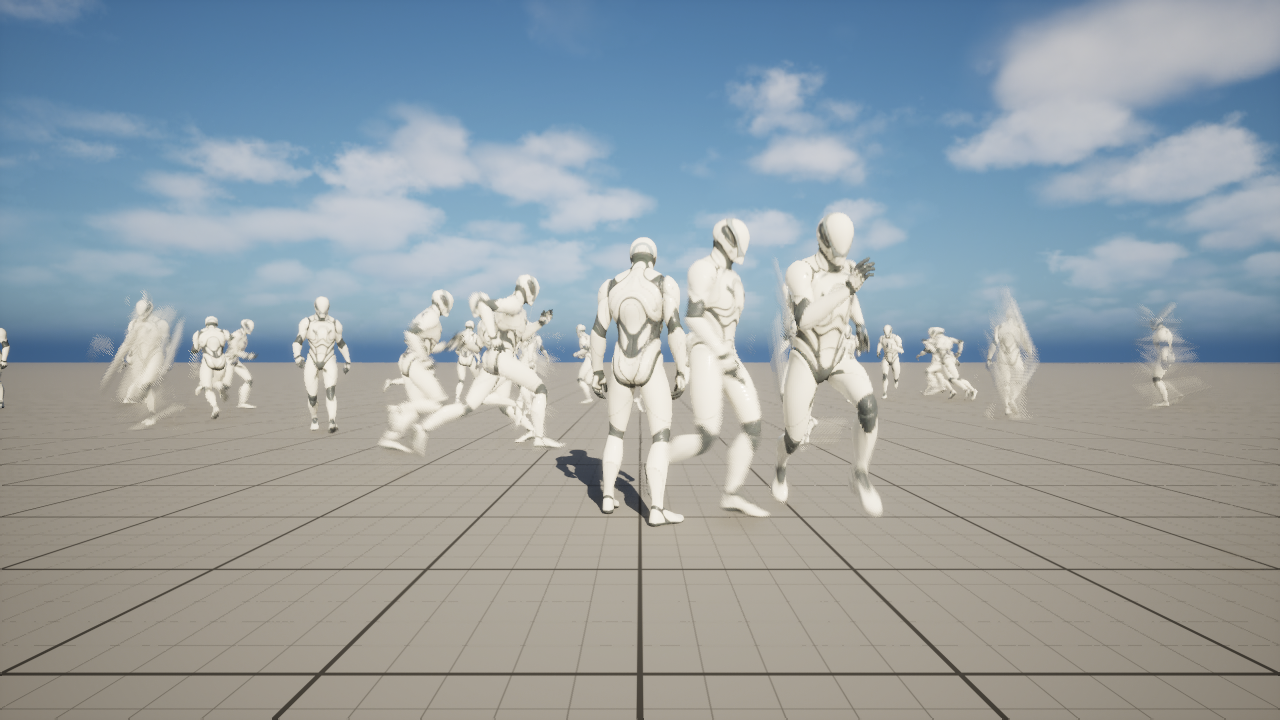
Crowds with Mass is a way to draw many remote players, or other Dynamic entities, without spawning an actor for each one. The other players on a map become rows of a crowd that the engine draws and animates in bulk. This page tells you what that means, when it is the right choice, and where to read next. If you learn by doing, follow Market night in Oakford.
What it is
Crowds with Mass is a rendering backend. A rendering backend decides what a machine puts on screen for an entity that belongs to someone else. The default backend, the actor pool, spawns a real actor of the entity's class. The Crowdy Mass Rendering Backend (UCrowdyMassRenderingBackend) draws the same entity as one row of a crowd instead: a position, an animation state and a few numbers in a table that Unreal's Mass framework updates in bulk and draws as instanced skinned meshes. No actor exists for that row.
You do not need to know Mass to use it. Everything here is Blueprint and assets except three jobs that need C++: registering the fields a graph reads by name, writing your own fragment, trait and processor, and registering an event handler that adds an effect while the row keeps playing its action. Add your own crowd data, Read and write its fields, from Blueprint and Receive its events, from C++ say where.
Crowds with Mass is part of the CrowdySDK plugin. There is nothing to install and nothing to enable beyond the plugin you already use. A map opts in by choosing the backend on its map profile.
Every player is a real actor on their own machine, whatever backend the map uses. A crowd row is how someone else's machine draws that player, never how you see yourself.
Why you would use it
The actor pool spawns one actor for every remote entity in range. Each actor carries its components, its animation graph and its tick, which is the right cost for a few players and the wrong one for a square full of them.
A crowd row costs a table entry instead of an actor. It draws through an instanced skinned mesh. It plays its animation from a bank shared by every row of the same character. A few hundred to a few thousand remote players can stay on screen at a steady frame rate.
On market night in Oakford the village square fills with players, far more than the actor pool should draw. The Oakford map profile selects Mass, and every other player in the square is a crowd row.
When not to use it
- You expect few remote entities. With a dozen or so players in range, the actor pool is simpler and costs you no extra authoring.
- Every remote entity must be a full actor everywhere. A crowd row has no components, no physics body of its own and no animation graph. Code that lives on the actor does not run for a row. An event body runs on a stand-in instead, and it has limits; see Run your code on a crowd row.
- You want full actors only up close. That is possible: a character can opt into a near tier, and the closest entities, up to a ceiling you set, are drawn as real actors. See Promote close entities to actors. Everything beyond the ceiling stays a row.
| Question | Actor pool | Crowds with Mass |
|---|---|---|
| How you choose it | It is the default; set nothing | Set Backend Class on the map profile |
| How a remote entity is drawn | A pooled actor of its class | A crowd row; an actor only when close, and only for a class that opts in |
| What the cost grows with | The number of actors | The number of rows, each far cheaper than an actor |
| Animation | The actor's own animation graph | An anim set and bank you author, shared by every row |
| Your code on a remote entity | Runs on the actor as usual | An event body runs on a per-class stand-in; component code does not run |
| A good fit for | Tens of remote entities | Hundreds to thousands |
| Extra work | None | A flagged material, an anim set, optionally a near tier shell |
Where it sits
The backend is chosen per map, by the Backend Class on the map profile. A map that chooses nothing runs on the actor pool, and a project can use the actor pool on one map and Mass on another. Choosing Mass changes how remote entities are drawn; it does not change how they are sent, found or owned. Entity identity, Crowdy State, events and continuous state work the same way under both backends.
Turn Mass on for a map shows the setting.
Three ways one entity is drawn
One entity can be drawn three ways on one machine, and every call you author has to be correct on all three.
| Representation | When | What runs your code |
|---|---|---|
| A real actor | Always for the player on their own machine; for every entity everywhere, on an actor pool map | Your actor, as usual |
| A near tier actor | A row that comes within Near Tier Distance of the camera, for a class that opted in | The per-class stand-in, as for a row; the near tier actor only draws the entity and plays its actions |
| A crowd row | The default for a remote entity under Mass | Fragments and processors, and the per-class stand-in for event bodies; no actor exists |
A near tier actor is a pooled copy of the shell you build, bound to one entity while it is close. The stand-in is an object the SDK makes for each class to run your event bodies on when no real actor exists.
Author once, on the actor class
You never author a "Mass version" of your character. You author the character, and on another machine the SDK draws it as a row. Everything is declared once, on your own actor class:
- the Crowdy entity component and the state it sends, on
ALanternPlayer; - the replicated
Stanceproperty that drives a pose, and theWaveTorchevent that drives an action; - the anim set the crowd animates from, named by a component on the class;
- the near tier shell, if you want close players drawn as actors.
Two planes, kept apart
The SDK keeps two kinds of state and Crowds with Mass does not mix them.
| View state | Server values | |
|---|---|---|
| What it is | Crowdy State, continuous state and events | A Server Object, with a record per entity |
| Owned by | The client being observed | The server |
| Carries | Movement, stance, animation, anything cosmetic | Health, stats, inventory, anything that decides an outcome |
| Trust | Forgeable | Authoritative |
| Reaches a crowd row by | A field you register, then a fragment on the row | A read from the entity's record, on demand |
Anything a peer sends about itself can be forged, so a crowd row may use it to look right and never to decide an outcome. Put anything a peer must not be able to influence in a Server Object. A row reads those values in place; see Read its server values, from Blueprint and Read its server values, from C++, and Keep a record per entity for the Server Object itself.
The example in this section
The pages follow one world, the village of Oakford. Players are ALanternPlayer, a character that sends FLanternPlayerState through its own executor, ULanternPlayerExecutor; BP_LanternPlayer is your Blueprint subclass of it. On market night every other player in the square is drawn as a crowd row. The raiders on the north road, from Raiders on the north road, show server values on rows. Market night in Oakford puts the whole thing together.
Before you start
You need a signed-in project with a Dynamic Crowdy entity, usually the player pawn, and a character with a skeletal mesh: a row is built from that mesh, so a bare Character with no mesh produces no row. The Entity Component page lists the entity settings, and Continuous State builds the custom executor that ALanternPlayer uses. The Quickstart gets a project connected first.
Read this section in order
- Turn Mass on for a map: choose the backend, set its options and project settings, flag the material.
- Make a character draw as a crowd row: the entity component, the state struct, the mesh and where the entity config comes from.
- Set up the animation set: the bank, the Crowdy Mass Anim Set, gaits and the rule that an index must change.
- Play poses and one-shot actions: a replicated enum becomes a held pose, and an event becomes a one-shot action.
- Promote close entities to actors: the near tier shell, pooling and distances.
- Run your code on a crowd row: what an event body does when the observer holds a row.
- Add your own crowd data: your own fragment, trait and processor, and the state fields that feed them.
- From Blueprint: Target an entity, Call an event on it, Receive its events, Read and write its fields, Read its server values.
- From C++: the same five pages, Target an entity, Call an event on it, Receive its events, Read and write its fields and Read its server values.
- Fix a crowd that does not look right: symptoms first, then the diagnostics you may use.
- Market night in Oakford: the worked example from end to end.
Related
- Rendering Backends: the actor pool, and what a backend is.
- Map Profiles: where Backend Class and Backend Config live.
- Crowdy State: the view state that reaches a row.
- The Two Planes: why view state and server values stay apart.
- Keep a record per entity: the server side of a row's values.