Inspector and Registry
The two pages in the sidebar's DEBUG group. Neither needs a sign-in.
- The Inspector is a read-only view of the running Play in Editor session.
- The Registry shows the baked metadata a packaged build reads, and rebuilds it.
Open Crowdy Studio (Tools, Crowdy SDK, Crowdy Studio) and pick either page in the sidebar.
Inspector
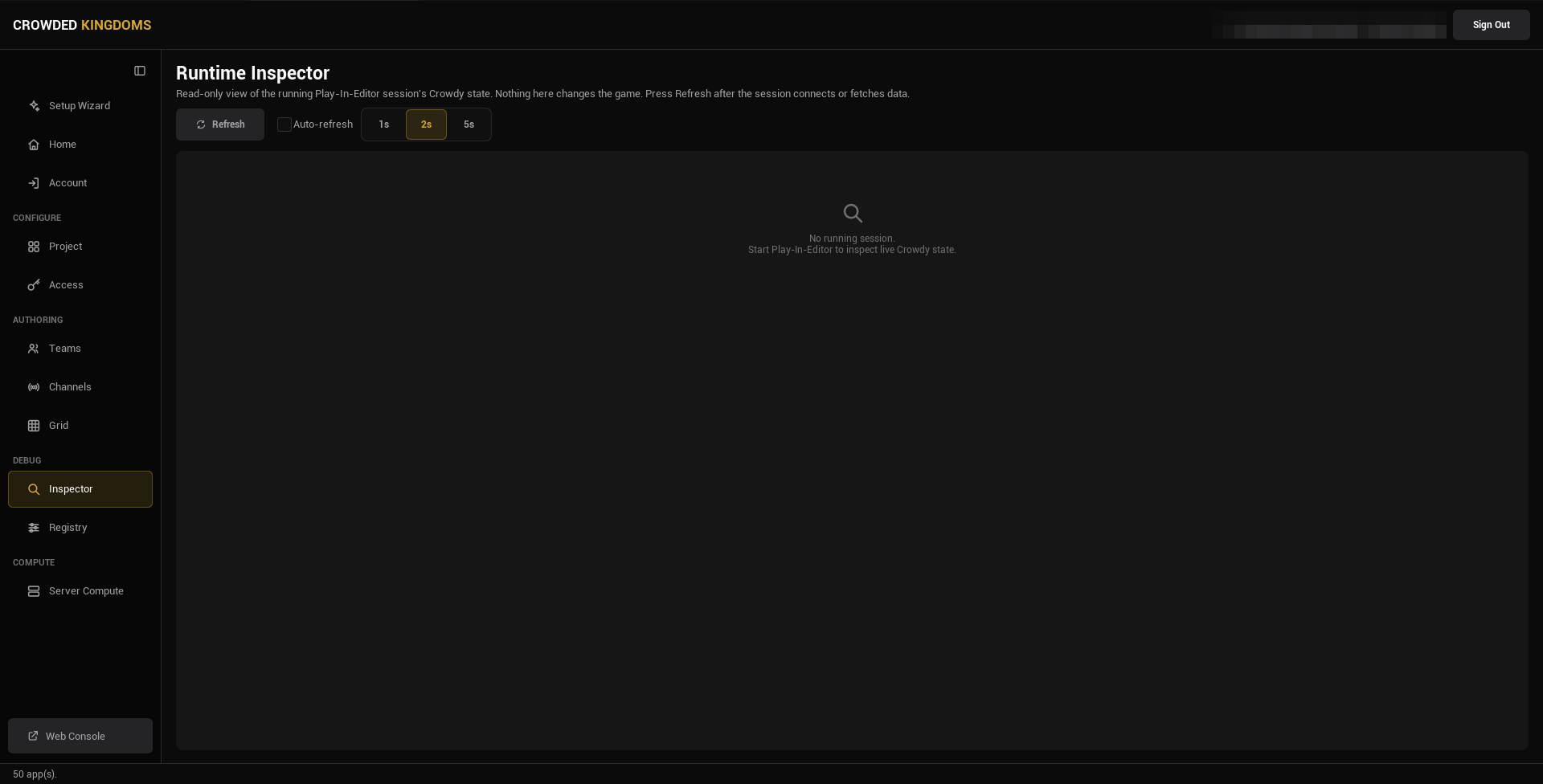
The Inspector reads the live state of the current Play in Editor session and shows it as text. Nothing here changes the game. Press Refresh after the session connects or fetches data, or tick Auto-refresh and pick an interval (1, 2, or 5 seconds).
With none running the page reads "No running session".
What it lists:
- Session: the app id, your user id, the game token id, your UUID, the host id, and whether a game token is held (never its value).
- Teams (N): the teams the local player is in, from the runtime cache. Until the game has fetched teams it says so.
- Channels (N): the channels the client has joined, whether the reliable RPC channels are ready, and the session channel's id.
- Avatars (N): the local player's avatars, from the cache.
- Entities: the local player id, the host id, and the entities this client owns, by actor name. There is no every-entity list; the owned slice is the one that confirms spawns and ownership while you debug.
A map profile row that names an asset that failed to load resolves to no profile; the entity subsystem then does nothing on that map and the session looks dead. The log warning names the asset. A map with no row runs on the shipped default.
To change teams, channels, or entity state, use the runtime APIs in your game: Teams, Channels, Entities and Spawning.
Registry
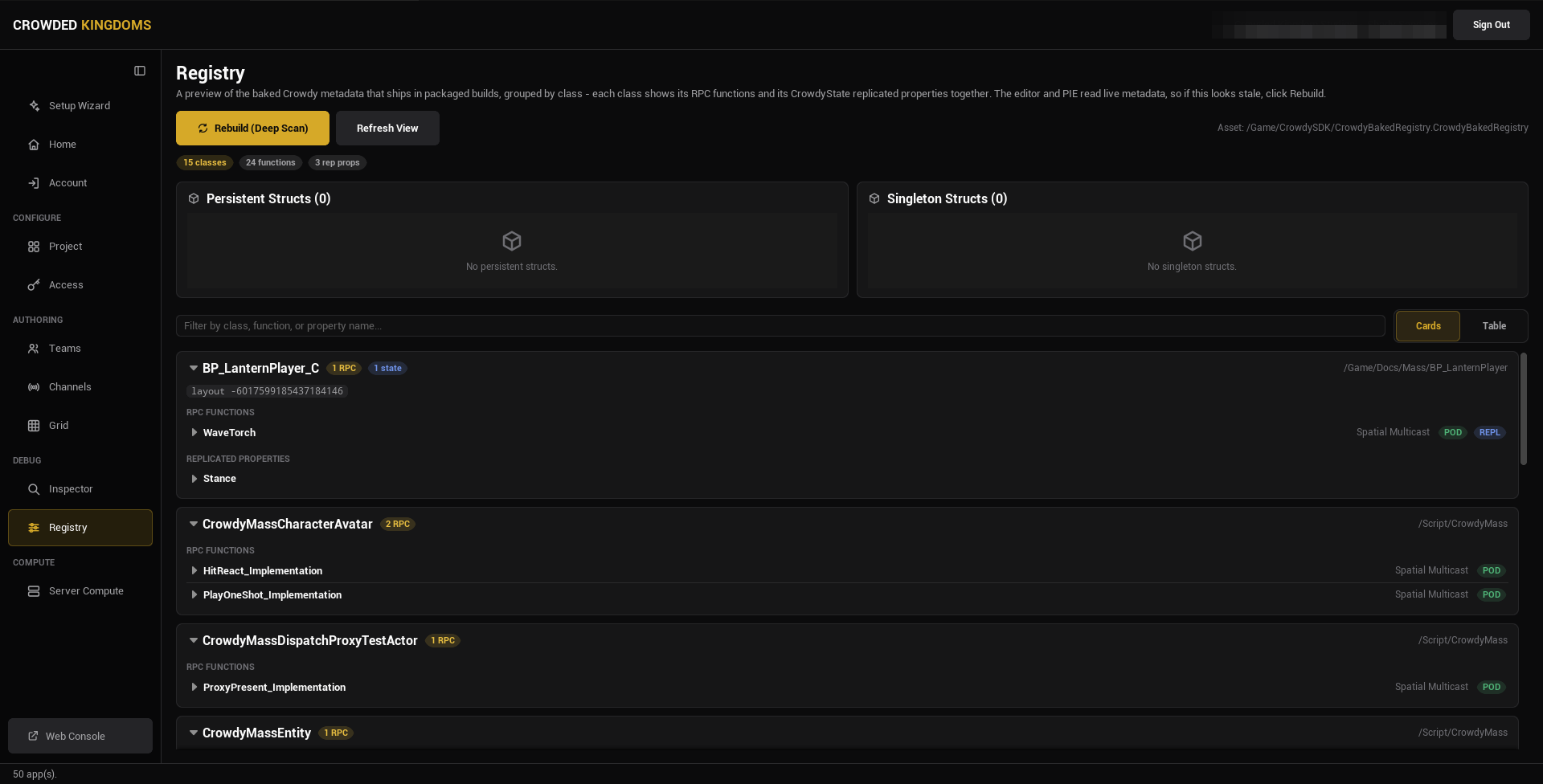
Every marker you write (CrowdyEvent and its routing keys, CrowdyState and its keys) is Unreal metadata, and a cooked build strips metadata. The SDK therefore bakes what it needs into an asset, UCrowdyBakedRegistry at /Game/CrowdySDK/CrowdyBakedRegistry, and a packaged build reads that instead. The editor and Play in Editor read live metadata, so the page can look stale until you rebuild.
If your own game code reads a Crowdy marker at runtime, read it through the registry, never through HasMetaData; in a packaged build the metadata is gone and the call returns nothing.
The two buttons
Rebuild (Deep Scan) regenerates the registry from every C++ class and Blueprint in the project, then refreshes the view. It is the authoritative bake, and packaging runs the same thing automatically at cook time. It runs asynchronously (assets stream in; the editor does not freeze) and shows "Rebuilding registry..." while it works. If the button is disabled, the CrowdySDK editor module is not loaded.
Refresh View re-reads the already-baked asset and redraws the page without re-baking anything. Use it after something else changed the asset on disk, such as a cook.
The cook rebakes on its own, so a packaged build is right even if you forget. Press Rebuild to verify the bake before a long cook, or to bring the in-editor view up to date.
What the page shows
Three summary pills: classes, functions, and replicated properties. A search box filters by class, function, or property name, and a Cards / Table toggle picks the layout.
In Cards view, each class is an expandable card with an RPC FUNCTIONS section and a REPLICATED PROPERTIES section. Expand an RPC function for its function id, recipient, decay rate, distance, whether its parameters are plain data, and whether it is replicated. Expand a replicated property for its property id, layout order, owner-only flag, manual update flag, and rep-notify function. The class header shows a layout hash and, where the class has an entity component, its Ownership and Host Override, read live from the class defaults rather than baked.
In Table view the same data is one flat table: type, name, routing or notify, flags, id.
To read the baked registry from the console instead, type crowdy.registry.dump in a non-shipping build. It logs every entry the cook baked in, one line each: the structs and their layout hashes, the CrowdyState properties, and the CrowdyEvent functions, with their ids. See Console variables and commands.
When to press Rebuild
- After you add or change a
CrowdyEventreceiver, or its recipient, channel, or other routing key. - After you change a container or any Crowdy-tagged struct.
- Before you cook, if you want to check the bake first.
It is rewritten by every Rebuild and every cook. Ignore it in your version control rather than committing it.
For the full packaging flow, see the Packaging guide.
Gotchas
- The Inspector's team, channel, and avatar lists come from the runtime caches. An empty list with a "not populated yet" note means the game has not fetched, not that there is nothing.
- Refresh View does not rebake. If a marker you just added is missing, press Rebuild.
- Ownership and Host Override on a class card are live values, not part of the bake.